
Uncountable is built to preserve scientific data over time, which is why the platform relies primarily on archiving rather than hard deletion when removing entities from active use. Archiving keeps historical data intact while allowing teams to maintain a clean, auditable workspace.
Why Uncountable Uses Archiving
In most areas of the platform, archiving is preferred over deletion because it:
- Preserves historical experiment data and results
- Prevents accidental removal of fields that may be reused later
- Supports audit and compliance requirements
- Keeps active workflows clean without permanently losing information
What Happens When You Archive a Field?
When you archive a field in Uncountable (such as an ingredient, process condition, workflow step, output, or experiment field), the following behavior typically applies:
- The field can no longer be used in new experiments.
- Any existing data that used the field remains unchanged and accessible.
- Archived fields are hidden by default in listings and plots but can be shown by adjusting filters or enabling the archived toggle.
- Archived fields remain accessible to administrators through configuration tools and can be restored or re-enabled if needed.
This approach allows teams to maintain a clean, up‑to‑date configuration while fully preserving historical records.
What Happens When You Archive an Experiment?
When you archive an experiment in Uncountable, the following behavior typically applies:
- The experiment can no longer be edited or used as a template for new experiments.
- Any existing data in the experiment remains unchanged and accessible.
- Archived experiments are excluded by default from visualizations in Explore Data, aggregated listings, data summaries, chart plots in notebooks, machine learning models, and dashboard views.
- Archived experiments can be restored by administrators and users with appropriate permissions.
This approach ensures that your active analysis focuses on current, relevant experimental data while fully preserving historical records.
Archiving Entities
Archiving Projects
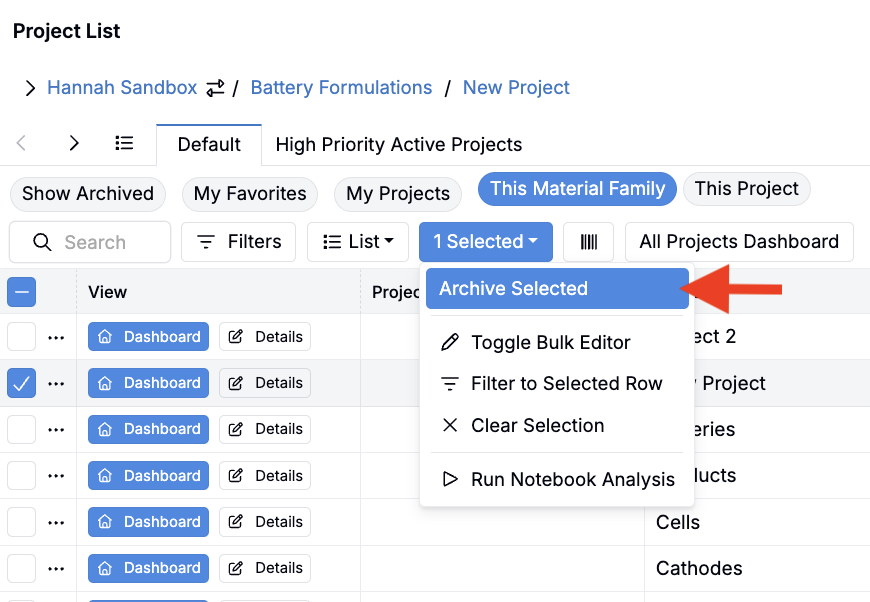
To archive a project:
- Navigate to the Project List page.
- Select one or more project to archive.
- Within the selection menu, click Archive Selected.
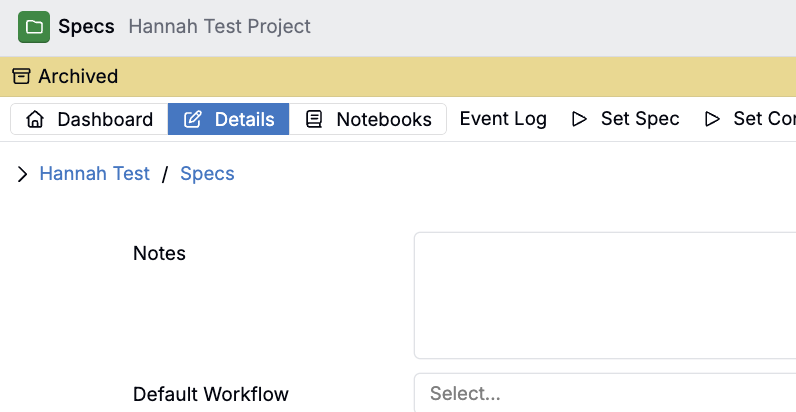
Once a project has been archived, a yellow Archived banner will appear below the project header.
Archiving Experiments
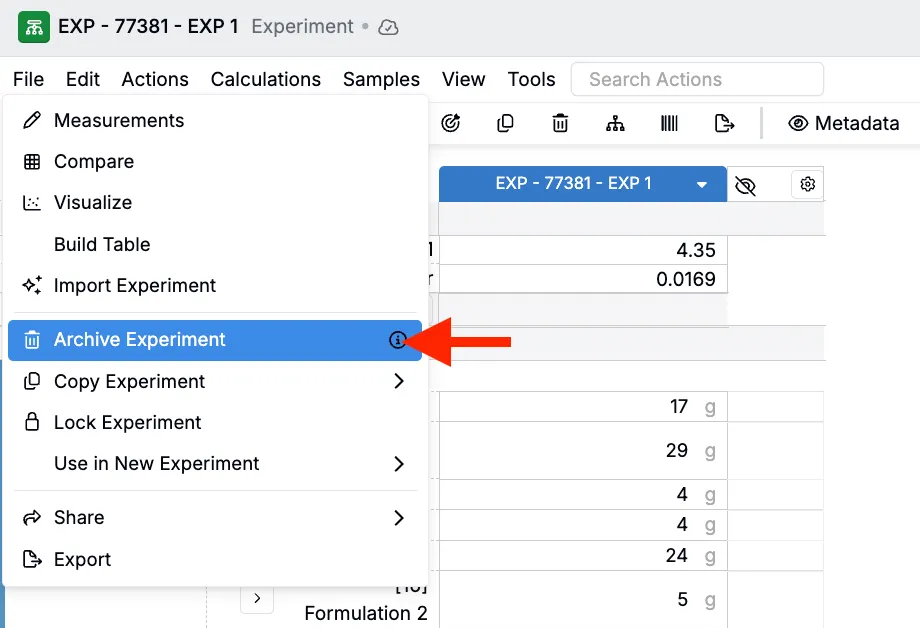
To archive experiments:
- Open the experiment.
- In the File menu, select Archive Experiment(s).
- In the modal, type “Archive” and click Archive Experiment to confirm.
- If you have multiple experiments in view, use the Archive Multiple Recipes checkbox to select which you want to archive.
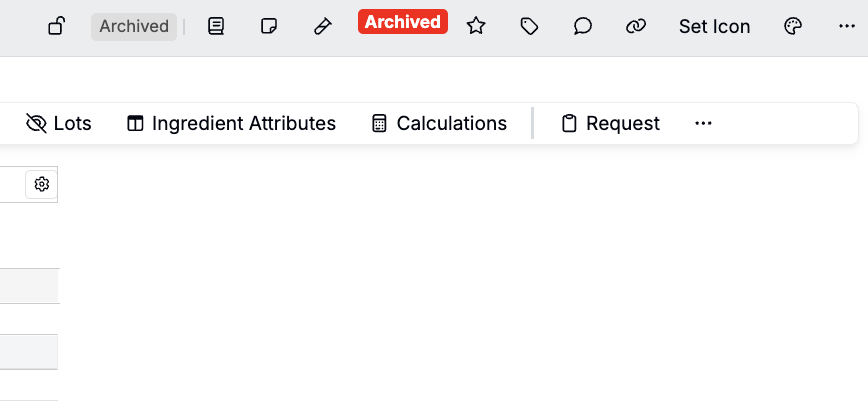
Once an experiment has been archived, a red Archived tag will appear in the experiment header.
Archiving Ingredients and Process Parameters
To archive ingredients or process parameters:
- Open the relevant listing page.
- Select one or more ingredients or process parameters to archive.
- In the selection menu, click Archive.
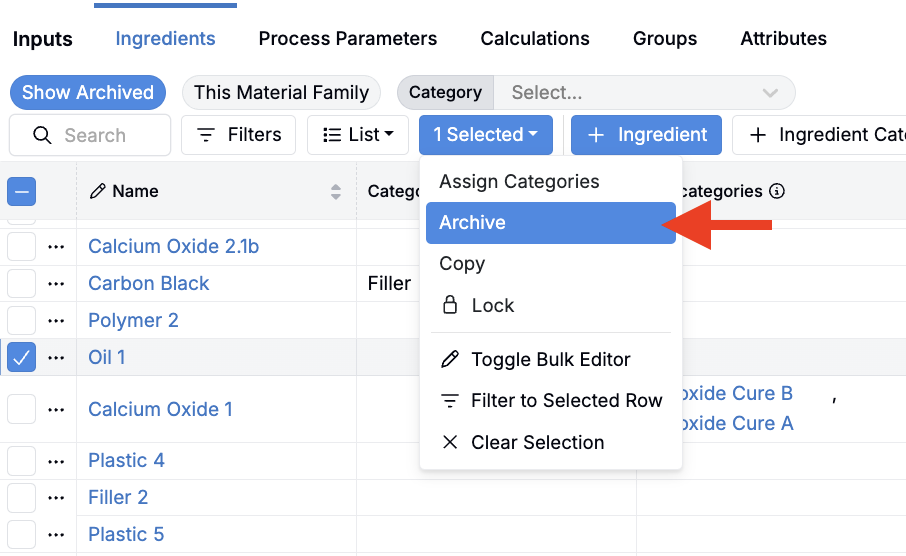
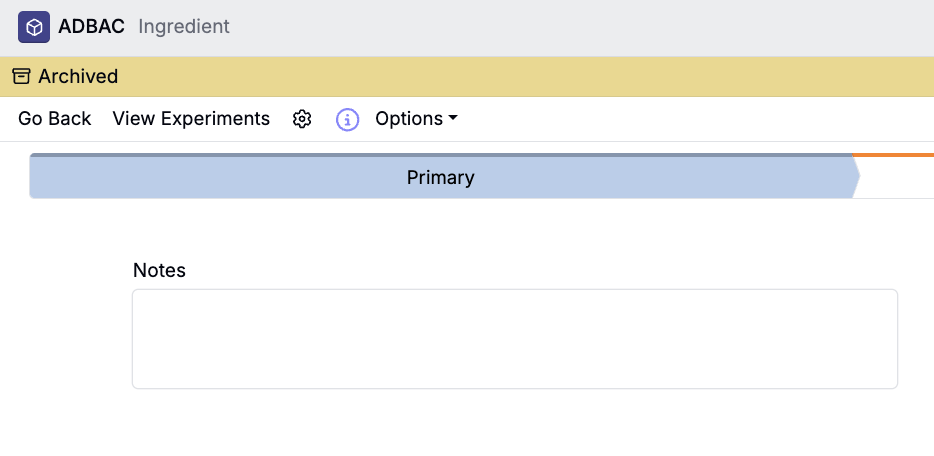
Once an input has been archived, a yellow Archived banner will appear below the input header.
Archiving Outputs
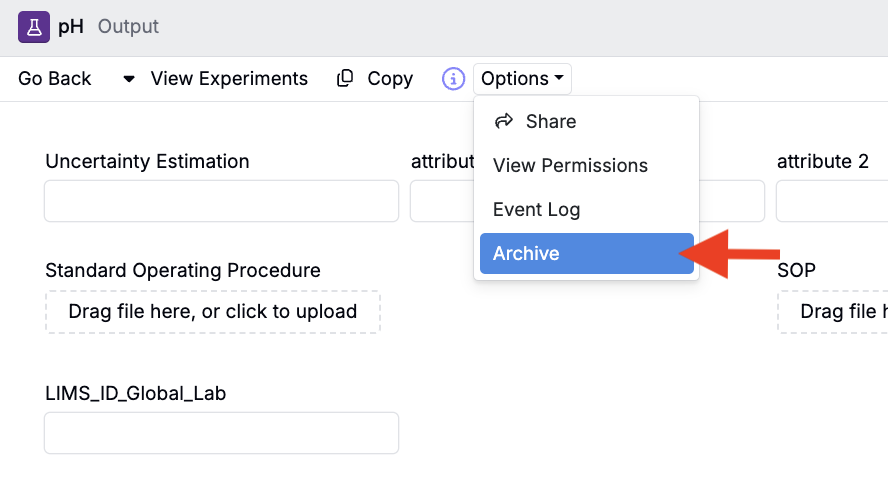
To archive outputs:
- Access the output’s details page.
- Click Options > Archive.
Using the Archived Column
For some entity types, you must use the Archived column in a listing to archive them. This includes:
- Input calculations
- Input and output groups
- Condition parameters
- Attributes
You can also use this column-based method to archive any of the entities mentioned above.
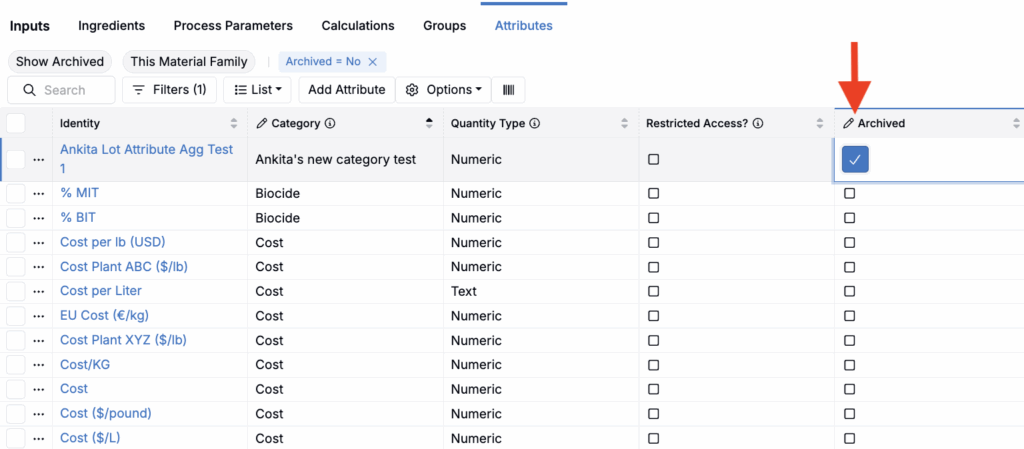
- Open the relevant listing page.
- To the listing, add an Archived column (List > Set Columns). Learn more.
- Use an entity’s Archived column checkbox to archive it.
Viewing Archived Entities
Once an entity has been archived, it will be removed from the default listing table views and visualizations. On an experiment, archived inputs and outputs cannot be searched for or added.
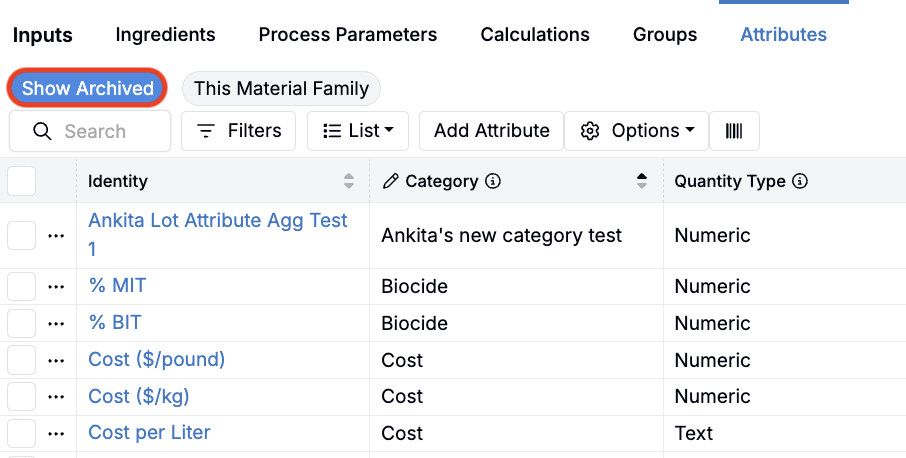
To view archived fields:
- Navigate to the entity’s listing table.
- Click the Show Archived quick filter.
Unarchiving Entities
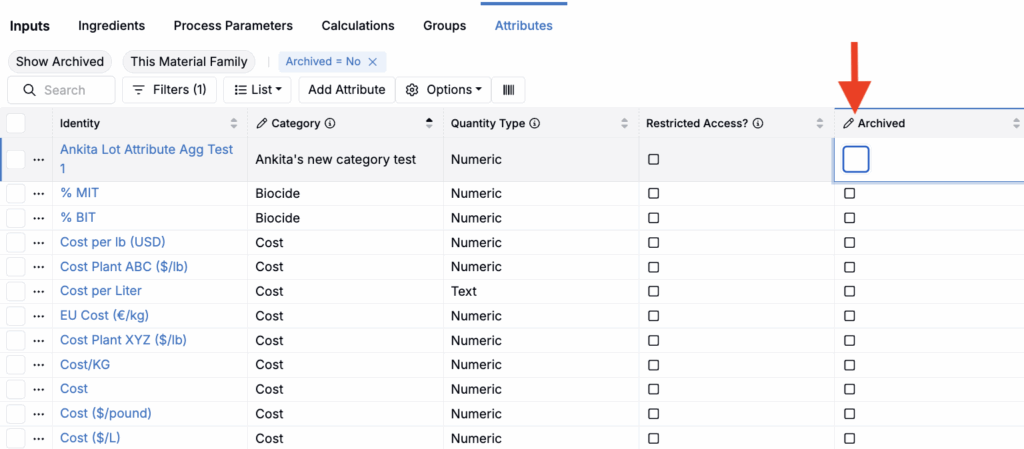
To restore an archived entity, use the Archived listing column. Write permissions are required to unarchive entities.
- Open the relevant listing page.
- To the listing, add an Archived column (List > Set Columns). Learn more.
- Use an entity’s Archived column checkbox to unarchive it.
Deleting Entities
While most entities in Uncountable can only be archived, some can also (or only) be hard deleted. These include:
- Notebooks — can only be deleted, cannot be archived
- Experiment metadata — can only be deleted, cannot be archived
- Output categories — can only be deleted, cannot be archived
- Input calculations — can be archived or deleted
- Input groups — can be archived or deleted
- Output groups — can be archived or deleted
Bulk Archiving/Unarchiving
To archive or unarchiving multiple entities at once, use the Bulk Modify page for advanced filtering and bulk operations. To learn more, refer to Bulk Modify Experiments.
Questions?
If you have questions about archiving behavior or need help restoring archived entities, contact your Uncountable administrator or reach out to the Uncountable support team.