
Config Transfer lets admins export platform configurations from one schema and import them into another — no manual recreation required. Exports are saved as YAML files and can be imported into any target schema. The import flow shows a full preview of planned insertions and updates before applying changes, and surfaces warnings for unsupported fields or unresolved references.
What can be transferred
Config Transfer currently supports the following entity types:
- Definitions (including groups, fields, settings, and linked triggers)
- Entity fields, including those with custom ID sources and field options
- Field options sets
- Phase workflows
- Triggers and trigger sets
- Runsheet configurations
- Listing configs
- Ingredient attributes and categories
- Weighted sum input calculations (exported directly from the calculation editor)
The export performs a deep export — it automatically follows references within entities (such as workflows, groups, and fields) and includes them in the package. This means complex configurations can be transferred without manually identifying every dependency.
How to export a definition
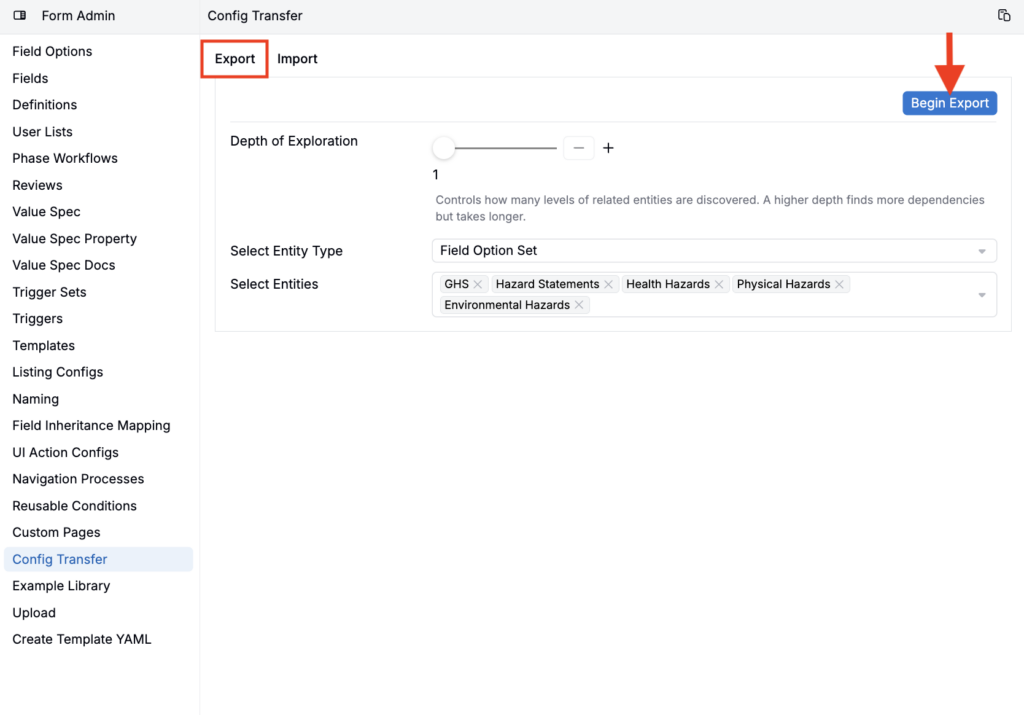
- Go to Form Admin > Config Transfer.
- On the Export tab, select the entity type and choose the specific entities to include.
- Click Begin Export.
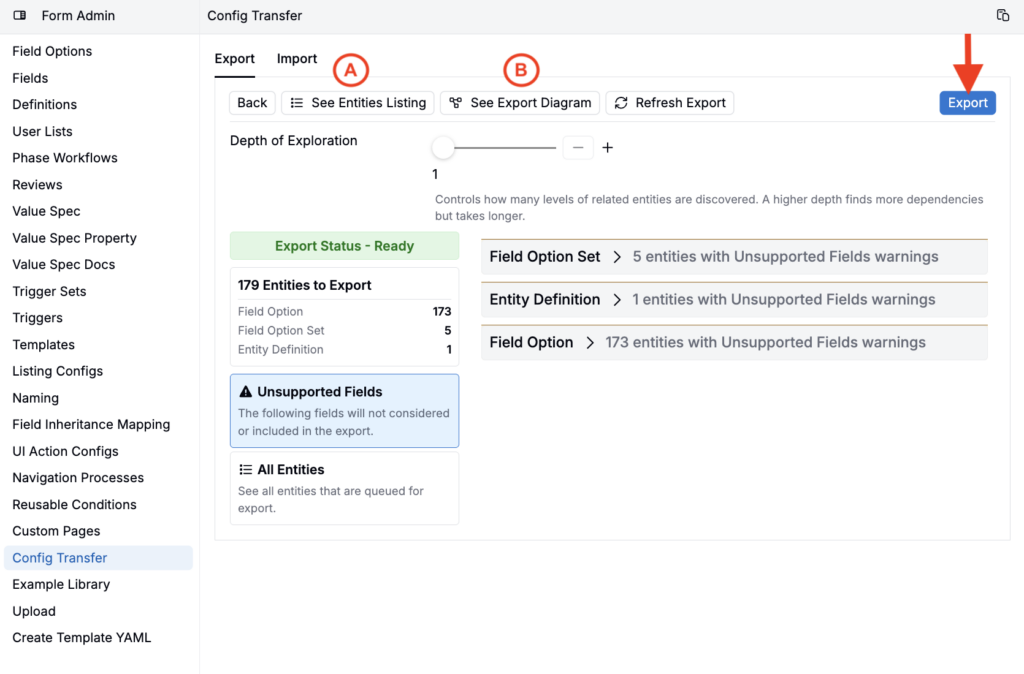
- Click See Entities Listing (A) to review the full scope, or See Export Diagram (B) to visualize relationships.
- Click Export to download the YAML package.
How to export a calculation
This export option is only available for weighted sum input calculations.
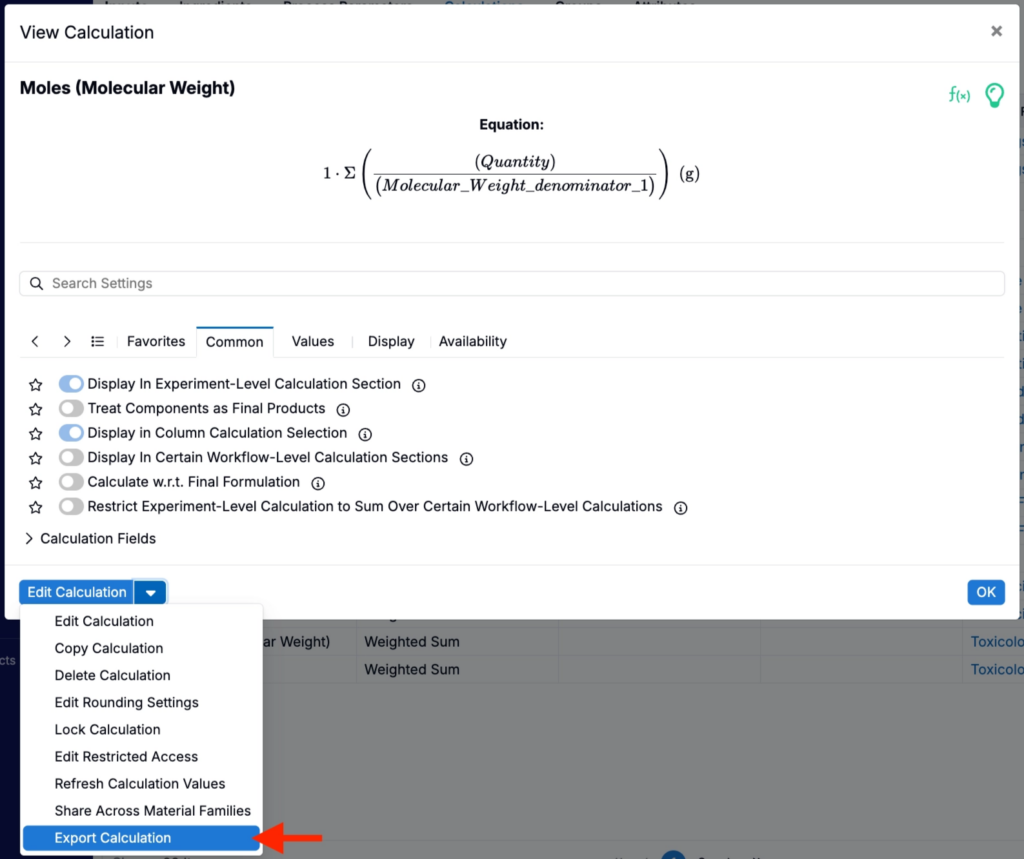
- Open the calculation in the calculation editor.
- In the Edit Calculation button menu at the bottom of the modal, select Export Calculation.
- This downloads a YAML file for that calculation, including any dependent attributes.
How to import
- On the Import tab, upload the YAML file (drag and drop or click to upload).
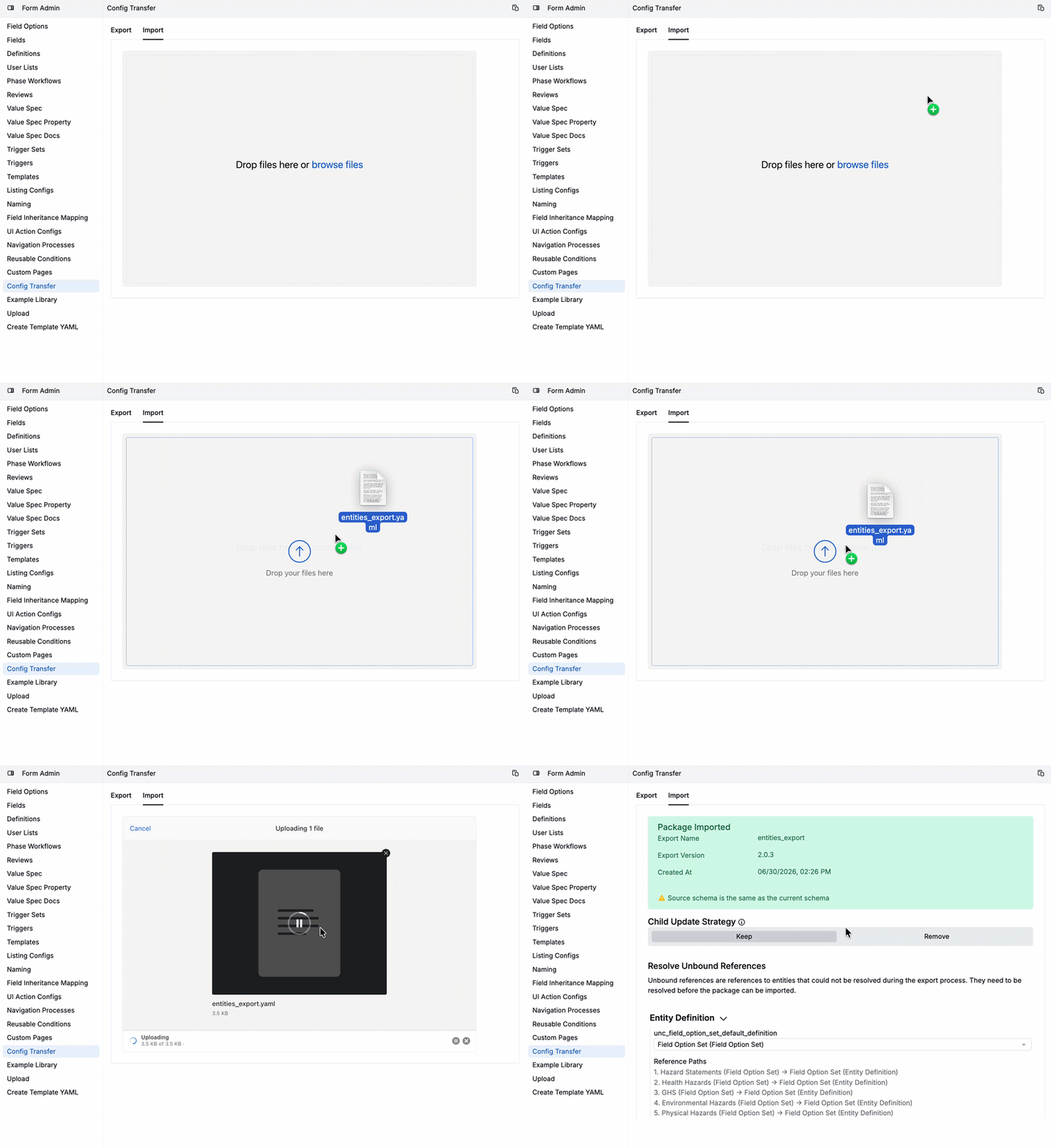
- Review the Package Imported summary showing export name, version, and created-at timestamp.
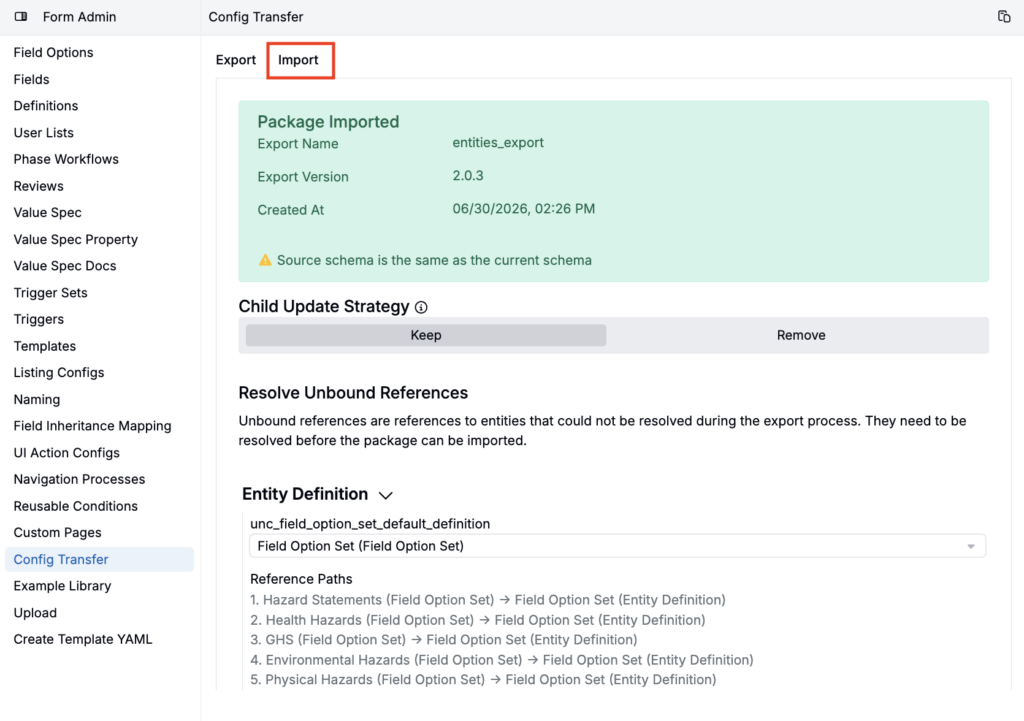
- In the Resolve Unbound References step, map any unresolved entities (e.g., users or listing configs not included in the export) to existing entities in the target schema.
- Set the Child Update Strategy: choose Keep to preserve existing child values not in the import, or Remove to delete them.
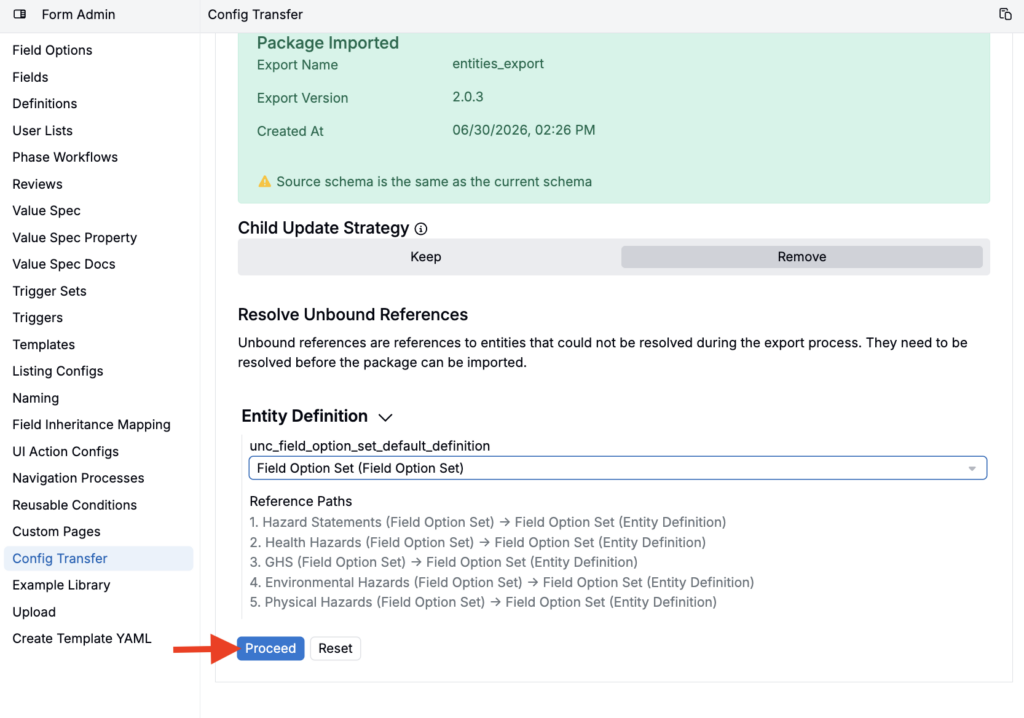
- Click Proceed and review the full plan of insertions and updates.
- Click Execute Import to apply the changes.
Notes
- Dependency mismatches and unsupported field types are flagged before the import executes.
- For calculations, the system automatically reconciles dependencies like ingredient attributes, so mismatches are caught before anything is applied.
- Config Transfer is especially useful for teams working across test, sandbox, and production schemas, where the same configuration needs to stay consistent across environments.