
Uncountable’s Chemical Search helps you find molecules across your workspace by scanning ingredients and experiments that include chemical structures. Use it to locate exact structures, substructures, or similar molecules.
The tool searches ingredients with structures saved on the record and experiments that include those ingredients. Results link back to the ingredient or experiment, so you can jump straight to the context. Structures in notebook Chemical Structure cells and reaction tables are also searchable, so results can include notebooks that contain a matching structure.
Running a Chemical Search
- To access, select Quick Actions > “Chemical Search”.
- Use the Filter to Allowed Entity Type to limit search to a select entity.
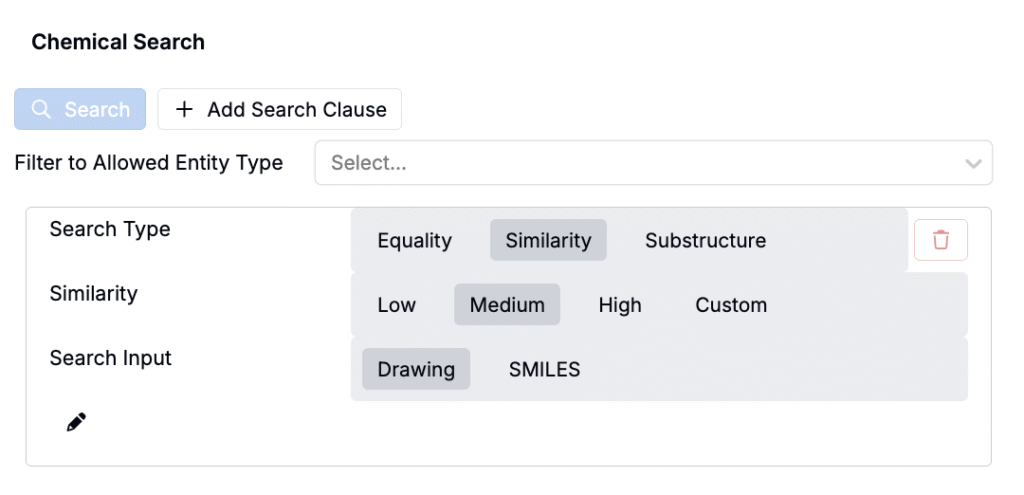
- Choose a Search Type:
- Equality — returns exact matches to the input structure/SMILES.
- Similarity — returns look-alike molecules at or above the similarity threshold you set.
- Substructure — returns molecules that contain the input as a substructure. When using a this search type, users can also input SMARTS or functional group search inputs.
- If using Similarity, set the Similarity Level. Higher thresholds return fewer, closer matches.
- Low – broadest set (more distant neighbors included)
- Medium – balanced breadth and relevance
- High – closest analogs only
- Custom – type a numeric threshold (e.g., 0.80 for ≥ 80% similarity)
- Pick a Search Input:
- Drawing — click the pencil icon and use the built-in sketcher to draw a structure or substructure.
- SMILES — paste a SMILES string.
- Click the blue Search button to run the search.
Searching by Drawing
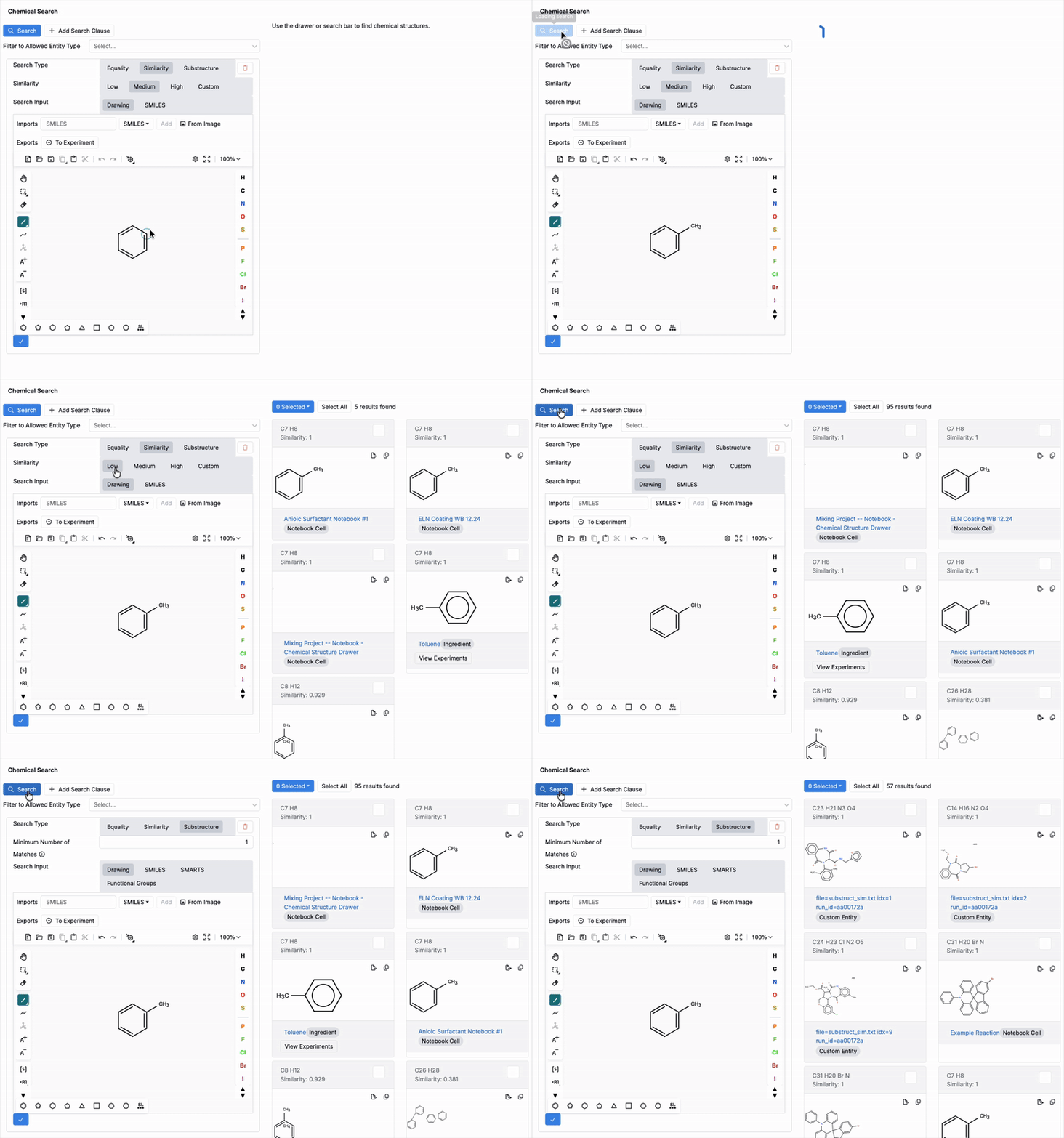
Use the Drawing input to sketch a structure or motif and search for Equality, Similarity, or Substructure matches.
- In the sketcher, place atoms, bonds, and ring templates to build your query.
- Pick a Search Type and (if Similarity) set a threshold.
- Run the search to return exact matches, close analogs, or molecules containing the drawn substructure.
Searching by SMILES
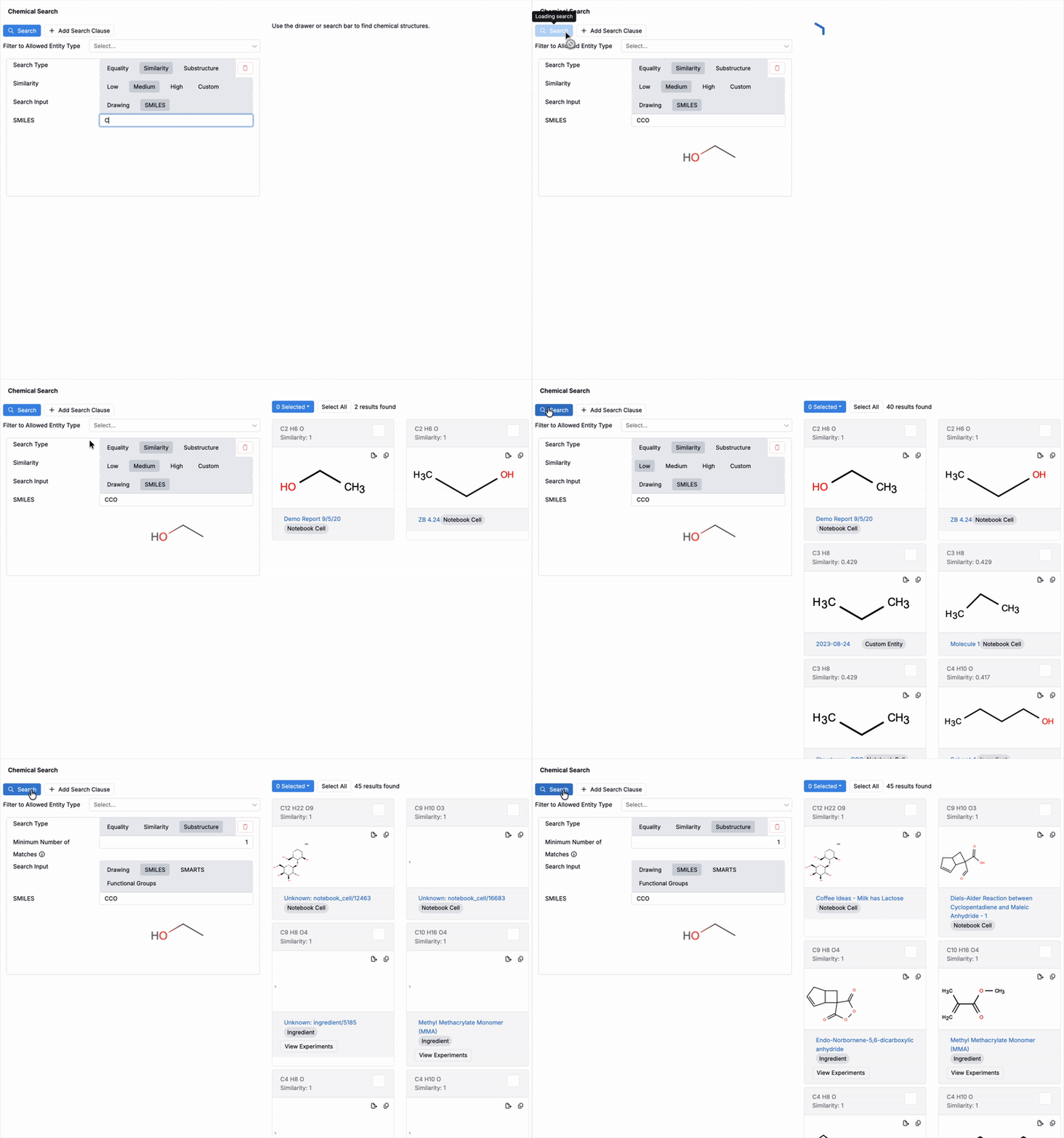
Use the SMILES input to search by a text representation of the molecule.
- Paste a SMILES string.
- Pick a Search Type and (if Similarity) set a threshold.
- Run the search and review linked ingredient/experiment results.
Example:
- Ethanol:
CCOC= carbon atom,O= oxygen atom.- The sequence encodes a two-carbon chain with a terminal hydroxyl.
Adding Ingredients from a Chemical Structure
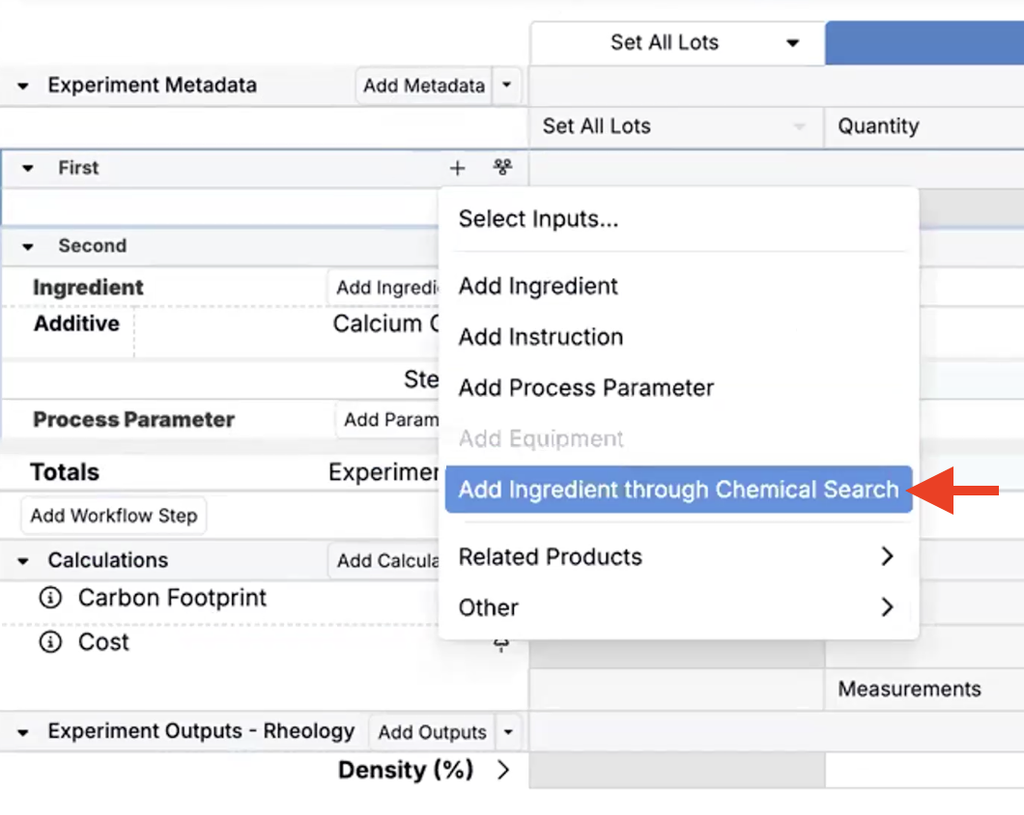
When you know a chemical structure but not the ingredient name, you can search by structure directly from the Recipe view of an experiment to find an existing ingredient or create a new one.
- On the Recipe view of an experiment, open the Add ingredient dropdown.
- Click Add ingredient through Chemical Search.
- In the modal, draw or paste the chemical structure and click Search.
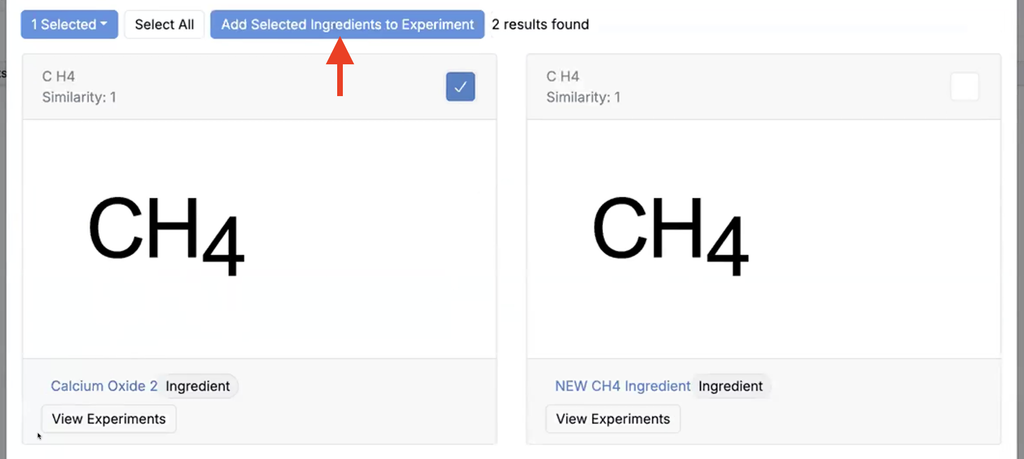
- If matching ingredients are found, select one or more and click Add Selected Ingredients to Recipe.
- If no matches are found, click Create New Ingredient to open the new ingredient modal with fields filled from the drawn structure.
To draw or upload structures in a notebook, see Chemical Structure Cells and Reaction Diagrams.