
In Uncountable, a spec (specification) is a set of goals that defines performance criteria for test outputs in a project. There are several types of specs, including project specs, assigned specs, user assigned specs, and relative specs.
A user assigned spec is a personal spec selection that applies to an individual user without changing the project default. When a user assigned spec is selected, Uncountable uses that spec for the viewing user’s analysis experience. Other users in the project can keep their own spec selections, and the project default spec remains unchanged.
When to use user assigned specs
- Multiple users work in the same project but have different analysis criteria.
- You want Compare, graphs, notebooks, and ML tools to reflect your own spec selection.
- You need to switch between specs without disrupting other users in the project.
- You want to evaluate shared experiment data against personal targets while preserving the project default.
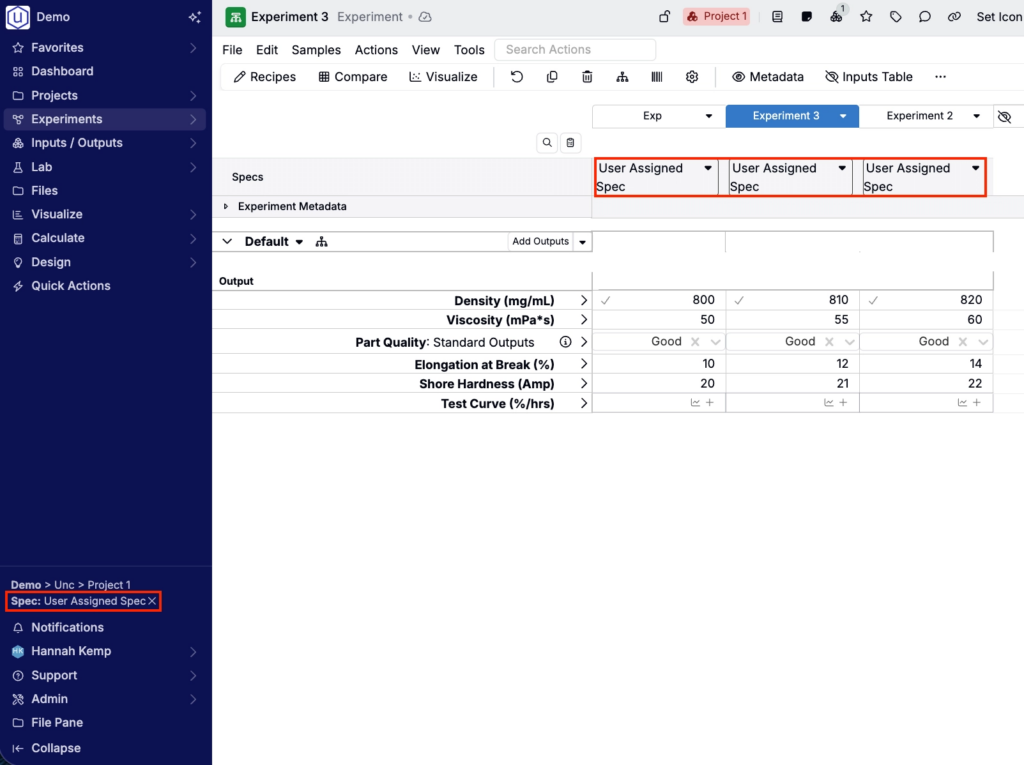
Selecting a user assigned spec
When user assigned specs are enabled for your schema, the selector appears in the navigation bar next to the project breadcrumbs.
- Open the project where you want to use a personal spec.
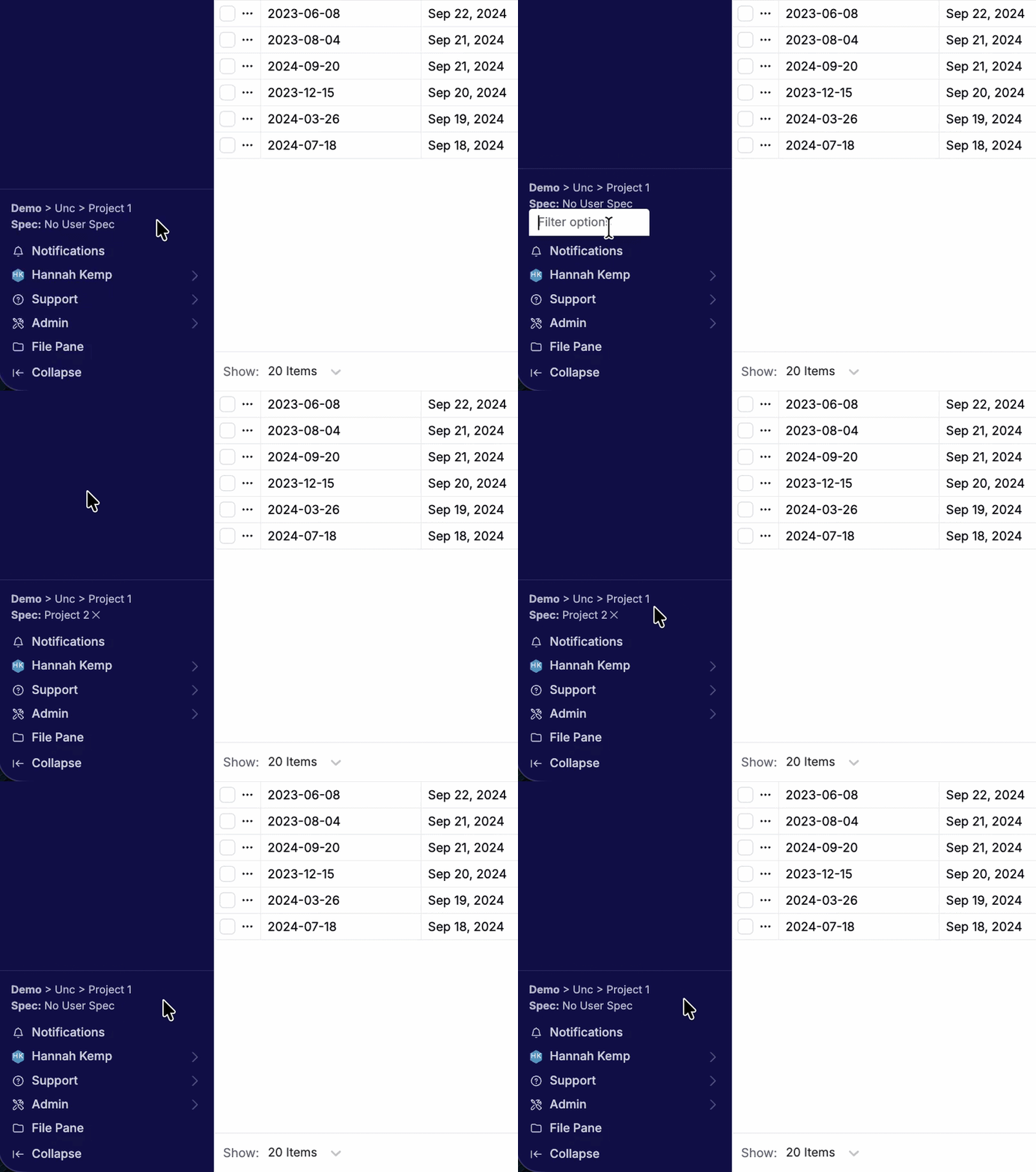
- Click the Spec selector in the navigation bar.
- Select the spec you want to use.
The selector displays your active user assigned spec and applies it to your analysis experience without changing the project default.
If no user assigned spec is selected, the selector displays No User Spec, and Uncountable falls back to the project default spec. To remove the user assigned spec override, click the x next to the spec name in the navigation bar.
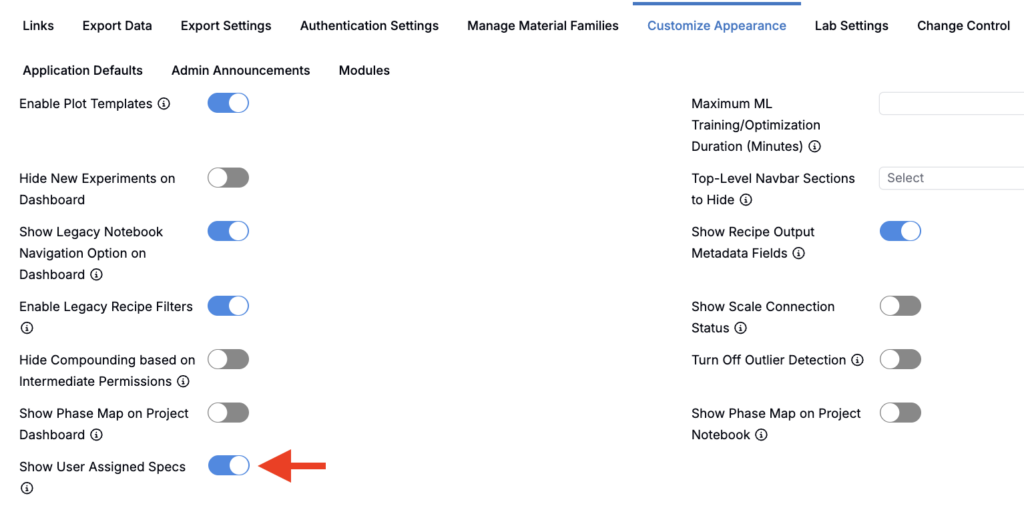
To enable user assigned specs within a schema, admins can toggle on Show User Assigned Specs within the Customize Appearance tab of the Company-Wide Settings page.
Spec priority
When Uncountable determines which spec to use for a recipe or experiment, it follows this priority:
1. Assigned spec — If the individual recipe has an assigned spec, Uncountable uses that recipe-level assignment first.
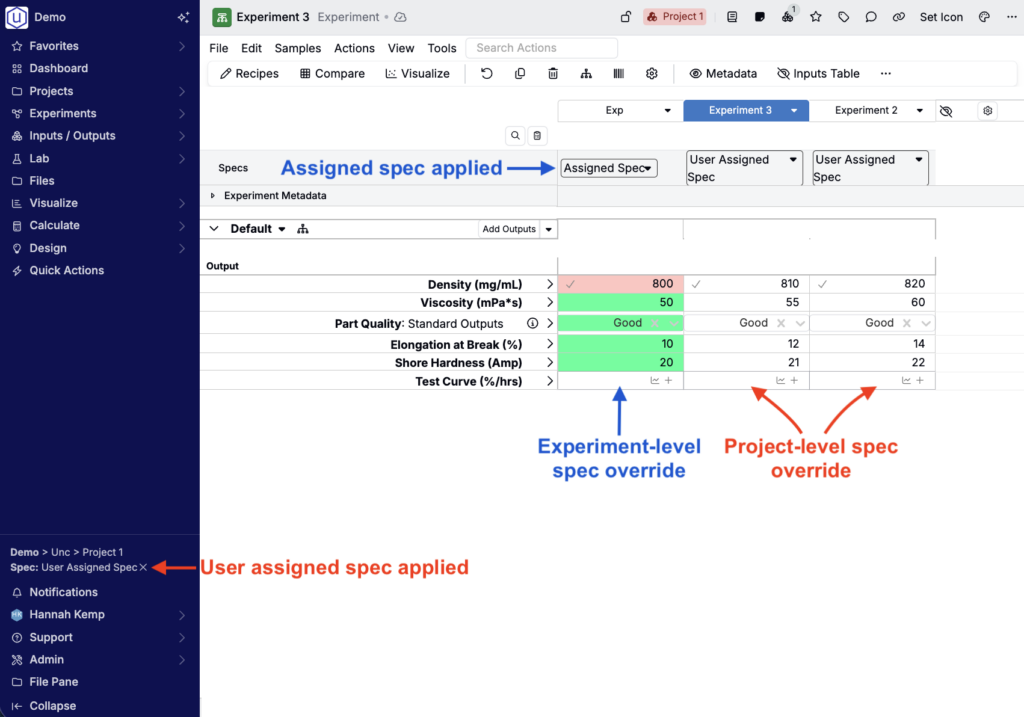
2. User assigned spec — If there is no assigned spec on the recipe and you have selected a user assigned spec, Uncountable uses your personal selection for your experience.
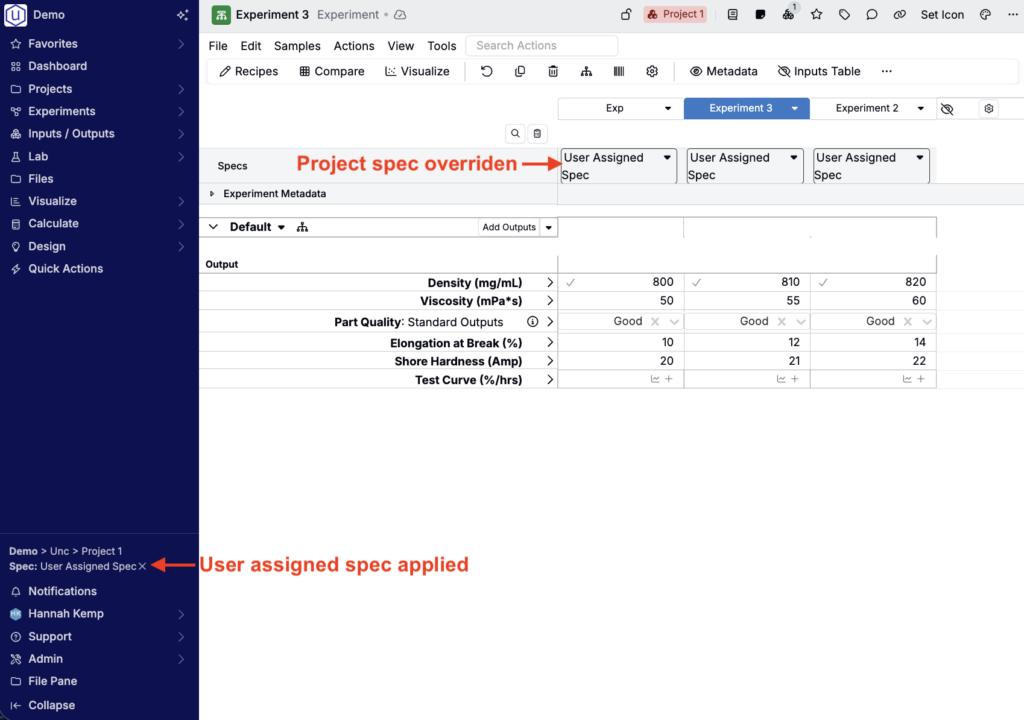
3. Project spec — If there is no assigned spec and you have not selected a user assigned spec, Uncountable falls back to the project default.
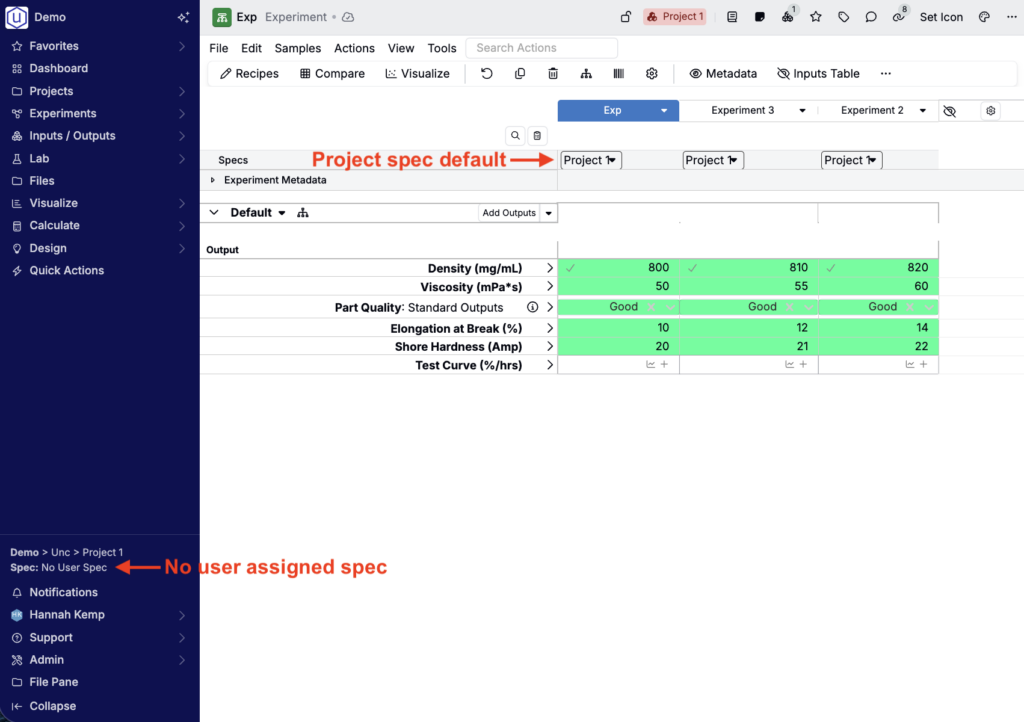
Where user assigned specs apply
User assigned specs apply anywhere Uncountable resolves a spec for your personal analysis view, including:
- Measurements pages — Spec columns and output coloring use your active user assigned spec.
- Compare views — In-spec and out-of-spec results reflect your active user assigned spec.
- Explore Data — Spec displays use your active user assigned spec when available.
- ML tools — Objective searches and Suggest jobs default to your active user assigned spec.
- Notebooks — Entity charts resolve the spec dynamically for the viewing user.