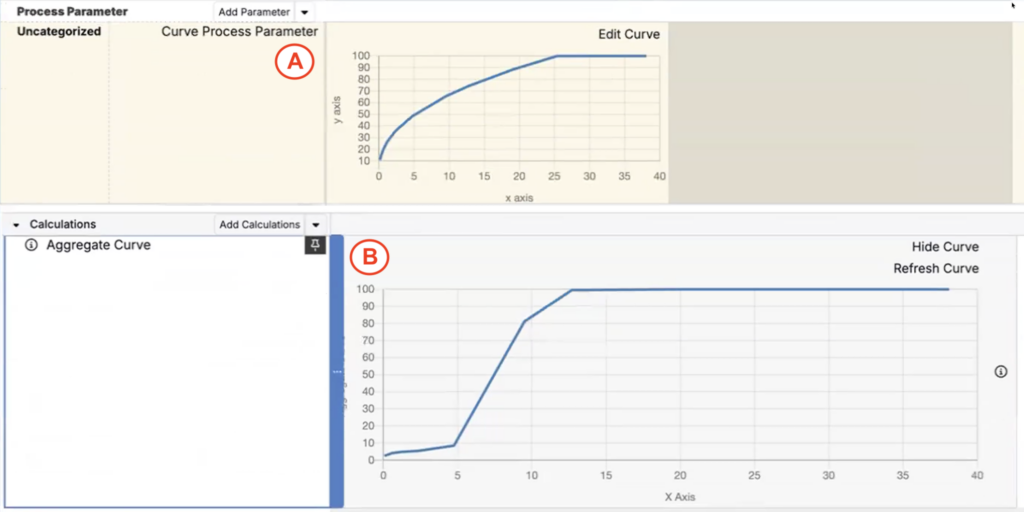
The Curve Solver is a Solver objective that adjusts unlocked recipe variables to make one curve match another curve as closely as possible (while still respecting locks and other solver constraints).
Aggregate Curves
Aggregate Curves are a calculation type that let you combine multiple curves into a single curve, usually as a weighted average. This reduces manual curve preparation and makes it easier to solve toward a target curve.
Aggregate curves are built from a Lot Attribute curve output so the curve automatically reflects whichever lots are currently selected in the recipe.
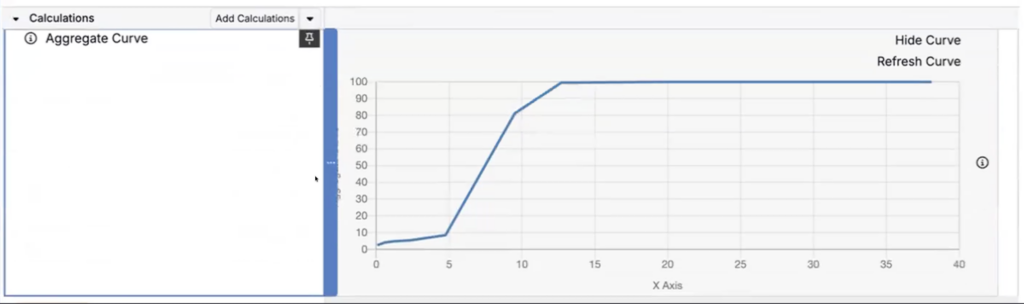
Aggregate curve calculation
Using an Aggregate Curve as a Curve Objective
Once you have an aggregate curve, you can use it as the target curve (or the curve being compared) in a Curve Objective in the Solver sidepanel.
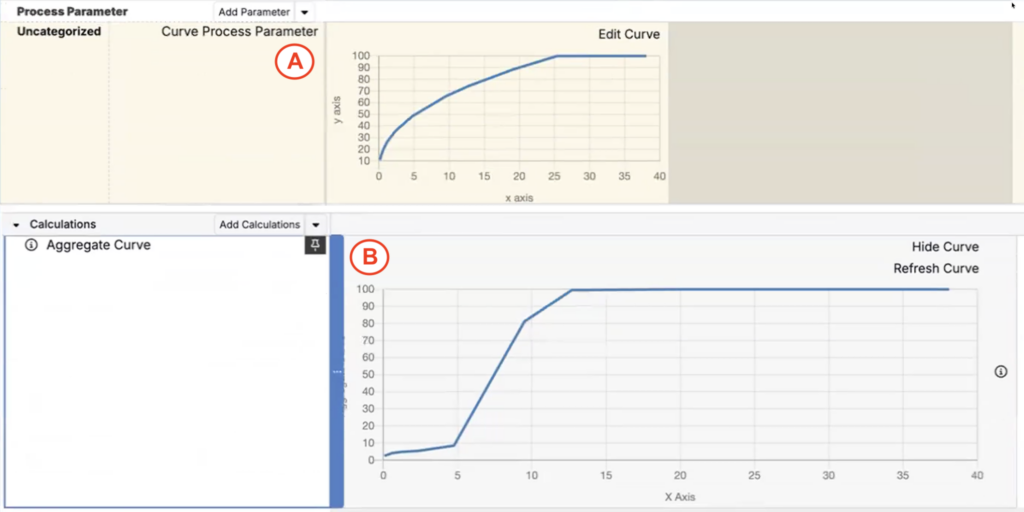
When you run the solve, the Solver adjusts ingredient values so the resulting curve (A) matches the target curve (B) as closely as possible.
How to configure
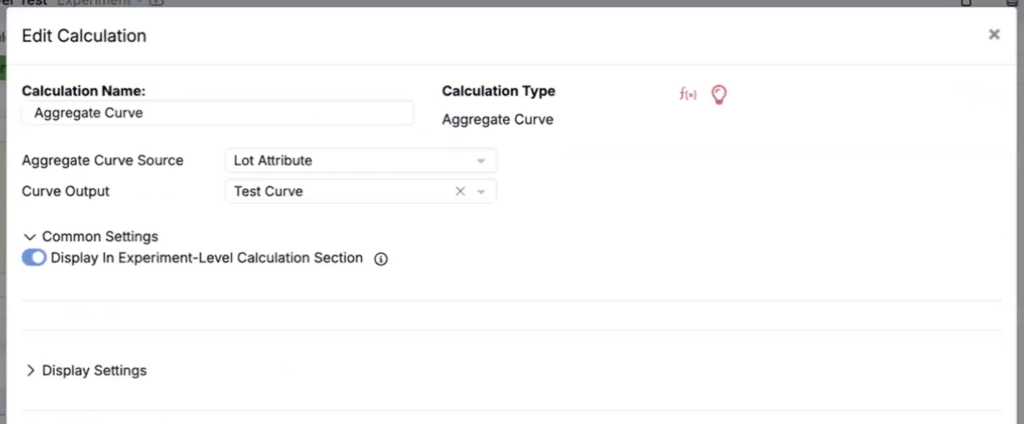
- Create an Aggregate Curve calculation.
- Set Calculation Type to Aggregate Curve.
- Set Aggregate Curve Source to Lot Attribute.
- Select a Curve Output.
- In the Solver sidepanel:
- Set a Curve Objective to target the aggregated curve.
- Confirm any locks/constraints you want to enforce.
- Run the solve.
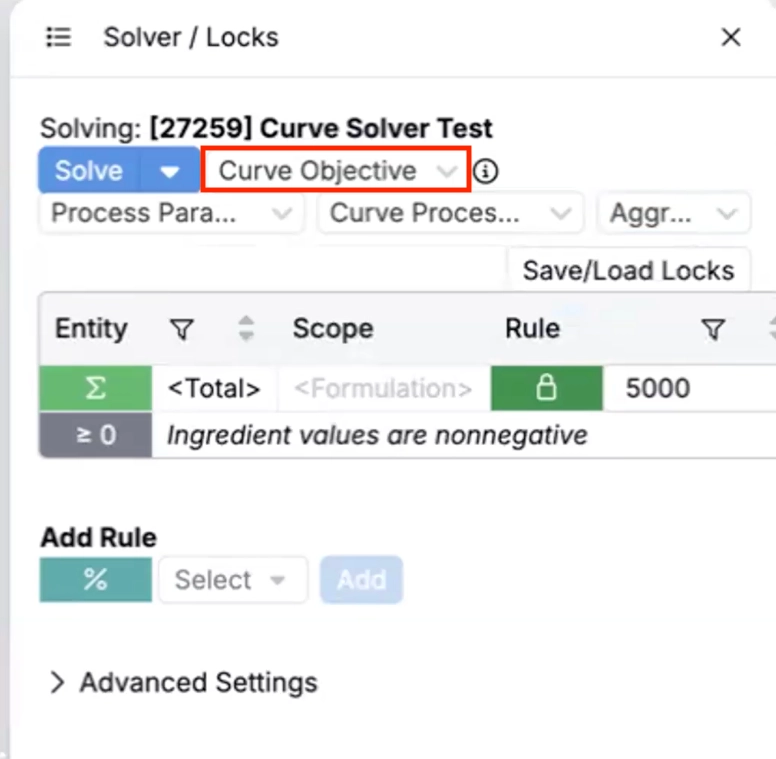
The solve will adjust recipe ingredient values so the resulting curve (A) matches the target curve (B) as closely as possible.