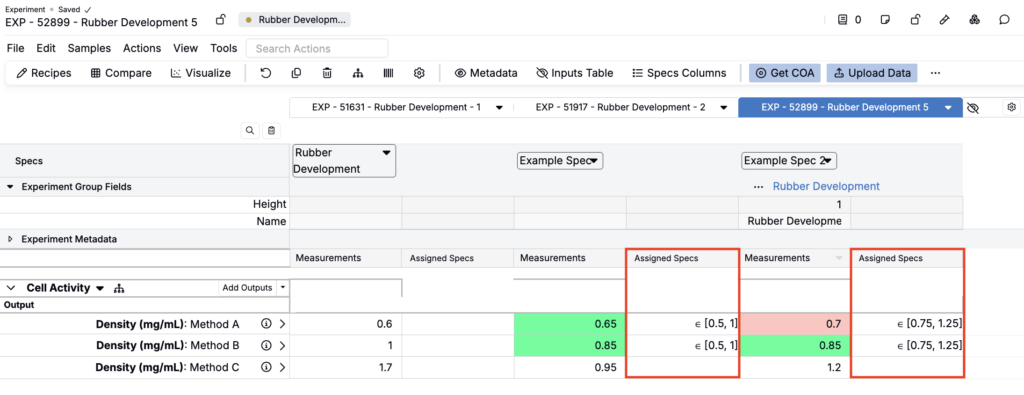
In Uncountable, a spec (specification) is a set of goals that defines performance criteria for test outputs in a project. There are several types of specs, including project specs, assigned specs, user assigned specs, and relative specs.
An assigned spec is tied to an individual recipe and takes priority over the project spec. Generally, we recommend that users use assigned specs when a subset of experiments must meet different product or test requirements than the rest of the project.
To learn more about specs, including spec types, priority, permissions, and configuration, refer to Specs.
Assigned spec inheritance rules
- If a workflow variant has an assigned spec, any recipe created from that variant inherits the assigned spec.
- Copied recipes retain the source recipe’s assigned spec (not the project default).
Setting an assigned spec
You can assign a spec from the Measurements view of experiments.
- Enable the Specs Row column (Search Actions > Specs Row).
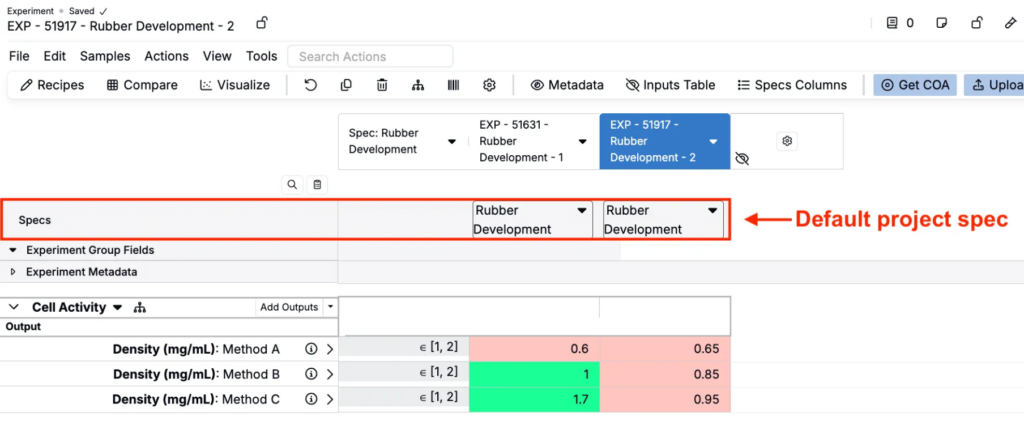
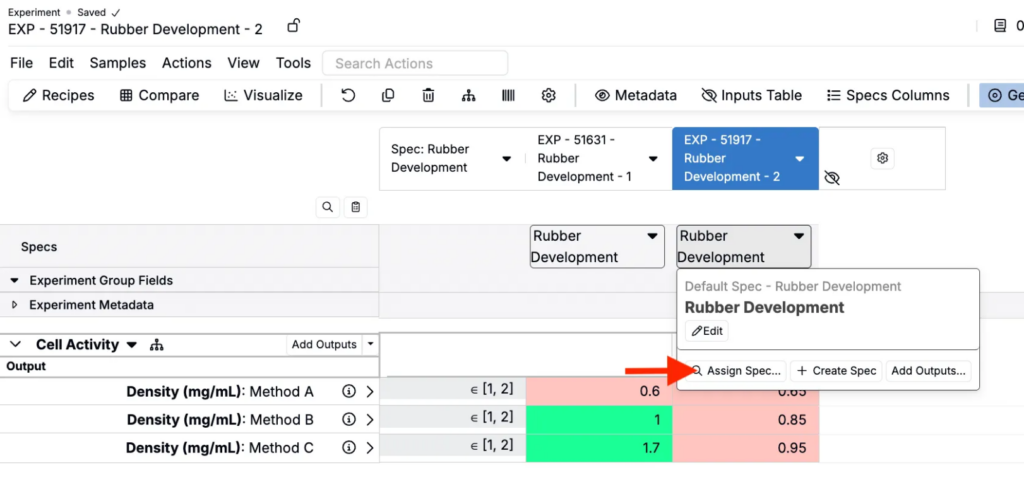
- Click the Spec cell for the experiment you want to add an assigned spec to.
- In the popover, choose Assign Spec.
- In the modal, select a spec and click Assign.
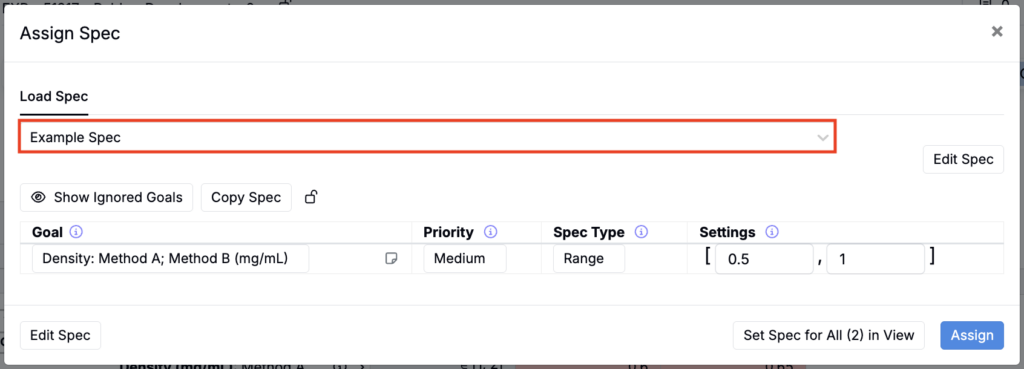
The experiment immediately switches to the assigned spec and will use it for validations, modeling, and visual indicators instead of the project spec.
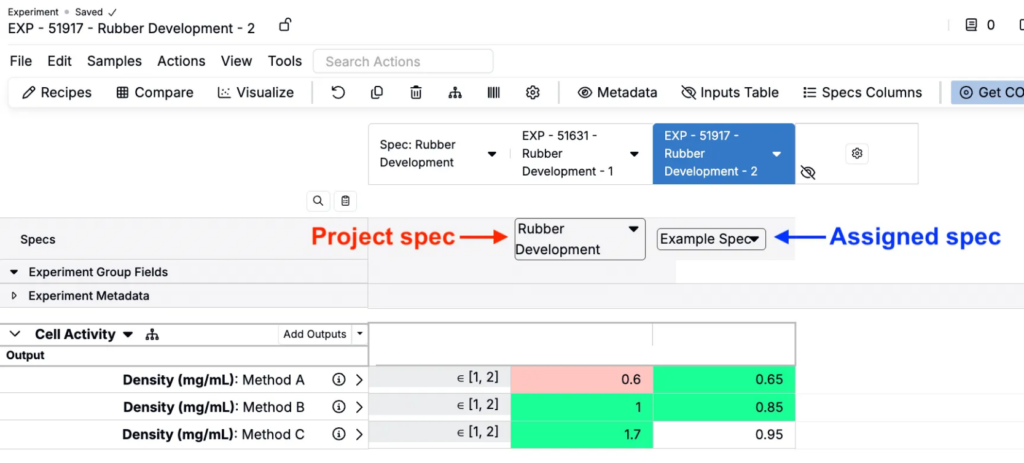
Note: Assigned specs are stored per recipe. Changing the project spec later will not affect recipes with their own assignment.
Changing or removing an assigned spec
- To change an experiment’s assigned spec, repeat the assignment steps and pick a different spec.
- To remove an experiment’s assigned spec, open the Spec popover and click Clear assignment. The recipe reverts to the project default.
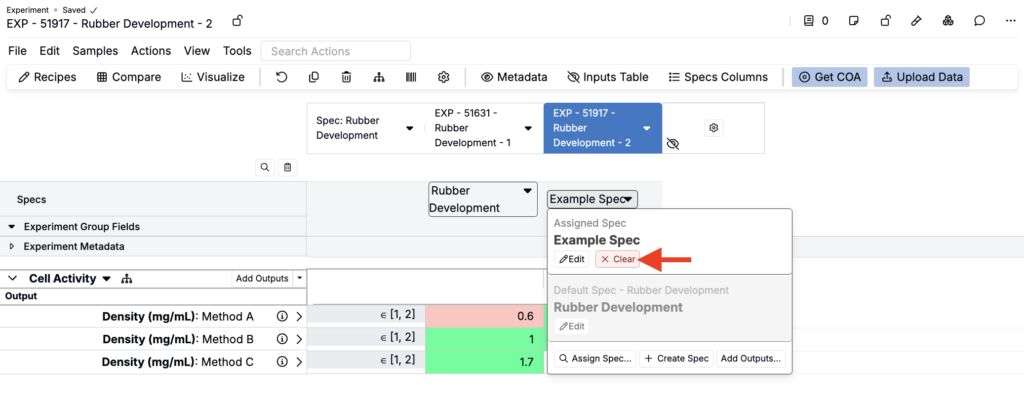
Showing assigned spec outputs as a column
You can also display the assigned spec outputs as a per-recipe column This can be useful when auditing data entry against spec targets.
- Click Spec Columns in the actions toolbar.
- From the menu, select Show Assigned Specs Per Recipe.
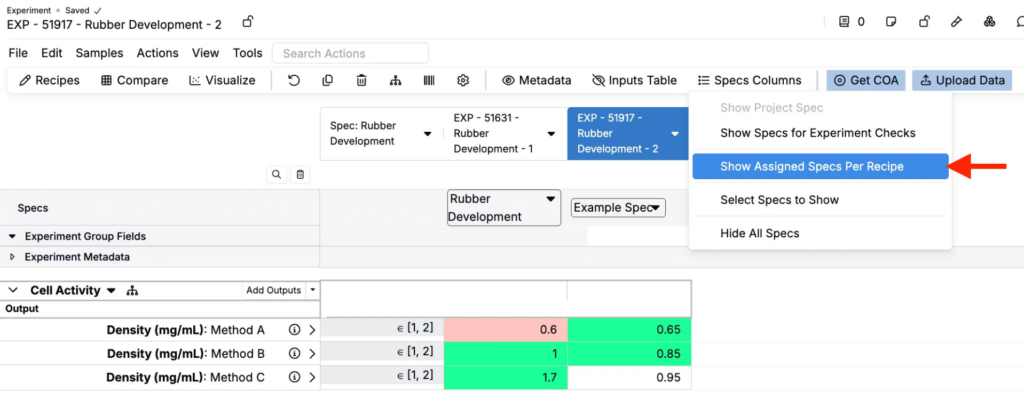
This adds a column that lists all outputs defined in the active spec for each visible recipe.