
You can now use Bodie AI to run Suggest and Analyze jobs directly from the chat interface. Describe what you want in natural language, and Bodie will process the request, run the job, and return results inline.
How to run Suggest and Analyze jobs using Bodie AI
Type your request into the Bodie chat. You can specify target outputs, reference a formulation, and include ingredient constraints, all in a single prompt.
Example prompts:
- “Suggest the next coating to run that matches SJ-08, Adhesion ≥ 130 and Cobb ≤ 16, without using Wax 3.”
- “Build a model to help me understand the effect of carbon black on tensile strength.”
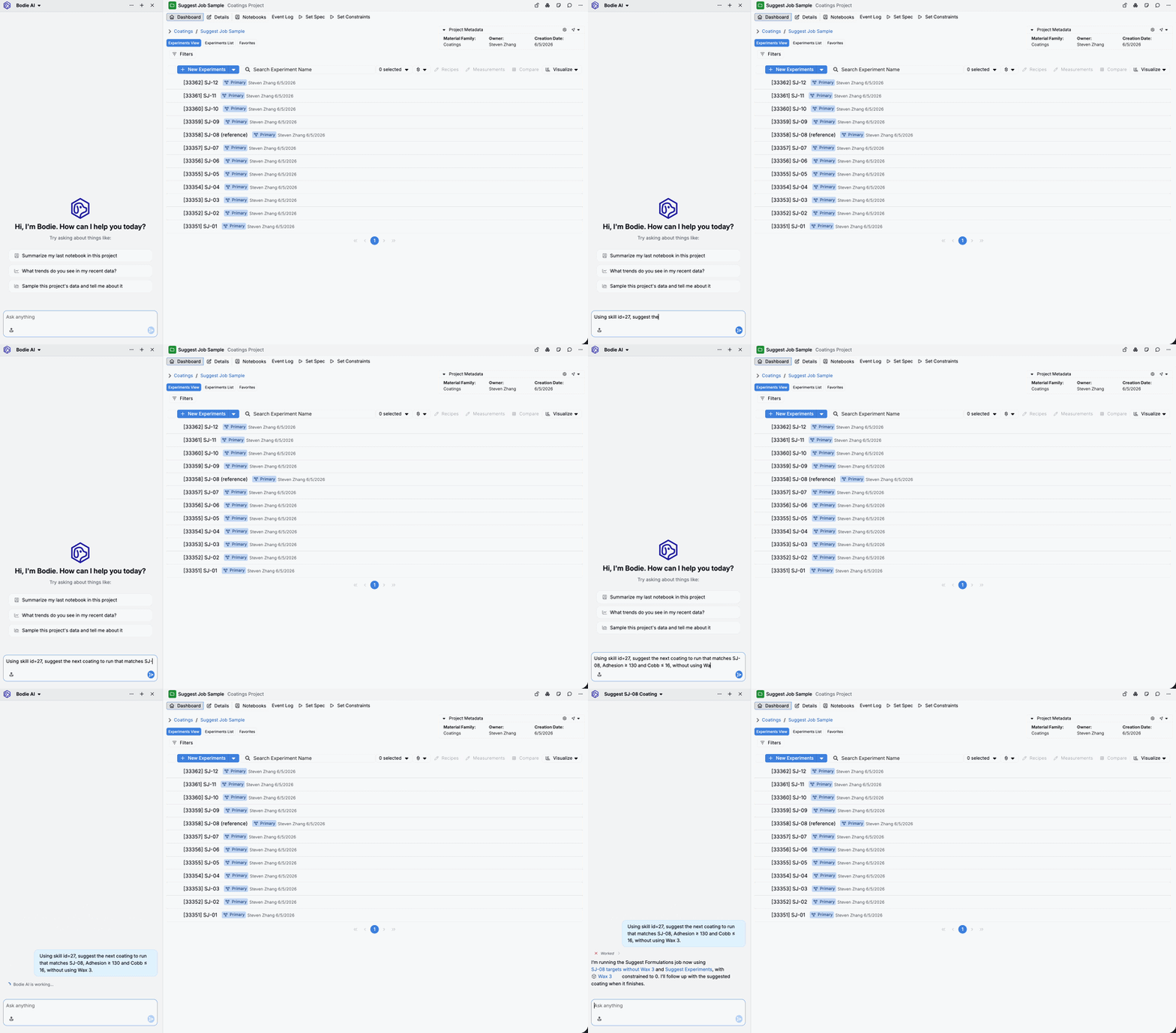
Bodie processes your request and runs the job in the background. When it’s finished, you’ll receive a notification—return to the chat to view the results.
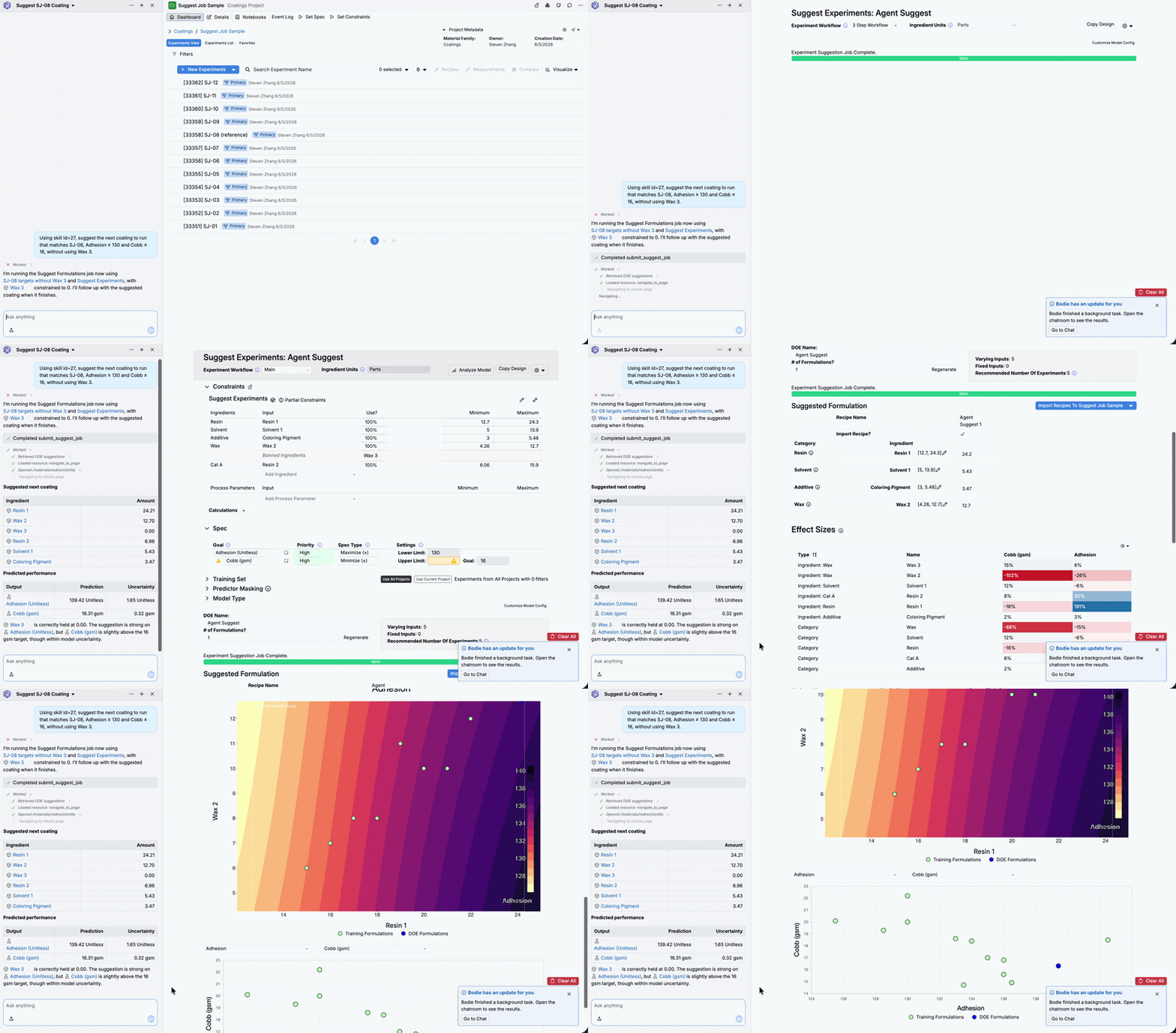
Bodie will display the Suggest job results inline in the chat and automatically take you to the full, completed Suggest job page for more details.
Tips
- Explicitly call the relevant Bodie AI skill in your prompt. Note that skill IDs vary by schema. Check with your Uncountable rep to confirm the skill is loaded for your team and to verify the correct skill ID to use.
- Make sure you’re working in the correct active project for the Suggest job you want to run. This helps ensure the job pulls the right data and constraints.
- Be specific about targets and constraints (e.g., which spec to use, output thresholds, and ingredients to exclude).
Requirements
This feature requires a specific Bodie AI skill to be loaded for your team. Contact your Uncountable admin to confirm the relevant skill is enabled.