
A background agent lets Bodie AI carry out a recurring task for you on a schedule. You set up the agent once, and Bodie runs the task at the times you choose and posts the result in a new chat.
For example, an agent can review recently updated experiments each weekday morning and post a summary of unusual results, or produce a weekly report on the past week’s results.
Open the Background agents tab
In the Bodie full-page view, select … > Agents & skills, then open the Background agents tab. You can also select Agents & skills in the left rail or use Quick Actions (Command + K) to search for “Agents”.
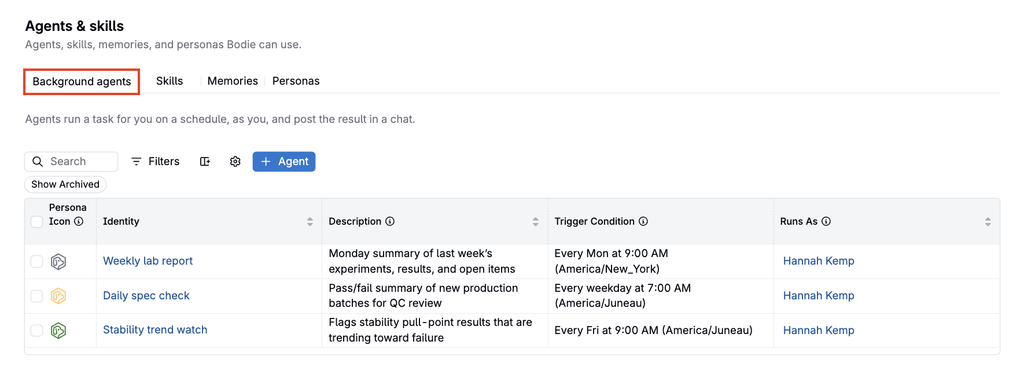
Create a background agent
- On the Background agents tab, click + Agent.
- Configure the following fields:
- Name: A short name for the agent, such as Daily experiment review.
- Description: A short summary of what the agent does, shown alongside its name.
- Persona: The identity and approach Bodie uses for the agent. Choose a system persona, such as Data Cleanup Bodie, or a custom persona. To learn more, refer to Bodie AI Personas.
- Instructions: What Bodie does on each run. Include the relevant data or project, the result you want, and any constraints, such as “Do not change data.” The instructions describe the task; the persona describes the overall approach.
- Schedule and time zone: When the agent runs. A new agent runs daily by default, and you can change the days and times. Check the time zone so the agent runs at the intended local time.
- Credit budget: The credit limit for each run. A run stops when it reaches its budget, even if the task is not complete, so set a larger budget for more complex tasks.
- Review the configuration and create the agent.
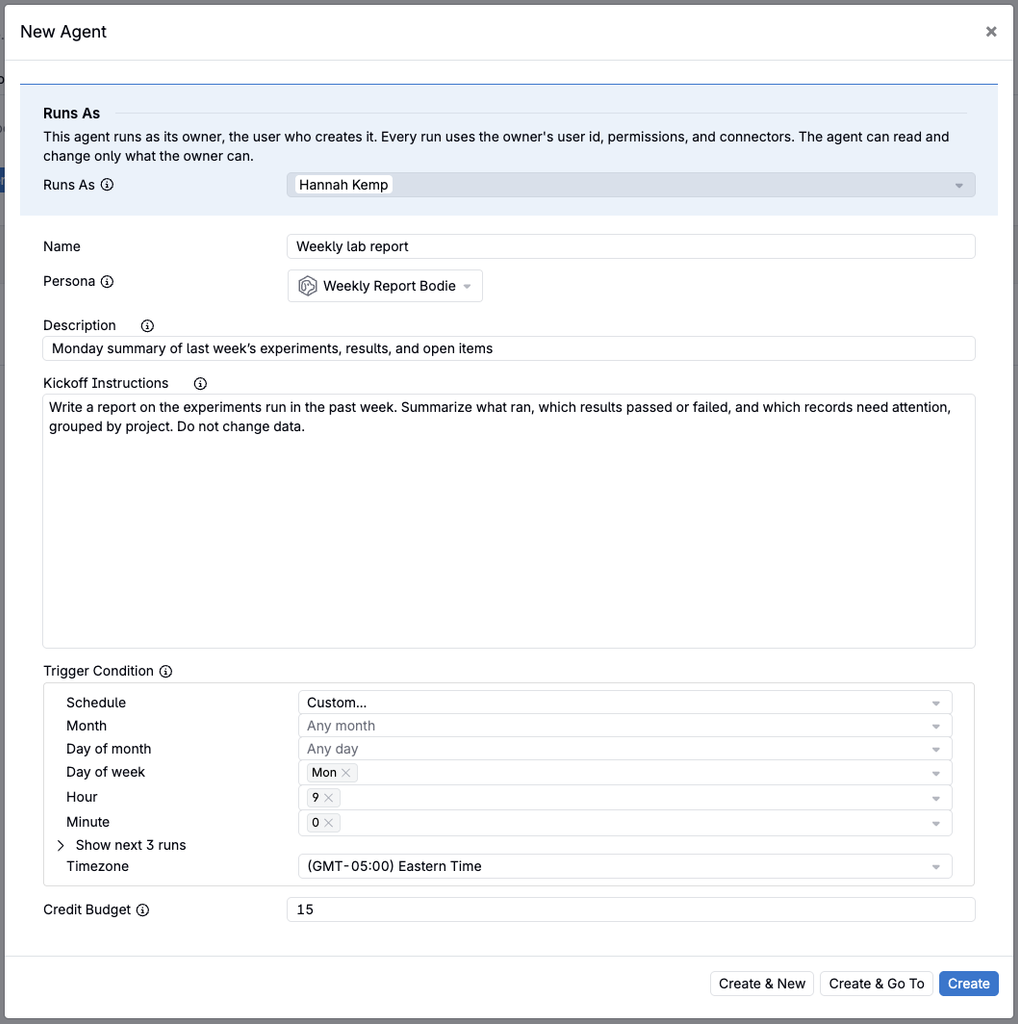
Example: daily experiment review
| Field | Value |
|---|---|
| Name | Daily experiment review |
| Persona | An analyst persona |
| Instructions | “Review the experiments updated in the last business day. Summarize unusual results, list the records that need attention, and suggest next checks. Do not change data.” |
| Schedule | Weekdays at 9:00 AM in your local time zone |
Each weekday morning, Bodie reviews the data you can access and posts its report in a new chat.
An agent can also update records when its instructions ask for it and Bodie has the tools for the task, for example, preparing Bulk Modify cleanup jobs.
Access and security
Each run acts as the agent’s owner, the user who created it. The agent uses the owner’s permissions and plugin connections, and can read and change only the data the owner can access.
Note: Review an agent’s instructions before scheduling it to change data, and include constraints such as “Do not change data” for agents that should only report.
Background agents, personas, skills, and memories
- Personas define the identity and approach Bodie uses. A background agent runs under one persona. Refer to Bodie AI Personas.
- Skills are saved workflows that Bodie loads and follows to complete a specific task. Refer to Bodie AI Skills.
- Memories store durable facts and preferences that Bodie applies across chats. Refer to Bodie AI Memory.
All four are listed on the Agents & skills page.