
An agent persona defines the identity that Bodie AI runs under. Each persona has a System Prompt field that is added to Bodie’s instructions, letting you guide how Bodie approaches its work. You can select a persona for an interactive chat or use one with an agent that runs on a schedule.
Switch personas in a chat
To change which persona you are chatting with:
- Open Bodie AI.
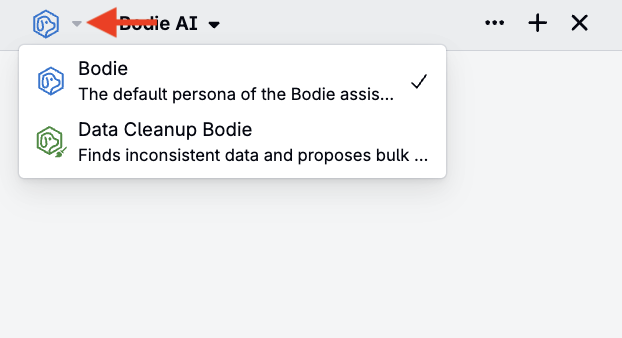
- Select the Bodie icon menu in the top-left corner of the chat interface.
- Choose the persona you want to use.
Browse system personas
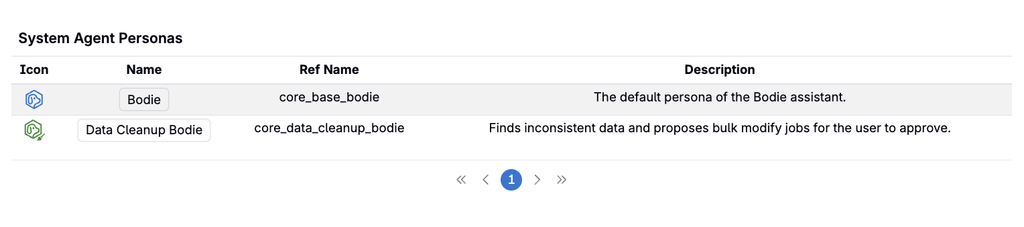
Uncountable provides system agent personas for specific tasks. To browse them, open Quick Actions (or press Command + K) and search for System Agent Personas.
For example, Data Cleanup Bodie reviews outputs, ingredients, and other data and suggests Bulk Modify jobs to clean them up. It helps identify cleanup opportunities and prepare proposed changes for review.
Create a custom persona
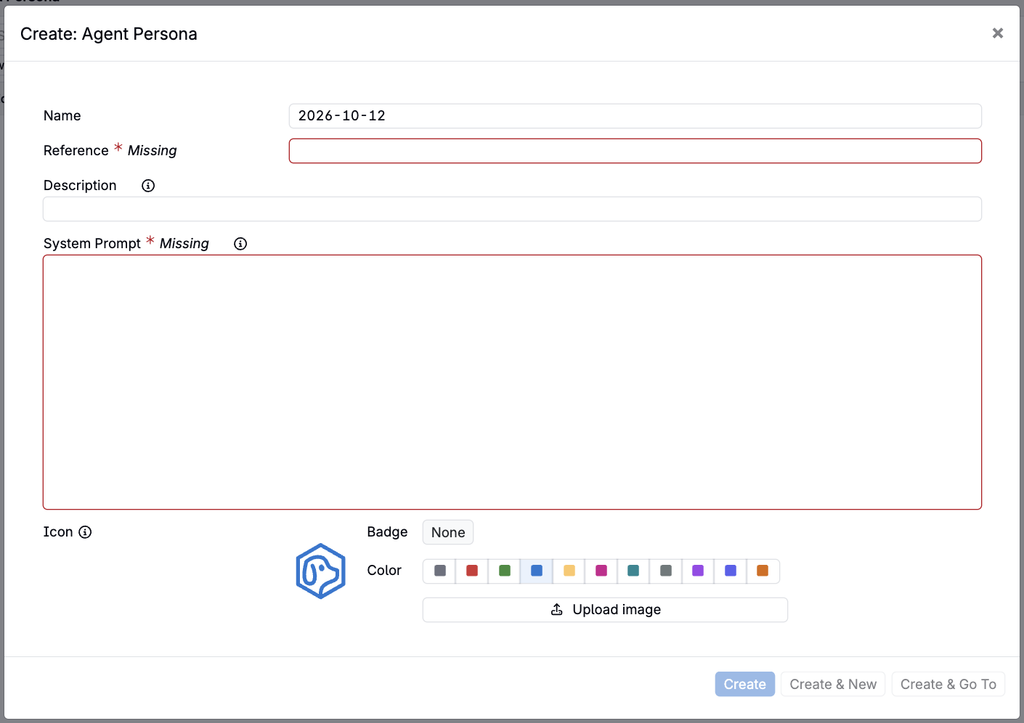
To create your own persona, open Quick Actions and search for Agent Personas.
On this page, you can view and create new agent persons. Use the persona’s System Prompt field to describe its identity and how it should approach its work.
For example, you can use this field to define a persona’s purpose, preferred communication style, and task-specific guidance.

Create and schedule an agent
A persona defines how Bodie approaches its work. An agent combines that persona with task instructions, trigger conditions, and a credit budget to carry out work, such as producing recurring reports.
To create an agent:
- Open Quick Actions (or press Command + K) and search for Agents.
- Open the Agents listing page and use its create option to add a new agent.
- Configure the following fields in the creation modal:
- Name
- Persona: Select the identity and guidance Bodie should use for the agent. You can choose a system persona, such as Data Cleanup Bodie, or a custom persona. The persona’s System Prompt guides how Bodie approaches its work.
- Description: A short summary of what the agent does, shown alongside its name.
- Kickoff Instructions: Describe the task Bodie should perform when the agent starts a run. Include the relevant data or project, the desired result, and any constraints. These instructions specify the work to do, while the persona defines the agent’s overall approach.
- Trigger Conditions: Define when the agent runs. For recurring work, select Scheduled and configure the schedule and timezone. Check the timezone so the agent runs at the intended local time.
- Credit Budget: Set the credit allowance for each run to control how much work the agent can perform. A run stops when it reaches its budget, even if the task is not complete; a larger budget gives it more room to finish complex tasks.
- Review the configuration and create the agent.
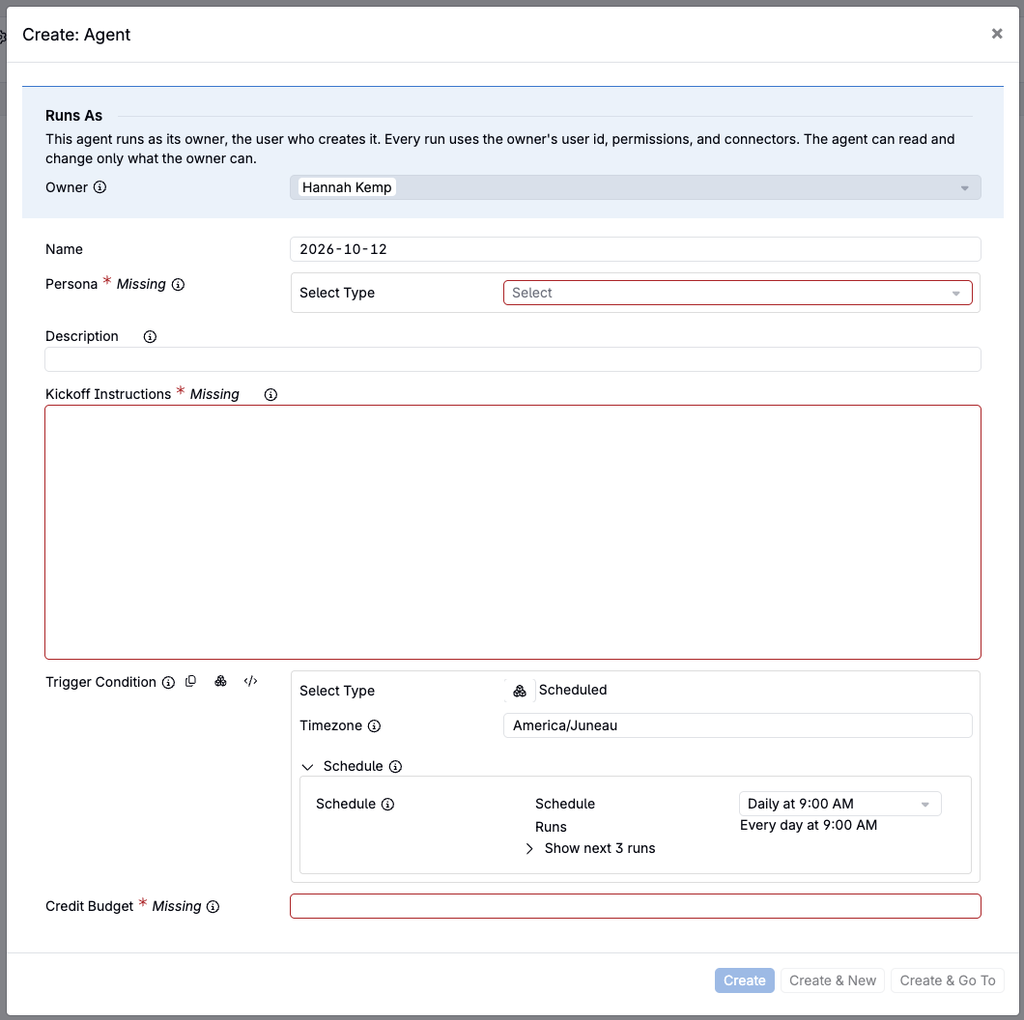
Each agent runs as its owner—the user who created it—and uses that user’s permissions and connectors. It can read and change only what its owner can.
Personas and skills
Personas define Bodie’s identity and approach. Skills provide reusable guidance for repeatable workflows, such as a team’s preferred process for writing value specs.
For an overview of the chat interface and other capabilities, refer to Bodie AI.