Universal Search helps you find anything across Uncountable fast. Open it from the toolbar’s Quick Actions menu or press Command + K.
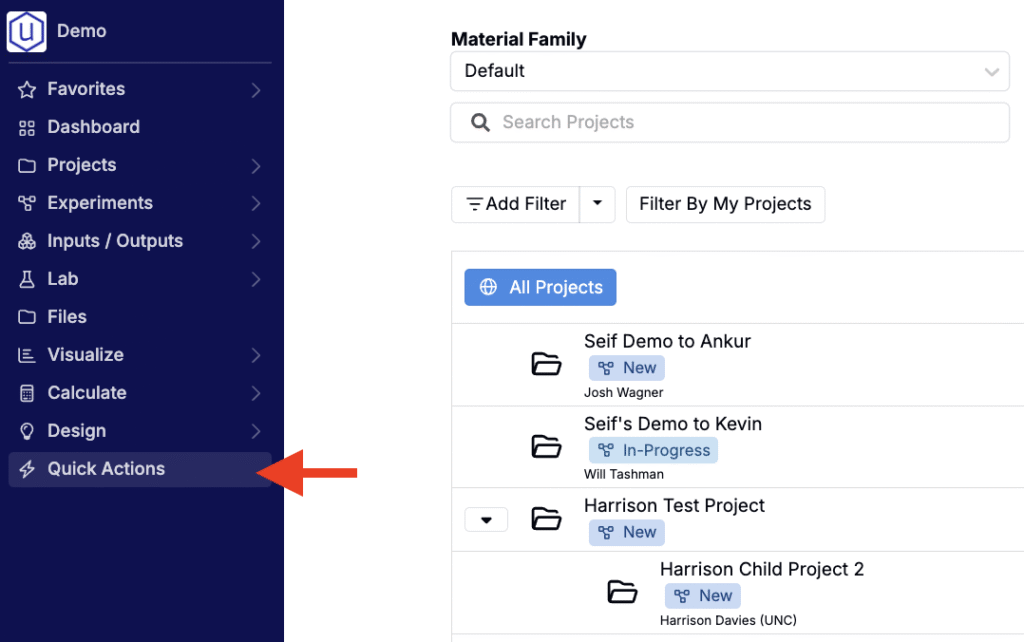
Quick Actions
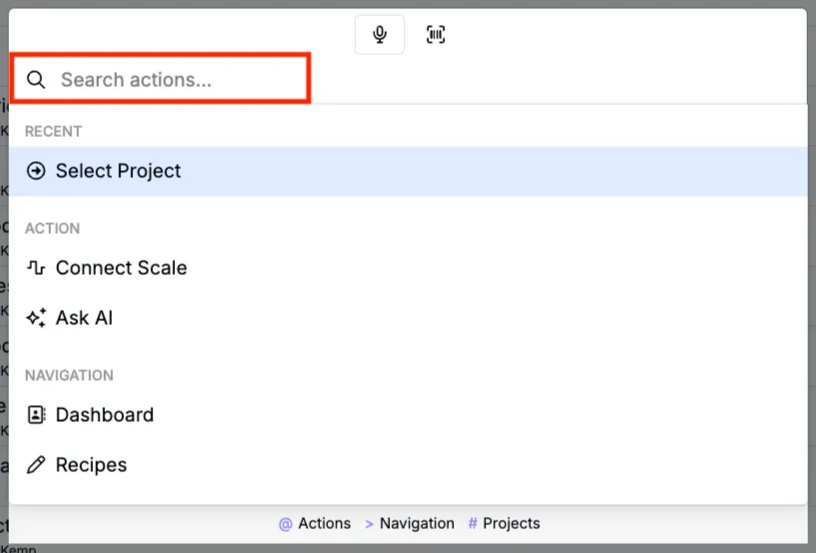
Opening Quick Actions brings up a modal where you can:
- Search the platform — Type, use Voice Entry, or scan barcodes to find entities, fields, or pages across the entire platform. Results appear instantly, grouped by type. Select any result to navigate directly to its page.
- Connect to a scale — Select Connect Scale to open a modal where you can connect the Uncountable platform to a scale.
- Access the Help Bot — Select Ask AI to open the Uncountable Help Bot in a sidepanel.
Universal Search
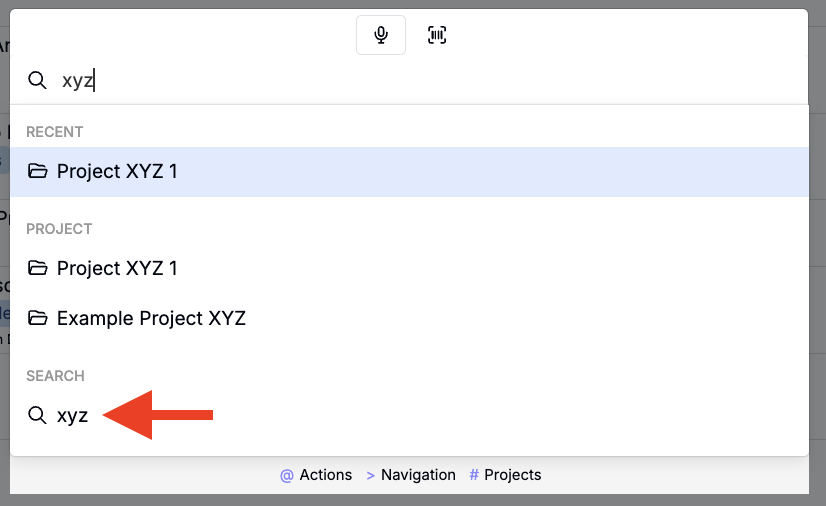
Choose the Search option at the bottom of the modal to open the full Universal Search page.
From here you can refine and scope your search:
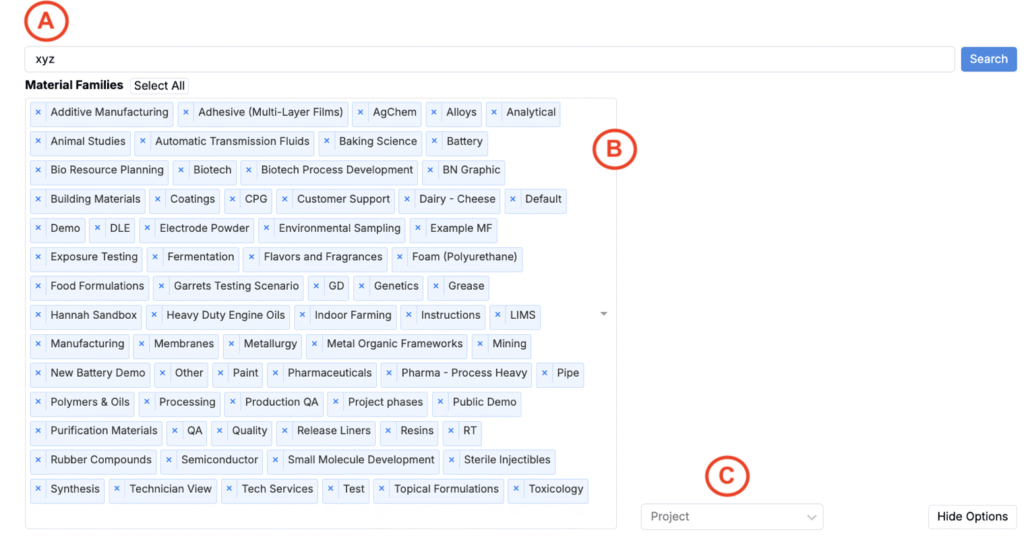
- Use the Search (A) field at the top to adjust your query
- Add or remove Material Families (B) to narrow or broaden results
- Use the Project (C) field to limit results to a specific project
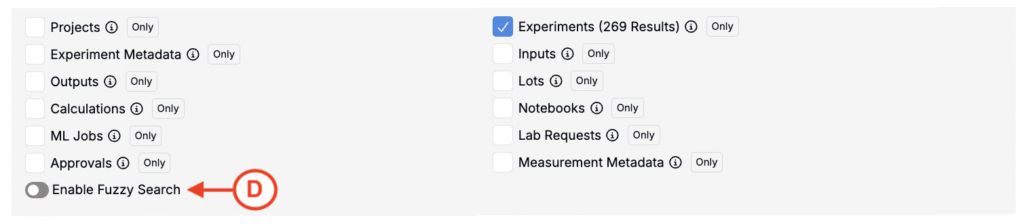
Beneath, you can also use the checkboxes to include only the types you care about. Available types include:
- Projects
- Metadata
- Outputs
- Calculations
- ML jobs
- Approvals
- Experiments
- Input lots
- Notebooks
- Lab requests
- Measurement metadata
Turn on Enable Fuzzy Search (D) to include close matches that aren’t exact string matches. This can help surface relevant results when you’re unsure of exact naming.
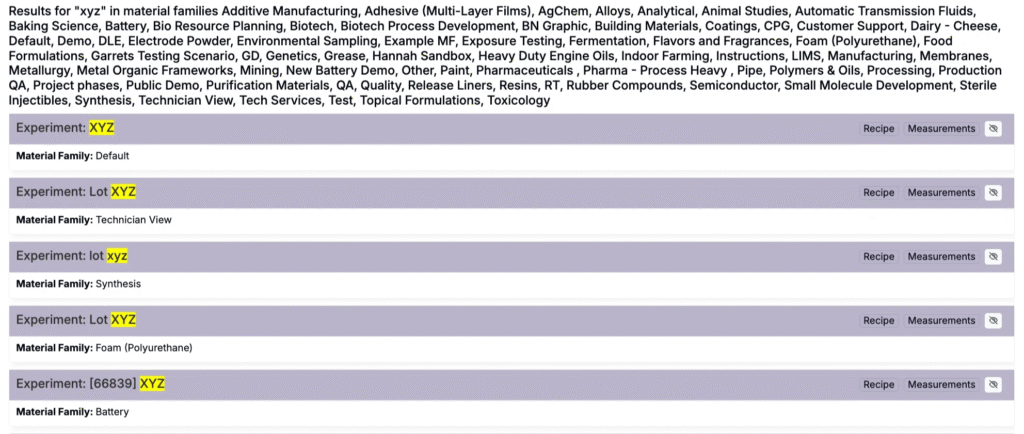
All matching results appear at the bottom of the page, updated as you change your query and filters. Note that Universal Search will search the contents of rich‑text attachments in notebooks, including spreadsheets, Word documents, and rich‑text PDFs.