
This Friday, November 14, we will roll out an update to the Notebook and Dashboard Notebook headers that consolidates actions into clearer menus.
What’s Changing
The following changes apply to both the Notebook and Dashboard headers.
Updated View Menu
Before:
- Toggle Performance Mode (beta) and Load Plots on Demand lived in the File dropdown.
- Show Comments, Embedded Entity Fields, and Audit Log actions were found in the header.

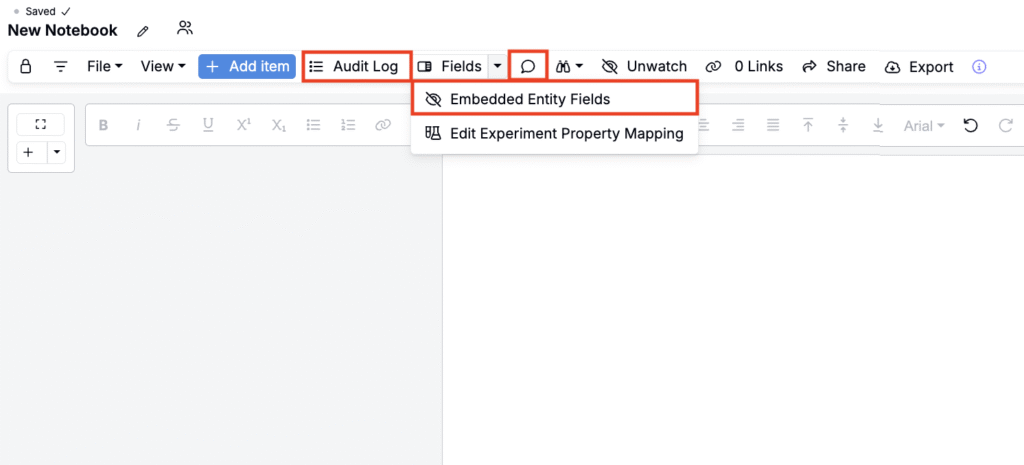
Now: All these actions can now be found within the View dropdown.

New Edit Menu
Before:
- Watch appeared as a toggle in the header.
- Set Project Context for Plots was accessed via the header binoculars icon.
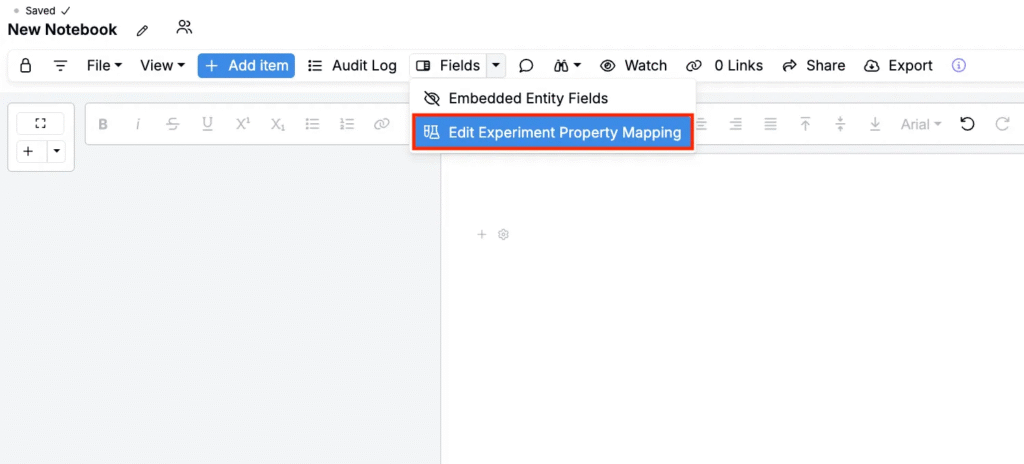
- Edit Experiment Property Mapping lived in the header Fields button menu.

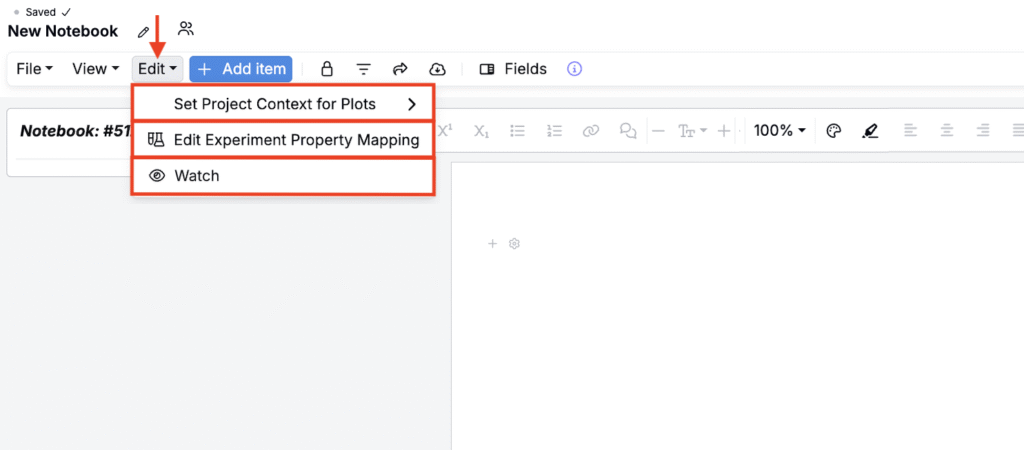
Now: All these actions can now be found within a new Edit dropdown, positioned left of the Add Items button.
Why this change?
This update groups key actions by intent, View for display and visualization and Edit for configuration, reducing clutter in Notebook and Dashboard headers and making actions easier to find.
These changes are part of our ongoing effort to make Uncountable pages cleaner, more intuitive, and better organized.
Rollout Plan
Beginning Friday, November 14, 2025, this layout will become the default on all Notebooks and Notebook dashboards. No action is required.