
We’re updating how the buttons across the top of the Project Dashboard page work, so schemas that want per-project control over them can get it — without changing default behavior or losing the grey “current page” highlighting for everyone else.
What’s changing
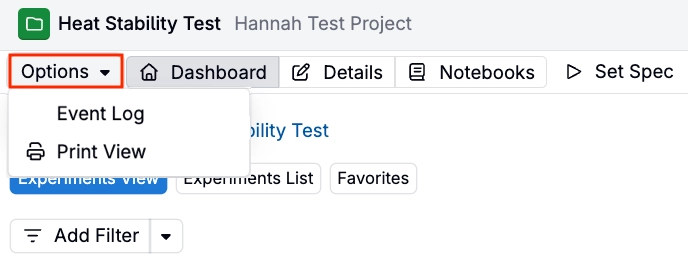
Event Log and Print View are moving to Options menu
The Event Log and Print View options, previously located in the navigation button bar, are moving to an Options dropdown to the left of the project navigation buttons—matching every other entity page.
Dashboard, Details, and Notebooks can be replaced with actions
By default, Dashboard, Details, and Notebooks keep their current fixed-button behavior, including the grey highlighting for whichever page is open.
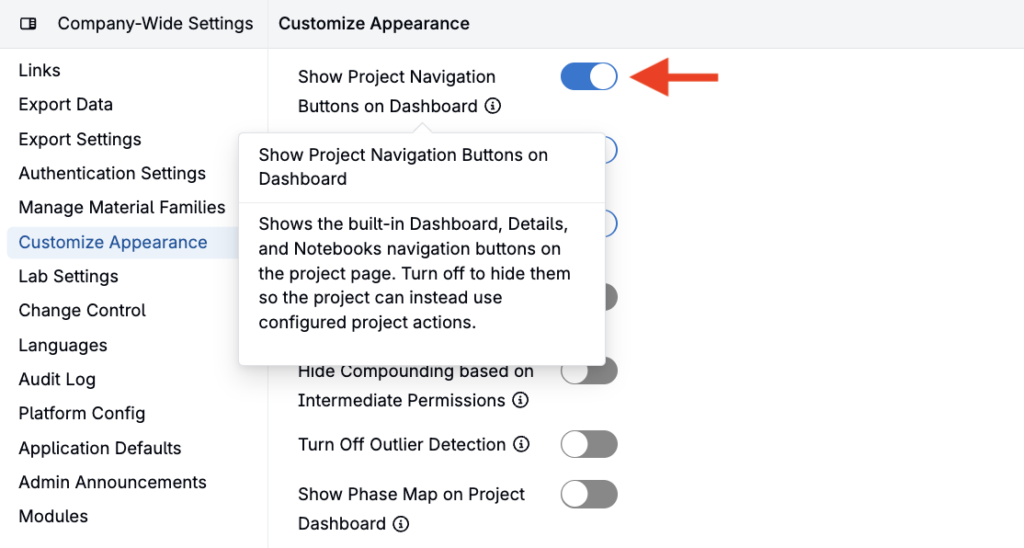
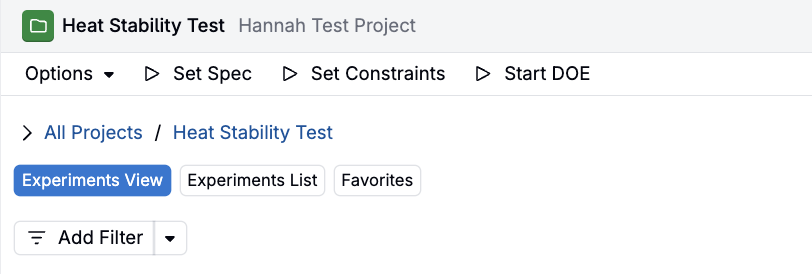
However, a new schema-wide setting lets an admin hide those three navigation buttons instead. Once hidden, each project definition can expose the same destinations as configurable actions in the navigation bar.
To hide the default navigation buttons, access Company-Wide Settings > Customize Appearance and toggle off Show Project Navigation Buttons on Dashboard.
Why this helps
Most schemas will see no change. For schemas that want per-project control over Dashboard, Details, and Notebooks, this gives them that option.
Rollout
The move of Event Log and Print View into the Options dropdown is already live. The schema-wide setting to hide the Dashboard, Details, and Notebooks buttons has merged and defaults to off. The matching configurable actions are still being added to project definitions, expected to be complete by August 21, 2026.