
Different teams use different words for the same concepts. For example, “ingredient” at Uncountable might be “raw material” for R&D. Terminology overrides let you replace Uncountable’s default terms with your preferred labels at the account, user group, or individual level.
Want to change the UI language globally instead? See Language Preferences.
How to set overrides
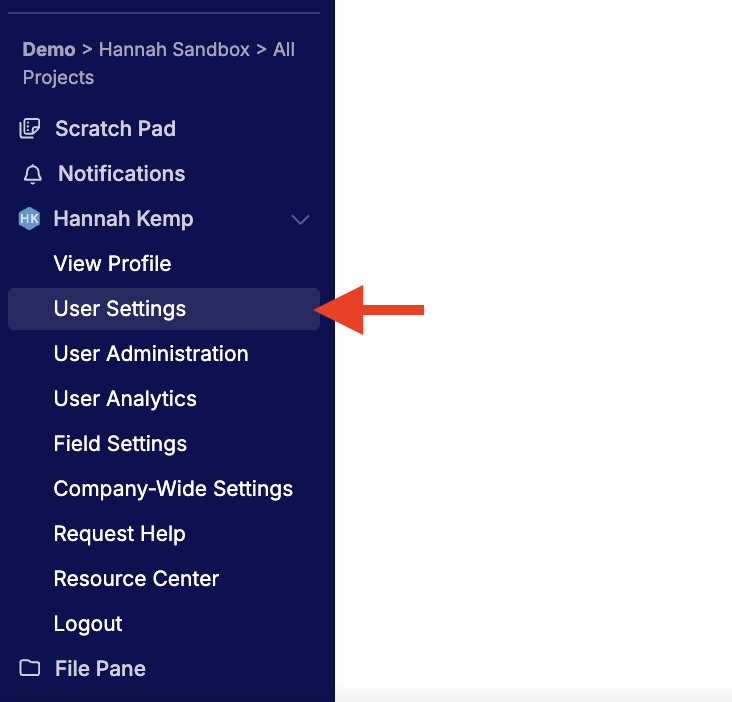
- Go to [Account Name] → User Settings.
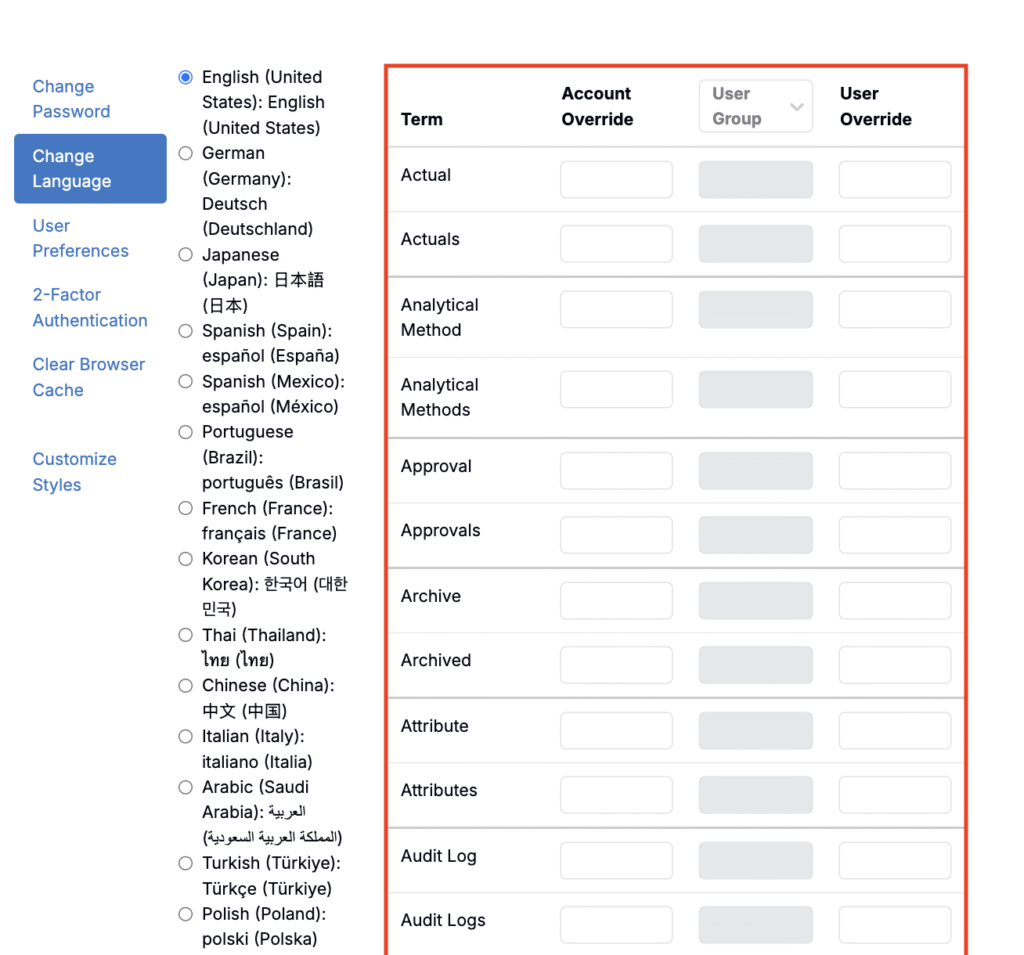
- Open Change Language.
- In the terminology table, edit the terms you need. Enter both singular and plural where applicable.
- Account Override — Admins set workspace-wide terms (applies to everyone).
- User Group — Admins set terms for selected user groups.
- User Override — Any user sets a personal term that applies only to them.
- Refresh the page to apply changes across the UI.
How overrides are resolved
Overrides follow this order (highest wins):
- User
- User Group
- Account
If you’re in multiple groups and they conflict on a term, the system uses the override from the group with the lowest group ID.
Missing a term?
If a label you want isn’t listed in the table, contact your Account Manager. We periodically add new overridable terms.