The User Administration page is where admins can manage users and configure licenses and permissions across Uncountable. This article focuses solely on the user management workflow on the User Listing tab. For information on other User Administration page actions, refer to:
Navigating to User Administration
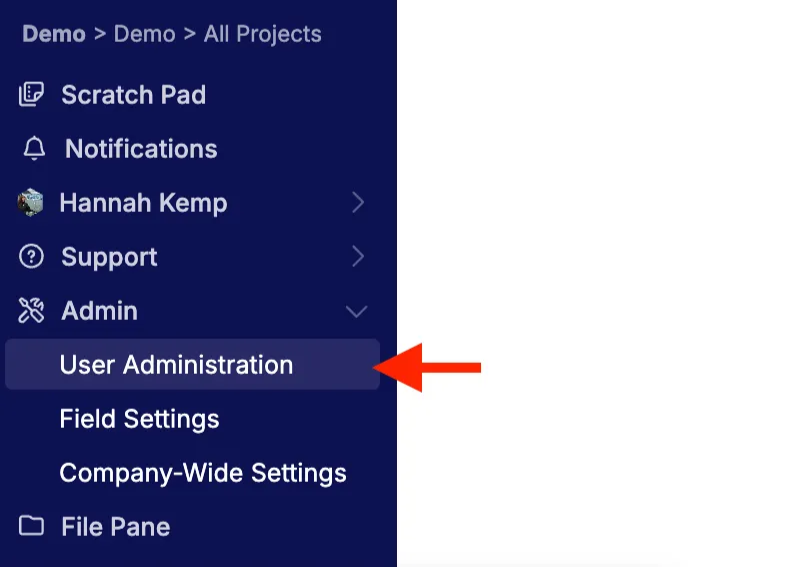
To access User Administration, select Admin > User Administration from the navigation bar.
User Listing
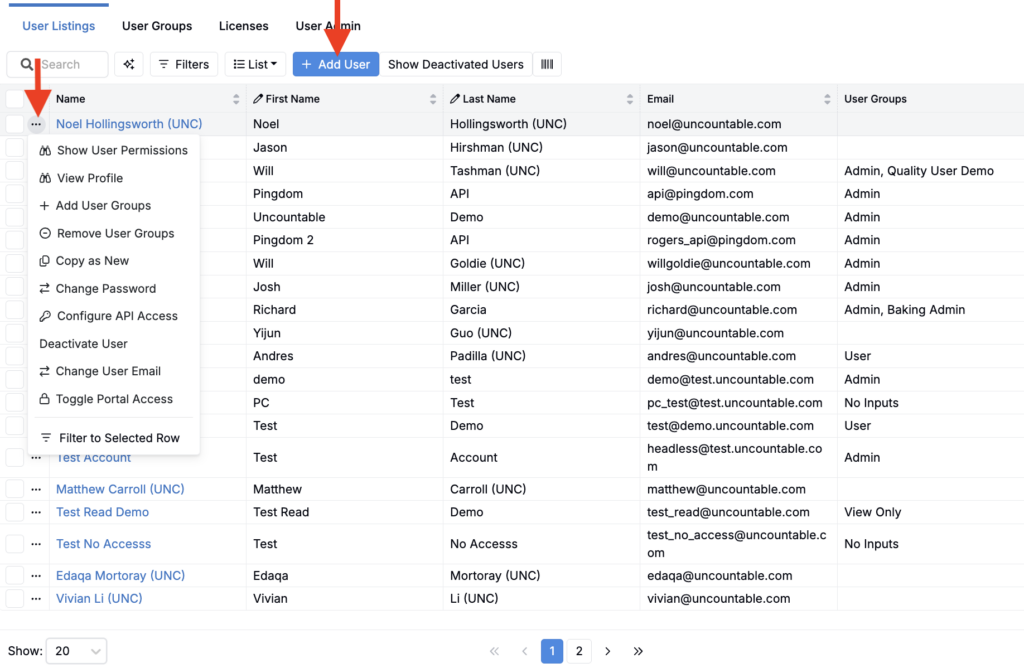
The User Listing tab displays all active users in your schema and provides actions to create and manage accounts.
Add a new user
- Open User Administration > User Listing.
- Click the blue Add User button.
- Fill out required details and submit.
Manage existing users
From the actions menu on a user row, you can:
- Add or remove the user’s groups and licenses
- Reset the user’s password
- Deactivate or reactivate the account