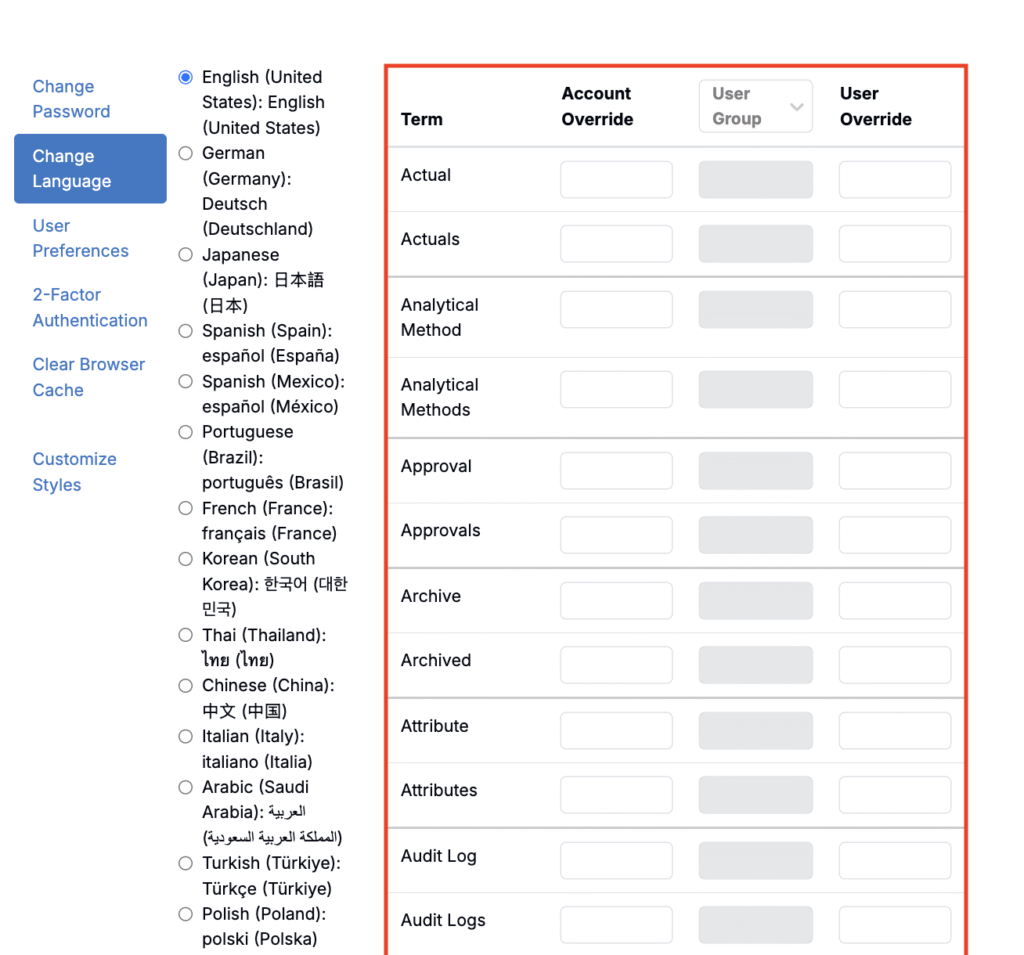
In Uncountable, users have the flexibility to set their own language preference. Language preferences are on an individual user level — preferences set to not impact how the platform is viewed for other user.
Supported languages include English, Deutsch, 日本語, Español (España), Español (México), Português, Français, 한국어, ไทย, 中文, Italiano, العربية, Türkçe, Polski, Pусский, Indonesia, Norsk, and मराठी.
Where do language preferences apply?
- Language preferences apply to most most platform text including the navigation bar, buttons, menus, dialogs, tooltips.
- Saved content does not change. Project names, experiment titles, free-text comments, notebook text, and custom field labels remain as authored.
- System messages may lag: some admin pages and newly released features may appear in English until translations are updated.
- Exports (e.g., notebooks exported to PDF) reflect whatever language your UI is set to at the time of export.
Changing Language Preferences
To change language preferences:
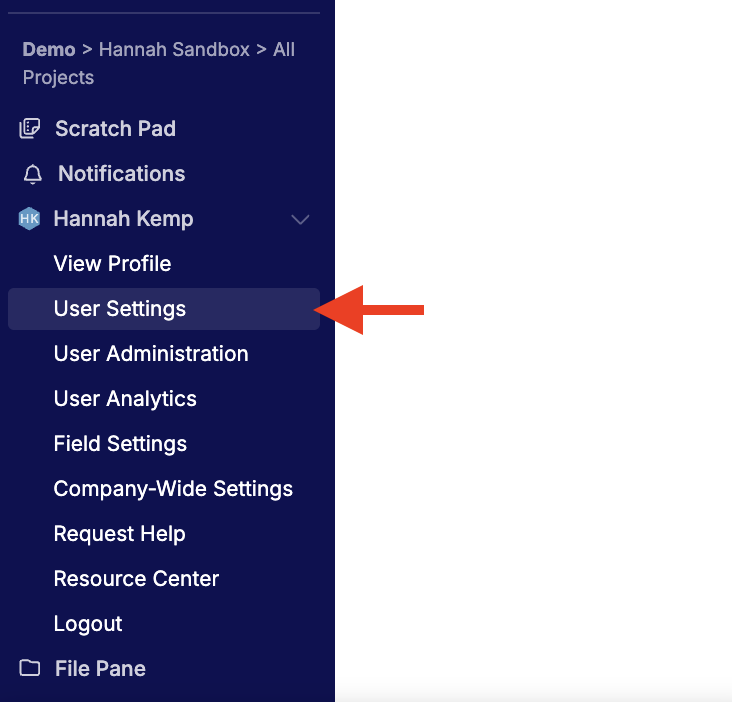
- Go to [Account Name] → User Settings.
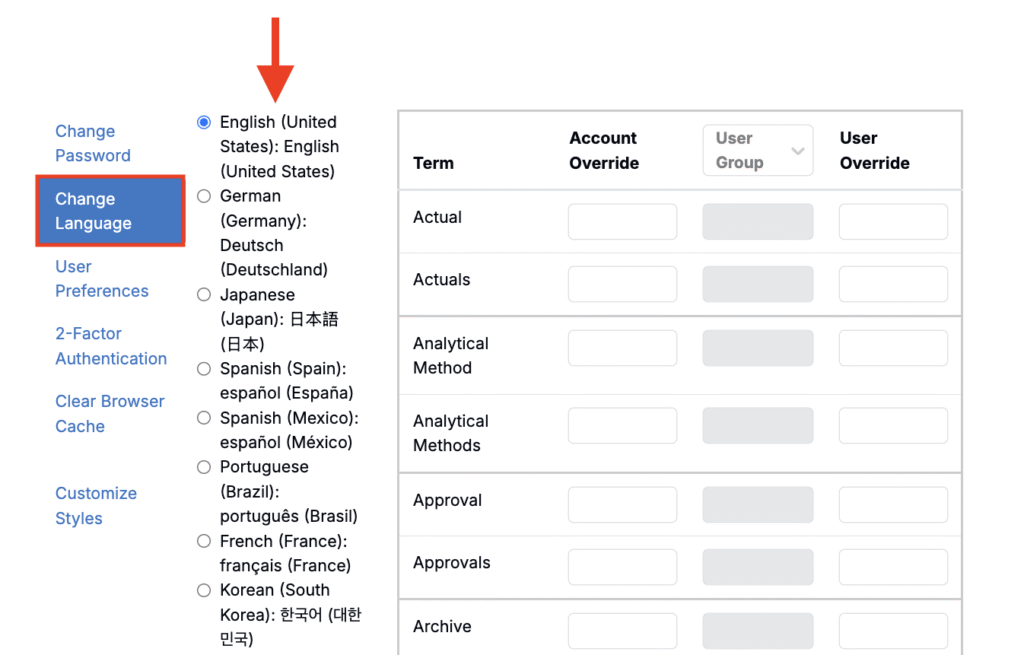
- Within the Change Language tab, choose your preferred language.
- Refresh the page to apply changes.
Terminology Overrides
If you don’t want to change terminology globally, you can override individual terms. For example, teams that call “Projects” something else can set that label on the Change Language page.
On the right side of the page, you’ll see a table of terms you can edit. Use the appropriate column based on the scope you need:
- Account Override — Admins set workspace-wide terms (applies to everyone).
- User Group — Admins set terms for selected user groups.
- User Override — Any user sets a personal term that applies only to them.
To learn more, see Terminology Overrides.