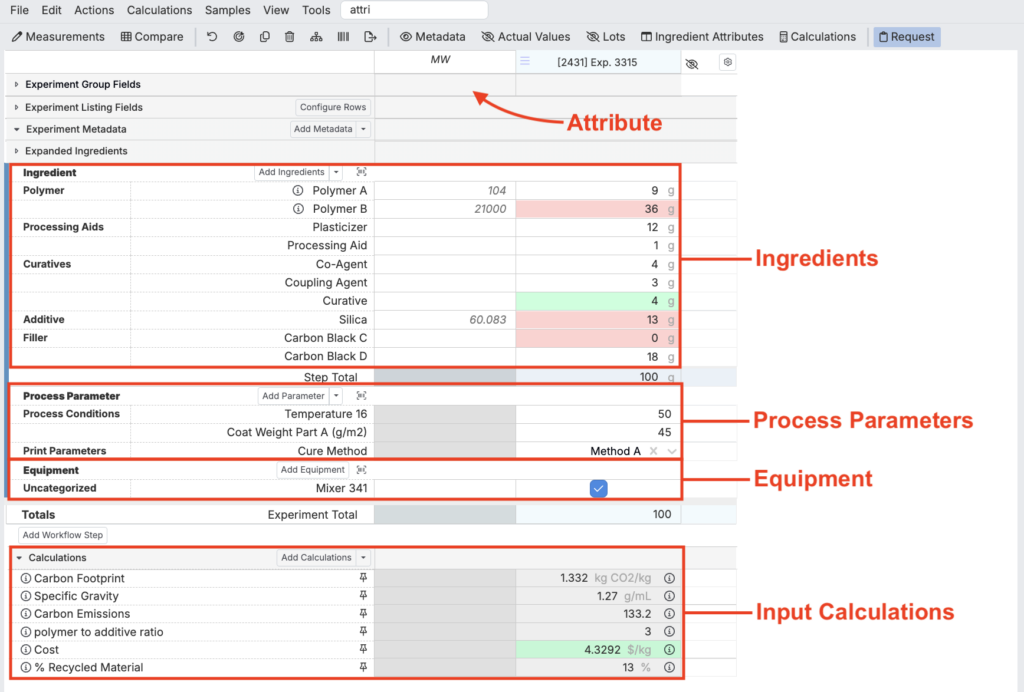
In Uncountable, inputs define the building blocks of every experiment. They capture not only the raw materials used, but also the context of how an experiment was run.
Inputs can represent ingredients and their properties, process parameters such as mixing speed or time, equipment used during testing, and even calculated fields that summarize or derive important values like ratios or costs.
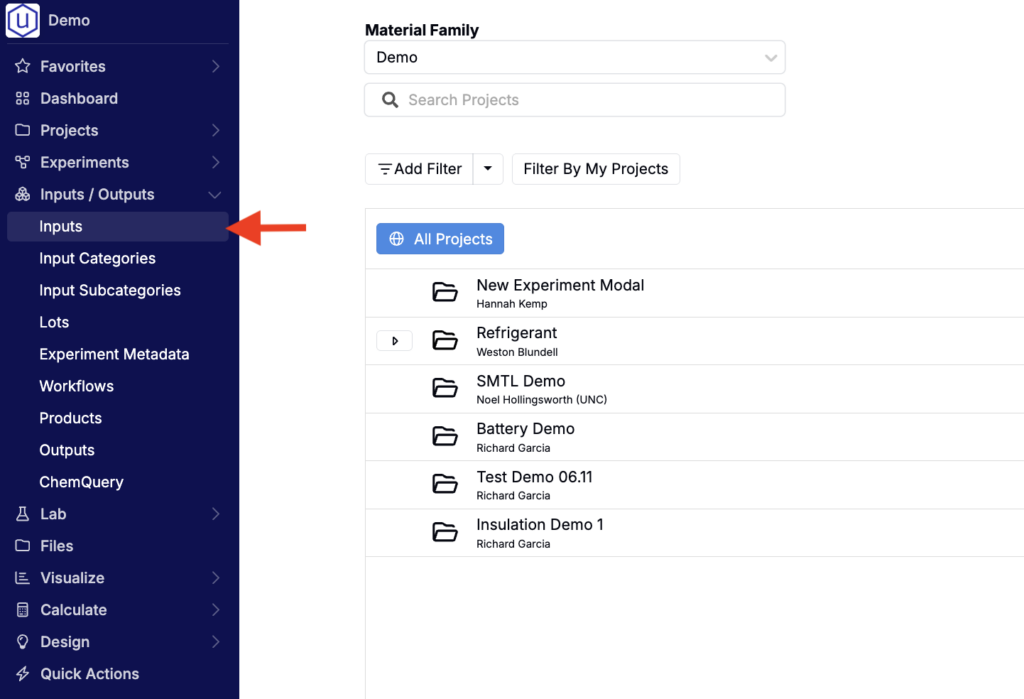
Most inputs are managed through the Inputs listing page, accessible by selecting Inputs/Outputs > Inputs in the navigation bar. From here, they can be created, edited, and shared across material families to ensure consistency and reduce manual entry.
Whether uploaded during implementation or added later by users with the right permissions, inputs provide the standardized framework that makes data reliable, searchable, and comparable across projects.
Ingredients
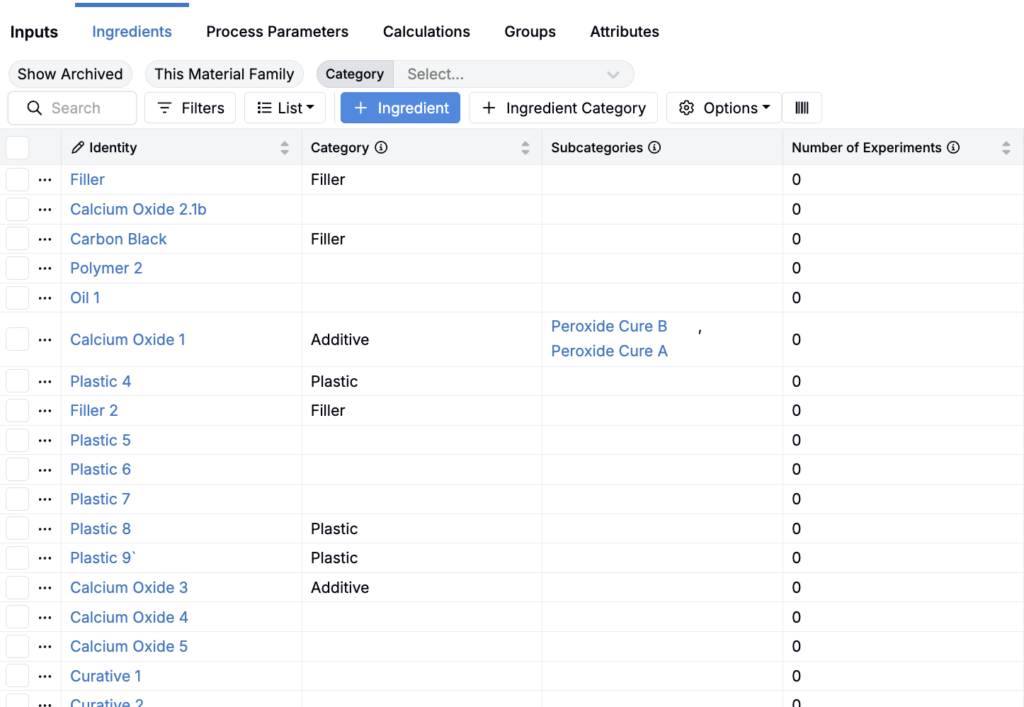
Ingredients represent any raw material in the platform, named using its commercial rather than generic name. Examples include resins, polymer additives, surfactants, or solvents.
Ingredients form the foundation of most recipes and can be enriched with attributes such as physical or chemical properties, CAS numbers, or safety documents.
Attributes
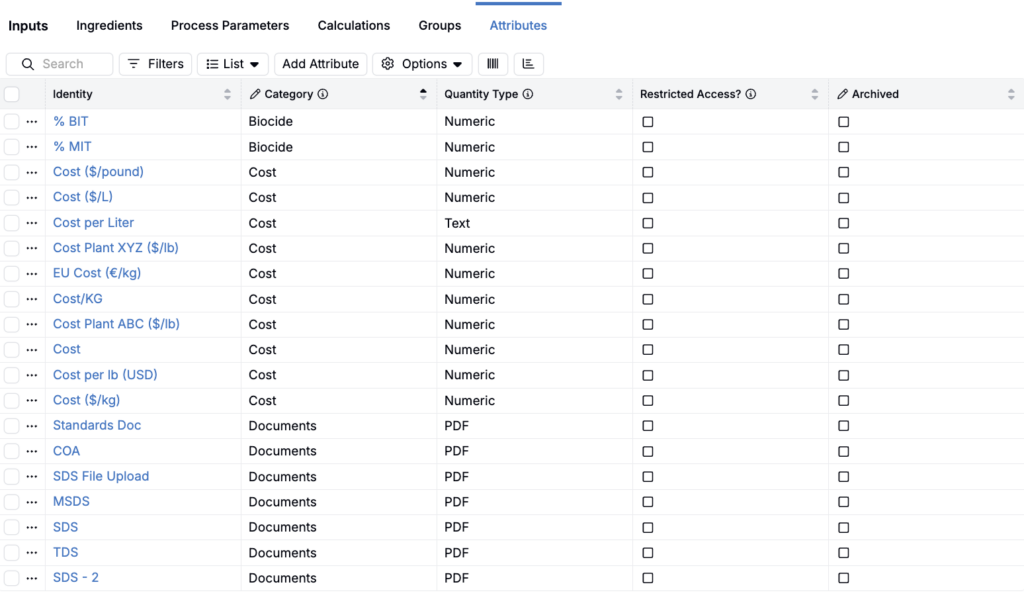
Ingredient attributes are descriptors of ingredients or parameters. Attributes can numeric, text-based, categorical, or file attachments. Examples include specific gravity, molecular weight, density, cost, CAS number, GHS hazard symbols, and SDS/TDS files.
Process Parameters
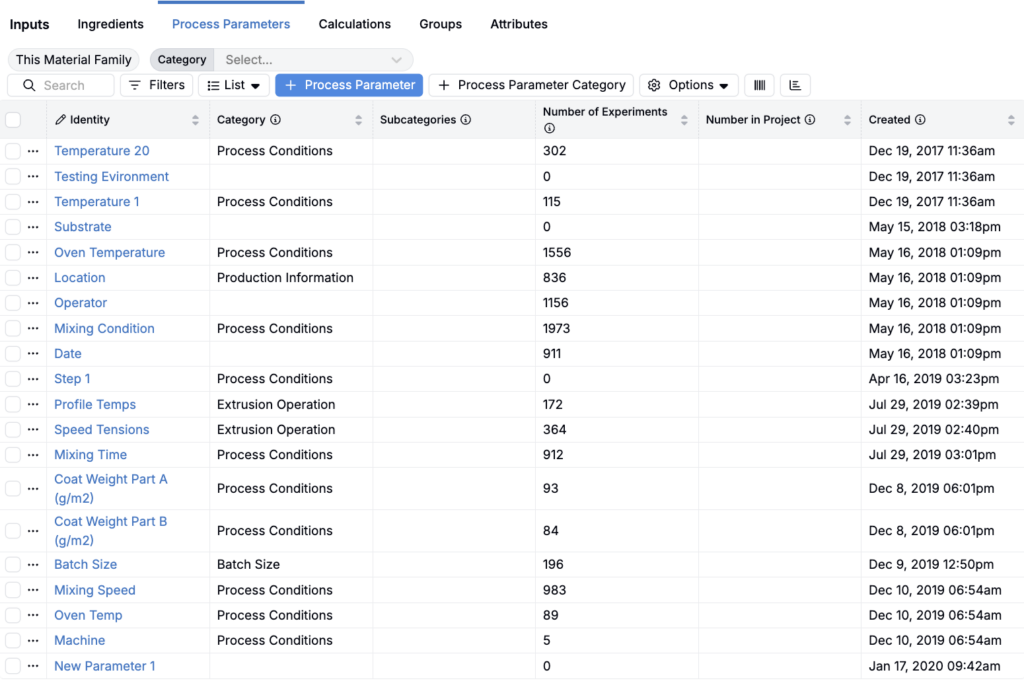
Process parameters are used to capture critical information about how a formulation was processed. Examples include mixing speed, time, and temperature.
Process parameters are added as inputs to on the Enter Recipe page along with ingredients to fully document the experimental setup. While ingredient values are always numeric, parameters can be numeric, categorical, text, date, timestamp, attachments, or even curve data.
Calculations
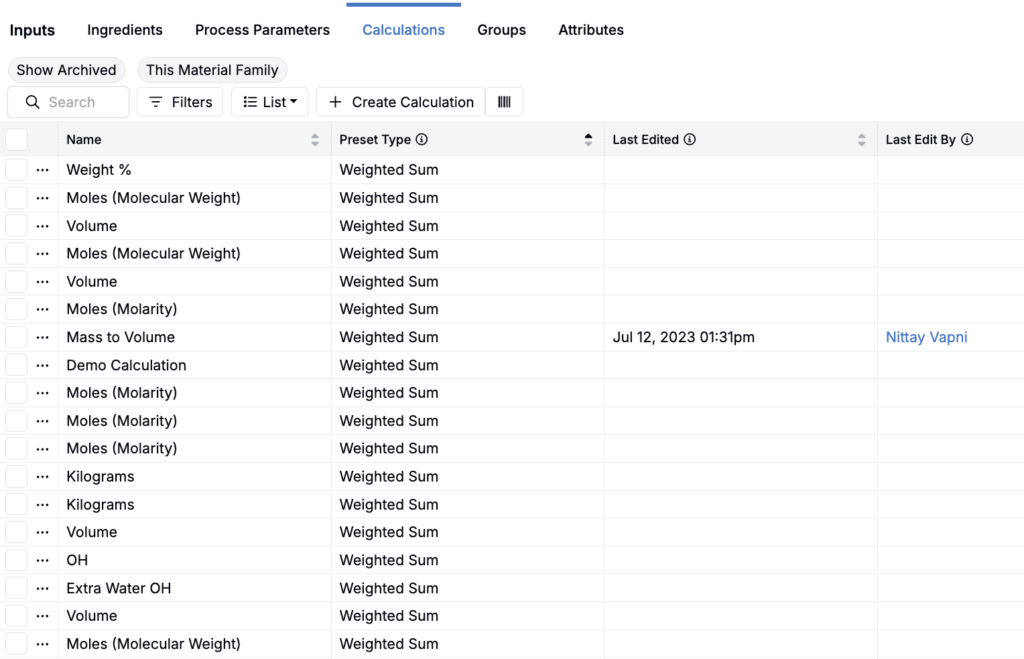
Input calculations are calculations using inputs (e.g. density, solids %, formula cost, or the ratio between two ingredients) and are added on the recipe side of an experiment. Since recipes are defined before an experiment runs, input calculations cannot reference output values. However, they can incorporate outputs from component recipes used as ingredients.
Groups
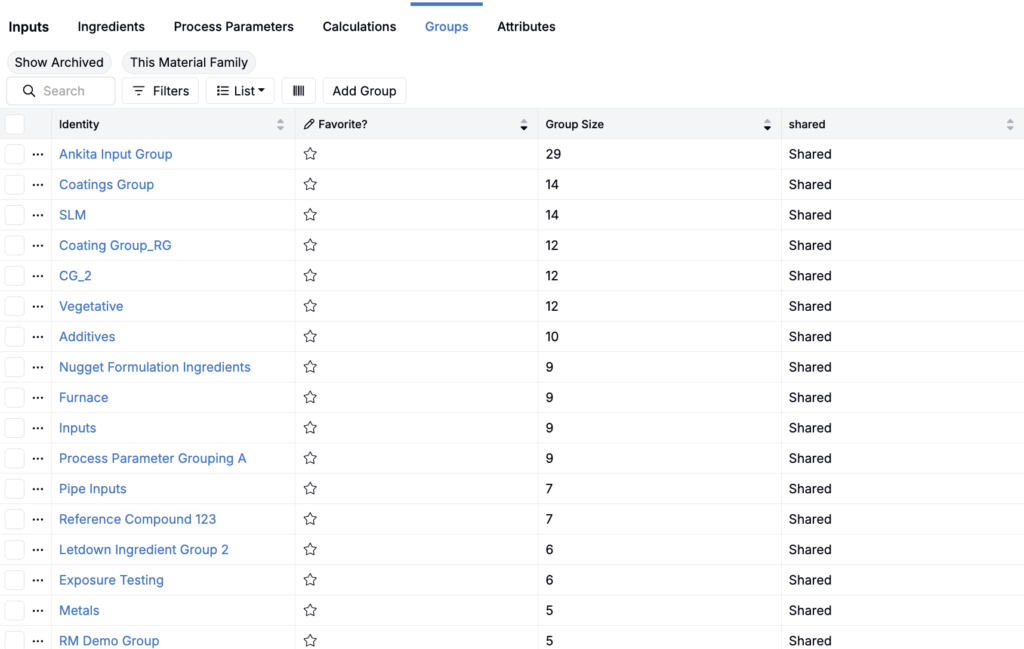
Input groups are collections of inputs (ingredients and process parameters) that can be added to recipes in bulk. Examples include a standard mixing setup with predefined speed and time, or a starter recipe with a default binder and solvent.
Input groups can be used to:
- Quickly add multiple inputs at once when editing a recipe or defining workflow steps
- Set up standard parameter groups with default values
- Create starting points for scientists by pre-populating standard parameters and ingredients
Equipment
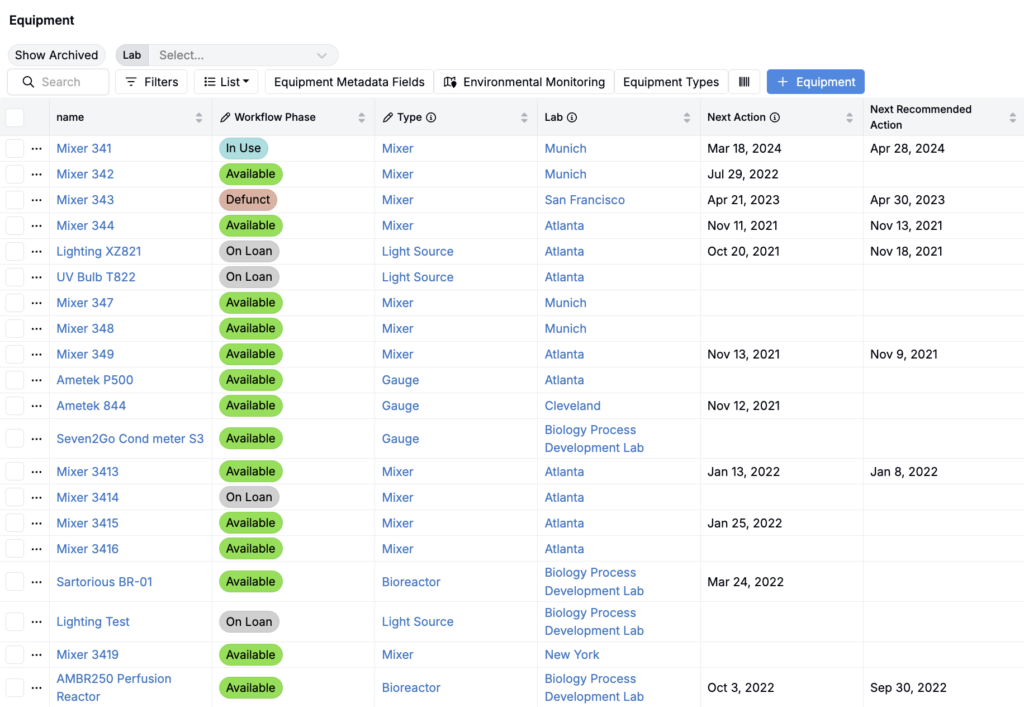
Equipment refers to the hardware used to run experiments. Examples include mixers, ovens, extruders, or viscometers.
Unlike other inputs, equipment is tied to labs rather than material families. To access the listing page, select Lab > Equipment from the navigation bar.
Metadata
While metadata is not technically an input, it is worth mentioning since it can be displayed on both the Recipe and Measurements view of experiments.
Experiment metadata captures information that is not a process parameter or directly tied to recipe composition. Examples include experiment creator, date, and plant location.
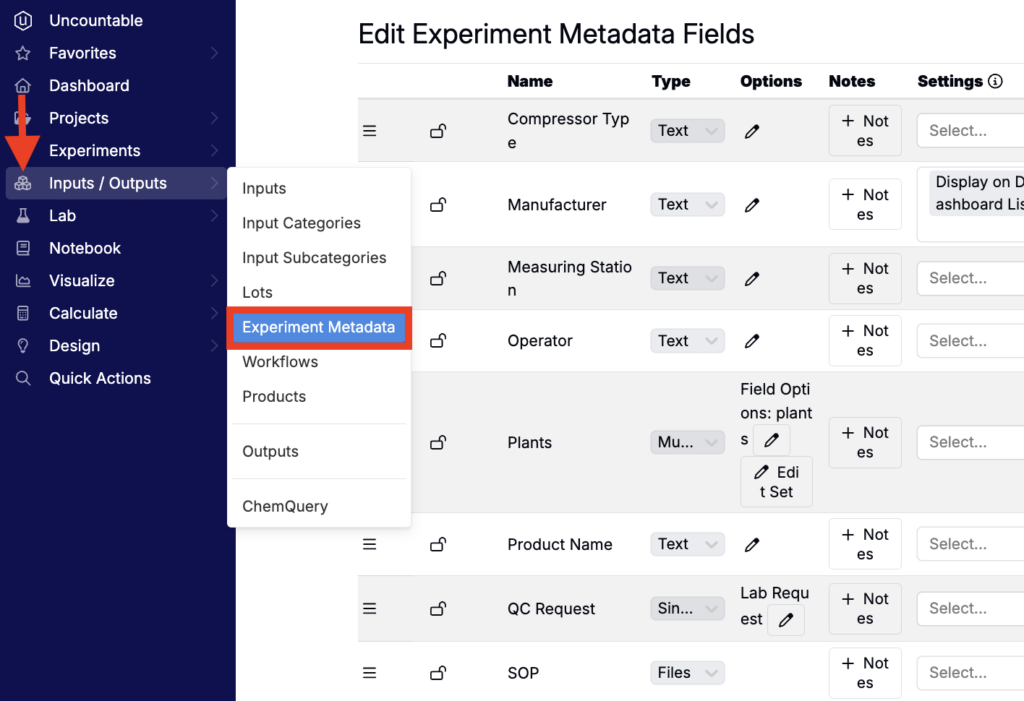
To view and edit experiment metadata fields, access Inputs/Outputs > Experiment Metadata from the Uncountable navigation bar.