
Uncountable’s Solver tool can only work with specific types of input calculations.
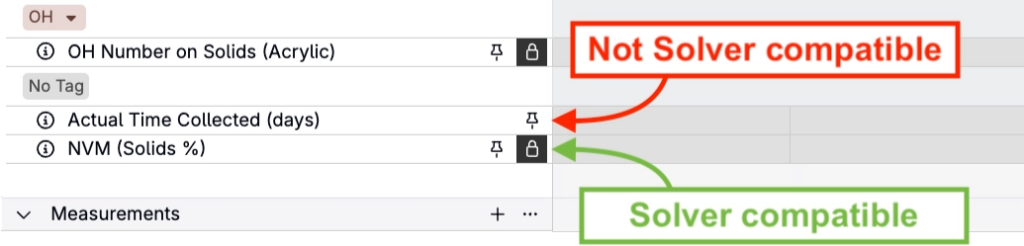
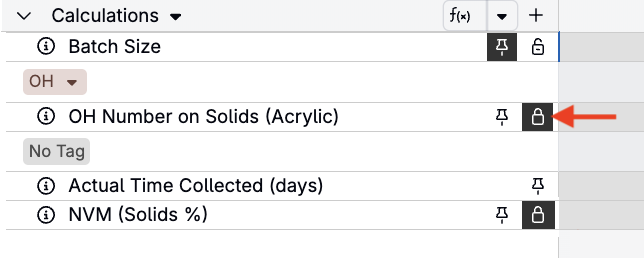
If a calculation is Solver-compatible, it will display a lock icon on the recipe grid in Solve Mode, allowing you to set it as a target or constraint. If the calculation does not show a lock, it cannot be used during solving.
In the Edit Calculation modal, when creating or modifying a calculation, Solver compatible calculations also display a green f(x) symbol in the top right corner. Non-Solver compatible calculations display a red f(x).
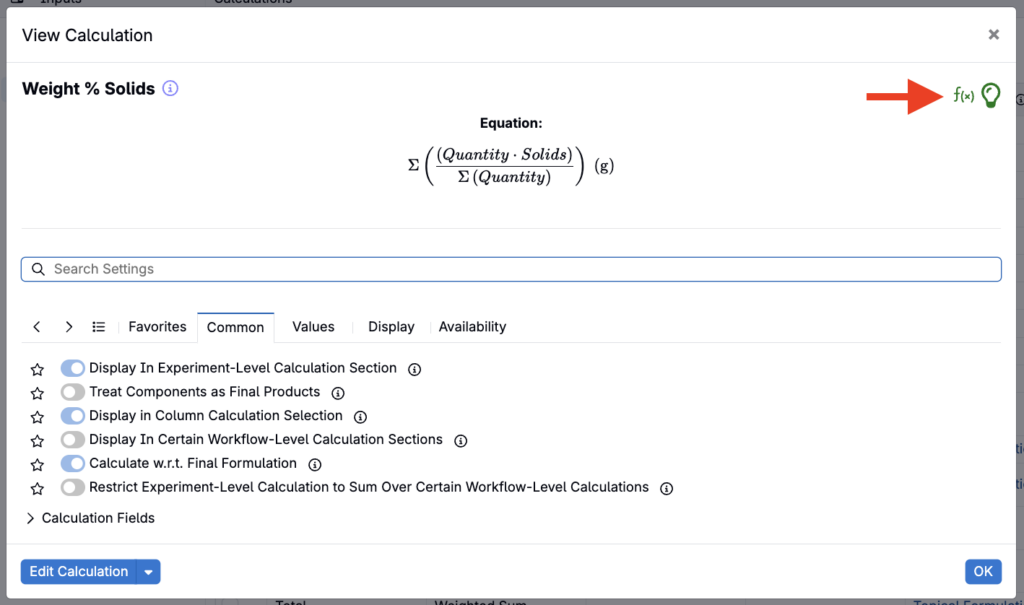
This article explains which calculations are compatible, why these constraints exist, and how to design calculations that will work reliably with the Solver.
Overview
Only two input calculation types work with the Solver:
- Weighted Sum and Average
- Composite Calculations (built only from weighted sums)
These two types produce linear, differentiable expressions that the Solver can adjust by modifying ingredient amounts—making them suitable for optimization.
1. Weighted Sum and Average Calculations
Weighted Sums and Weighted Averages are the primary building blocks for Solver-compatible calculations.
Examples include:
- Percent monomer
- Solids %
- OH equivalents
- Acid equivalents
- Tg calculations (based on weighted contributions)
Whenever possible, build calculations as Weighted Sums or Weighted Averages.
Requirements for Solver Compatibility
A weighted sum/average is Solver-compatible when:
- It uses the recipe’s own ingredient amounts as the total
- It does not use “Manually Specified Total”
- It does not use a “Calculated Total”
- Ingredient-calculation multipliers are used cautiously (some combinations block compatibility)
- The denominator (if present) is valid and uses recipe totals, not user-specified constants
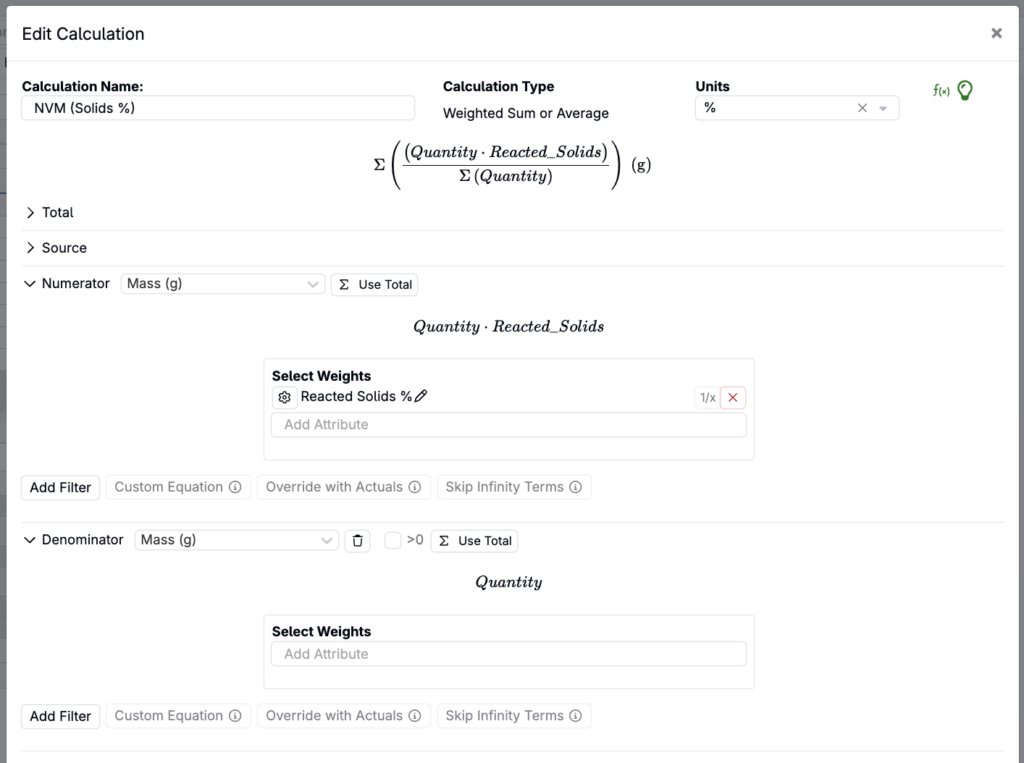
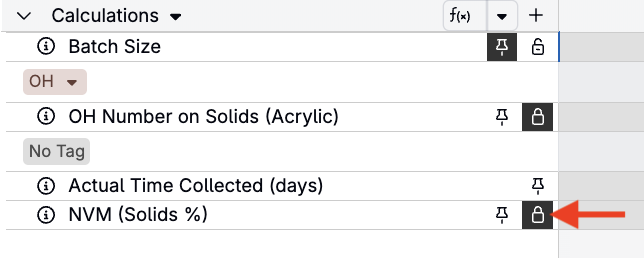
If these conditions are met, a lock icon appears next to the calculation in Solve Mode.
Weighted Averages
Weighted averages (numerator divided by denominator) are allowed with Solver—but with one key restriction: Weighted averages cannot be used inside composite calculations.
When used as standalone calculations, they are Solver-compatible and can be locked as targets.
2. Composite Calculations
Composite calculations allow you to add, subtract, multiply, or divide existing weighted sum calculations. This enables more complex expressions while keeping them Solver-compatible.
Examples include:
- OH Number
- OH Number on Solids
- Acid Number on Solids
- Tg formulas that use weighted-sum contributions
Composite calculations offer flexibility but must follow strict rules to remain solver-compatible.
Requirements for Composite Solver Compatibility
A composite calculation is Solver-compatible only when:
- All components used inside it are weighted sums
- Weighted averages cannot be used inside composites
- No ingredient-calculation multipliers are used inside the composite itself
- All math operations maintain a differentiable expression (addition, subtraction, multiplication by constants, or division by other weighted sums)
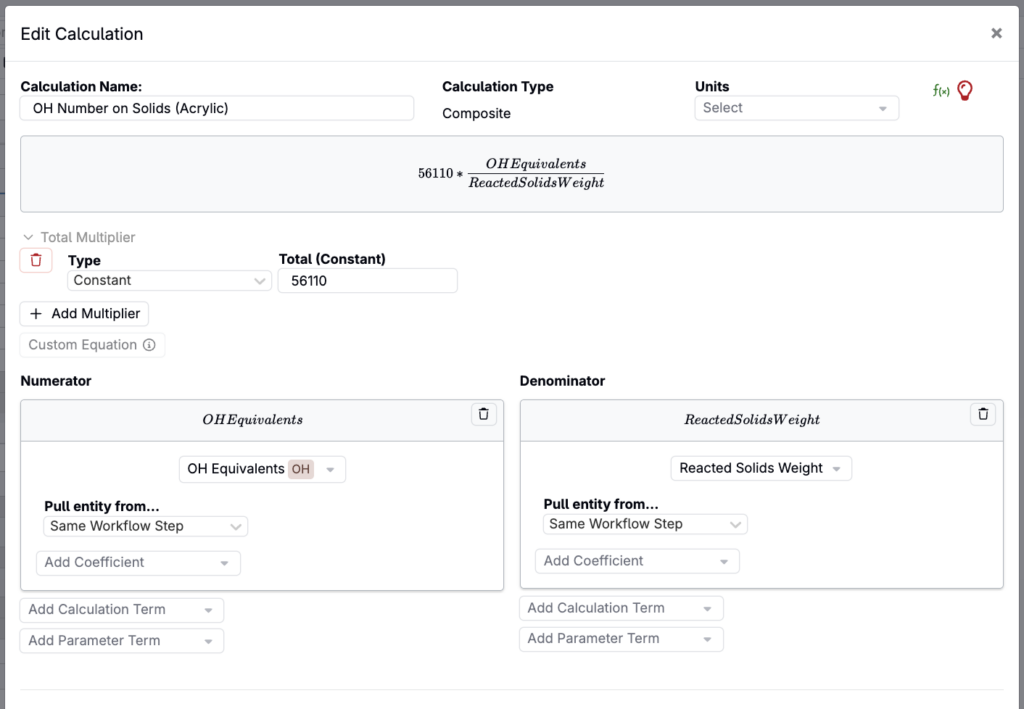
If compatible, the composite calculation will show a lock in Solve Mode.
Column Display Rules
Column calculations help visualize ingredient-level contributions and can also be used with Solver when locked per row.
Important restrictions:
- Only weighted sum calculations can be displayed as columns
- Composite calculations cannot be displayed as columns
- Weighted averages may be displayed as columns only if they function as weighted sums (i.e., no separate denominators)
Column-calculation solving behavior is covered in Solving with Column Calculations.
What Does Not Work with the Solver
The following will not show a lock icon in Solve Mode and cannot be used as Solver targets:
- Calculations using manually specified totals
- Calculations using a calculated total rather than recipe total
- Composites built from Weighted Averages
- Composites built from other Composite calculations (nesting isn’t supported — only Weighted Sums can feed into a Composite)
- Composites using ingredient-calculation multipliers
- Any calculation that references ingredient values in a non-linear or branching way
- Any calculation outside the Weighted Sum / Composite framework
If a calculation must be Solver-compatible, ensure it is built from supported primitives.
Best Practices
These recommendations come directly from Solver training and internal usage patterns:
- Always build Solver-compatible calculations by default — Even if a customer does not request Solver capability immediately, they may request it later.
- Avoid manually specified totals — They block compatibility and require rework later.
- Use ingredient attribute multipliers only when needed — Excessive use can make the calculation incompatible or difficult to interpret.
- Keep weighted average usage intentional — Use weighted sums for building blocks and weighted averages only when necessary for standalone values.
- Test your calculation in Solve Mode — After creating a calculation, open a recipe, enable Solve Mode, confirm the lock icon appears, and run a simple solve to validate Solver behavior.