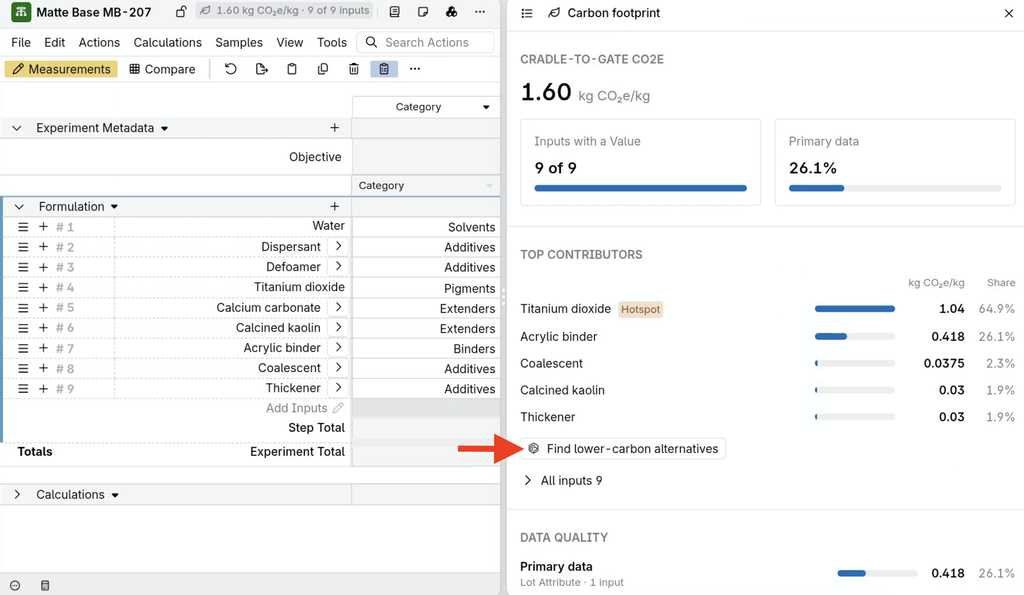
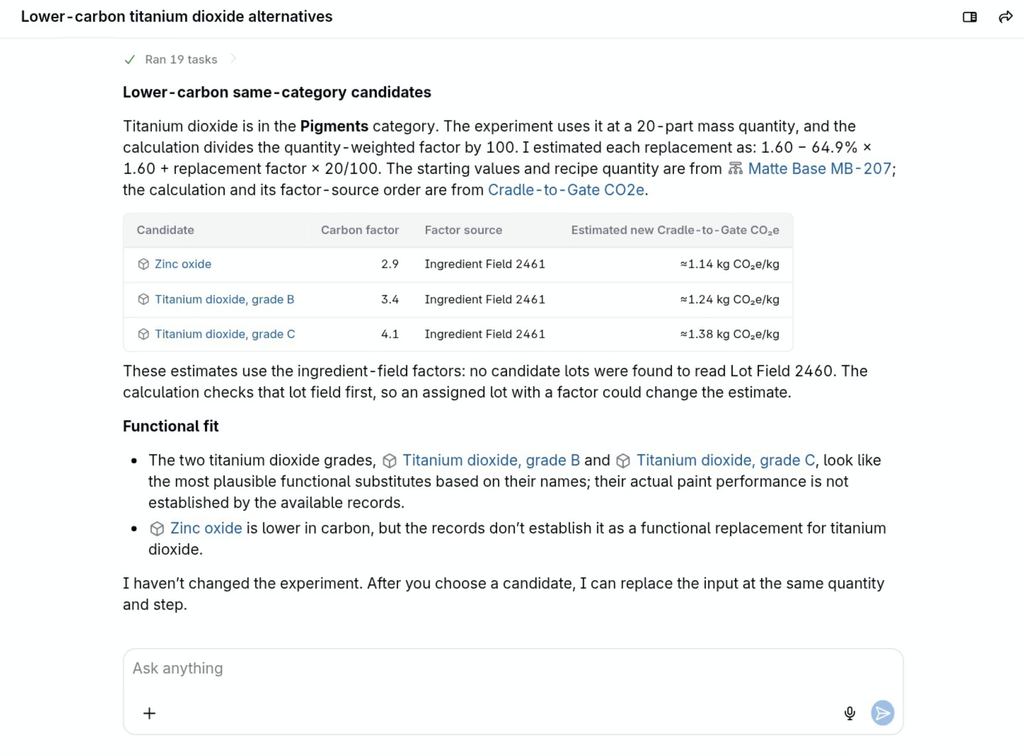
The Carbon footprint side panel on the experiment page calculates an experiment’s cradle-to-gate carbon footprint from the CO2e values stored on its ingredients and lots. It shows the total footprint, the ingredients that contribute most to it, how much of the result is based on primary data, and which ingredients are missing a value. For example, a formulator working on a wall paint can see that a pigment accounts for most of the footprint and ask Bodie AI for lower-carbon alternatives.
How It Works
The footprint is a weighted sum calculation: the quantity of each ingredient multiplied by a CO2e-per-unit value. The CO2e value can come from an ingredient field, a lot field, or both, in a set source order (for example, the lot field first, then the ingredient field).
Uncountable does not supply emission factors. Each ingredient or lot needs its own CO2e-per-unit value, which can be entered manually, imported, or loaded through an integration. Values from fields set as Primary Data Fields (for example, a lot field that holds the CO2e value from a supplier certificate of analysis) count as primary data; all other values count as secondary data.
Setting Up Carbon Footprint
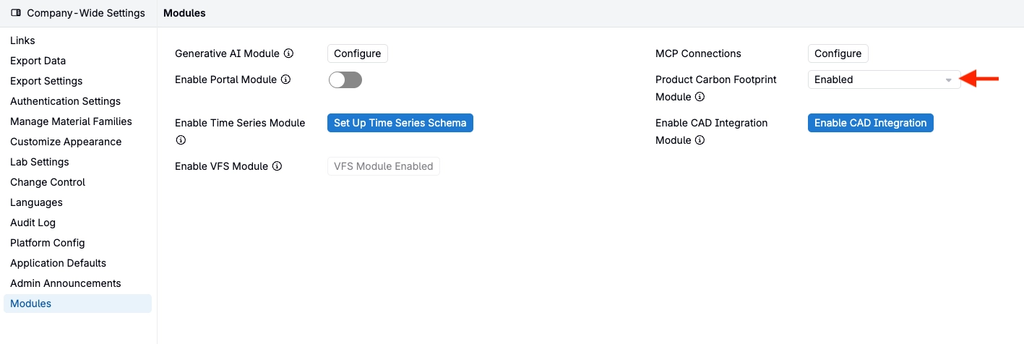
- Go to Company-Wide Settings > Modules and set Product Carbon Footprint Module to Enabled. The module is disabled by default.
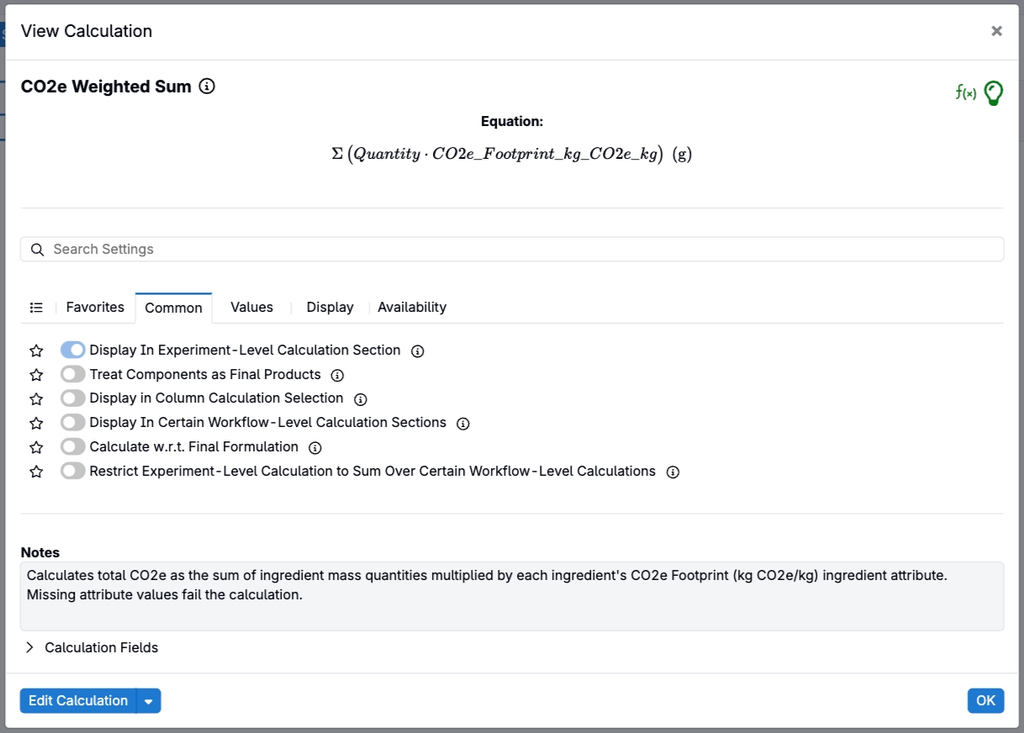
- Create a weighted sum calculation that multiplies each ingredient quantity by a CO2e-per-unit ingredient field, lot field, or both.
- Go to Company-Wide Settings > Platform Config > Enter Recipe Config > Carbon Footprint Calculations and add one entry for each material family, selecting that calculation.
- Optionally, set Primary Data Fields for the entry, such as a lot field that holds supplier CO2e values.
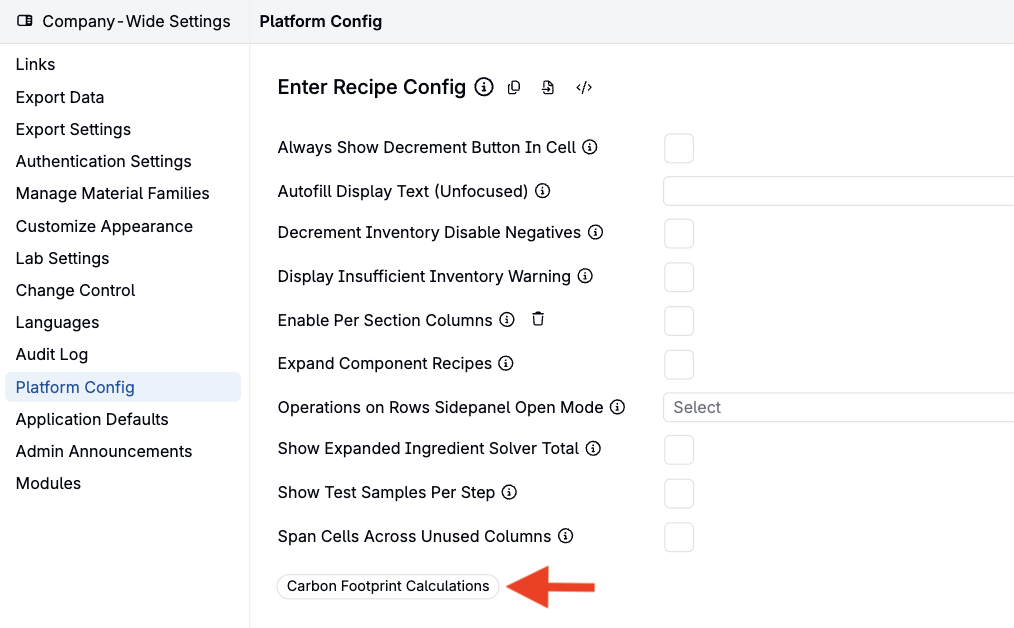
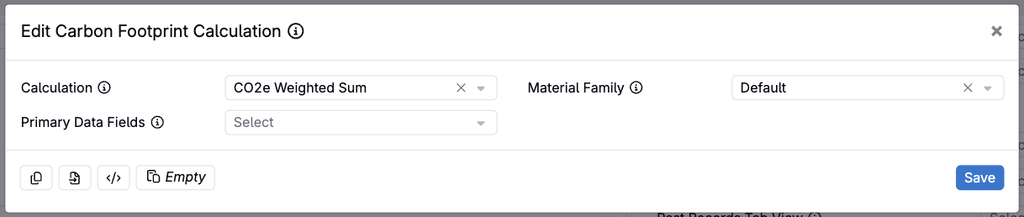
Note: A material family without an entry in Carbon Footprint Calculations shows no footprint, even when the module is enabled.
Using the Carbon Footprint Side Panel
- Open an experiment in a material family that has a carbon footprint calculation.
- Open the Carbon footprint side panel from the footprint chip in the experiment header, from the Calculations menu, or by searching for it in action search.
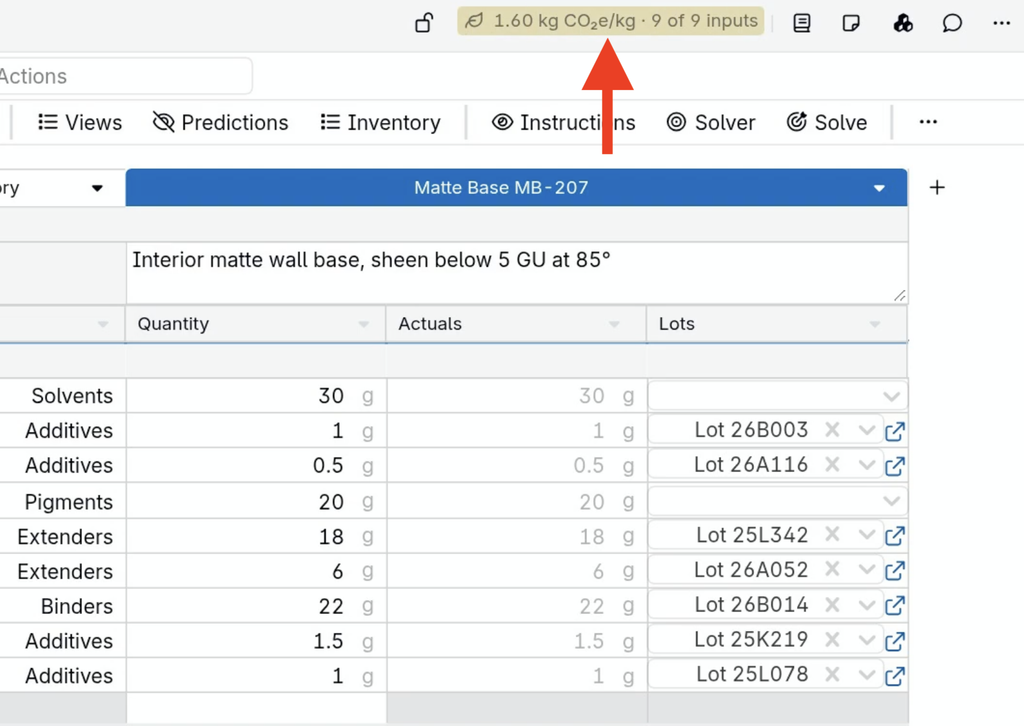
- Review the panel:
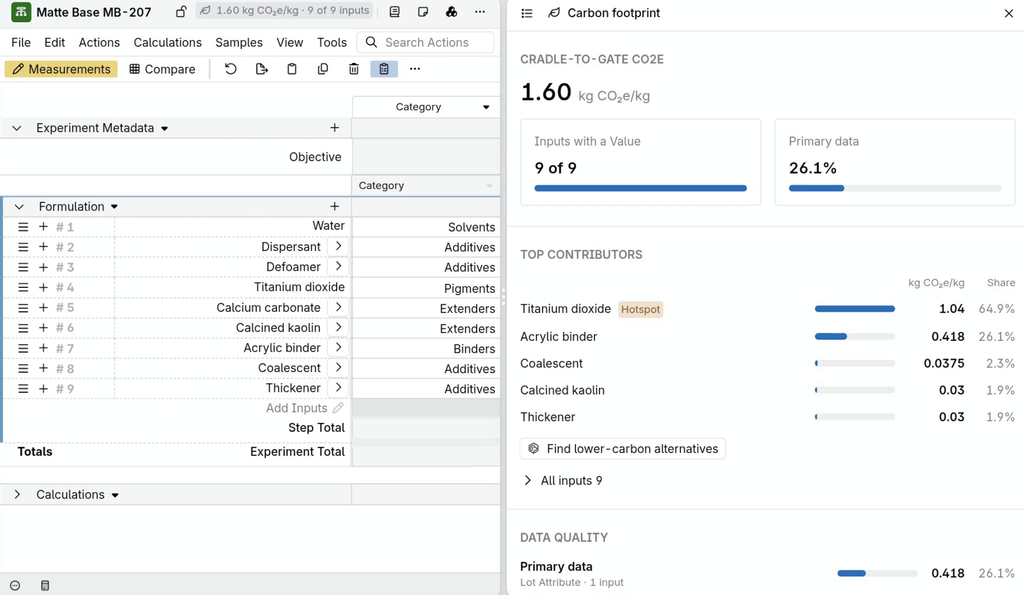
- Cradle-to-Gate CO2e: the experiment’s total footprint, in kg CO2e per kg.
- Inputs with a Value: how many ingredients have a CO2e value. Ingredients without a value are listed so they can be filled in.
- Primary data: the share of the footprint that comes from primary data fields.
- Top Contributors: the ingredients that contribute most to the footprint, with the largest marked as a Hotspot.
- Data Quality and Methodology: the split between primary and secondary data, and the formula used.
Finding Lower-Carbon Alternatives with Bodie AI
Select Find lower-carbon alternatives in the side panel to ask Bodie for replacement candidates for a hotspot ingredient. Bodie looks for ingredients in the same category with lower CO2e values, estimates the new footprint for each candidate, and notes how well each one is likely to fit functionally. Bodie does not change the experiment; after choosing a candidate, replace the ingredient in the recipe and the footprint updates.
Note: Find lower-carbon alternatives requires the Generative AI module, and the carbon footprint calculation must read CO2e values from an ingredient field or a lot field.