Uncountable’s Table Builder tool, used to assemble data tables in notebooks, is being redesigned end to end to make it faster and more intuitive to configure.
What’s changing
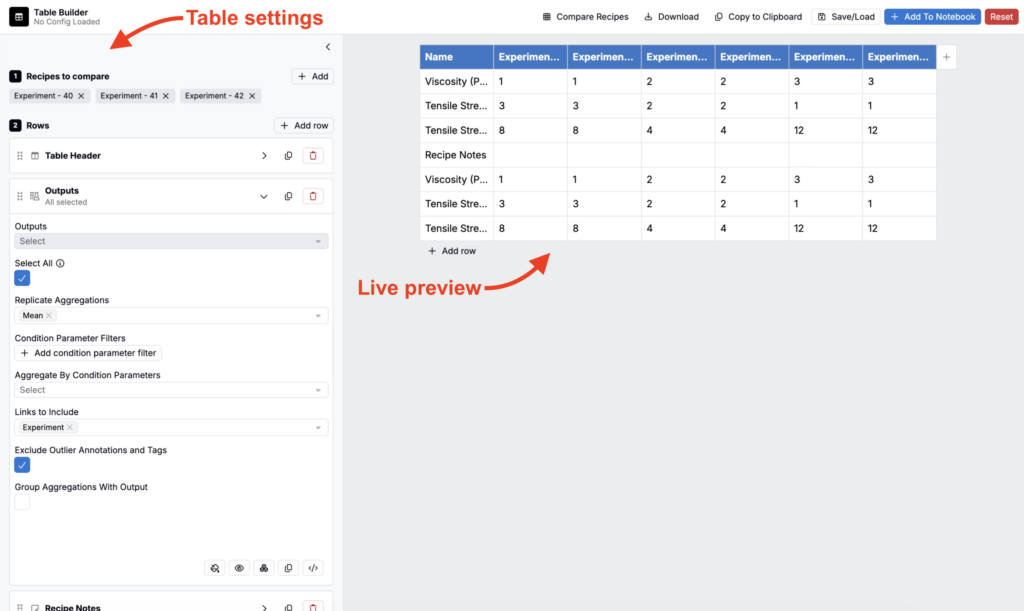
A side-by-side layout with a live preview
Configuration and the table preview will now sit in separate panels next to each other, instead of a single stacked view. As you adjust settings, the preview updates immediately, so you can see exactly how each change affects the table without saving or scrolling back and forth.
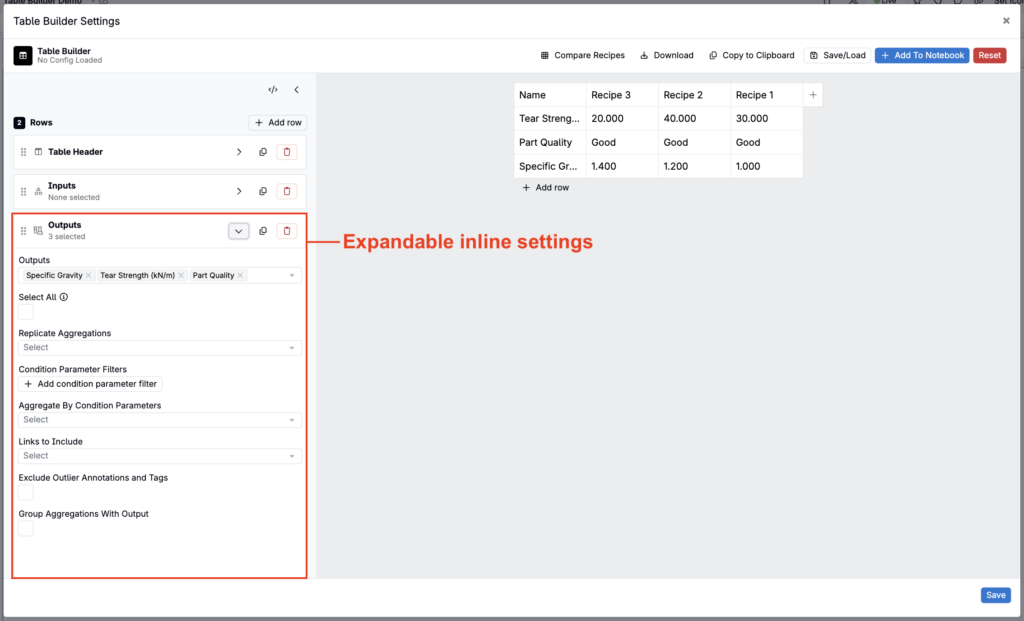
Inline settings instead of modals
Most settings that used to open in a separate modal now expand inline as a dropdown directly in the configuration panel, so you can adjust them without leaving your place. Section titles are bolded and row, column, and value types each have their own icon, making it easier to scan what’s already in your table configuration.
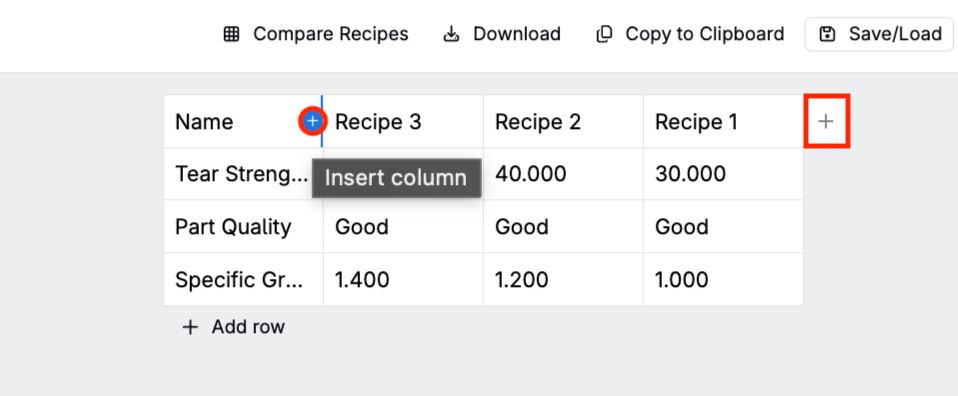
Add rows and columns directly on the table
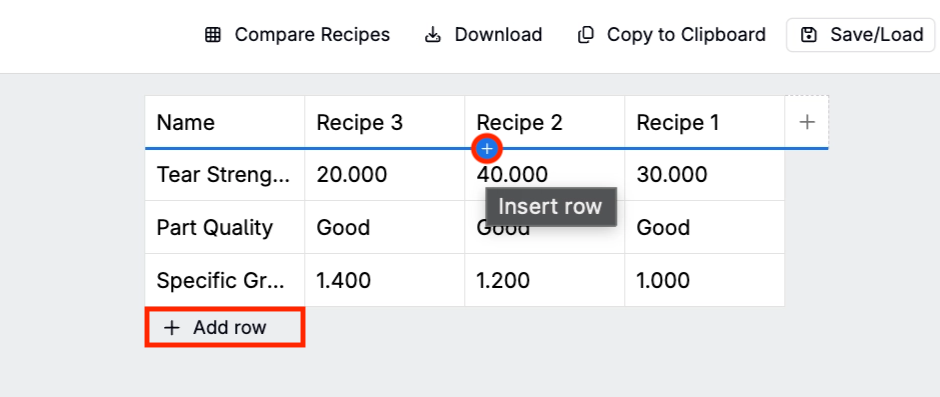
Hover over the edge of the table in the live preview to reveal a + for adding a row or column exactly where you want it, instead of only through the configuration panel.
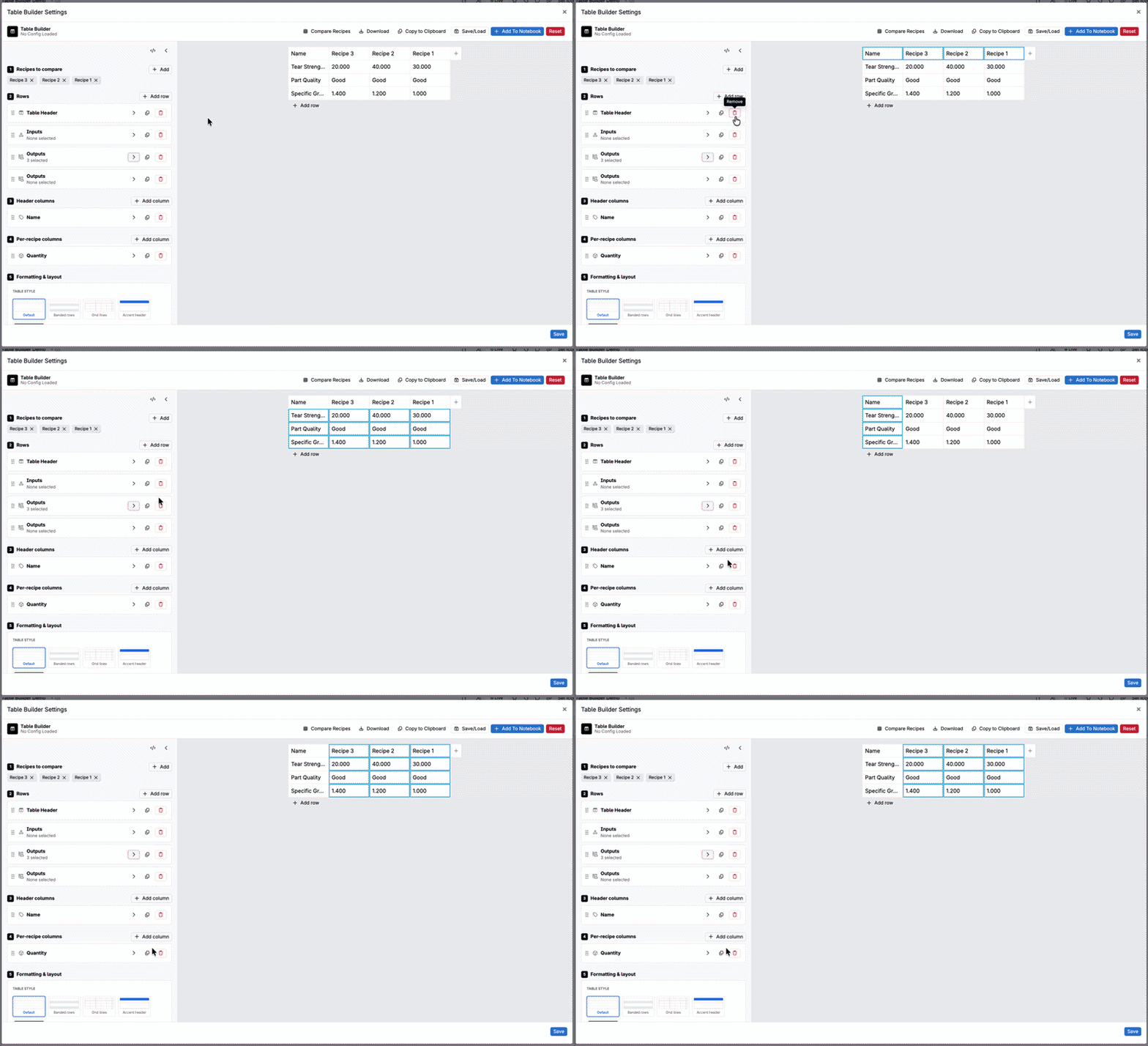
Hovering over a row, column, or recipe in the configuration panel also highlights the matching cells in the preview, so it’s easy to see exactly what you’re about to change before you change it.
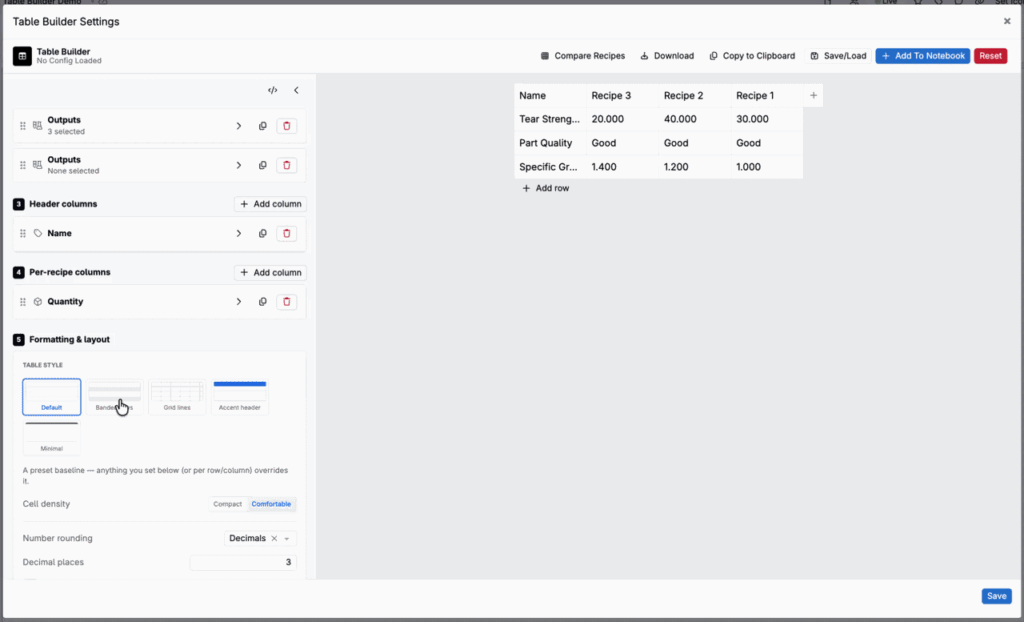
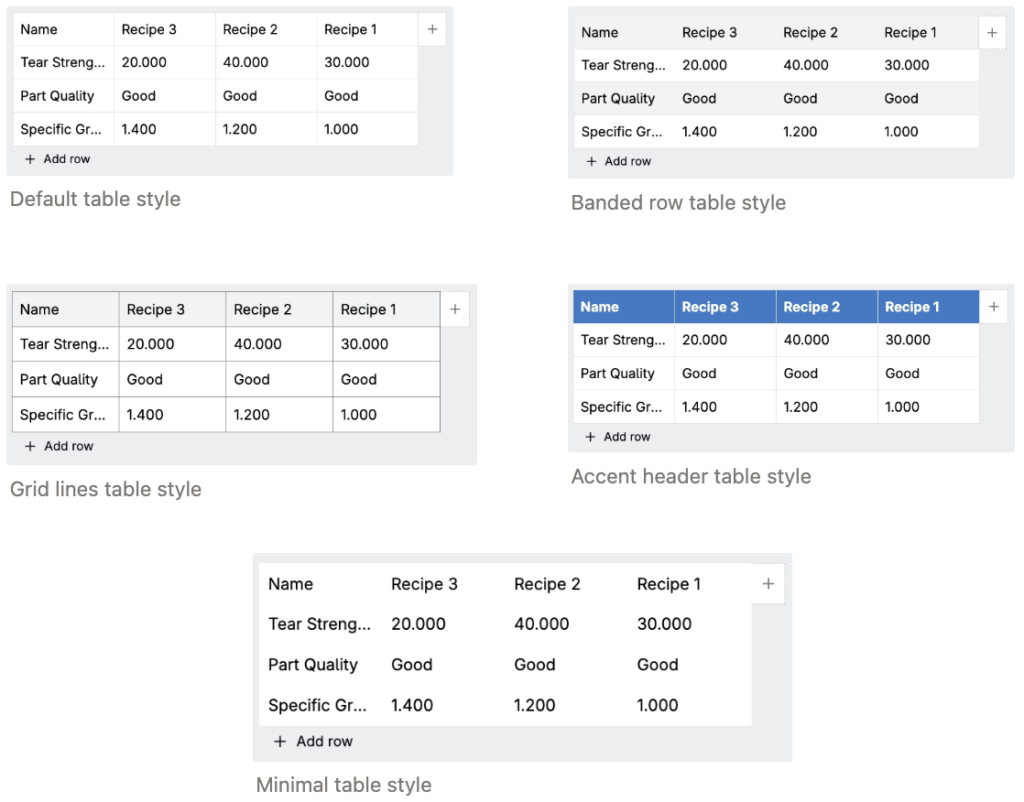
Four new table styles
Use the new Table Style setting to choose from five built-in table styles: Default, Banded Rows, Grid Lines, Accent Header, or Minimal. Switching styles updates the whole table with one click, no manual formatting required.
Comfortable and compact spacing
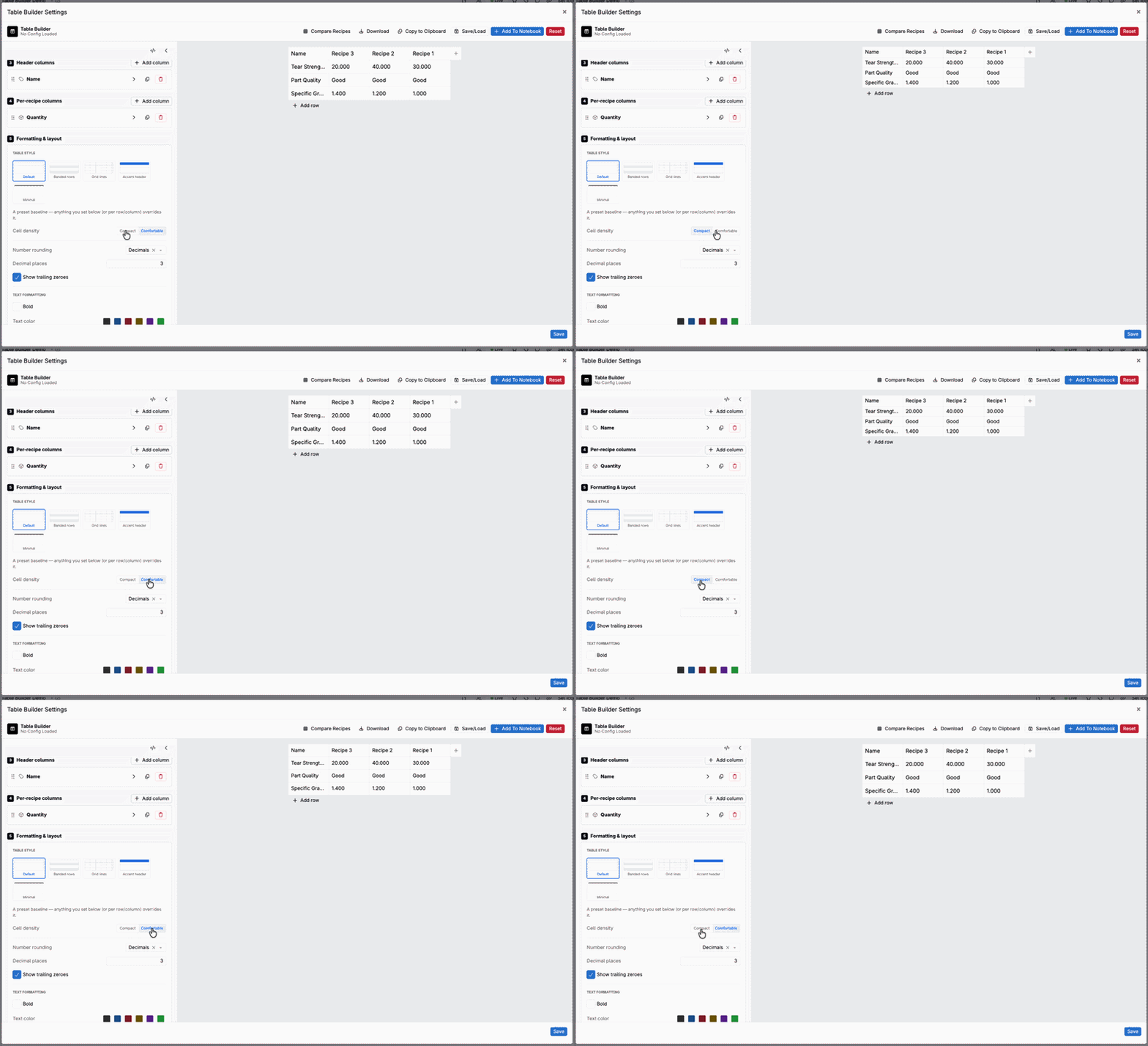
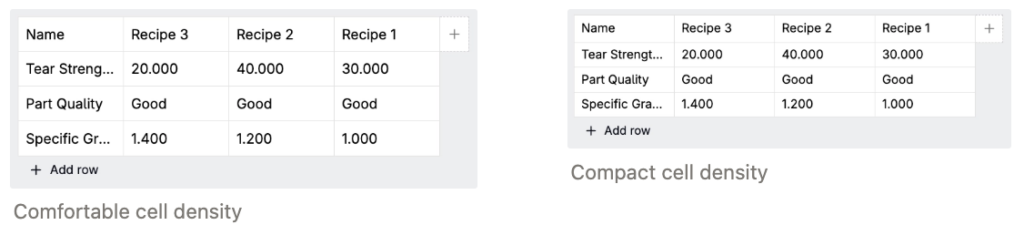
Use the Cell Density setting to control row and column spacing:
- Comfortable — the default, and matches the previous spacing.
- Compact — minimizes row and column padding for denser tables.
Import recipes from your current project
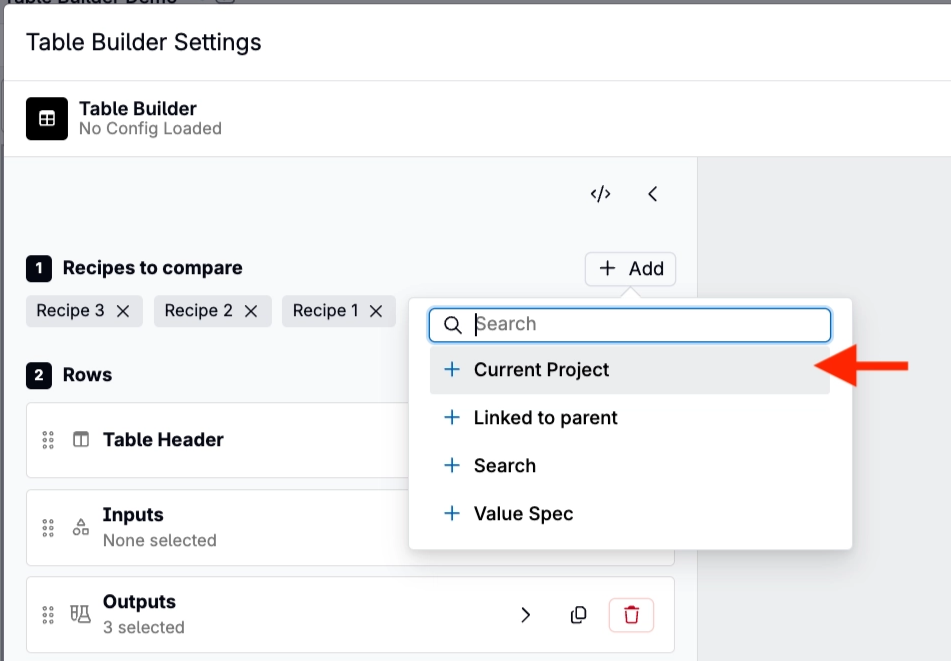
Use the new quick + Add options to bring in every recipe from your current project in a single click, or narrow the search to recipes tied to a specific lab request — instead of searching for and adding recipes one at a time.
Rollout
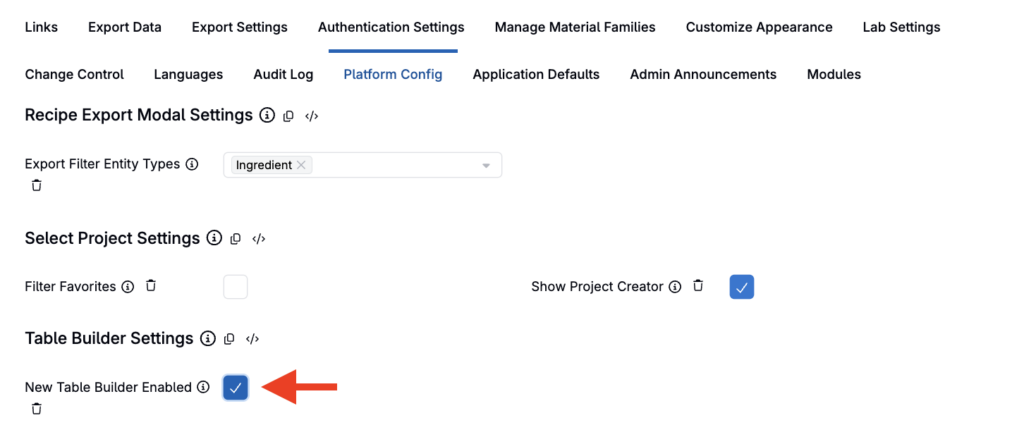
The redesigned Table Builder is currently opt-in while it rolls out. To turn it on, check New Table Builder Enabled in Platform Configuration settings. It will become the default table building experience on Friday, August 14, 2026.