Experiment group templates, or experiment group types, are reusable blueprints for creating new experiment groups with a consistent setup.
They are most often used to standardize well plate types (e.g. 96-well plate, 384-well plate, 1×8 exposure panel), but they can also be used for non-plate experiment groups when teams repeatedly create the same group structure.
What is an experiment group template?
An experiment group template is an existing experiment group that has been marked as a template. When you create a new group from a template, Uncountable uses the template as the starting point and creates a new experiment group that inherits the template’s structure.
Depending on your configuration and the template itself, this can include things like:
- Which workflow/variant is used when creating experiments in the group
- For well plates, number of rows/columns and the grid layout)
This is useful because many teams want every screening plate to be created the same way, without re-configuring the same settings each time.
How templates are used
Well Plates: “Plate Type” is an experiment group template
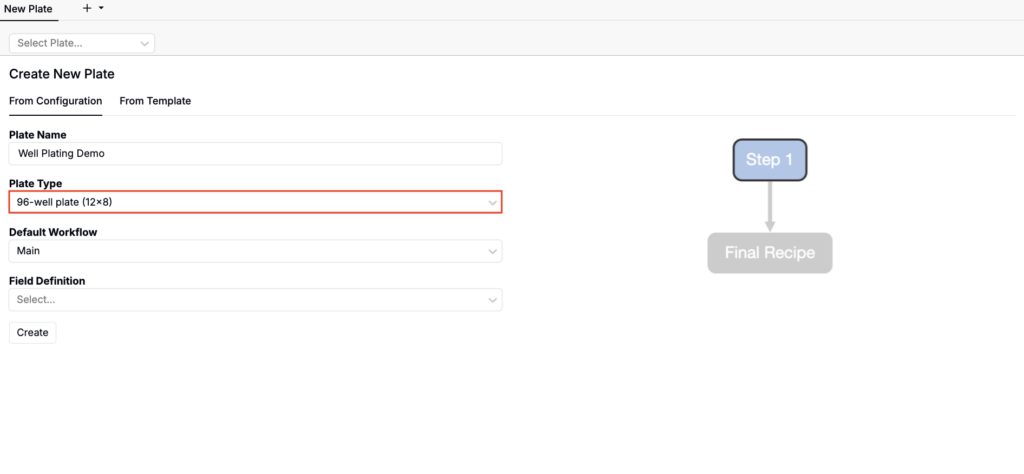
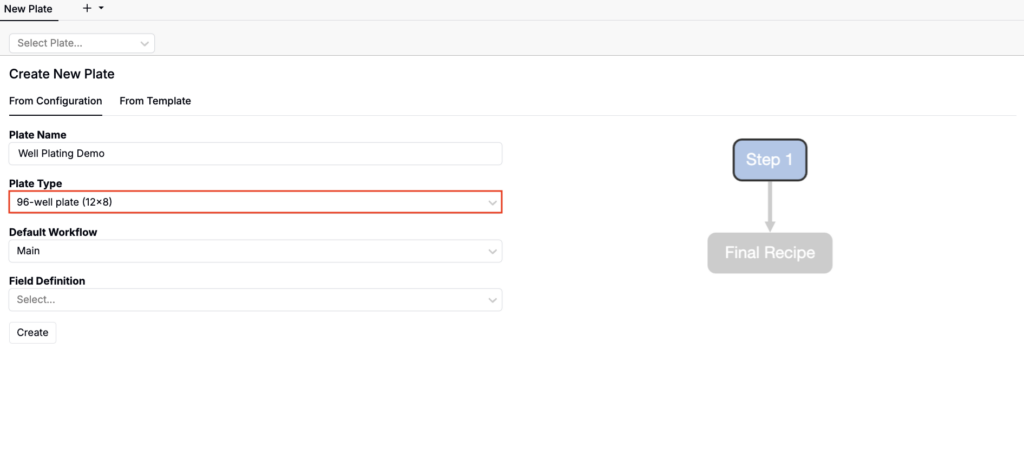
When you create a new well plate in the Well Plate Editor, the Plate Type you pick corresponds to an experiment group template (i.e., a reusable template that defines the plate format).
To learn more, refer to Well Plates.
Creating standard experiment groups repeatedly
Some teams also use templates for non-plate experiment groups. For example, when the same set of experiments (and their expected inputs/outputs) are created every week or for every batch/run. In this workflow, a template makes it easy to create a consistent new group that copies the structure of a “golden” example group.
How to create an experiment group template
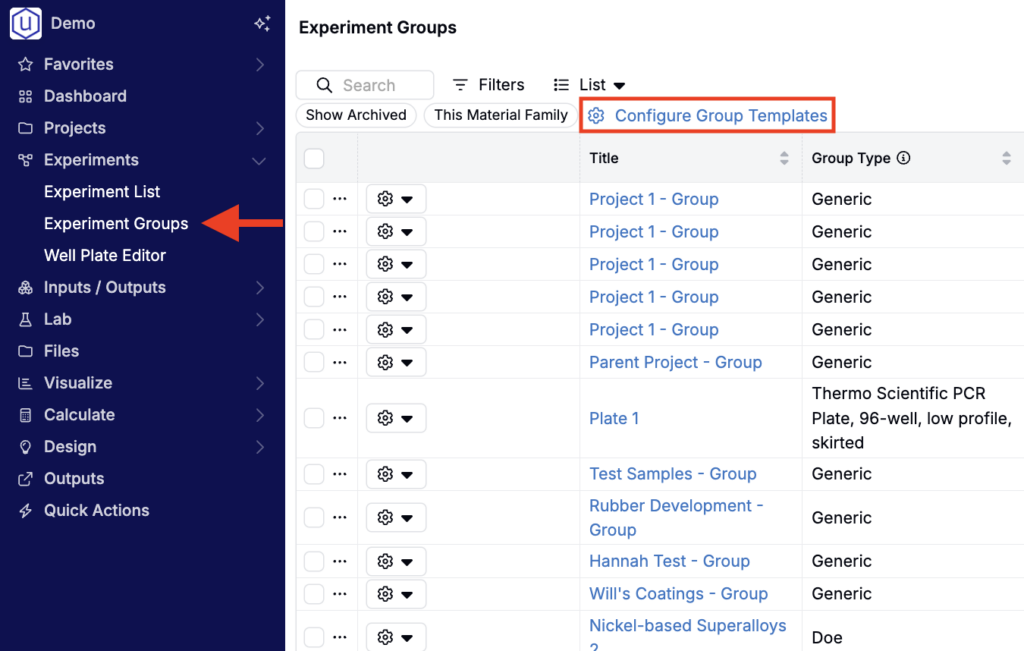
- Select Experiments > Experiment Groups from the Uncountable navigation bar.
- Click Configure Group Templates.
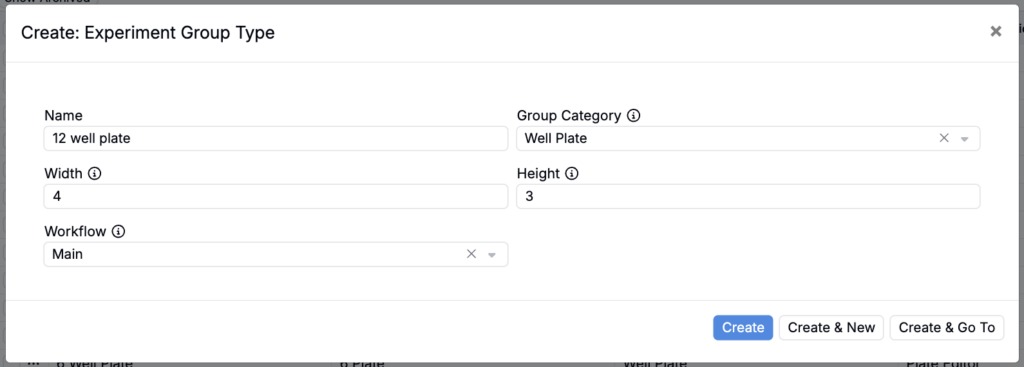
- Click the blue + Experiment Group Type button.
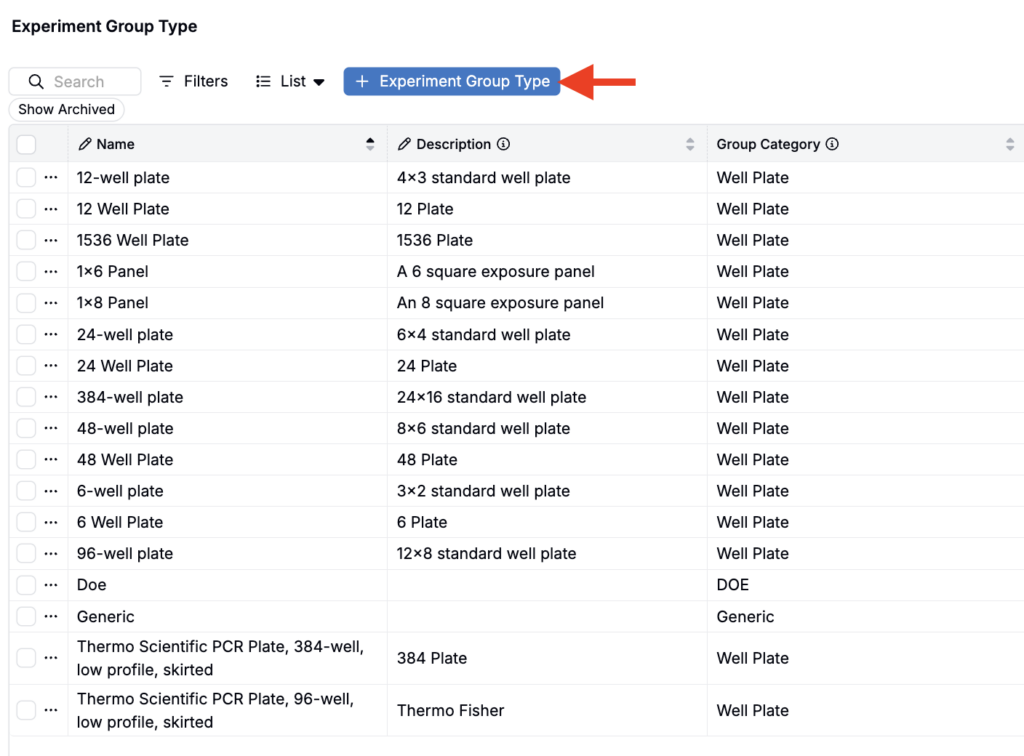
- In the modal, add a name and select a category (Well Plate, Generic, or DOE).
- If creating a well plate group type, specify the well plate width and height.
- Use the Workflow field to select a workflow. By default, all experiments created from this experiment group template will inherit that workflow.
- Click Create.
How to configure where “View Recipes” goes
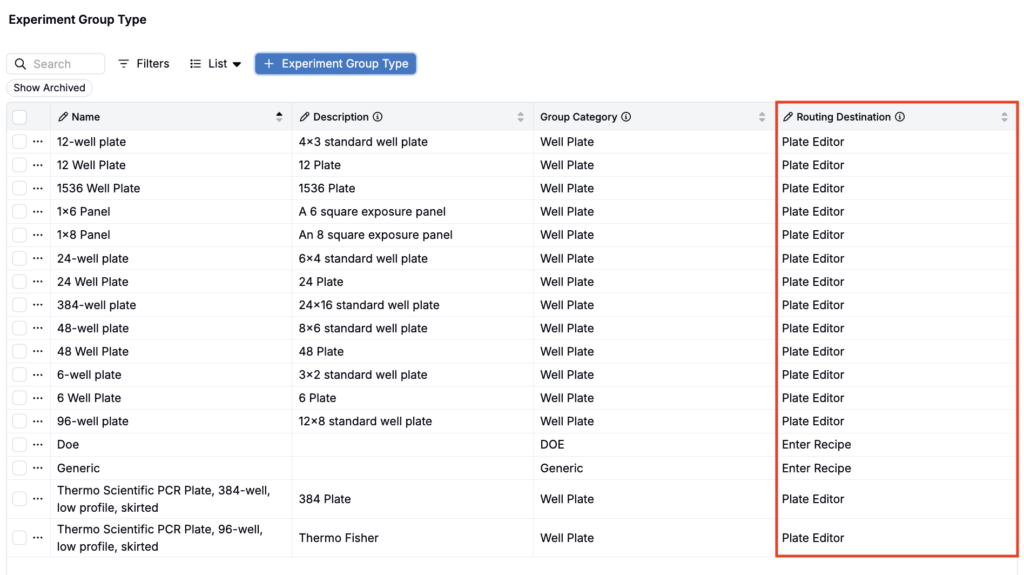
When you click View Recipes for an experiment group, it routes you to one of four pages: Compare, Recipe, Measurements, or Well Plate Editor.

To set the routing destination for a given experiment group type:
- Select Experiments > Experiment Groups from the navigation bar.
- Click Configure Group Templates.
- In the templates table, locate the experiment group type you want to change.
- Update the Routing Destination column value for that experiment group type.
How to create a new experiment group from a template
Well Plates
To use an experiment group template when creating a new well plate, select it from the Plate Type field.
Standard experiment groups
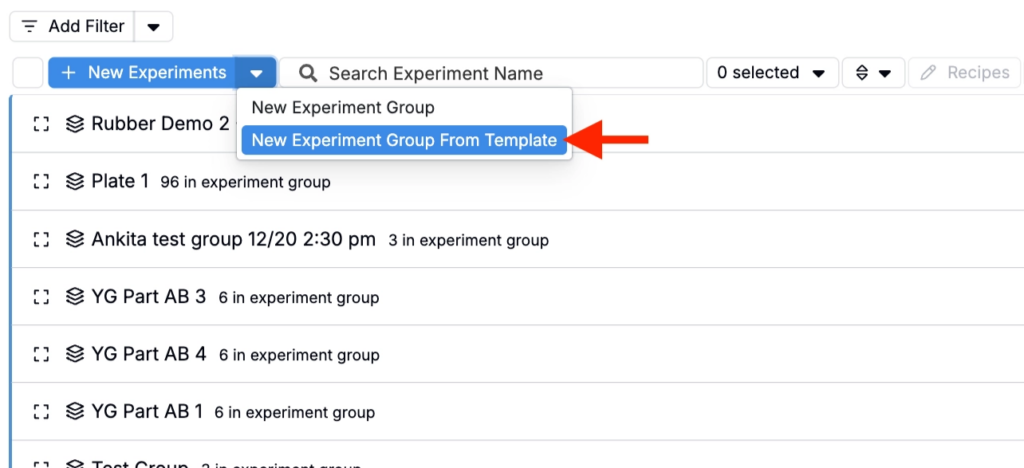
To use an experiment group template when creating a new standard experiment group, access your project dashboard, open the New Experiment button menu, and select New Experiment Group from Template.