
Later this week, we’re updating mix order enabled recipe workflow steps to simplify step headers and align input actions with other workflow step types.
What’s changing
‘Add Inputs’ Dropdown Removed from Step Headers
Before: Mix order workflow step headers included an Add Inputs dropdown alongside the + button. Both of these paths to adding inputs provided the same options.
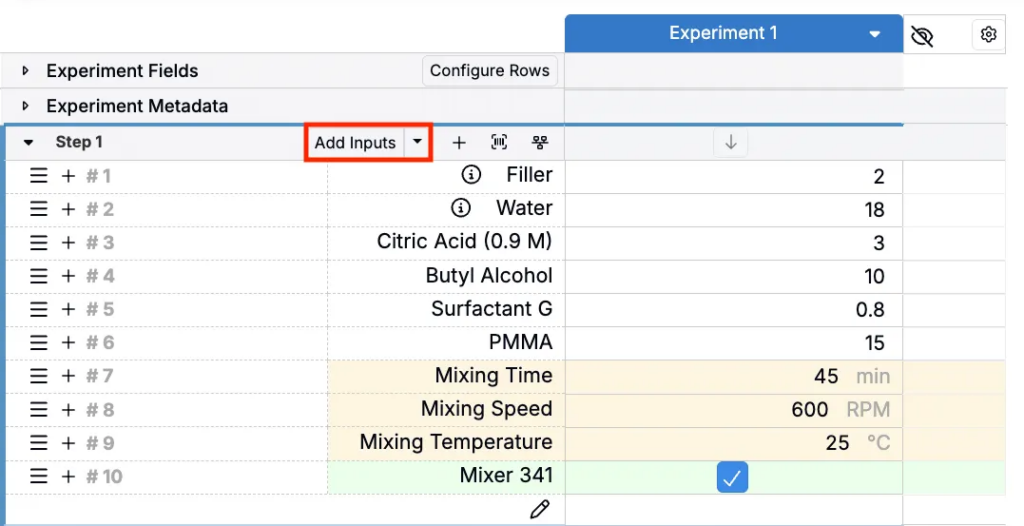
Now: The Add Inputs dropdown will now be removed. The + button remains as the primary entry point for adding inputs and related actions.
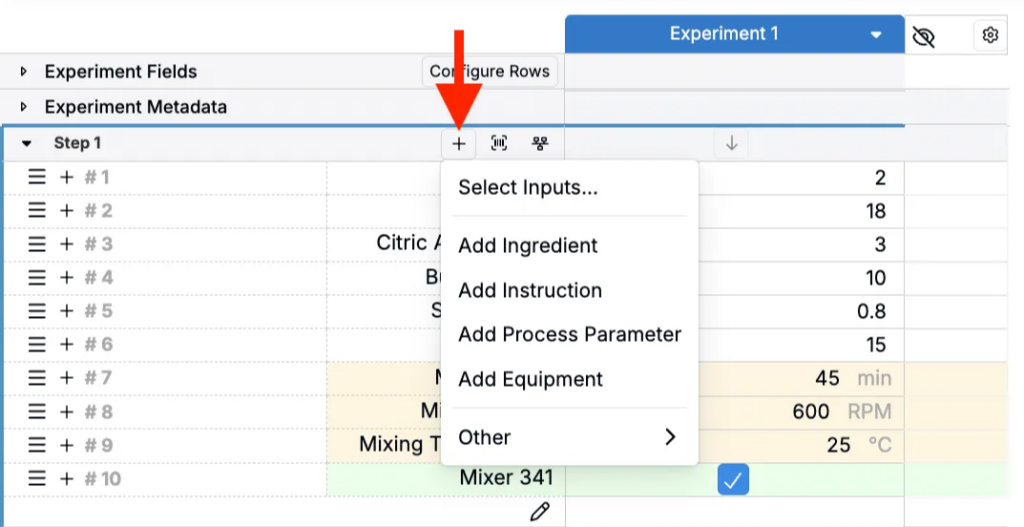
Where Actions Have Moved
All existing functionality is still available, but consolidated into fewer, more consistent entry points.
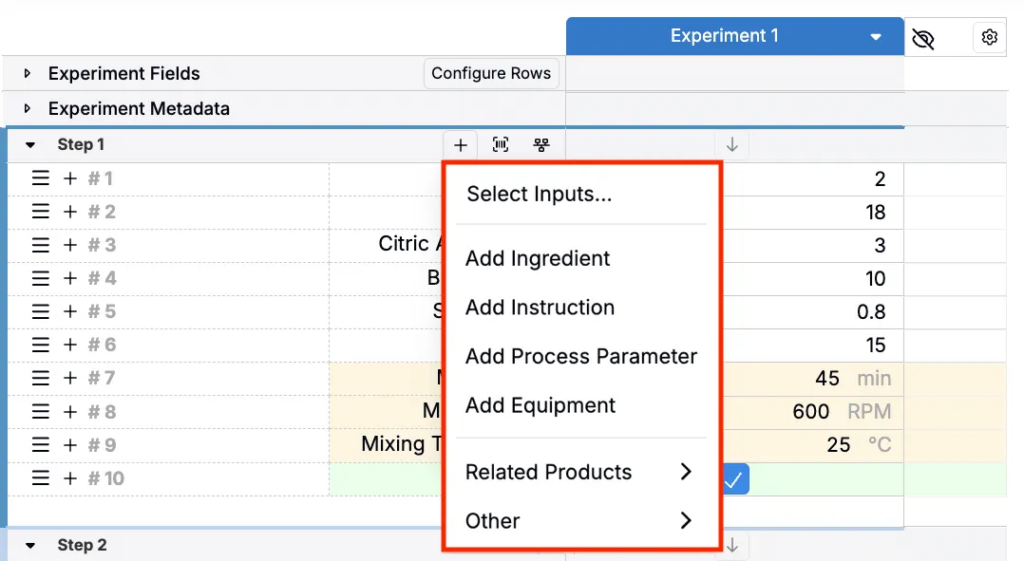
Use the + button to:
- Access the Add Inputs modal (Select Inputs…) to add multiple Inputs at once
- Add ingredients, instructions, process parameters, and equipment individually
- Add related products
- Add running totals, subtotals, placeholders, unstructured rows, and blank rows (Other)
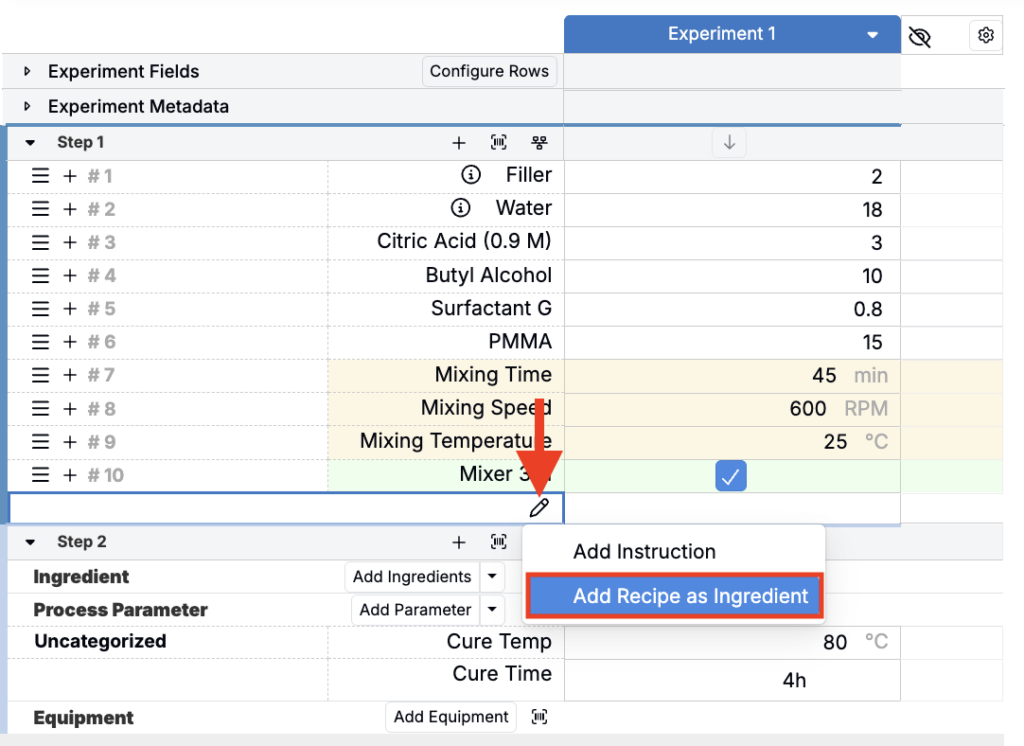
All inputs (ingredients, process parameters, ingredient groups and instructions) can be added directly inline using the ghost row at the bottom of a mix order workflow step.
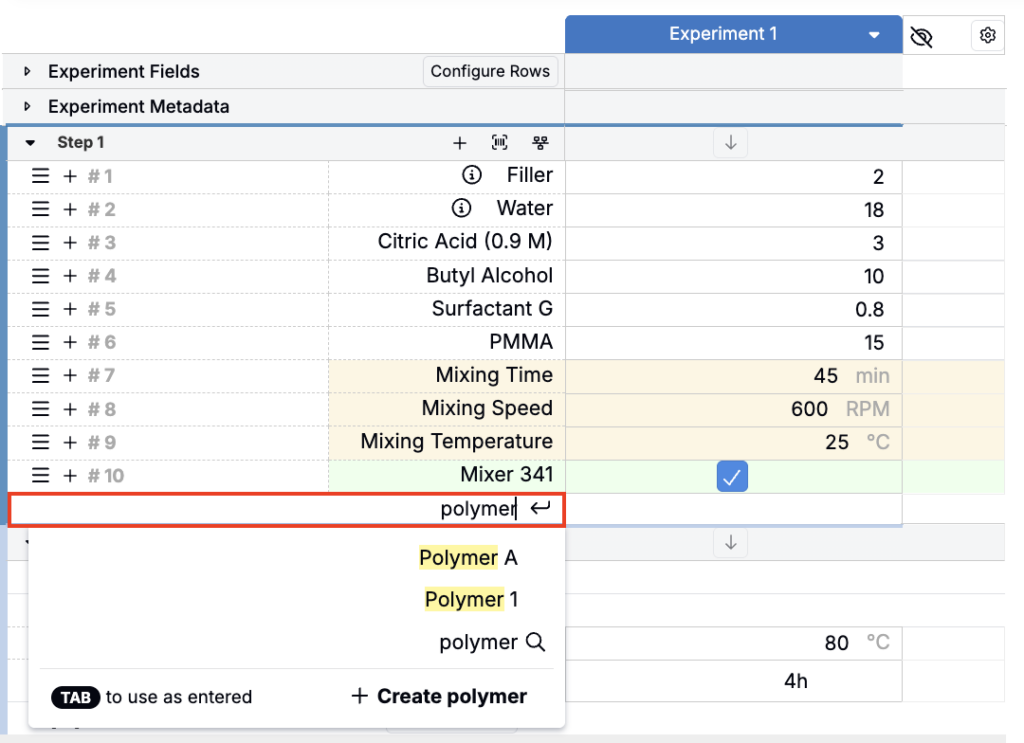
You can also add recipes as ingredients by via pencil icon menu on the ghost row.
Why this change?
This update removes duplicate entry points, simplifies the page by reducing visual noise in workflow step headers, and makes mix order steps consistent with non-mix order recipe workflow steps.
Rollout
These changes are scheduled to go live on Friday, February 13th, 2026. No action is required on your behalf to see these changes reflected.