
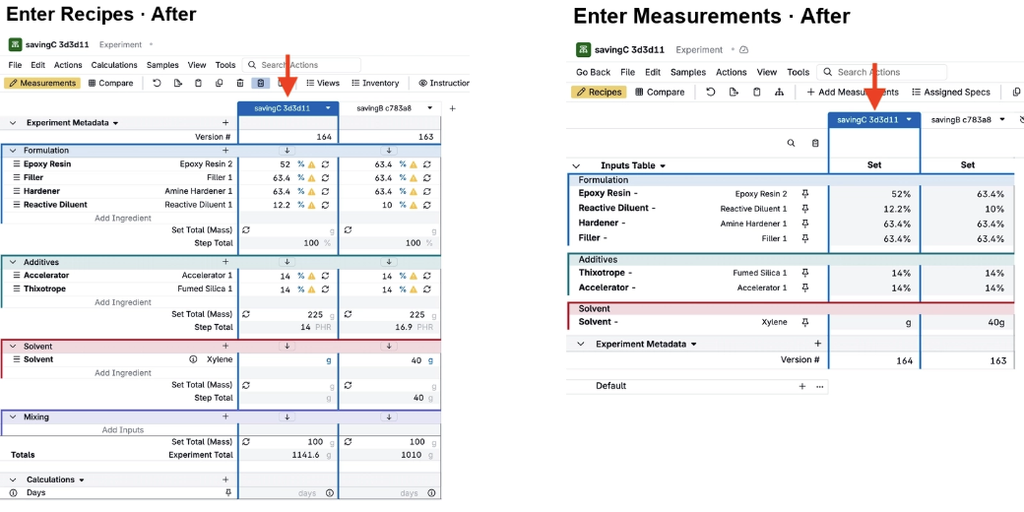
To make the Enter pages easier to scan, we’ve updated the styling of workflow steps on the Enter Recipe and Enter Measurements pages. Key changes include tinted workflow step headers, cleaner grid lines, a repositioned Add Ingredient/Add Inputs row, and a clearer divider around the active experiment.
Tinted Workflow Step Headers
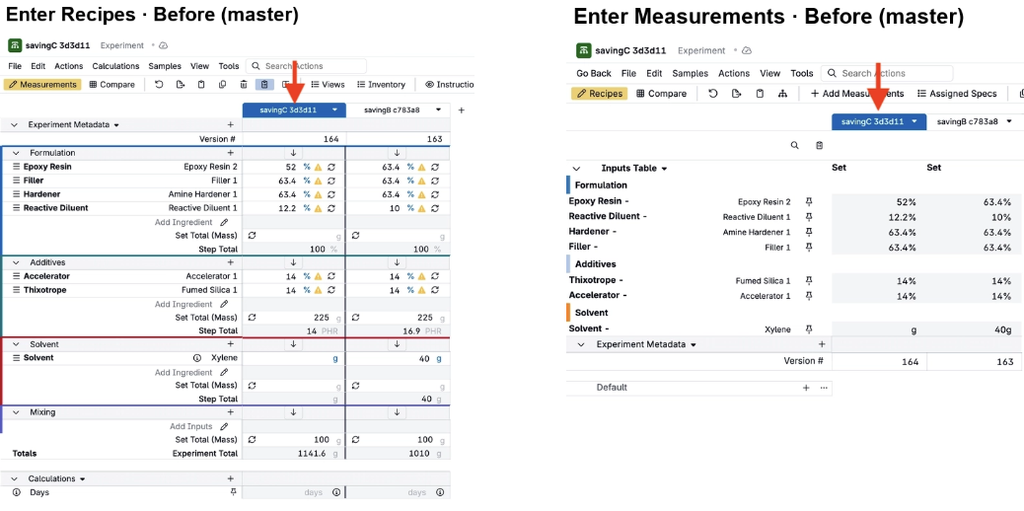
Before: Each workflow step was marked only by a thin colored line along the left edge of its section, with a grey header row.
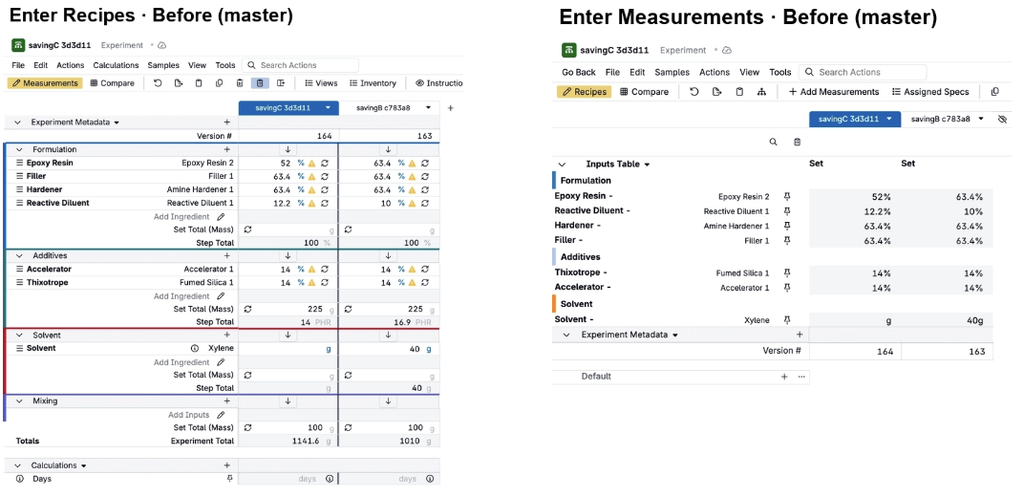
Now: Each workflow step header row is filled with a light tint of the step’s color and outlined in that color, while the rows beneath it remain unfilled.
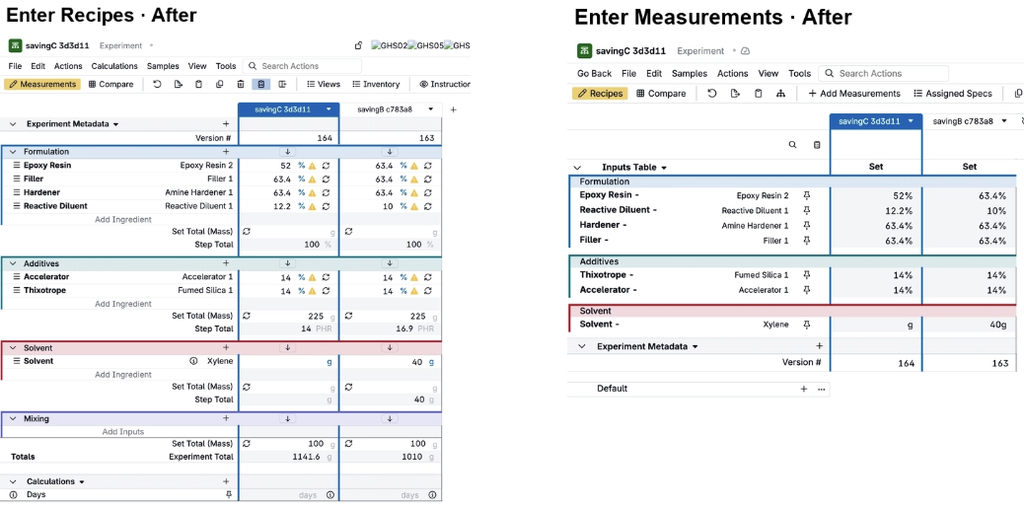
This adds contrast between steps, making it easier to tell where one step ends and the next begins as you scroll—without adding visual bulk to the page.
Cleaner Grid and Repositioned Add Ingredient/Add Inputs
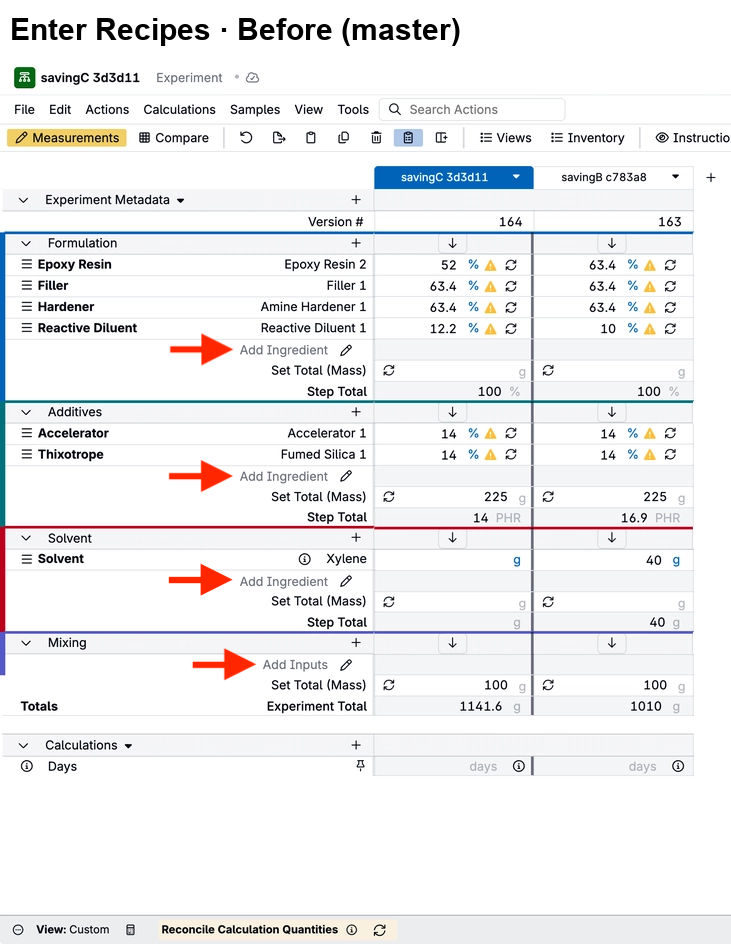
Before: The Add Ingredient (or Add Inputs) link sat on the same right-aligned line as the Set Total and Step Total rows.
Now: Add Ingredient/Add Inputs appears centered on its own row directly below the last input in each step, and the grid lines throughout the table have been cleaned up.
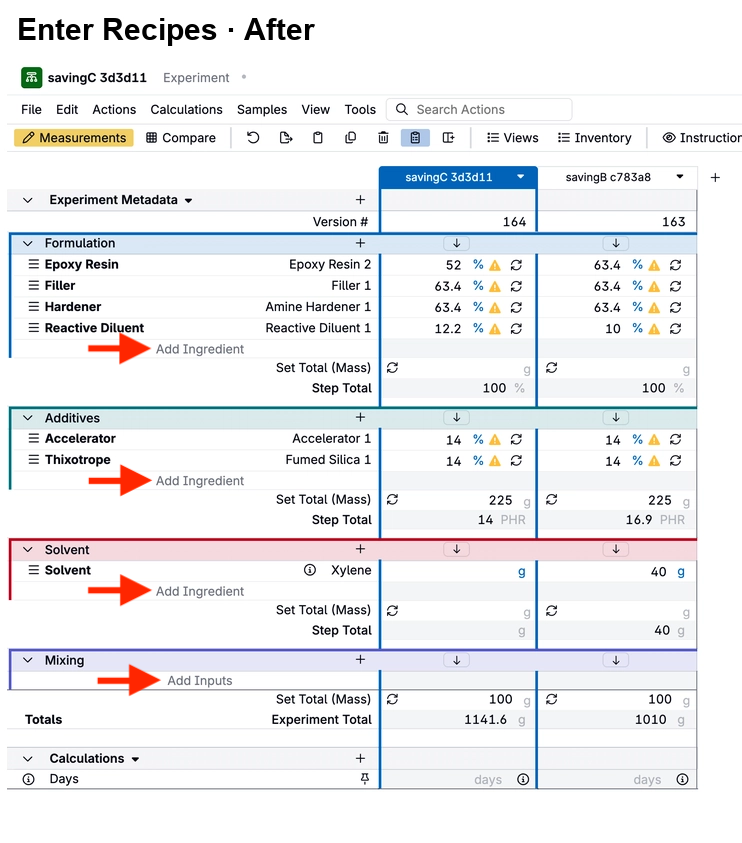
This separates the input value rows from the Set Total and Step Total section so each step reads less cluttered.
Active Experiment Divider
Before: The active experiment was indicated by its highlighted column header.
Now: The active experiment’s column is outlined in blue from header to bottom, so it’s easier to keep track of which experiment you’re editing when several experiments are open side by side.
For more on setting up workflow steps, refer to Workflows and Workflow Variants.