
Later this week, we’re streamlining how you get totals on listing pages. Instead of using the List menu, users should now now click the Count button in the bottom-right footer.
What’s changing
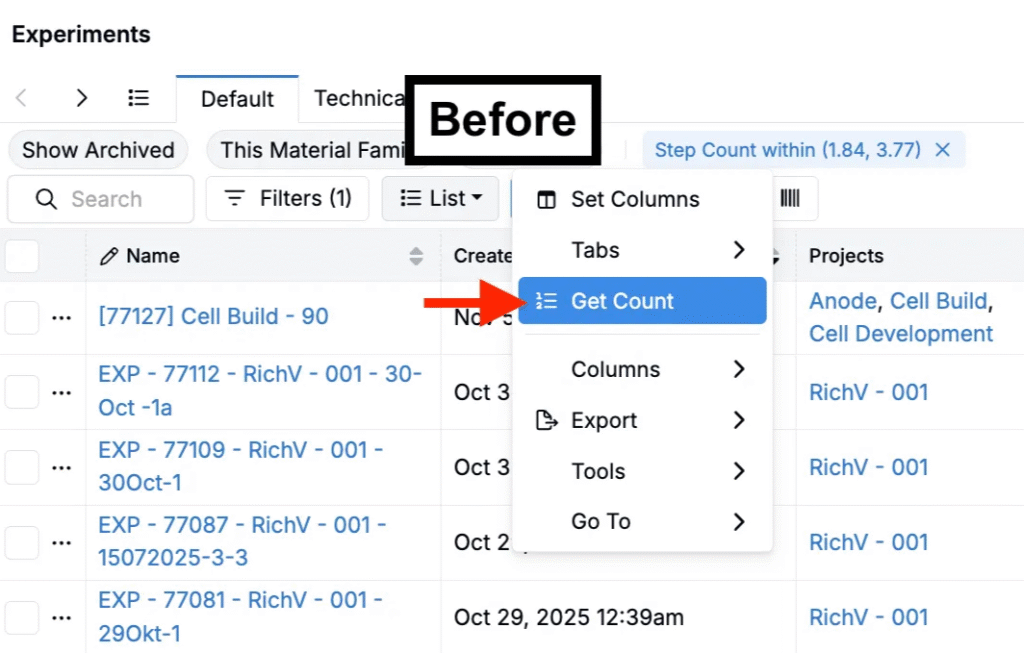
Previously, totals were displayed via List > Get Count. That menu option will be removed. The action to calculate totals is now initiated by the Count button in the page footer.

How it works
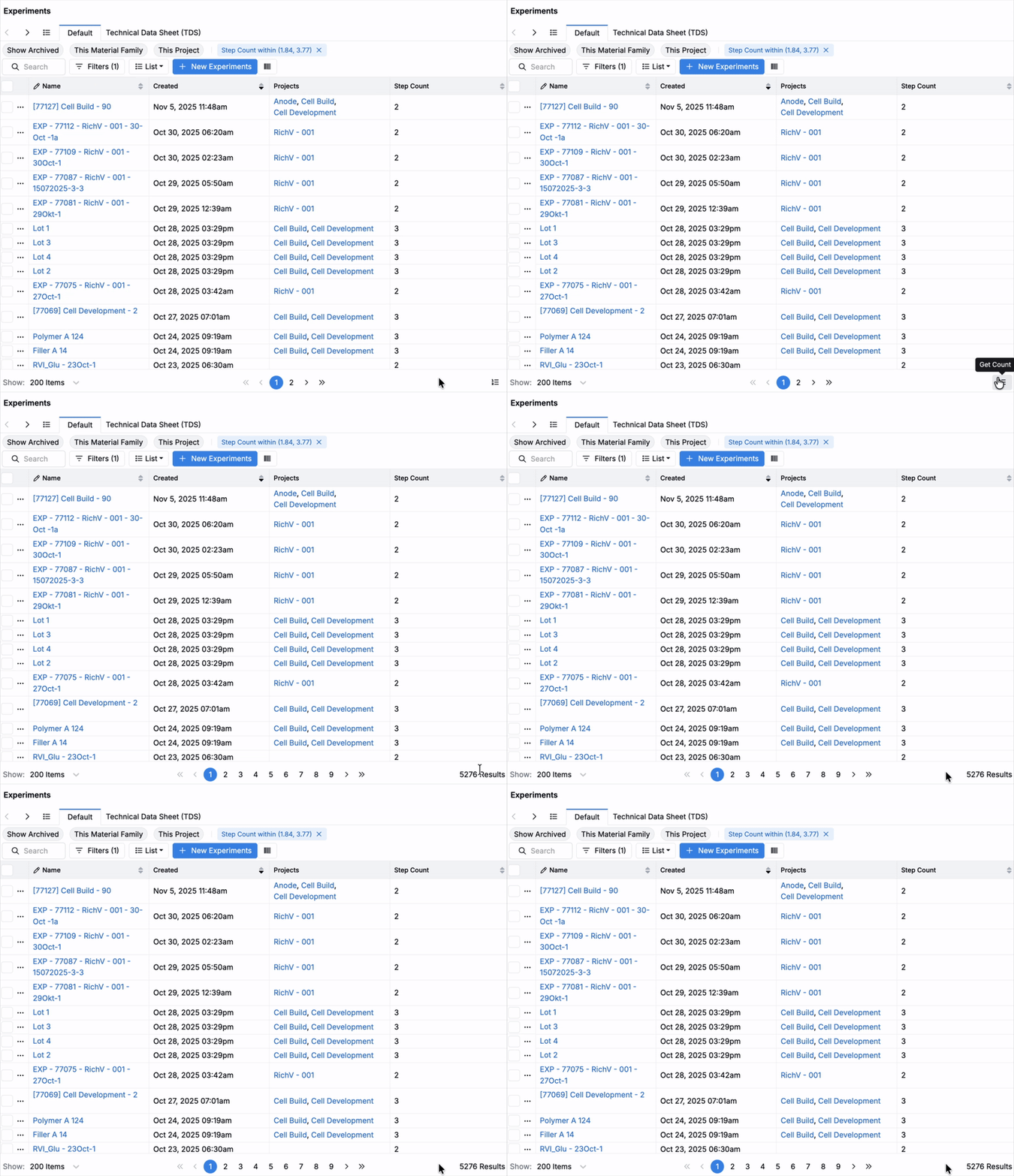
- On any listing page, click the Count button in the bottom-right footer to calculate the total.
- The footer button performs the same calculation as the previous method.
Why this helps
This removes a duplicate control, puts the action where the count is displayed (in the footer), and streamlines the List menu.
Rollout
This update is scheduled to roll out Friday, November 7, 2025.