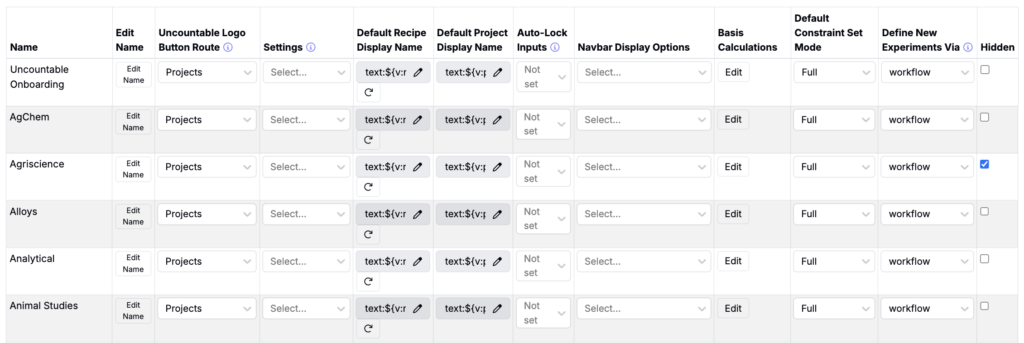
In Uncountable, material families are used to separate distinct categories of materials or chemistries—such as rubber-based and epoxy-based products—within an organization. Each material family represents a self-contained dataset with its own ingredients, process parameters, and measurements, tailored to a specific domain of R&D.
This separation allows teams to maintain focused experimentation environments while enabling ingredient sharing across families when standardization is needed. Shared ingredients help enforce consistency in naming, codes, and attributes across product lines.
While material families operate independently, some features—like reports and lab requests—may support cross-family visibility depending on user permissions and system configuration.
Navigating Between Material Families
Users can switch between material families in two locations:
- From the Select Project page — Use the dropdown to view and select from the list of available material families. Once selected, the list of associated projects will appear below.
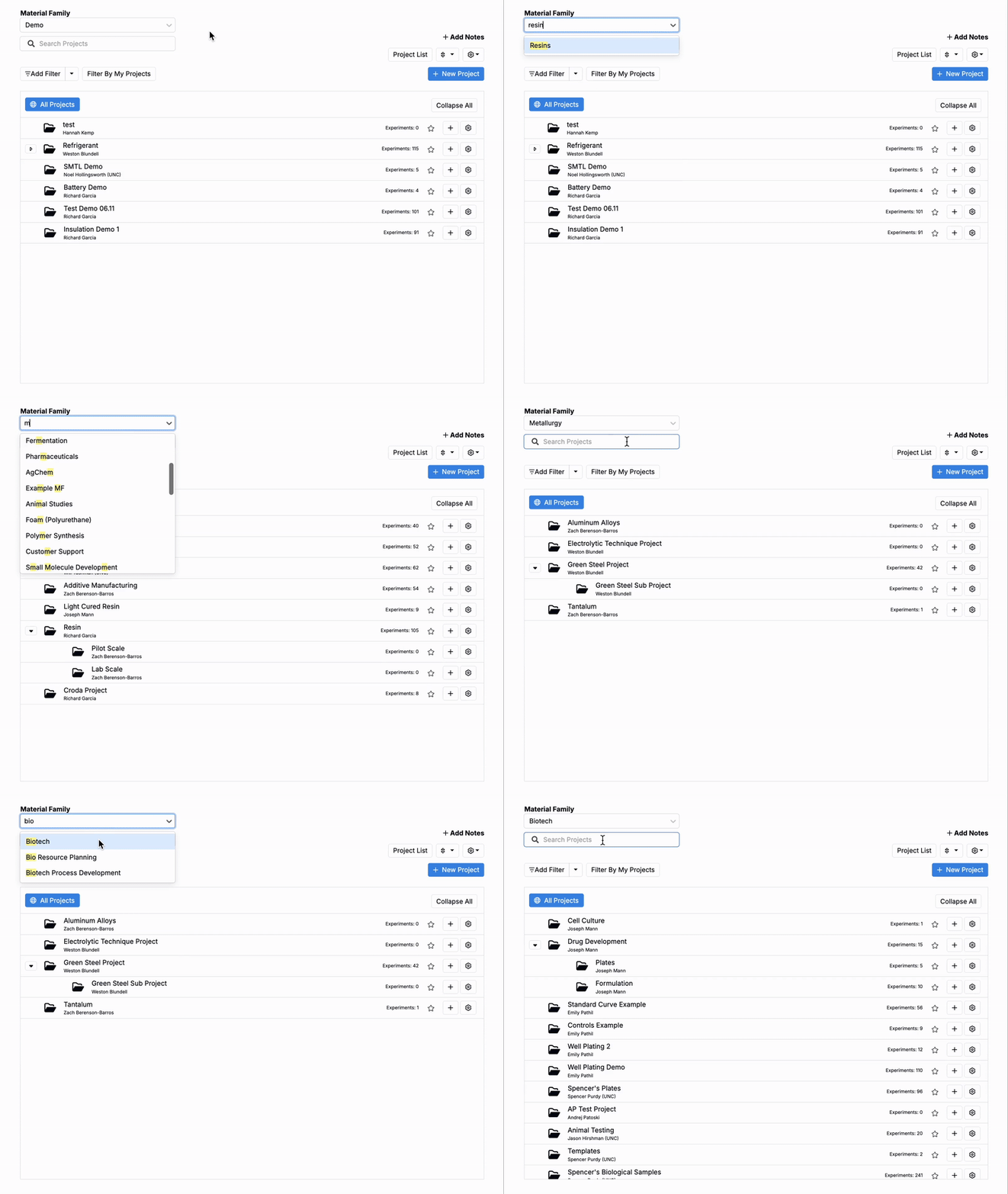
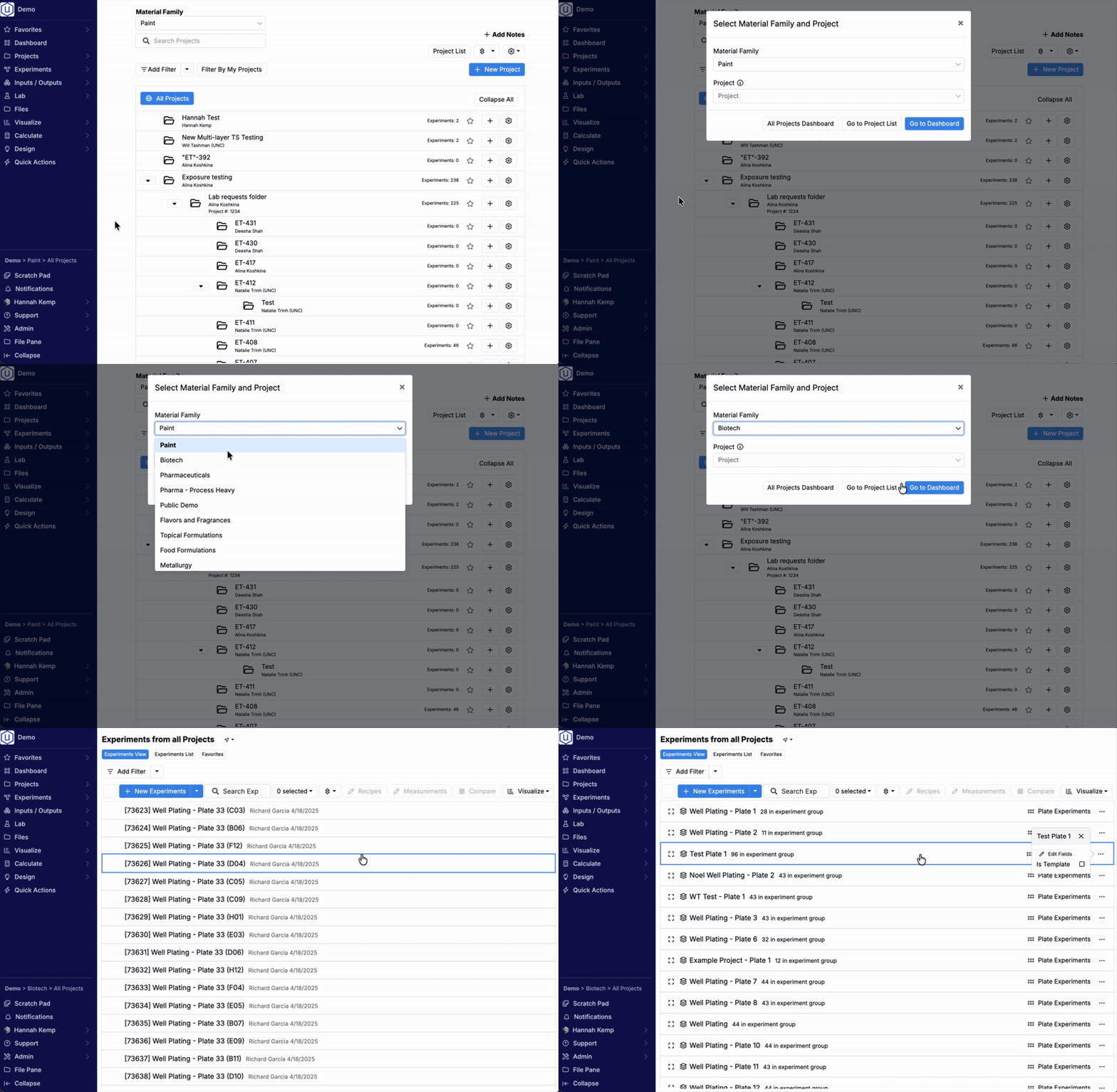
- From the navigation bar — Click the project breadcrumbs in the navigation bar. Within this modal, you can select a different material family (and optional project).
Creating a New Material Family
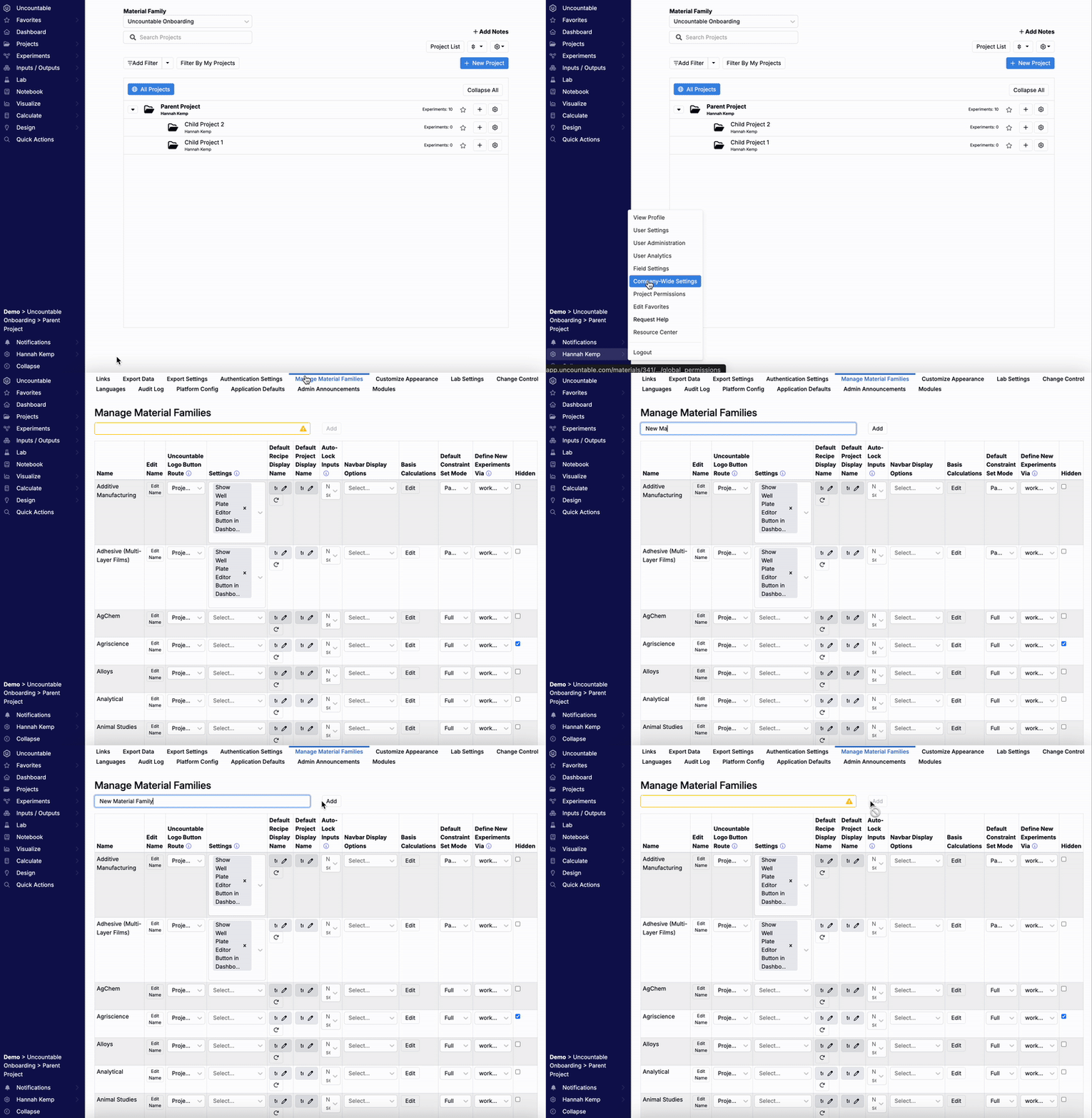
Users with Admin access can create new material families from the Company-Wide Settings page. Here’s how:
- Go to the Manage Material Families tab within the Company-Wide Settings page. You can access this page via Quick Actions or by hovering over your account name in the top navigation bar.
- In the blank field at the top of the page, enter a name for the new material family.
- Click Add to create it.
- The new material family will appear in the table below. From there, you can adjust settings as needed.
Material Family Settings
Within the material families table, each column controls behavior, naming, and display preferences for the material family:
- Edit Name – Click the edit icon to rename the material family.
- Uncountable Logo Button Route – Choose which page users are routed to when clicking the Uncountable logo in the top navigation bar. Learn more.
- Settings – Access additional configuration options.
- Default Recipe Display Name – Set up a naming scheme for new recipes created within the material family. Learn more.
- Default Project Display Name – Set up a naming scheme for new projects created within the material family.
- Auto-Lock Inputs – Choose how inputs are locked once measurements are entered:
- None: Inputs remain editable.
- Globally Removable: Inputs are locked, but any user can unlock them.
- Admin Removable: Inputs are locked and can only be unlocked by admins.
- Navbar Display Options – Control which pages appear in the navigation bar. Options include Radar Compare, Visualize Curve Data, Compare Images, and Visualize Timeseries.
- Basis Calculations – Configure how Uncountable handles unit conversions within the material family (e.g., grams to mL, grams to mol). Set default basis units for ingredients and actual values. Learn more.
- Default Constraint Set Mode – Choose between Default or Full constraint modes. Learn more about constraints.
- Define New Experiments via – Set whether new experiments are created from a workflow (default) or from a product.
- Hidden – Toggle on to hide the material family from the Select Projects page.