
Uncountable notebooks can now include an LLM Conversation cell that can be used to summarize ingredient usage (recipes, projects, average quantity, frequency distributions) and suggest alternatives.
The LLM cell gathers platform data and generates summaries within the notebook context. This is especially helpful for exploring substitutes during formulation.
Note that Gen AI must be enabled in your schema to use this cell type.
How to use
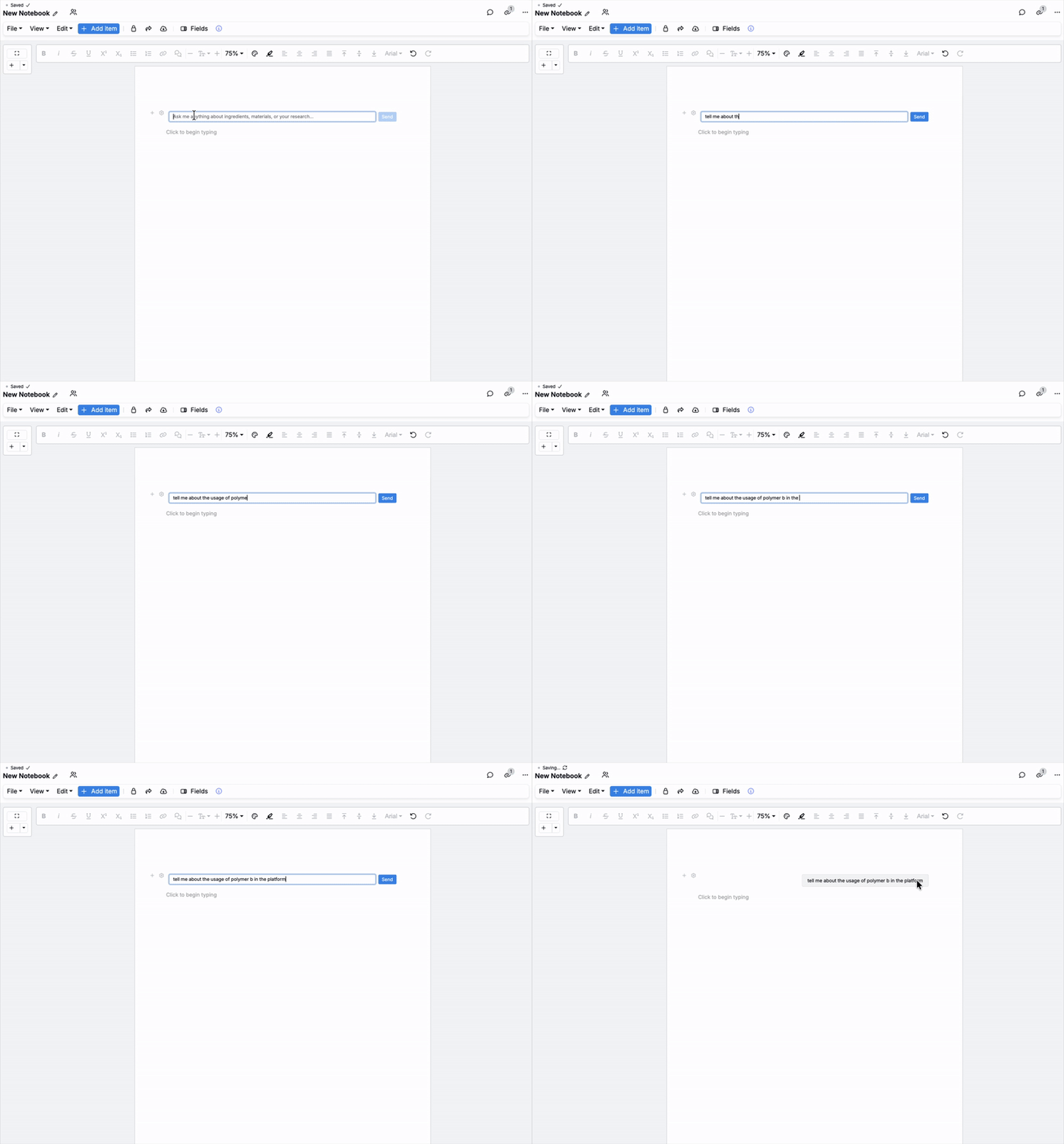
On any notebook or dashboard, add an LLM Conversation cell.

In the chat field, ask questions in plain language right in the cell. For example, try “Tell me about usage of Polymer B on the platform.”
The assistant pulls relevant data and returns usage stats, distributions, and recommended alternatives in the context of your notes.

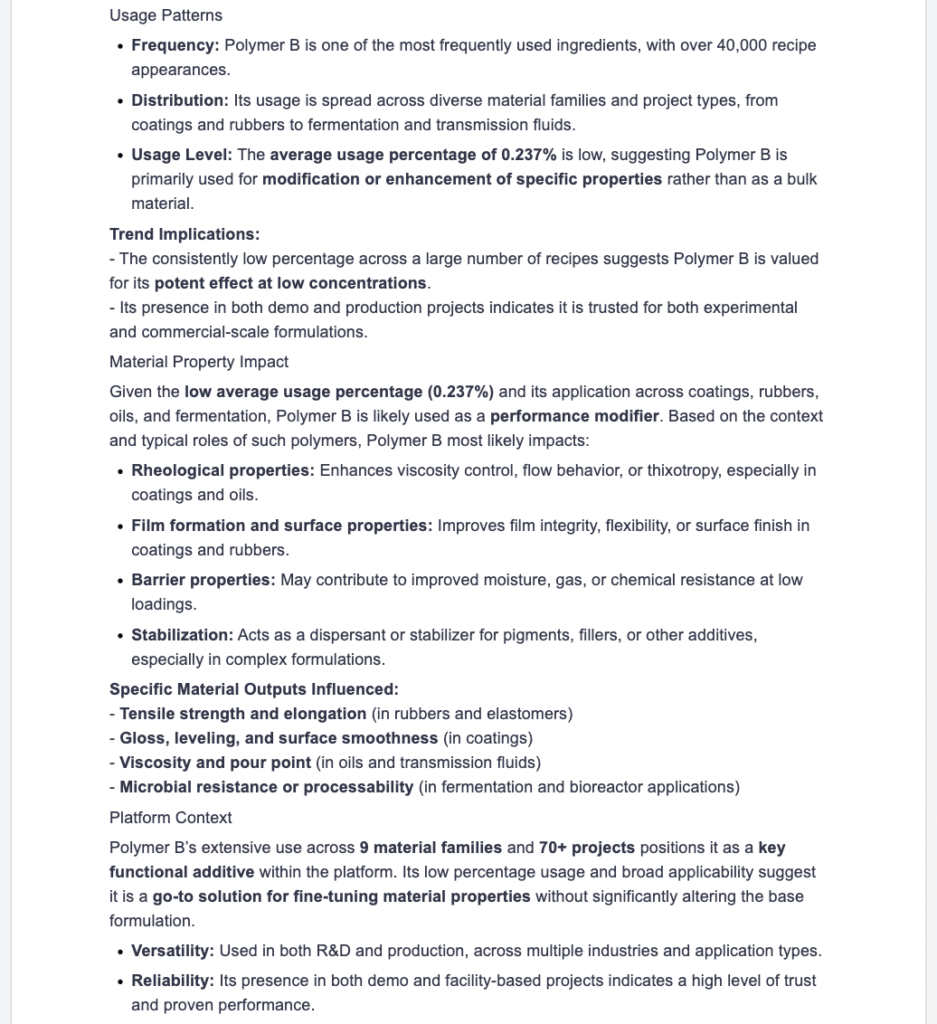

LLM notebook cells keep analysis and decision-making in one place. They turn natural‑language questions into in‑context summaries and actionable next steps, speeding up evaluation of substitutes and letting you jump directly to the underlying data when needed.
Availability
This feature is available only for workspaces with Gen AI enabled in their schema. If you do not see the option, speak to your Uncountable representative to add Gen AI.