
Uncountable users with Gen AI enabled can use the Generate Experiments from Instructions tool to transform text in notebooks into a structured experiment. Simply describe the procedure and the assistant extracts ingredients, process parameters, and equipment in order, then creates a recipe tied to your workflow.
When to use this
- You wrote procedure notes in a notebook and want a structured experiment without manual data entry.
- You received a protocol in email or a doc and need to convert it into a recipe with the right inputs and steps.
- You are sketching an idea and want the assistant to draft a first-pass experiment you can refine.
How to use
- Create or open a standard notebook.
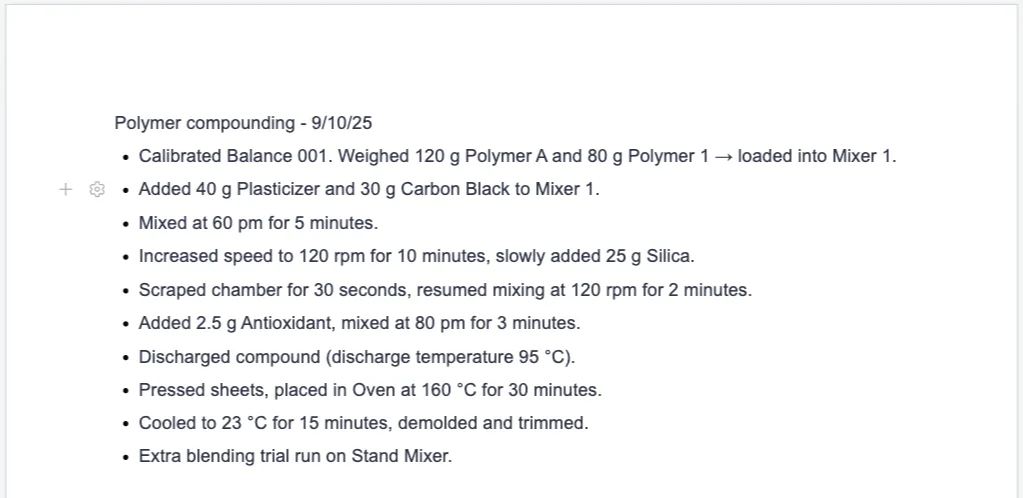
- Enter your procedure as numbered experiment steps. Keep them in chronological order if possible.
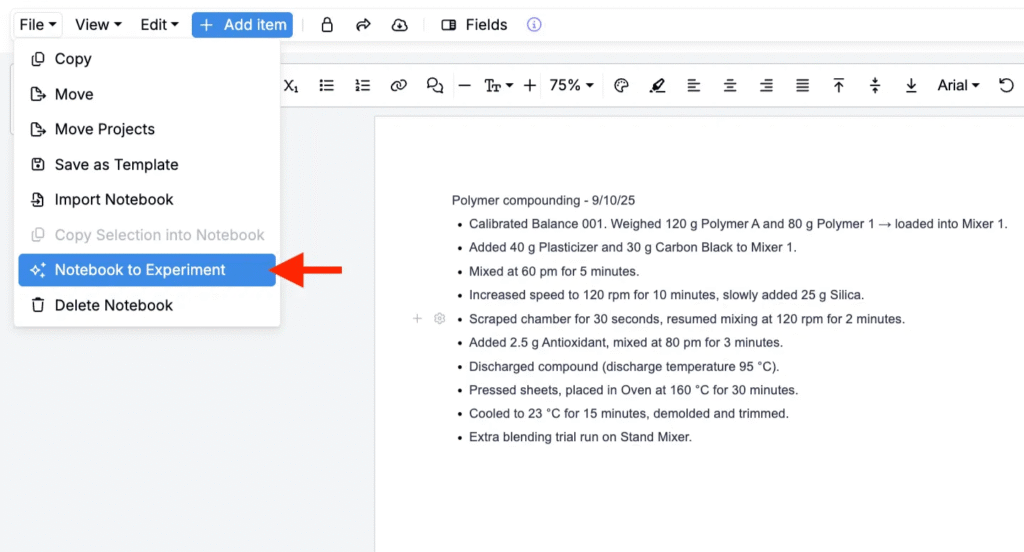
- In the notebook, click File > Notebook to Experiment.
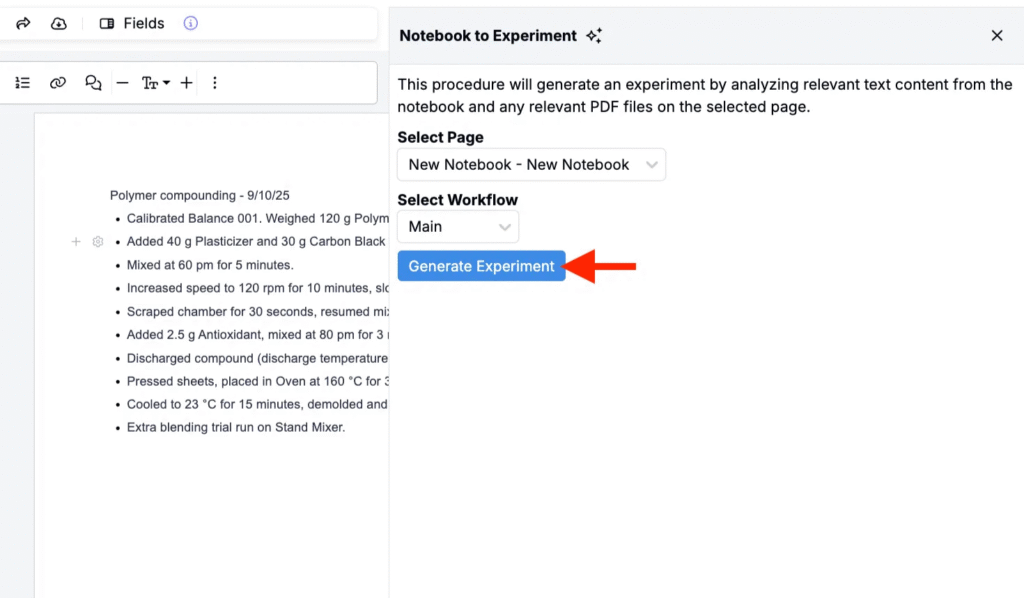
- In the sidepanel:
- Choose the target Workflow.
- Choose the source page from the notebook to convert.
- Click Generate Experiment to produce the experiment draft.
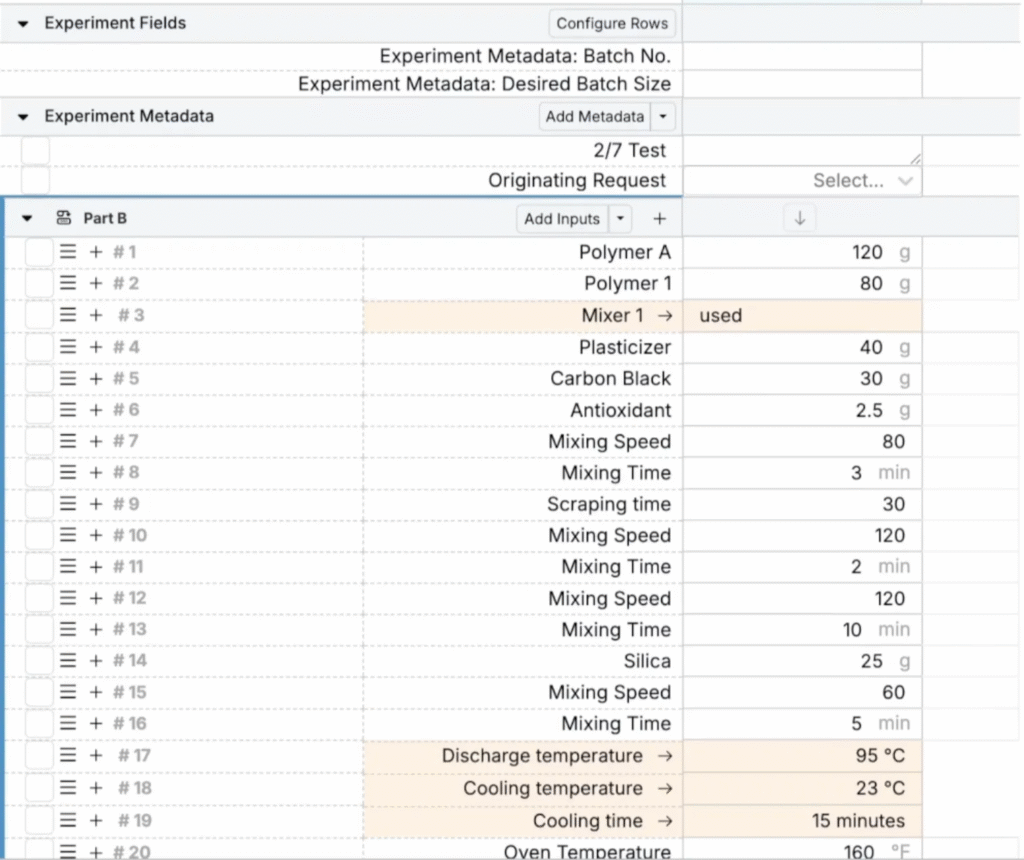
- Review the drafted experiment.
- Matched inputs will be added as standard recipe rows.
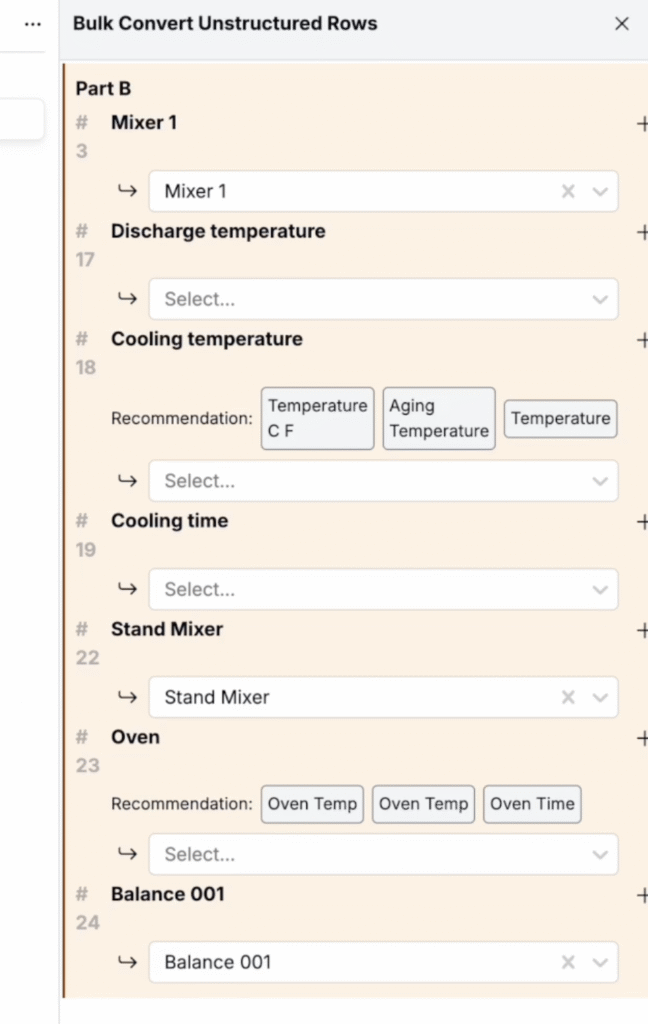
- Unmatched inputs will added as unstructured rows (highlighted in orange).
- The tool names the experiment based on the notebook name and links it back to the source notebook page for traceability.
- Use Bulk Convert Unstructured Rows (Search Actions > Assign Inputs) to map to unstructured rows to existing inputs.
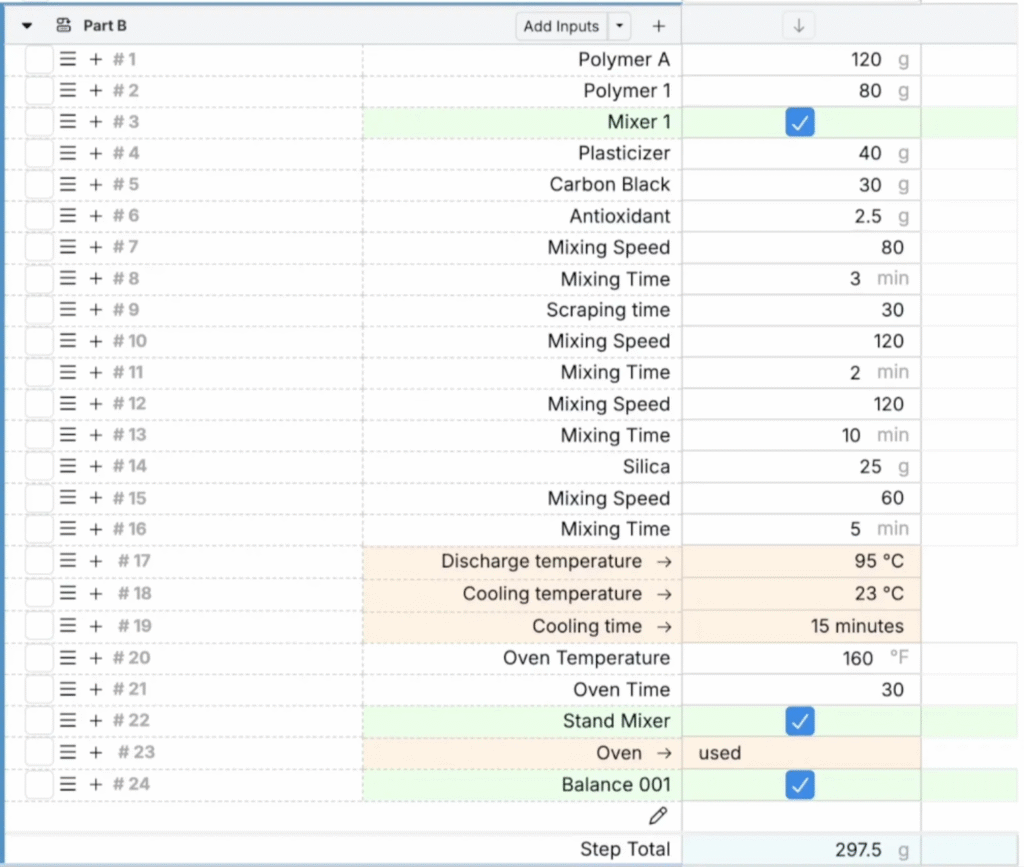
- Adjust ingredients, quantities, and step details as needed.
Availability
This feature is available only for workspaces with Gen AI enabled in their schema. If you do not see the option, speak to your Uncountable representative to add Gen AI.