
The notebook-first synthesis workflow in Uncountable is designed for teams doing molecular or small molecule synthesis who want to start their work in a lab notebook rather than a structured experiment.
Scientists document reactions in a synthesis notebook, then sync that data to a structured experiment to take advantage of Uncountable’s database, calculations, search, and visualization features.
Overview
In the ELN-first workflow, scientists start by creating a synthesis notebook, which captures the reaction scheme, reagents, products, and quantities. Once the reaction is documented, they push it to a structured experiment.
The structured experiment is necessary — it enables search, visualizations, and database queries that the notebook cannot support on its own. The notebook is the primary working surface; the experiment is the structured, searchable record.
Creating a new synthesis notebook
- Create a new notebook.
- To the new notebook, add a Reaction Table cell.
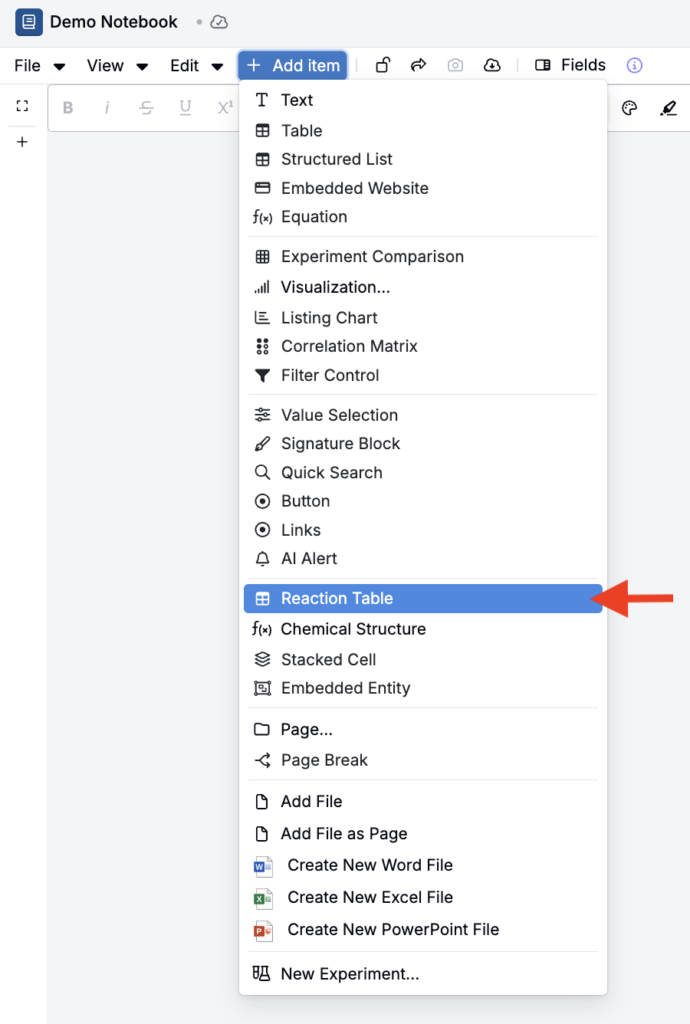
Setting up the chemical reaction table
Reaction table cells contain sections to add reactants and products. To include catalysts and solvents, click View > Catalysts/Solvents Table.
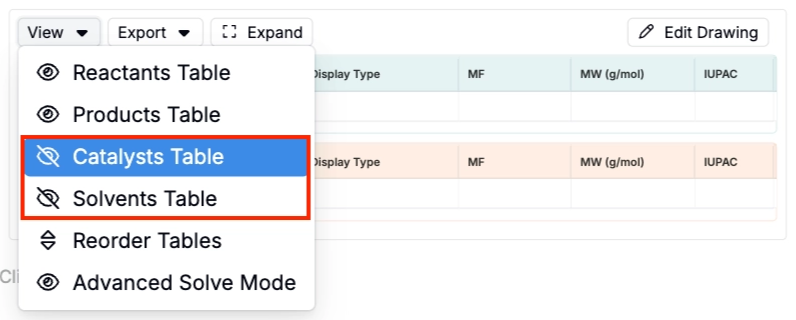
Adding your reaction
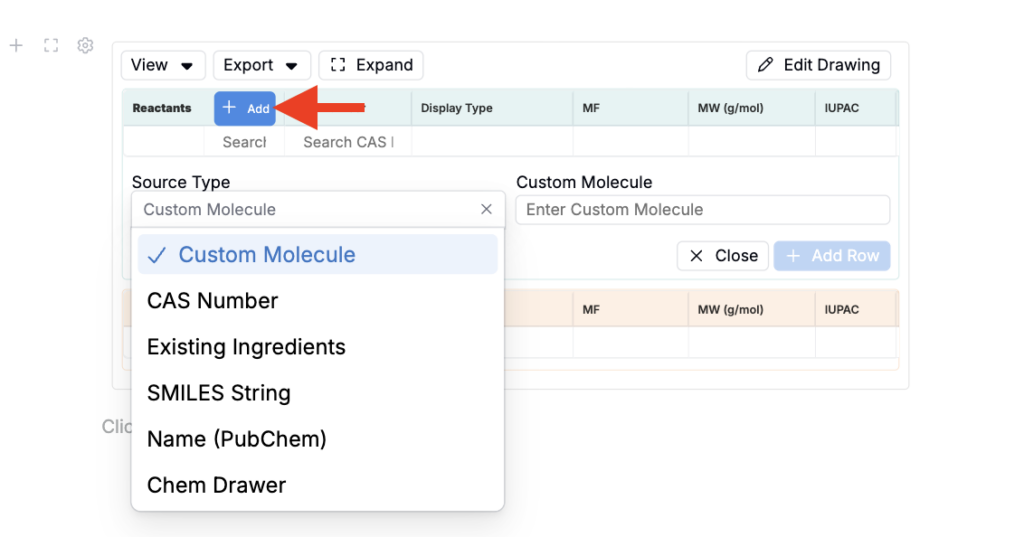
You can populate the reaction table in three ways:
- Add chemicals directly — Click + Add in the Reactants, Products, Catalysts, or Solvents row and search by name, CAS number, or SMILES string.
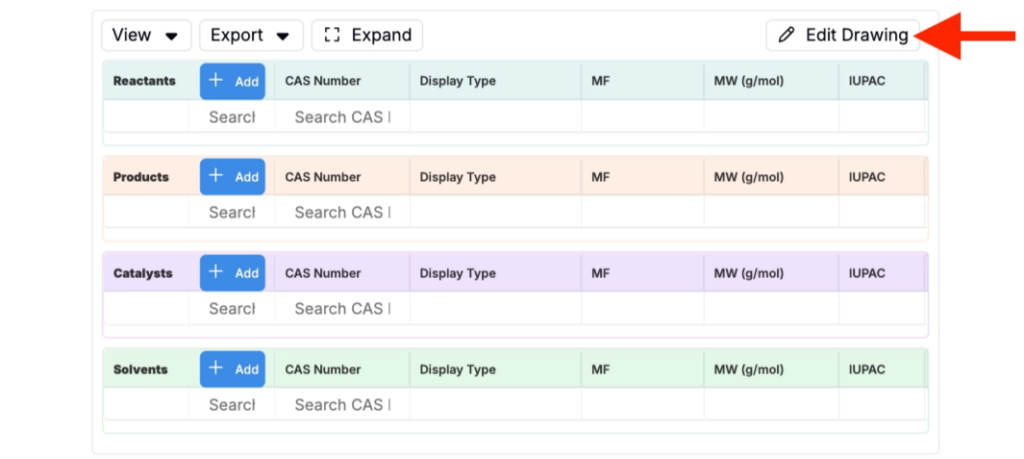
- Draw in the built-in drawer — Click Edit Drawing to open the reaction drawer and draw structures directly or import via SMILES string, amino acids, or an image.
- Copy from ChemDraw — Draw your reaction in ChemDraw, click Edit Drawing, and paste directly into the reaction field.
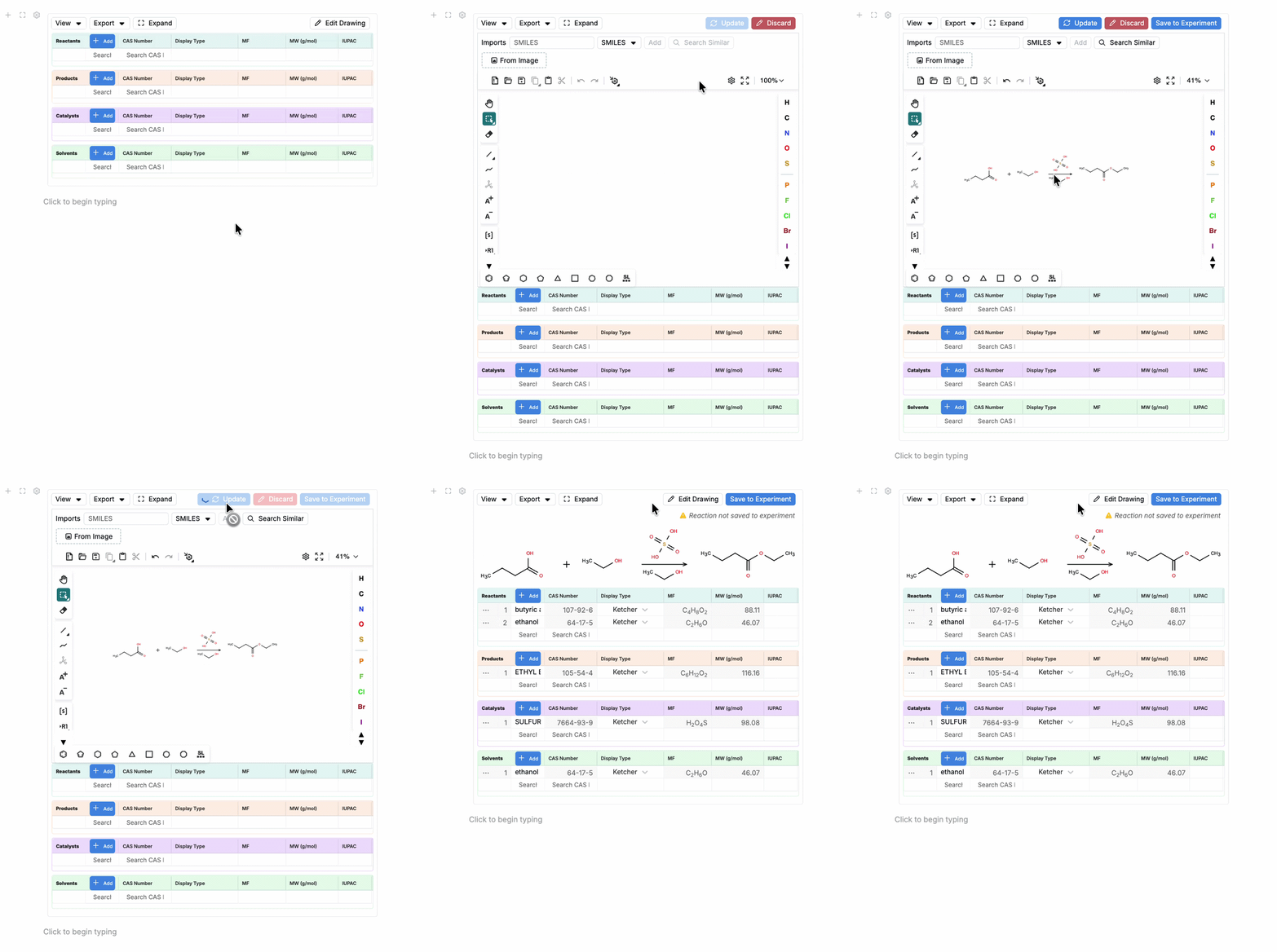
When a reaction is pasted from ChemDraw or drawn, Uncountable attempts to map the chemical structures to entries in your ingredient database and populate names and molecular weights automatically. If a chemical isn’t recognized, you can search by CAS number or molecular formula to find and link it manually.
Setting the limiting reagent
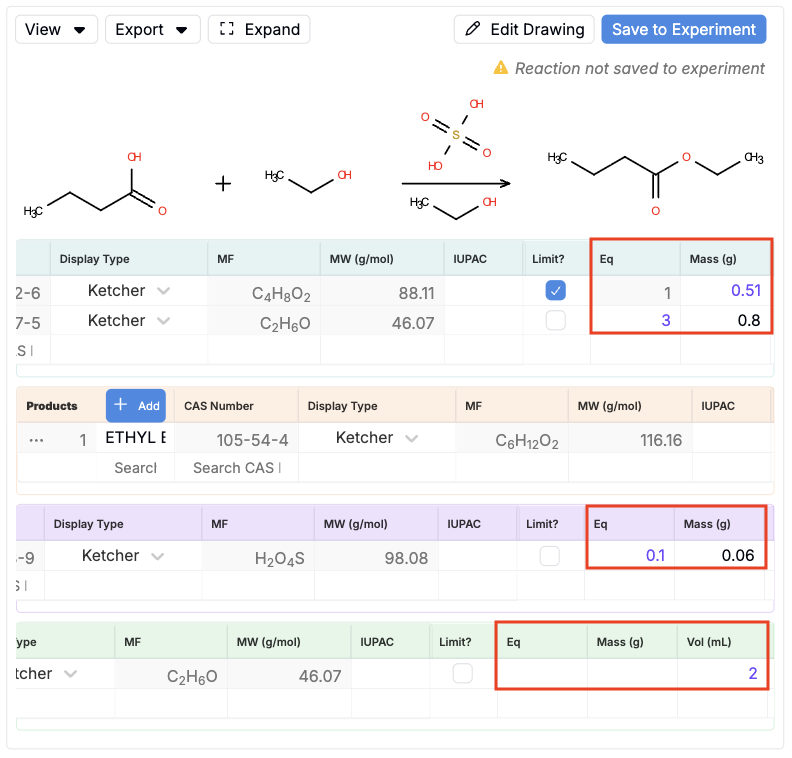
Mark one reactant as the limiting reagent by clicking the checkbox in the Limit? column for that row. The limiting reagent sets the basis for equivalence calculations across the entire reaction.

Entering quantities
Once the limiting reagent is set:
- Enter a mass (g), volume (mL), or a number of equivalents (Eq) for each reactant, catalyst, and solvent. Uncountable automatically calculates the remaining values (mass and moles) based on molecular weight.
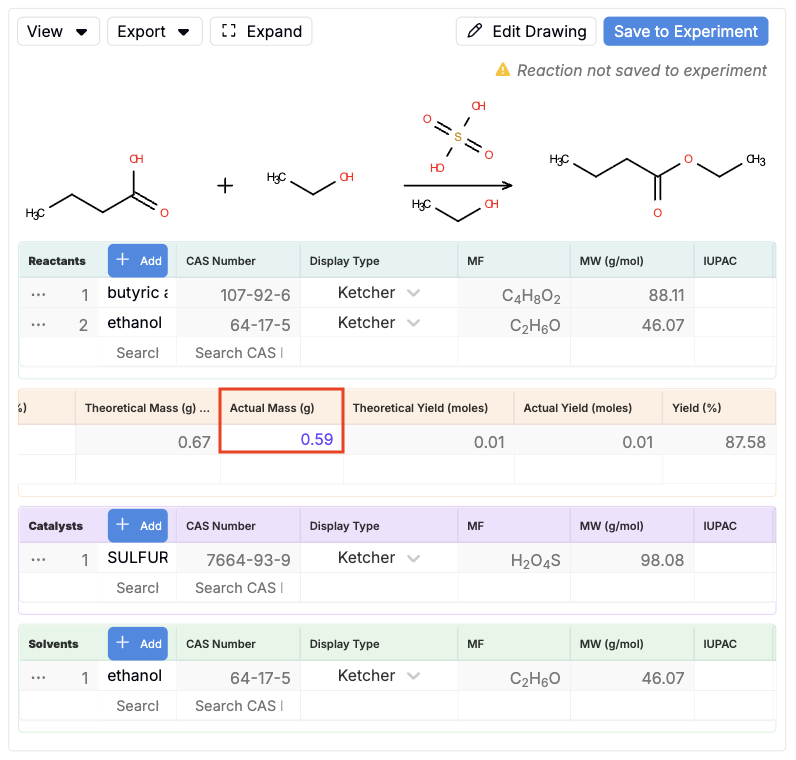
- For products, enter the actual mass obtained. Uncountable calculates actual yield (mol) and yield (%) against the theoretical mass.
Additional fields, such as purity, density, and volume, can be configured to display as needed.
Saving to a structured experiment
When your reaction is ready, click Save to Experiment to sync the data to a structured experiment.
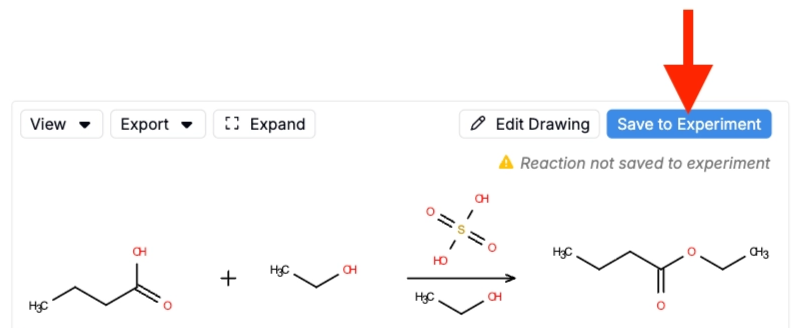
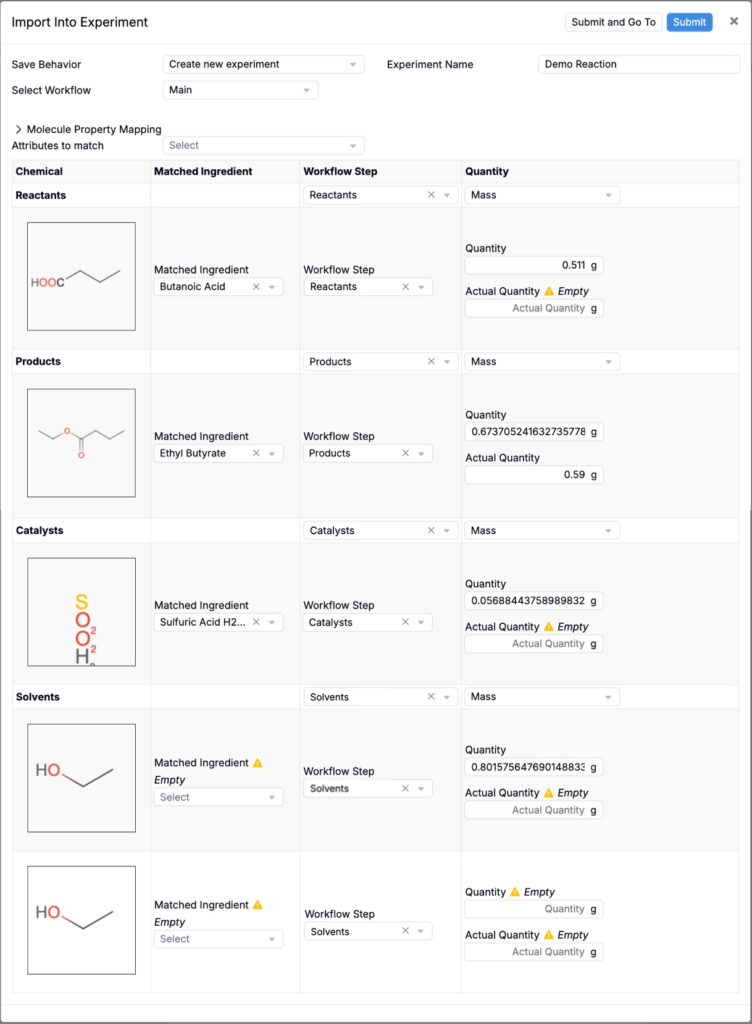
Uncountable opens a matching modal that:
- Displays each chemical from the reaction table alongside its Matched Ingredient from your database. For chemicals with multiple matches, use the field to select the appropriate one.
- Shows each chemical’s Workflow Step and synced Quantity and Actual Quantity.
- For unmatched chemicals, such as a catalyst without a database entry, the Matched Ingredient field shows Empty. You can select an existing ingredient or leave it unmatched. Leaving an ingredient unmatched means it will NOT be populated into the structured experiment.
At the top of the modal, use the Save Behavior field to determine whether to import to a new or existing experiment.
The structured experiment
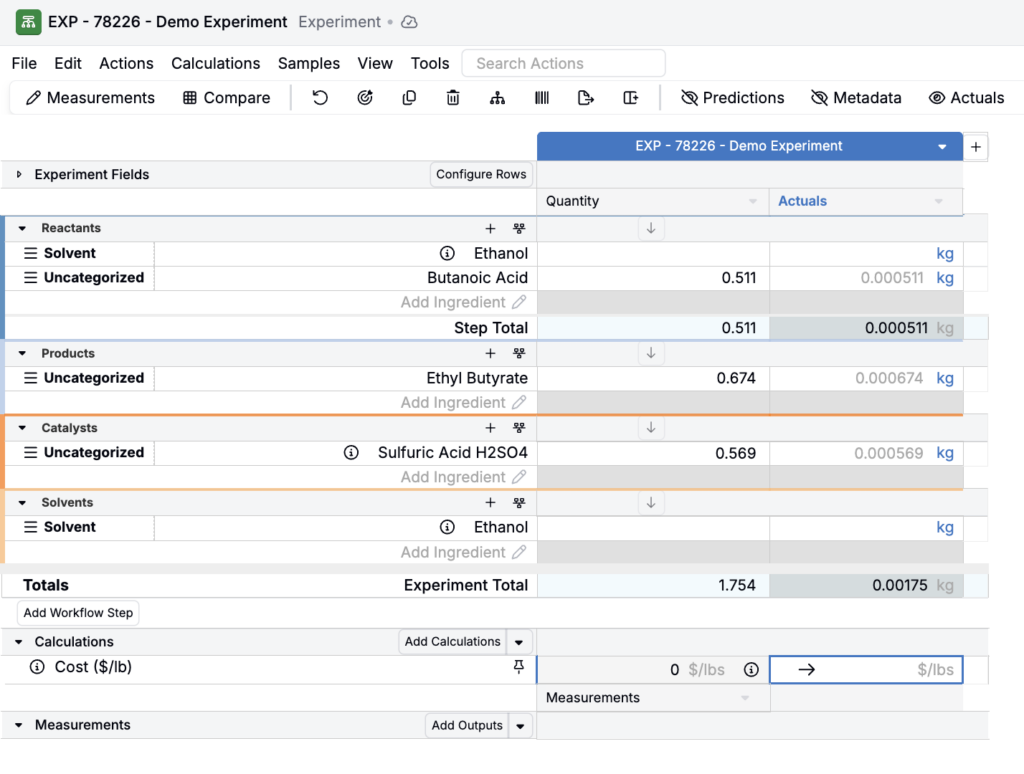
Once submitted, the structured experiment shows your synced ingredients organized by workflow step with quantities from the notebook.
From the structured experiment, you can:
- Record measurements
- Add samples
- Run calculations
- Build visualizations and compare results across experiments
Why the structured experiment matters
Notebooks are inherently unstructured — you can’t query notebook content to find all reactions where a specific compound appeared as a product, or filter across experiments by yield percentage. Structured experiments make that possible.
Even in an ELN-first workflow, the structured experiment is the record that powers Uncountable’s database features. It also enables Chemical Search, which lets you find experiments by drawing a structure or entering a SMILES string.