
Uncountable’s QuickFill AI Assistant is a unstructured document parsing tool that helps you complete new ingredient Approval forms quickly and accurately.
Upload an SDS, TDS, or COA, and the assistant will read the file and populate form fields for you—including general info, supplier details, lab fields, descriptions, and CAS numbers. If you provide multiple files, the assistant combines them automatically.
Note that this feature is only available in schemas with Gen AI enabled, and it must be enabled per form. To enable, contact your Uncountable representative.
How to use
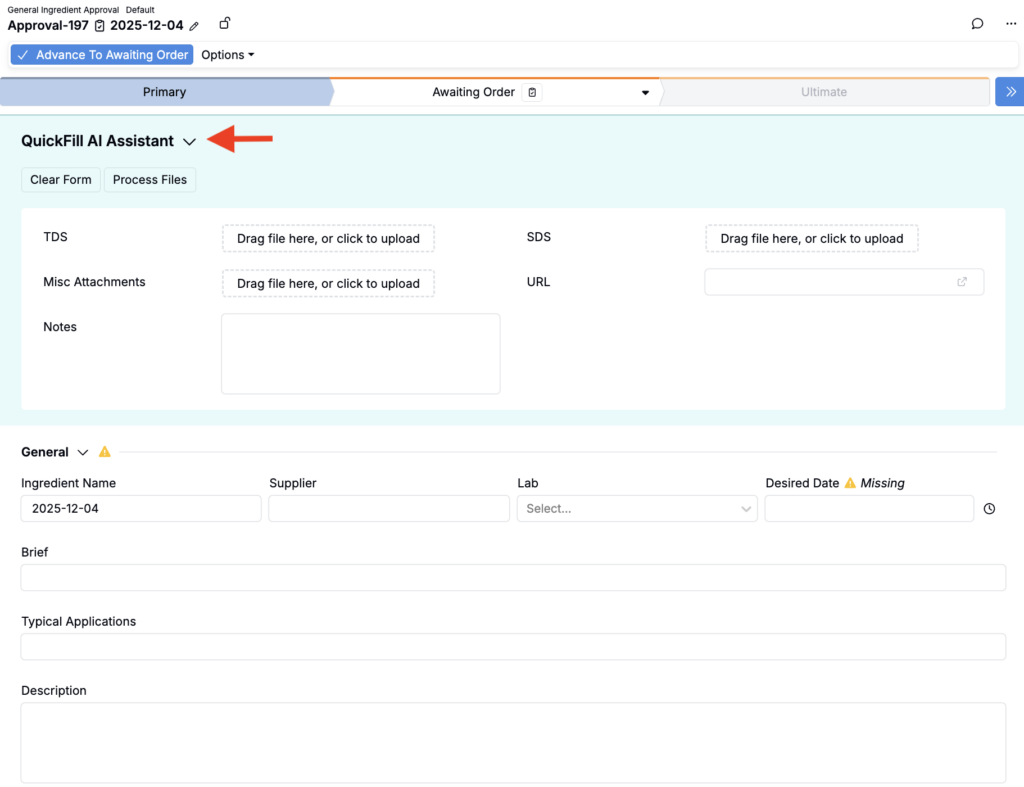
- On a new approval form (where enabled), expand the QuickFill AI Assistant section.
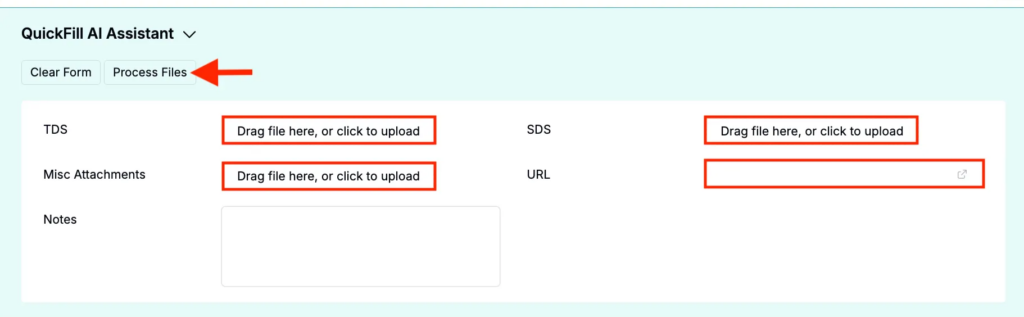
- Upload one or more files or input a URL into the designated fields.
- Click Process Files.
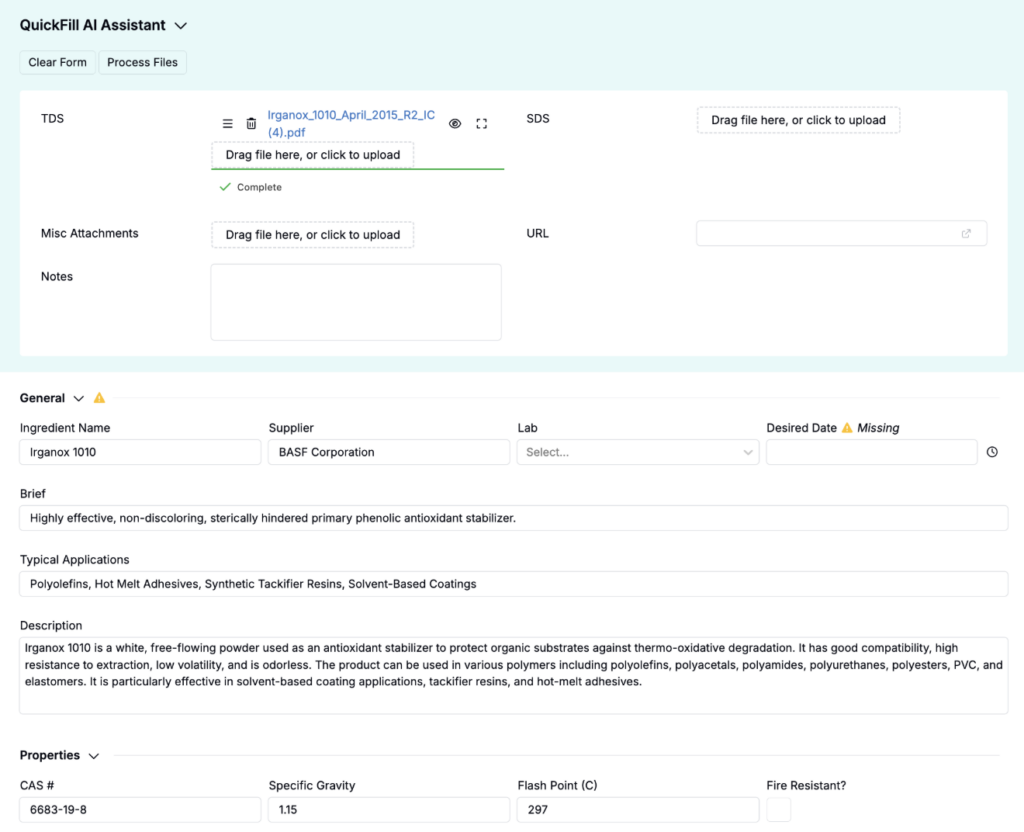
- Suggested values appear in the relevant sections. Keep, edit, or remove any suggestion.
Tip: Use text‑based PDFs for best results. If you have multiple files, include them together for broader coverage.
Availability
QuickFill is part of Uncountable’s Generative AI features. If you don’t see the upload area or the Process Files action, ask your admin to confirm AI is enabled for your workspace.
QuickFill must also be enabled per form. To enable, contact your Uncountable representative.