Projects and workflows in Uncountable can be linked to specific calculations—such as solids percentage, cost, or stoichiometry—that support their processes and reporting needs. But whether an input calculation appears when creating a project or viewing a recipe depends on its visibility settings.
This guide explains how to configure calculation visibility so the right calculations are always available where you need them.
Overview
An input calculation can become available within a project in one or more of these scenarios:
- It is enabled on the individual project.
- It is enabled for all projects in a material family.
- It is enabled for the workflow used by the project’s experiments.
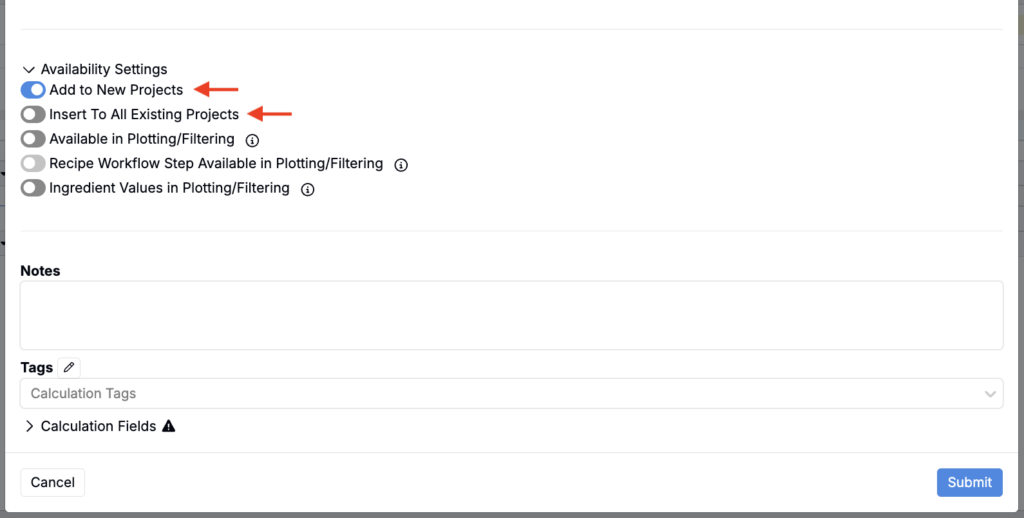
- It is enabled through the calculation’s Availability Settings (“Add to New Projects” or “Insert to All Existing Projects”).
Enabling Calculations on a Project
Enable calculations for all recipes in a single project when they are only relevant to that project’s work.
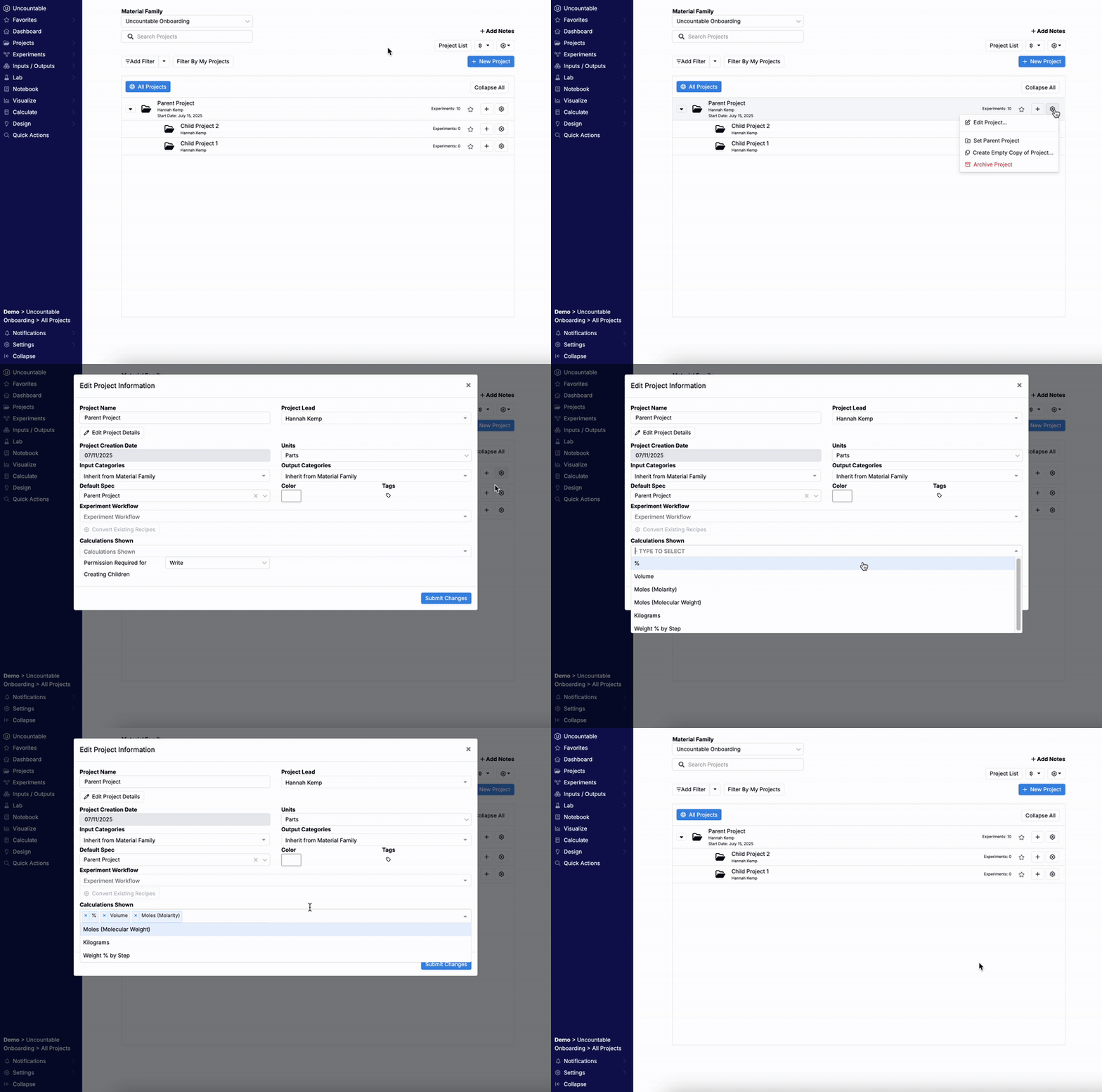
- Navigate to the Select Projects page.
- Click the ⚙️ for the target project and select Edit Project….
- Under Calculations Shown, add or remove calculations.
- Click Save.
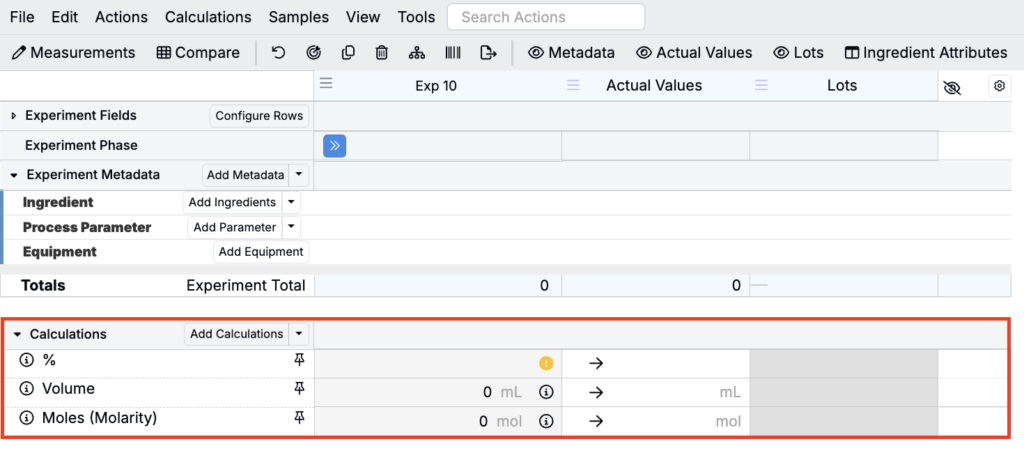
Once added, the calculations will appear by default in the Calculations section of all experiments created within that project.
Enabling Calculations on a Workflow
Enable calculations for all experiments using a particular workflow when those calculations are part of a standardized process.
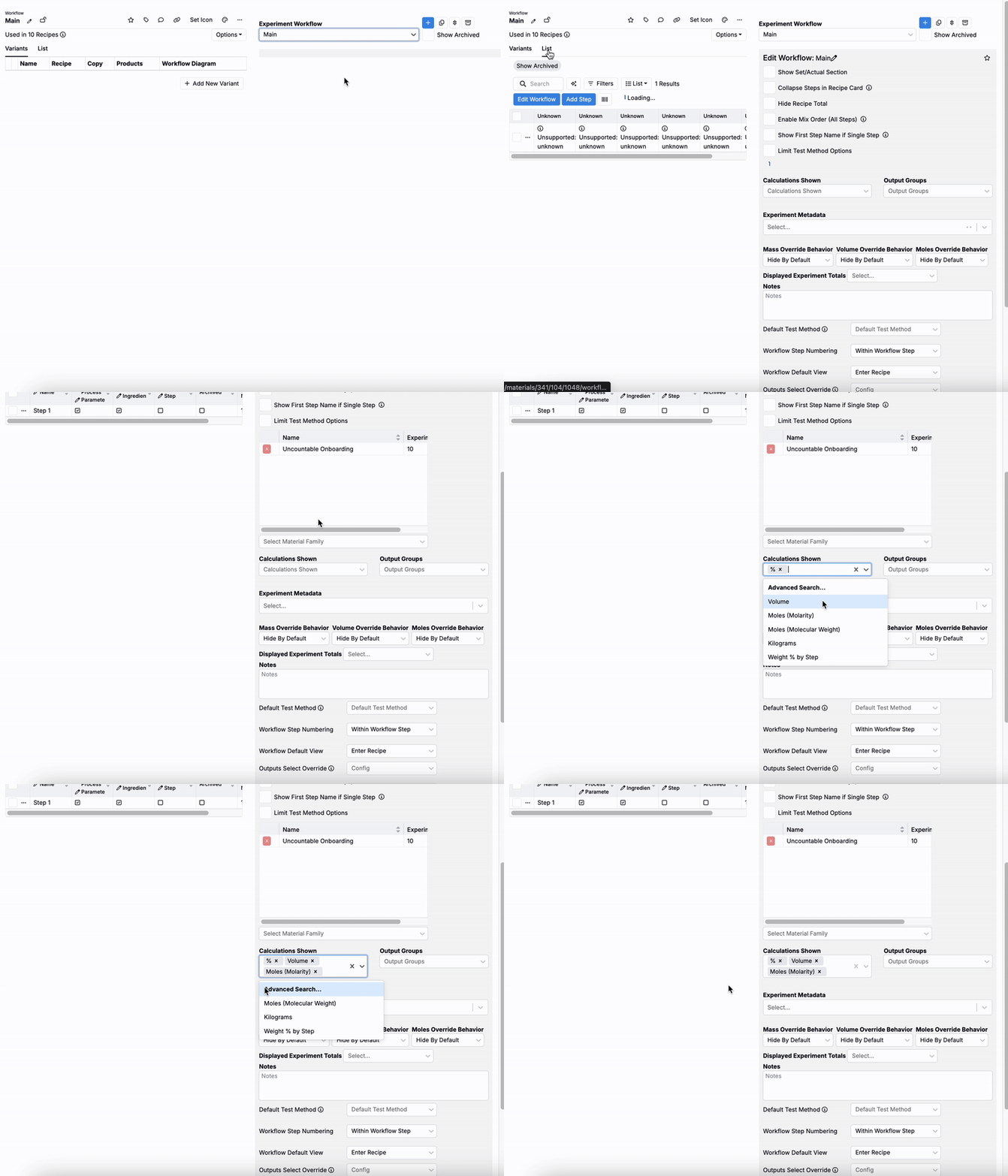
- Access the Workflows page (Inputs/Outputs > Workflows).
- Use the Experiment Workflow field to select the workflow to edit.
- Access the List tab.
- In the Edit Workflow side panel, use the Calculations Shown field to select the calculations to enable.
Once added, the calculations will appear by default in the Calculations section of all experiments created using that workflow.
Enabling a Calculation on All Projects in a Schema
Use this method when a calculation should be visible in every project across a material family.
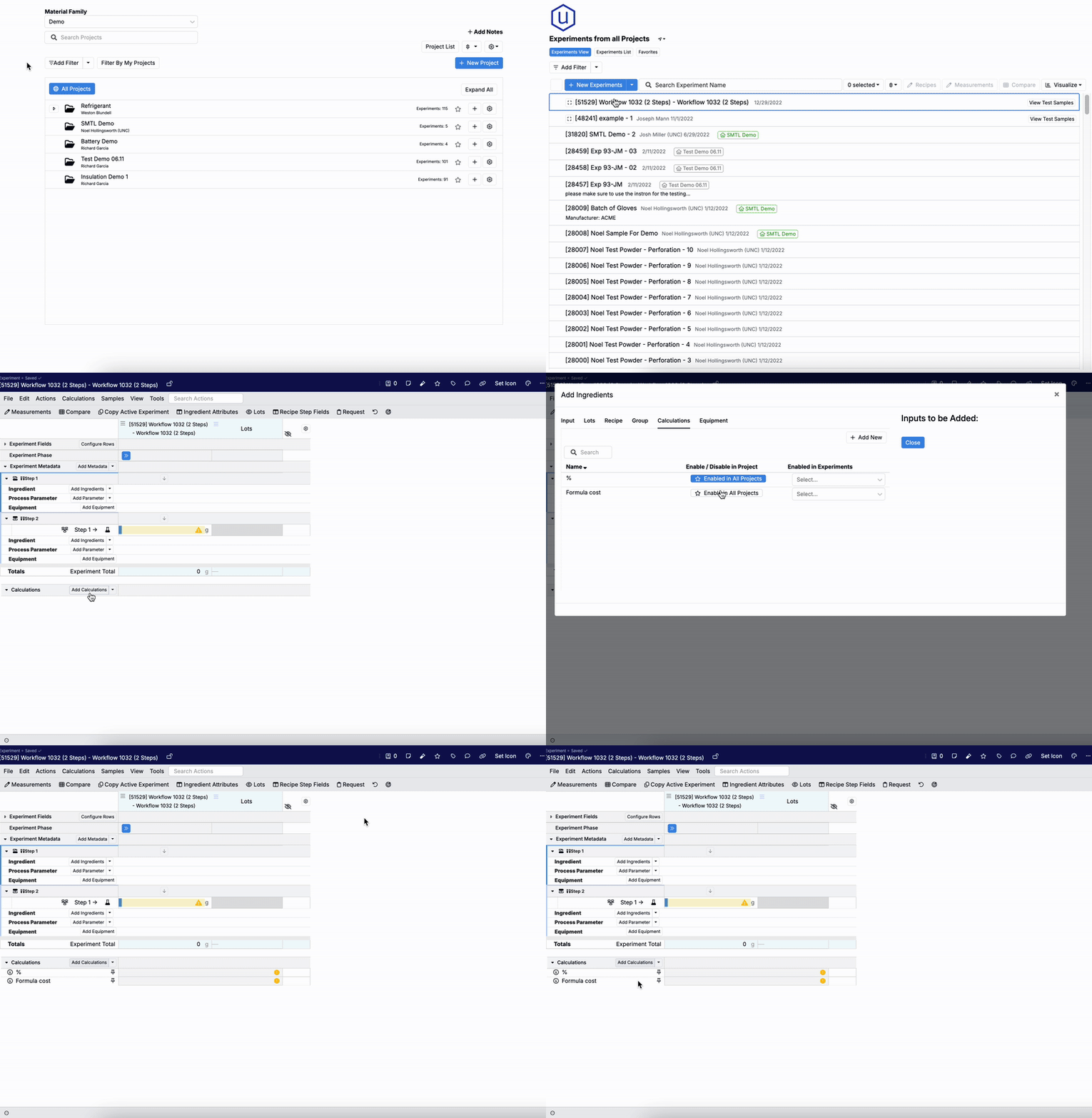
From the Recipes view of an experiment:
- In Select Project, remove active project scoping by clicking the All Projects button.
- Open any recipe.
- Click Add Calculations.
- In the modal, click Enable in All Projects for the calculation(s).
Once saved, selected calculations will appear by default in the Calculations section of all experiments within that schema.
You can also control global availability directly from the calculation’s own settings.
- Edit the calculation:
- From a recipe — Right-click the calculation and select View Calculation. In the modal, click Edit Calculation.
- From the Calculations listing (Inputs/Outputs > Inputs > Calculations) — Search for the calculation, click …, and select Edit Calculation.
- Under Availability Settings, toggle on:
- Add to New Projects — adds the calculation to all experiments in all new projects created within the schema.
- Insert to all Existing Projects — adds the calculation into all existing projects within the schema.