
You can tag Bodie in a comment on any entity to ask it a question in the place where the discussion is already happening. Bodie reads the entity’s details and the comment thread, then posts its answer as a reply in the same thread. Bodie works in the background, so you can move on to other work while it runs.
When to Use It
Tag Bodie in a comment when the question is about the entity in front of you and the answer should stay with that entity for others to see. Common uses include:
- Summarizing a long comment discussion, including the decisions made so far.
- Answering a question about the entity’s details for a teammate picking up the work.
- Reviewing the entity and its discussion before a handoff or decision.
To have Bodie review one or more notebooks and leave inline, cell, or notebook comments from the Bodie chat, see Bodie AI Notebook Comments.
Tagging Bodie in a comment
- Open the entity and click the comments icon in the entity header to open the comment discussion.
- Start a new comment, or reply in an existing thread.
- Type @ and select Bodie AI from the list.
- Write your question or request, then post the comment.
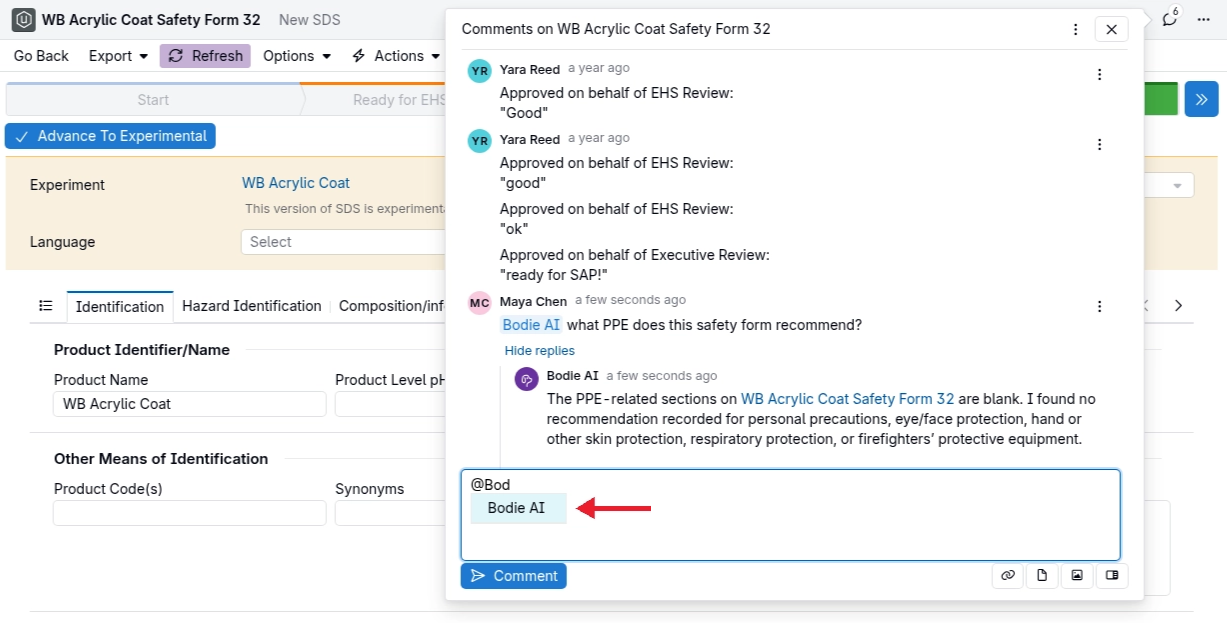
While Bodie is working, the thread shows that a reply is pending. You can leave the page and keep working. When Bodie finishes, its answer appears as a reply under your comment, labeled Bodie AI, and the pending indicator clears.
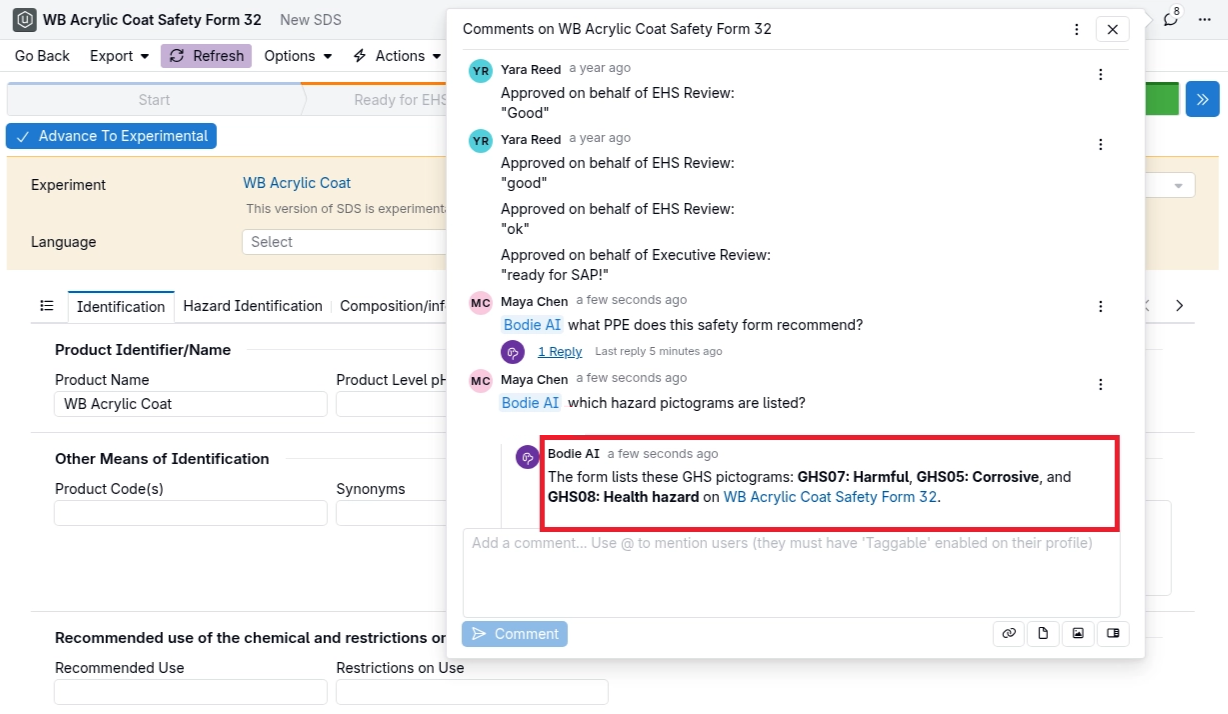
Example comments:
- “@Bodie AI summarize this discussion and list the open decisions.”
- “@Bodie AI what changed on this entity since last week’s review?”
- “@Bodie AI based on the details here, is anything missing before we hand this off?”
Follow-up questions
To ask a follow-up, tag Bodie again in the same thread. Bodie reads the full thread, including its earlier replies, so you don’t need to repeat the context.
Adding Bodie to an existing comment
If you edit a comment you already posted and add a Bodie AI tag, Bodie starts a reply. Editing the comment again later does not start a second reply.
What Bodie uses as context
When you tag Bodie in a comment, it uses:
- The entity’s details.
- The full comment thread the tag is in.
Bodie runs as the user who tagged it, so it can only see and do what that user has permission to see and do.
If Bodie can’t reply
If Bodie can’t finish a reply, it posts a short message in the thread instead of leaving the thread waiting. This can happen when:
- The run is interrupted or blocked.
- There are no Bodie credits available.
- The run takes too long and times out.
Try tagging Bodie again, or ask the question in the Bodie chat.
Permissions and limitations
- Bodie AI appears in the @ mention list only for users who can use Bodie.
- Bodie acts with the permissions of the user who tagged it.
- Comments written by Bodie don’t start a new Bodie reply.