
Bodie AI can retain instructions, preferences, and customer-specific context across conversations using memories. Memories are intended for durable facts and corrections that go beyond simple terminology changes, for example, what “analysis” means in your workflow, which project filters to apply when searching for a category of material, or a preferred unit system.
Saving a memory
To save a memory, explicitly ask Bodie to remember it. Bodie then applies that memory in later chats.
Example prompts:
- “Remember that I prefer metric units.”
- “Remember that when I search for adhesives, you should filter to the Adhesives R&D project.”
- “Remember that in our workflow, ‘analysis’ means a notebook report with graphs, not a Suggest or Analyze job.”
Personal and account memories
Memories can be saved at two levels:
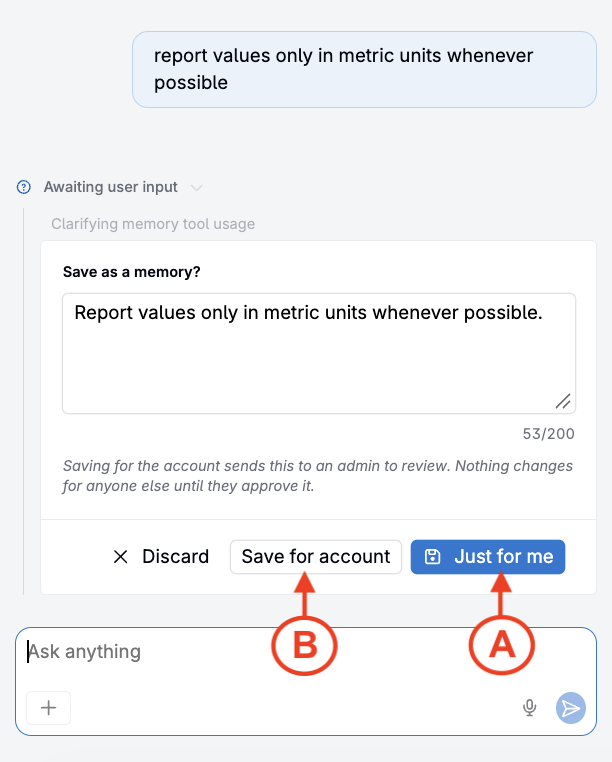
- Personal memories apply only to the user who created them (A).
- Account memories apply across the account and require approval before they are shared broadly (B).
Managing memories on the Agent Memory page
To open the Agent Memory page, click … in the Bodie chat interface and select Memories. The page is organized into the following tabs.
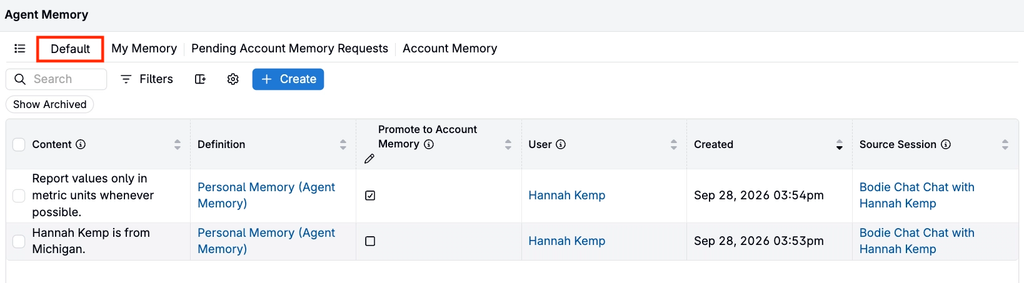
Default
The Default tab lists all personal and account memories. Use it to edit or archive memories.
My Memory
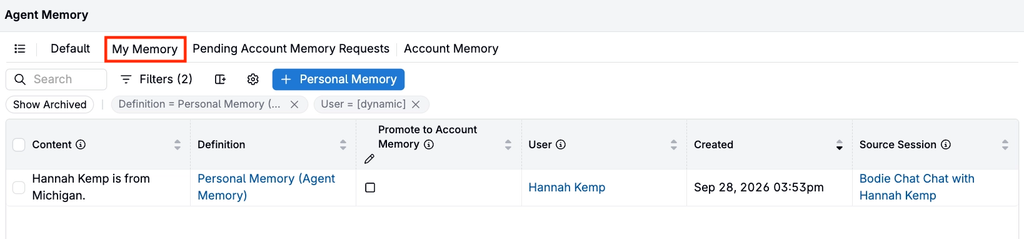
The My Memory tab lists only your personal memories.
Pending Account Memory Requests
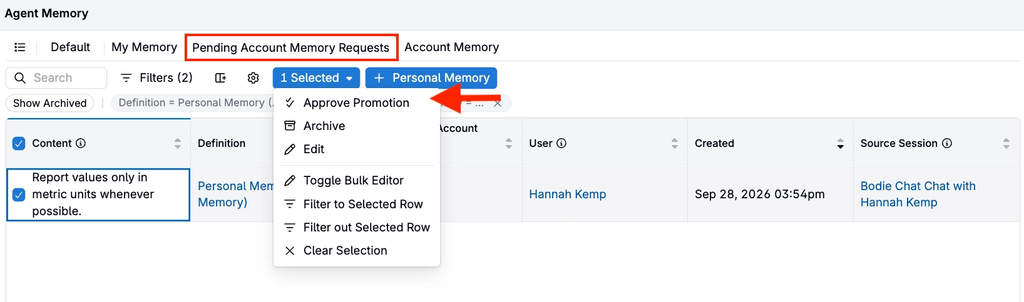
Admins use the Pending Account Memory Requests tab to review, approve, or reject proposed account memories.
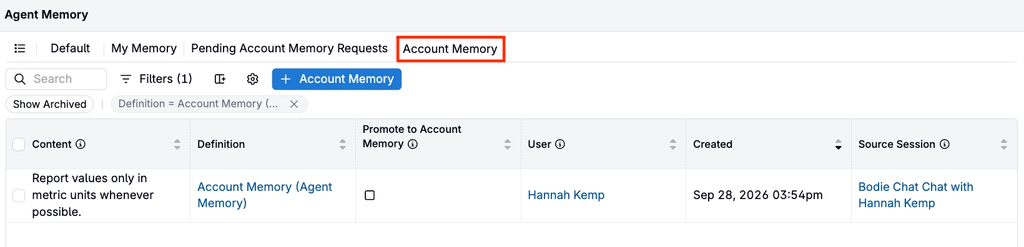
Account Memory
The Account Memory tab lists all account memories.
Permissions
By default, only admins can save account memories. Admins can grant this permission to additional user groups through entity definition settings.
Memories and skills
Memories and Bodie AI Skills serve different purposes:
- Memories store durable facts, preferences, and corrections that Bodie applies across chats.
- Skills are saved instructions or workflows that Bodie loads and follows to complete a specific task, such as generating a report or drafting a value spec.