
Bodie can now guide you step by step through platform actions on the Recipe and Measurements views of experiments, highlighting the right control as you go instead of just telling you where to look.
How it works
Ask Bodie how to do something (for example, “How do I show/hide columns?” or “Walk me through how to control rounding settings.”). When possible, Bodie will return a Start Walkthrough button within the chat interface.
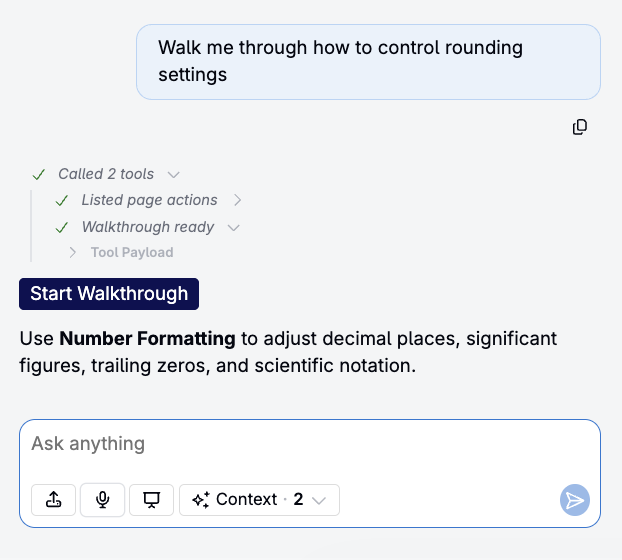
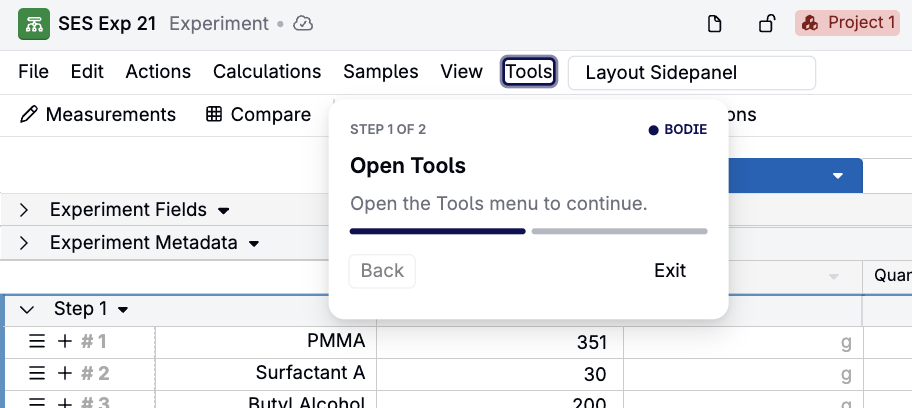
Clicking the button opens a walkthrough card, highlights the relevant menu, and walks you through each menu level until you land on the control.
What’s walkthrough-guided
- Every action in the File menu, at any menu level
- Every action the action search finds
What isn’t walkthrough-guided yet
- Controls that aren’t page actions, such as grid cells and row controls
- Actions the page currently hides or disables — Bodie instead renders a button that starts the action directly, since there’s no visible control to point to
Related
Walkthroughs extend Bodie’s existing page action buttons — which surface a one-click button for simple actions — into full multi-step, highlighted guidance for anything reachable via the File menu or action search.