To include column calculations on a runsheet, you must add a Column Calculations field to your Recipe Export definition. If the field is not available in the Existing Fields dropdown, it has not been created in your schema yet.
To create a Column Calculations field:
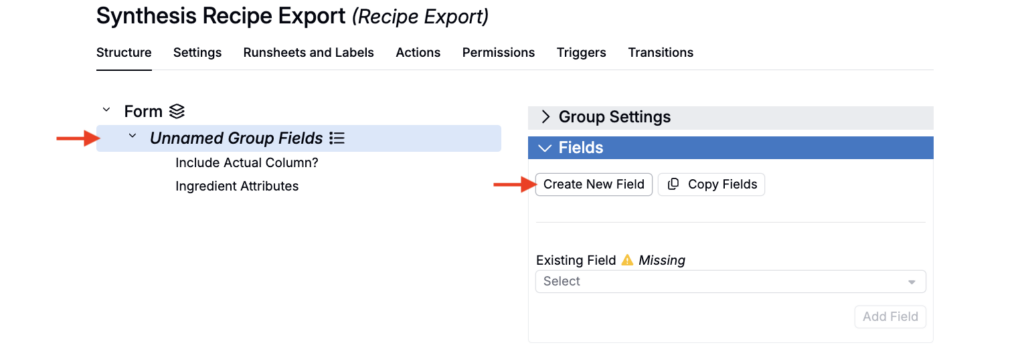
- In Form Admin, open your Recipe Export definition.
- Add or select an existing Form group.
- Within the Fields tab, click Create New Field.
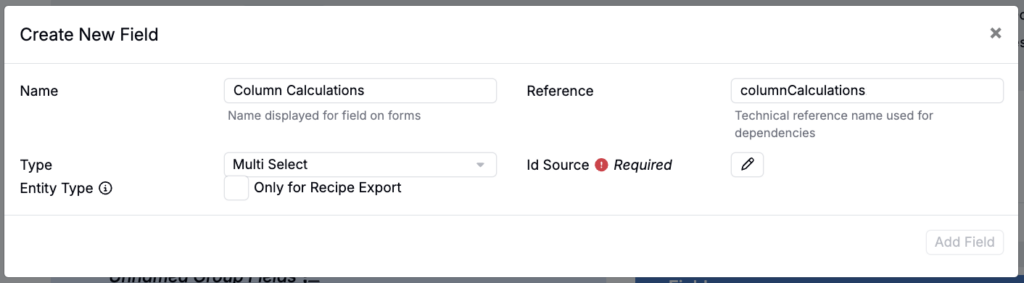
- Using the following configuration:
- Type: Multi Select
- Reference name:
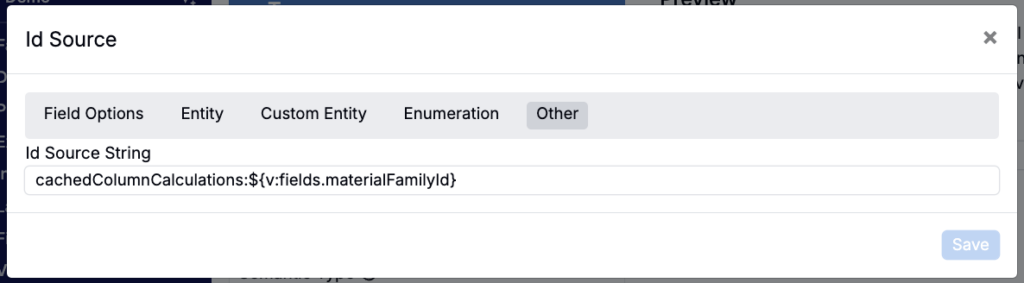
columnCalculations(must match exactly) - ID source (Other):
cachedColumnCalculations:${v:fields.materialFamilyId}
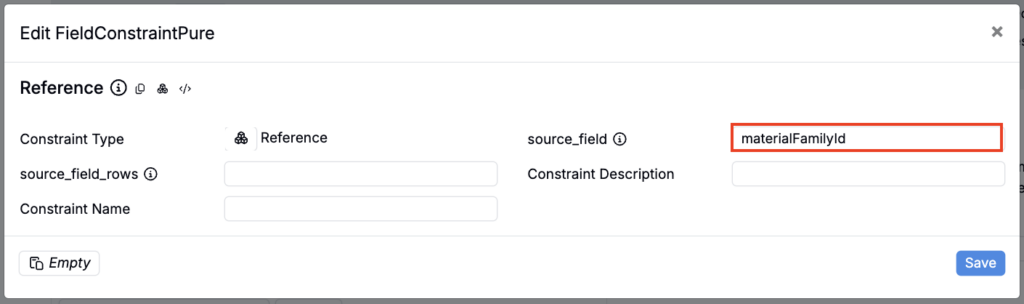
- Once saved, use the Constraints tab to add a Reference constraint.
- Using the following configuration:
- Source field:
materialFamilyId
- Source field: