
Uncountable is updating the design of the Related Entities sidepanel. The sidepanel now has a redesigned Graph view and a new List view, which make it easier to scan the lab requests, notebooks, experiments, and other entities linked to the one you’re viewing, and to check an entity’s details without leaving the page.
What’s changing
Filters appear as chips
Before: The Link Fields and Entity Links Types filters appeared as dropdown fields above the graph.
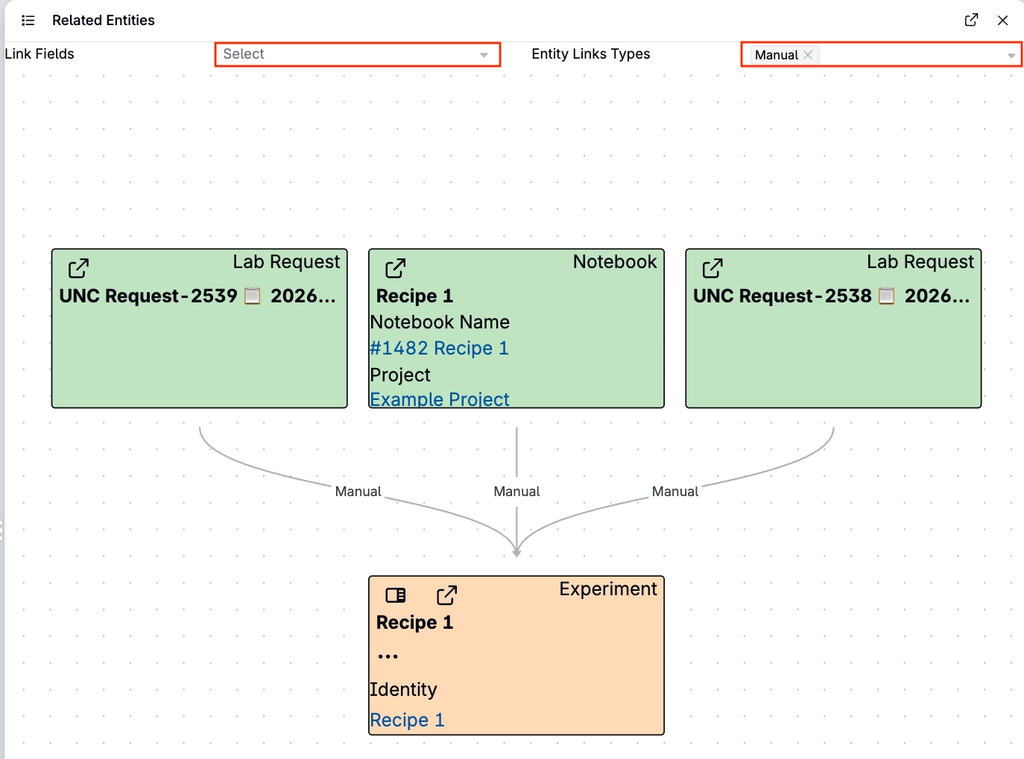
Now: The View, Link Fields, and Entity Link Types filters appear as chips across the top of the sidepanel. The filters work the same way as before.
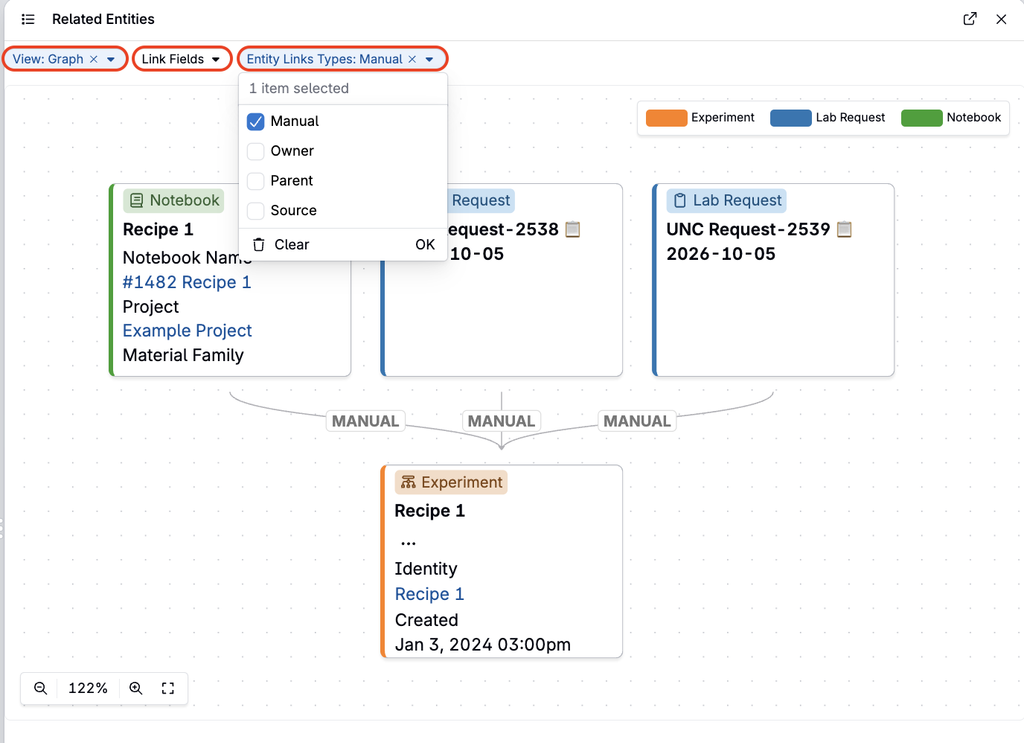
Redesigned entity nodes
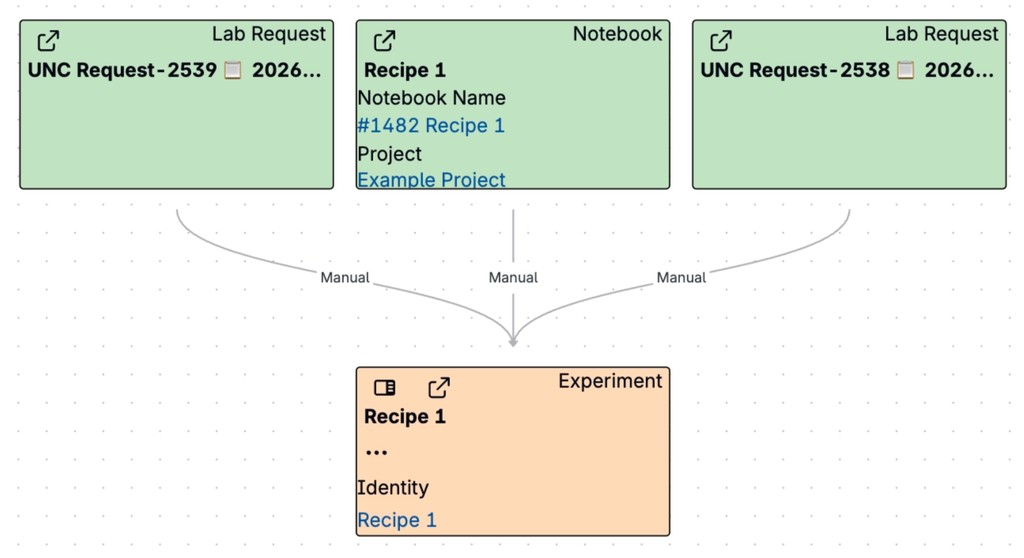
Before: Each node in the graph was filled with a color for its entity type and listed several of the entity’s fields.
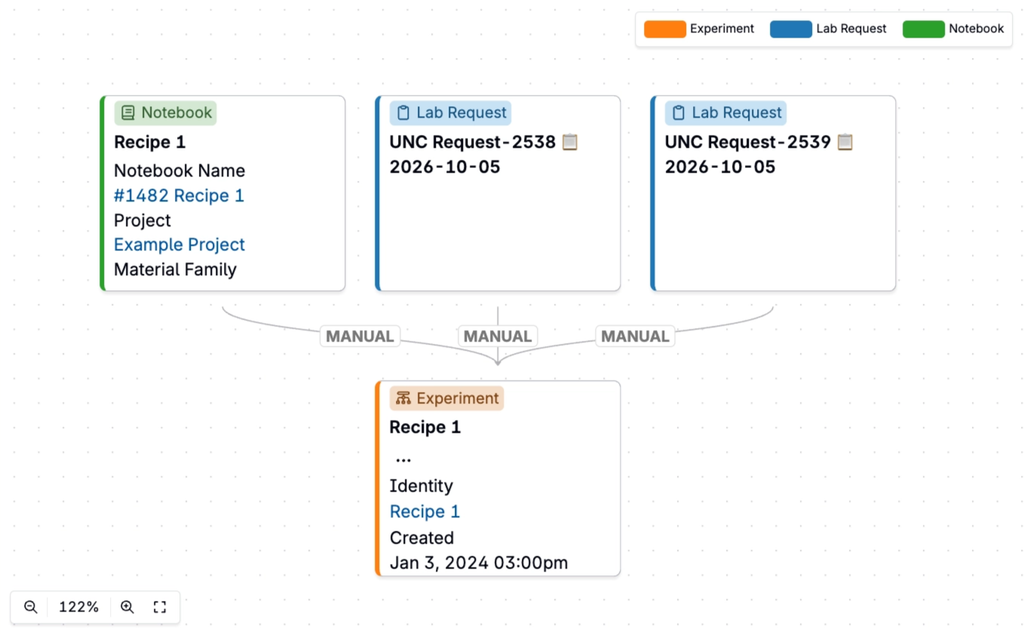
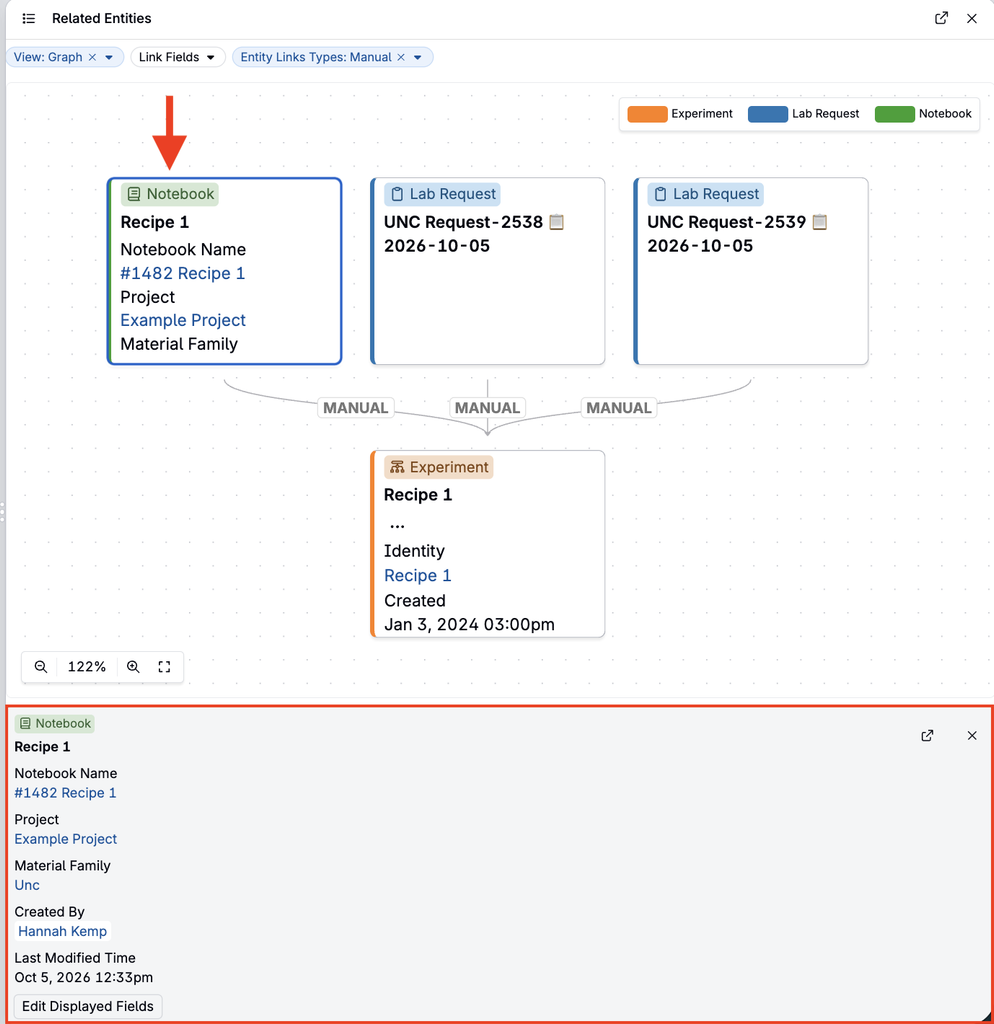
Now: Each node is a compact card with an entity-type tag, the entity name, and some of its fields. A colored border marks the entity type, and a legend in the top-right corner shows which color matches which type.
Click a node to see its details
Now: Click a node to highlight it and open a details panel below the graph. The panel shows the entity’s fields, such as Status, Project, and Requesting User, along with an icon that opens the entity. Double-click a node to open the entity directly.
New List view
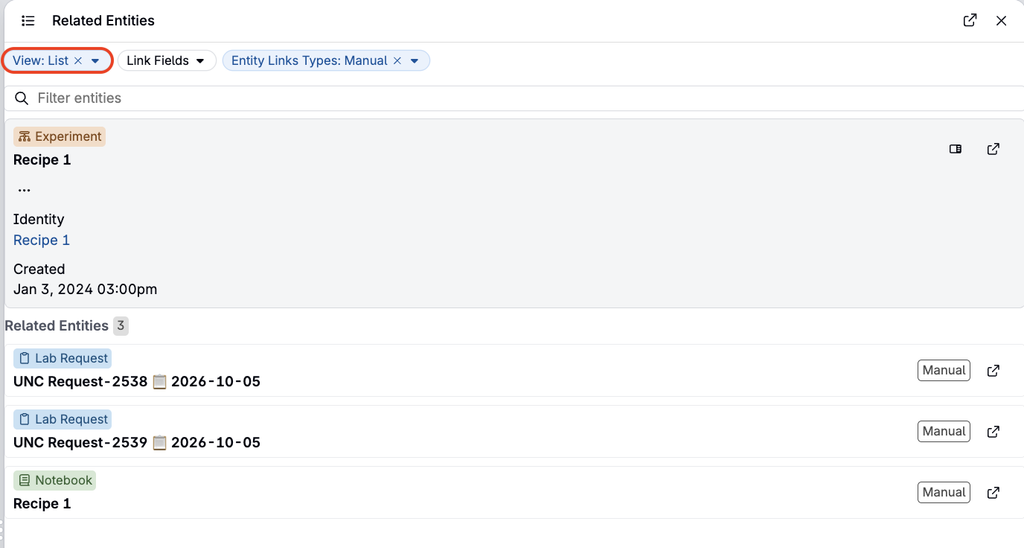
Now: Select View: List to see related entities as a list instead of a graph. This is useful when an entity has many relationships and the graph becomes crowded.
- The entity you’re viewing is pinned at the top, along with its fields, such as Project, Material Family, Created By, and Last Modified Time.
- Each related entity appears as a row showing its type, name, and link type. The count next to Related Entities shows how many are listed.
- Type in Filter entities to search the list.
- Select the open icon on a row to open that entity in a new tab. For some entity types, such as experiments, you can also preview the entity in a sidepanel.
Rollout
This update will go live on Tuesday, October 6, 2026. The sidepanel will continue to open in Graph view, and you can switch to List view at any time from the View chip. No action is required.