
The UI Action Configs tab in Form Admin (Form Admin > UI Action Configs) introduces a new way to configure context-specific defaults for hardcoded UI actions in Uncountable.
This feature gives admins leverage to enhance existing platform behavior, such as creation modals and action buttons, using value specs, without replacing or re-implementing the underlying UI.
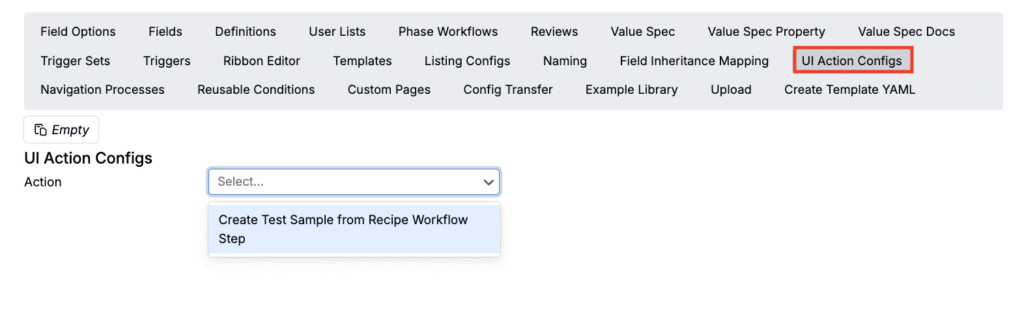
What are UI Action Configs?
UI Action Configs allow admins to define default values and configuration behavior for specific UI actions that already exist in the platform. These actions are hardcoded in the UI, context-aware (meaning they have access to information about where and how the action was triggered) and configurable via value spec.
When to use UI Action Configs
Use UI Action Configs when you need to:
- Customize defaults for hardcoded UI flows
- Apply logic that depends on where the action was triggered
- Avoid one-off, special-case engineering solutions
Example: Create Test Sample from Recipe Workflow Step
Currently, the only supported action is Create Test Sample from Recipe Workflow Step. This action allows users to automatically naming a test sample based on the workflow step it was created from. To learn more, refer to this article.
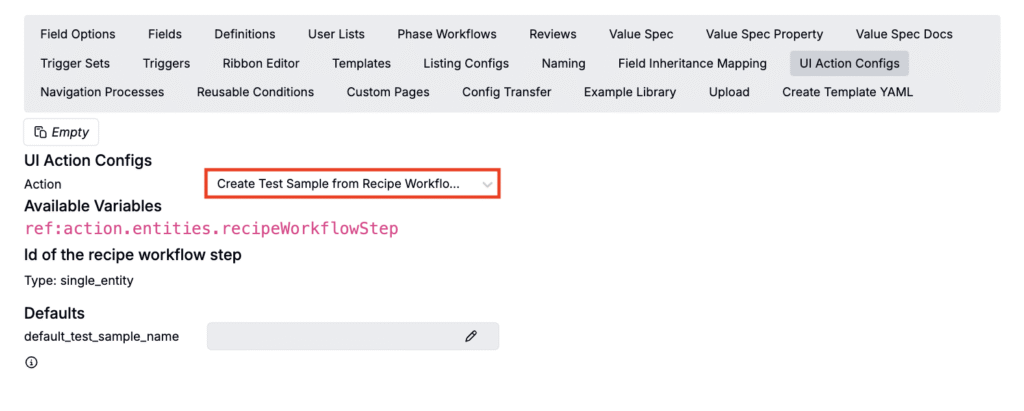
As new UI actions are added, they will automatically become configurable through this same admin interface.