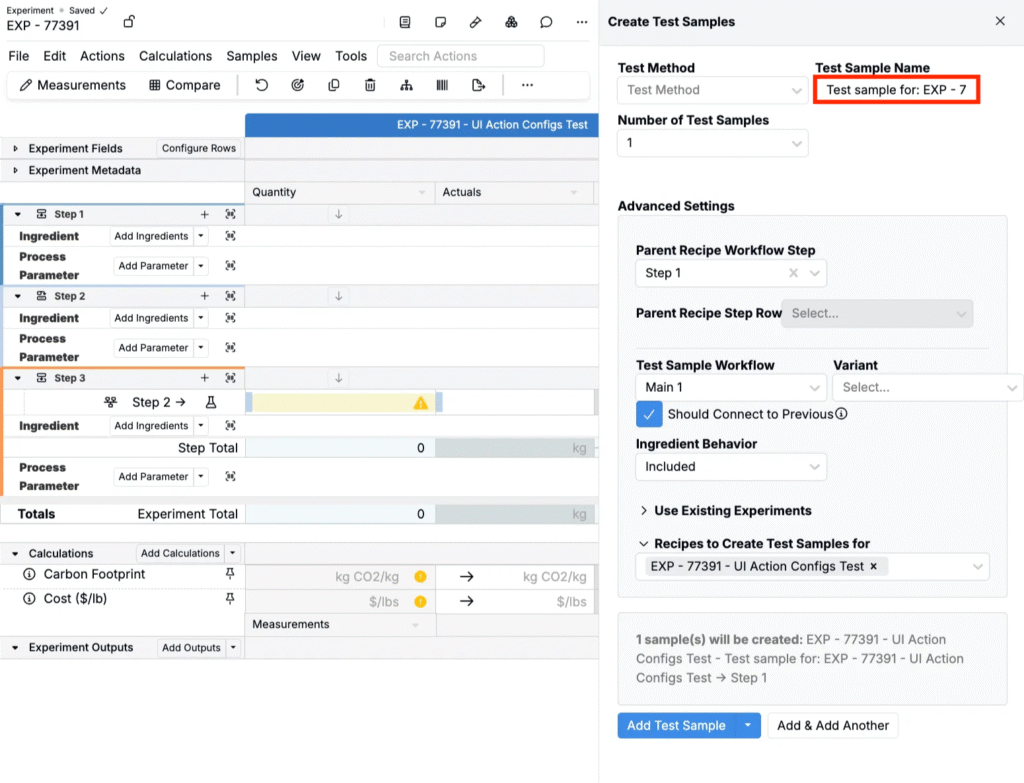
Create Test Sample from Recipe Workflow Step is a UI Action Config that controls the default name applied when users create test samples from a specific recipe workflow step. Use this config when you want test sample names to be consistent, automatically generated, and clearly tied back to the workflow step they came from.
You can define either a simple static default or a dynamic name that uses the workflow step’s ID and/or name. If the workflow step is renamed, newly created test samples automatically pick up the updated step name, reducing manual edits and improving traceability.
How to Use
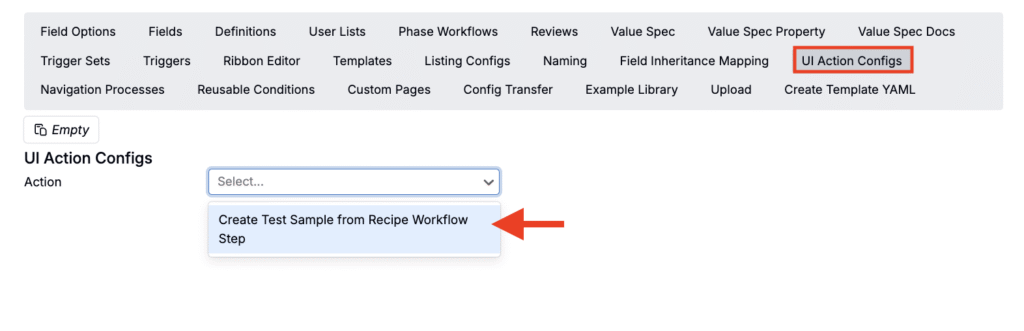
- Navigate to the UI Action Configs page (Form Admin > UI Action Configs).
- From the menu, select Create Test Sample from Recipe Workflow Step.
- Under Defaults, click the ✏️ icon to open the value spec editor.
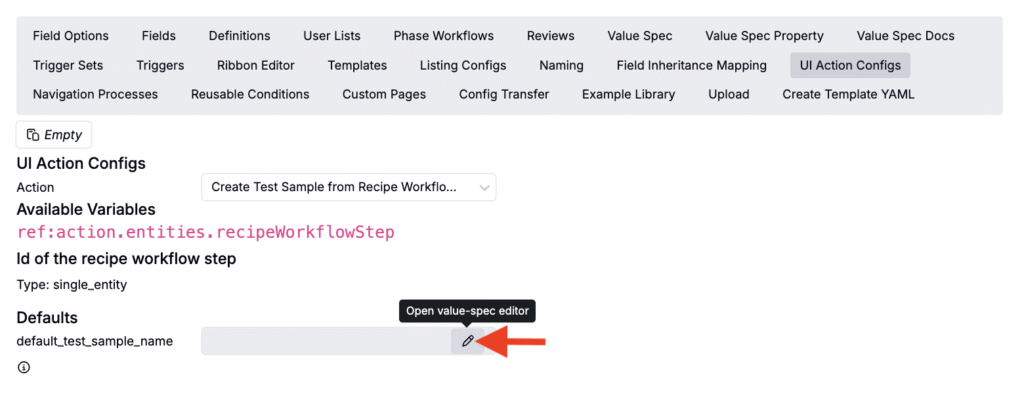
- Configure the value spec (e.g. (text “Sample”).

- Once configured, create a new test sample from a workflow step by selecting the workflow step name in the recipe view of your experiment and choosing Create Test Sample from the workflow step menu.

Dynamic Example
You can also create test samples whose names reference the workflow step’s name. For example, using the following value spec:
(text "Test sample for: " (array_index (id_source_map "entity/recipe_workflow_step" (array ref:action.entities.recipeWorkflowStep)) 0))
Generating a test sample from Step 1 in EXP-77391 would create a test sample named “Test sample for: EXP-77391.”