
On Friday, May 15th, we’re introducing a series of improvements to the Recipe view of experiments that simplify how recipe inputs are displayed and how new inputs are added.
What’s changing
Removal of section header rows
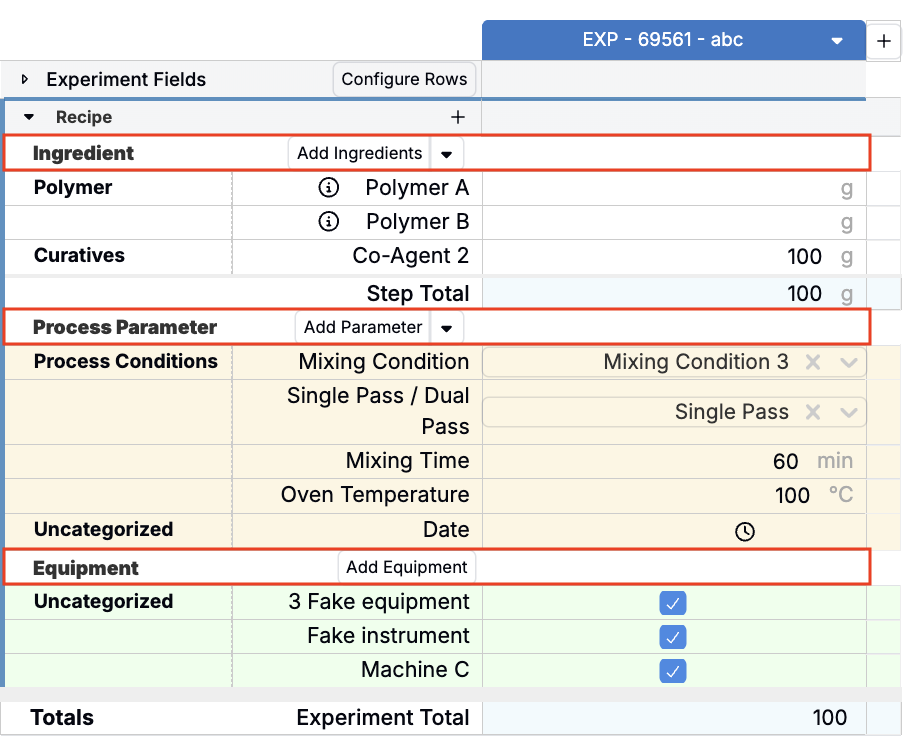
Previously, non-mix order recipes displayed labeled divider rows separating Ingredients, Process Parameters, and Equipment within each workflow step. These header rows are being removed to reduce visual clutter and bring the non-mix order experience in line with the mix order interface.
Ghost rows for adding new inputs
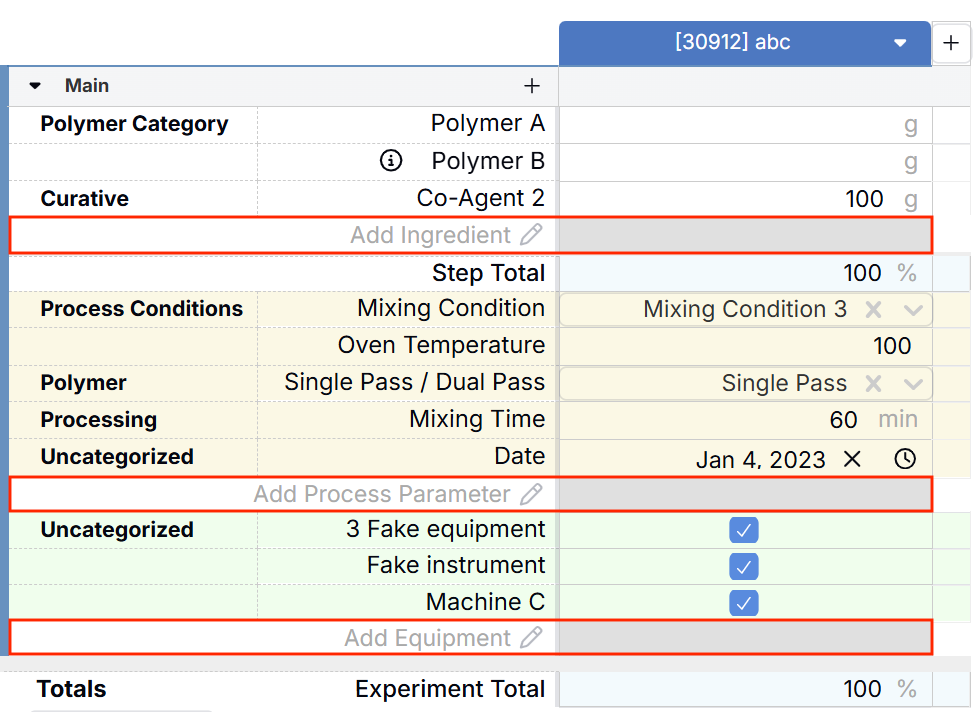
In place of the section headers, each input section now has its own dedicated ghost row — a greyed-out placeholder row at the bottom of each section that lets you add a new input directly inline.
- The Ingredients section has a ghost row labeled Add Ingredient.
- The Process Parameters section has a ghost row labeled Add Process Parameter.
- Equipment follows the same pattern, if present on your workflow step.
The + icon remains
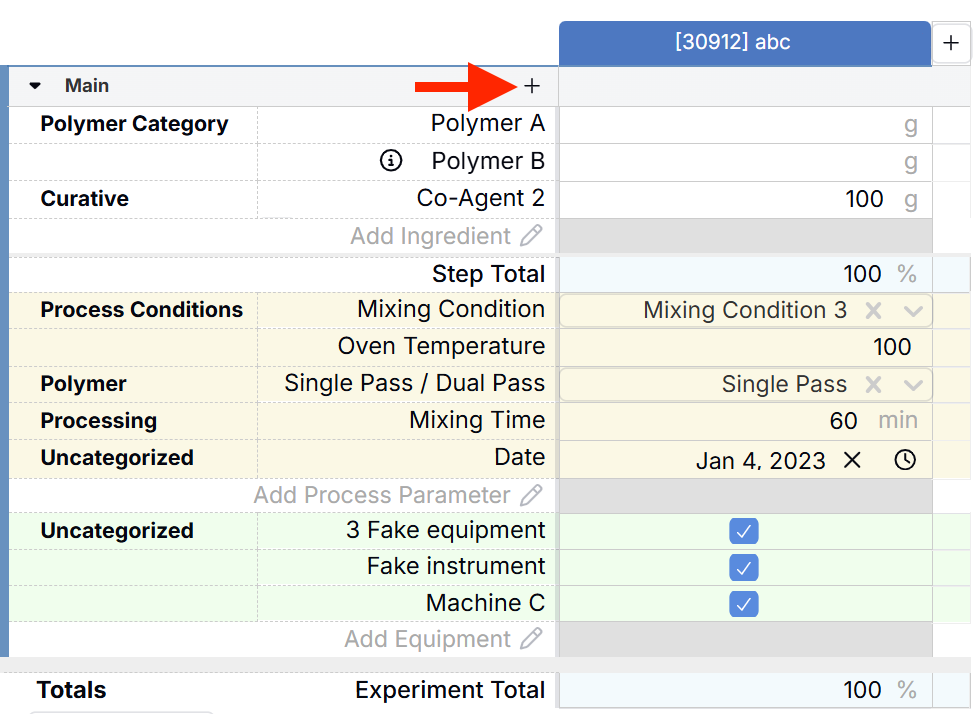
The + icon at the top of each workflow step is unchanged and continues to work as before, opening the Add Inputs modal for searching and selecting inputs across all categories.
Rollout
These updates are scheduled to go live on Friday, May 15th. No action is required from end users — the layout will update automatically.