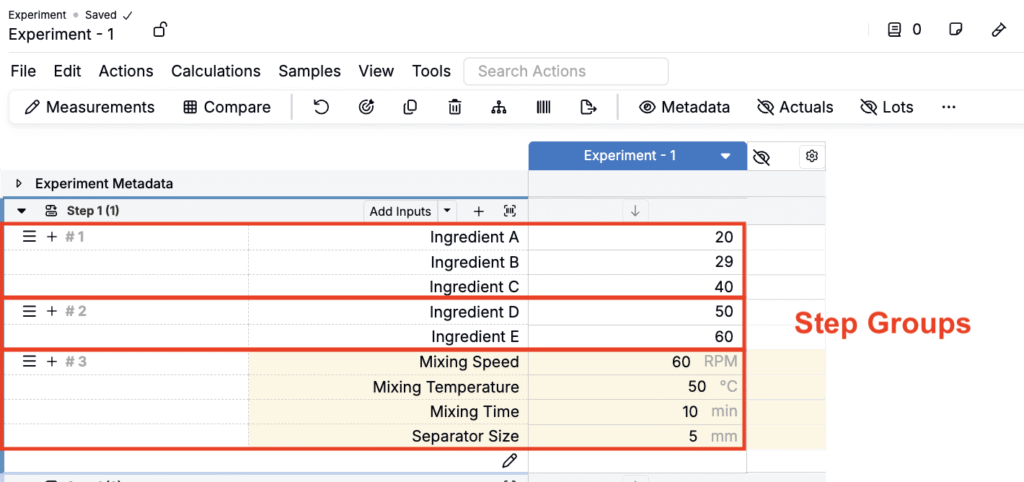
Step Groups are a feature of Uncountable’s Mix Order that let you group Mix Steps into a single, movable block. They’re ideal when certain items must stay together (e.g., a wet-out package, a letdown bundle, or a staged addition plus its note).
This article explains how to create Step Groups, reorder items within a group, and move items between groups.
Creating a Step Group
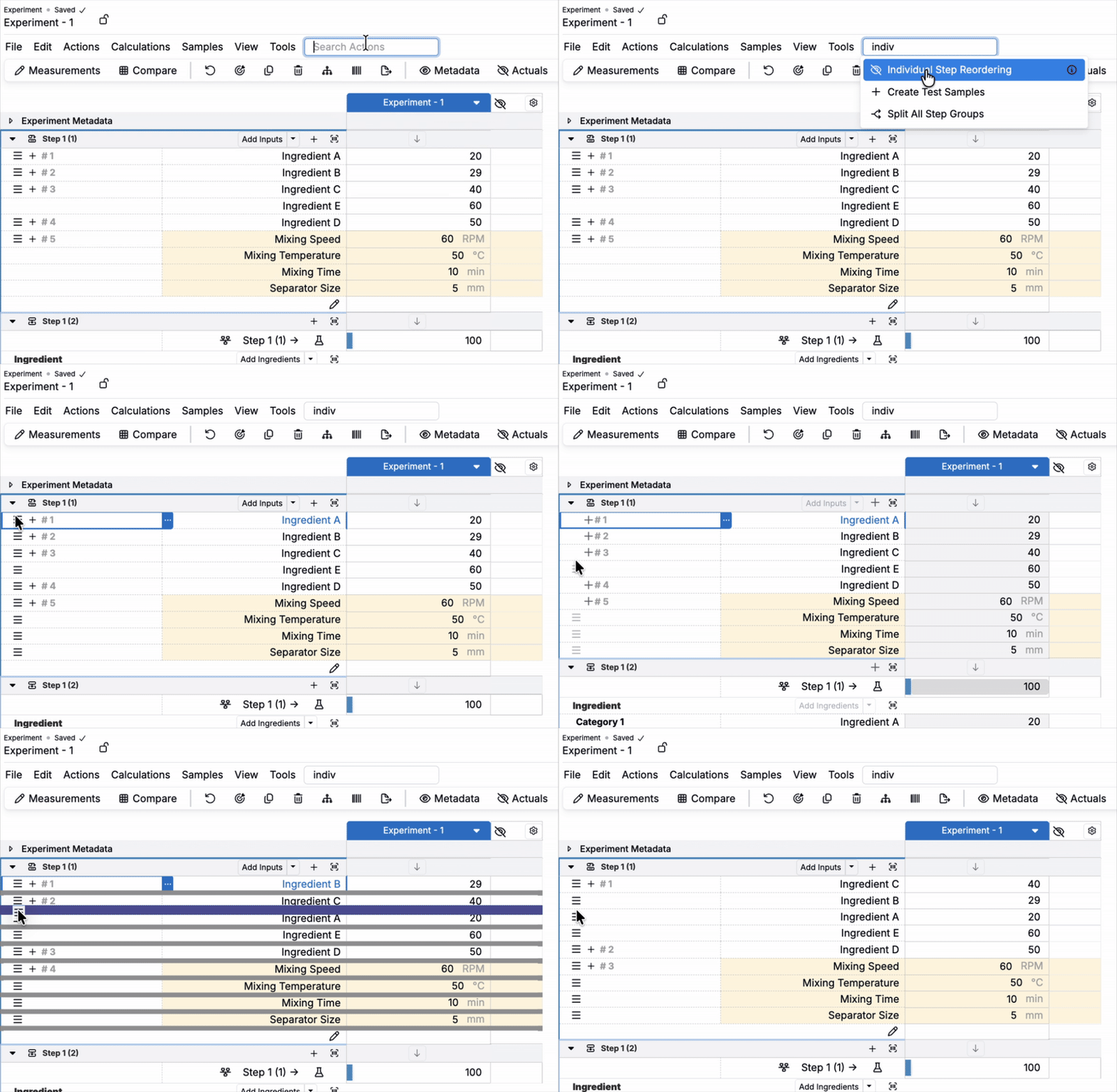
To create a new Step Group:
- Search for and enable Individual Step Reordering.
- Grab a step’s drag handle and drop it directly below the item you want to group with.
- The items merge into a single grouped block.
Reordering a Steps in a Group
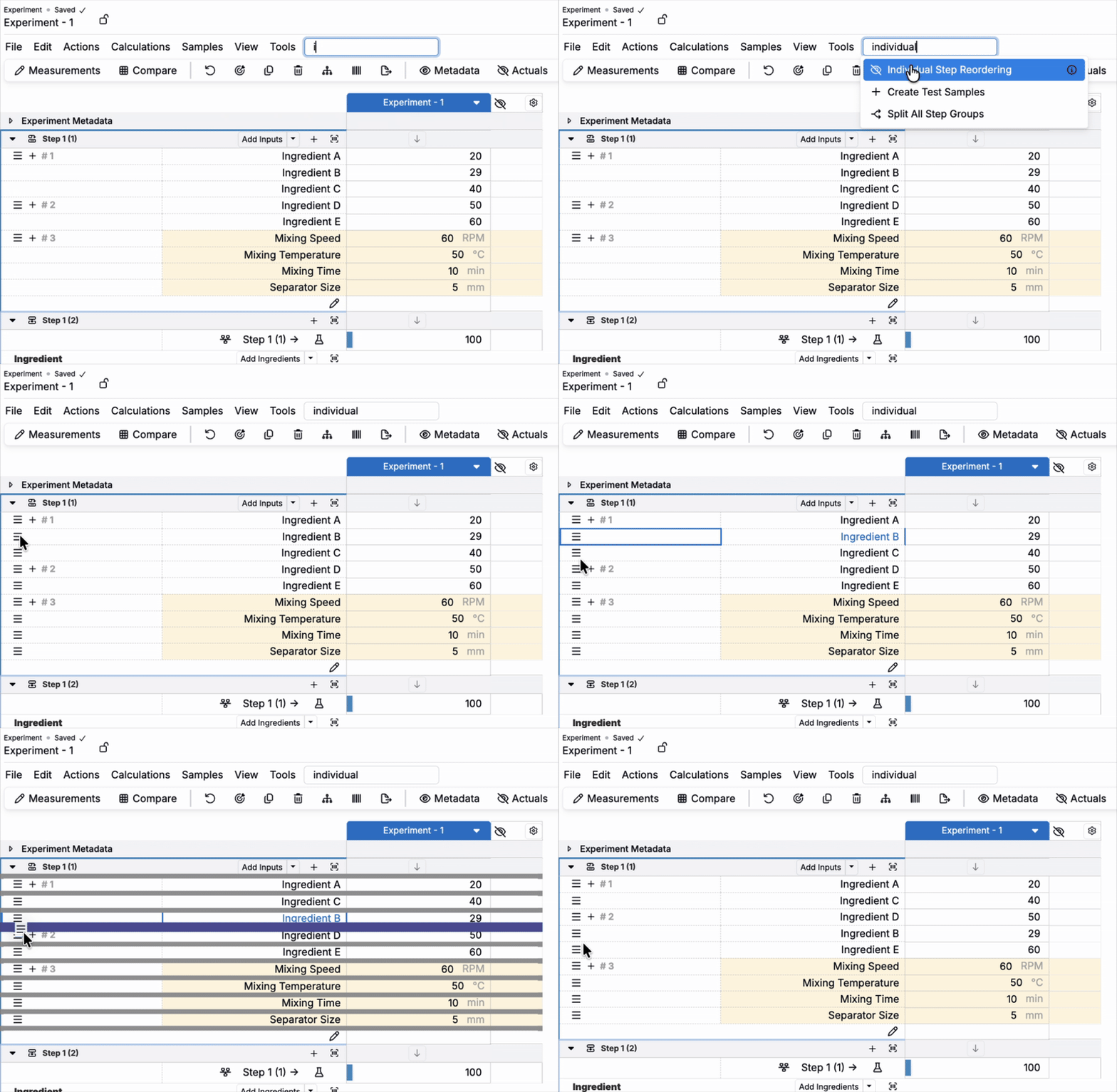
To change the order of Mix Steps within or between Step Groups:
- Search for and enable Individual Step Reordering.
- Use per-item handles to change the sequence of items in a group or drag an item out of one group and into another.
Removing Steps from a Group
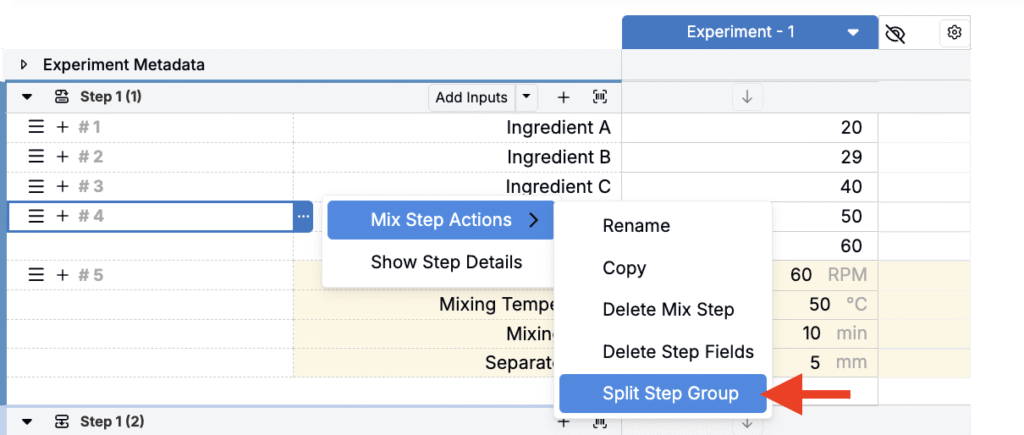
To remove a step from a group:
- Access the step group’s menu.
- Select Mix Step Actions > Split Step Group.
- All items within the group will be transformed into standard, ungrouped, individual Mix Steps.