
Uncountable now supports a file-and-folder approach to experiment and entity management, giving teams an alternative to traditional project-based navigation. The Files sidepanel can be used to organize projects, experiments, notebooks, and other entities created within the platform.
This approach can be especially valuable for teams accustomed to ELN-style experiment management. Using the Files sidepanel, you can can create links to specific experiment sets and place them directly into folders. These links appear in the sidepanel, allowing you to open experiments instantly without navigating project by project.
Enabling File/Folder Navigation
To activate file and folder navigation, update the following settings on the Company-Wide Settings page:
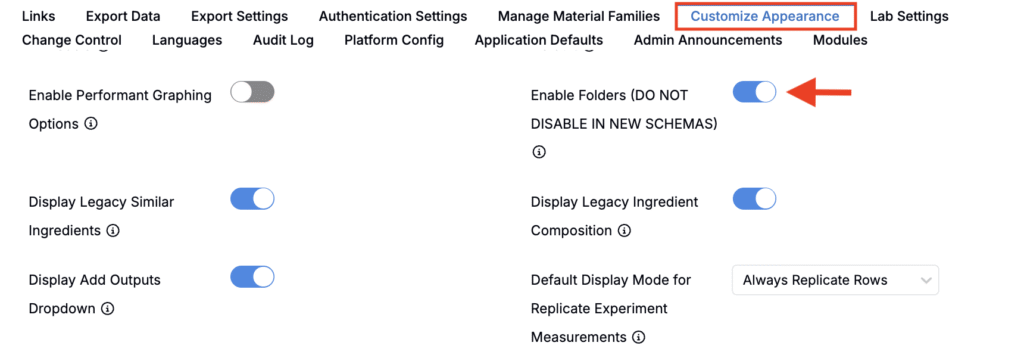
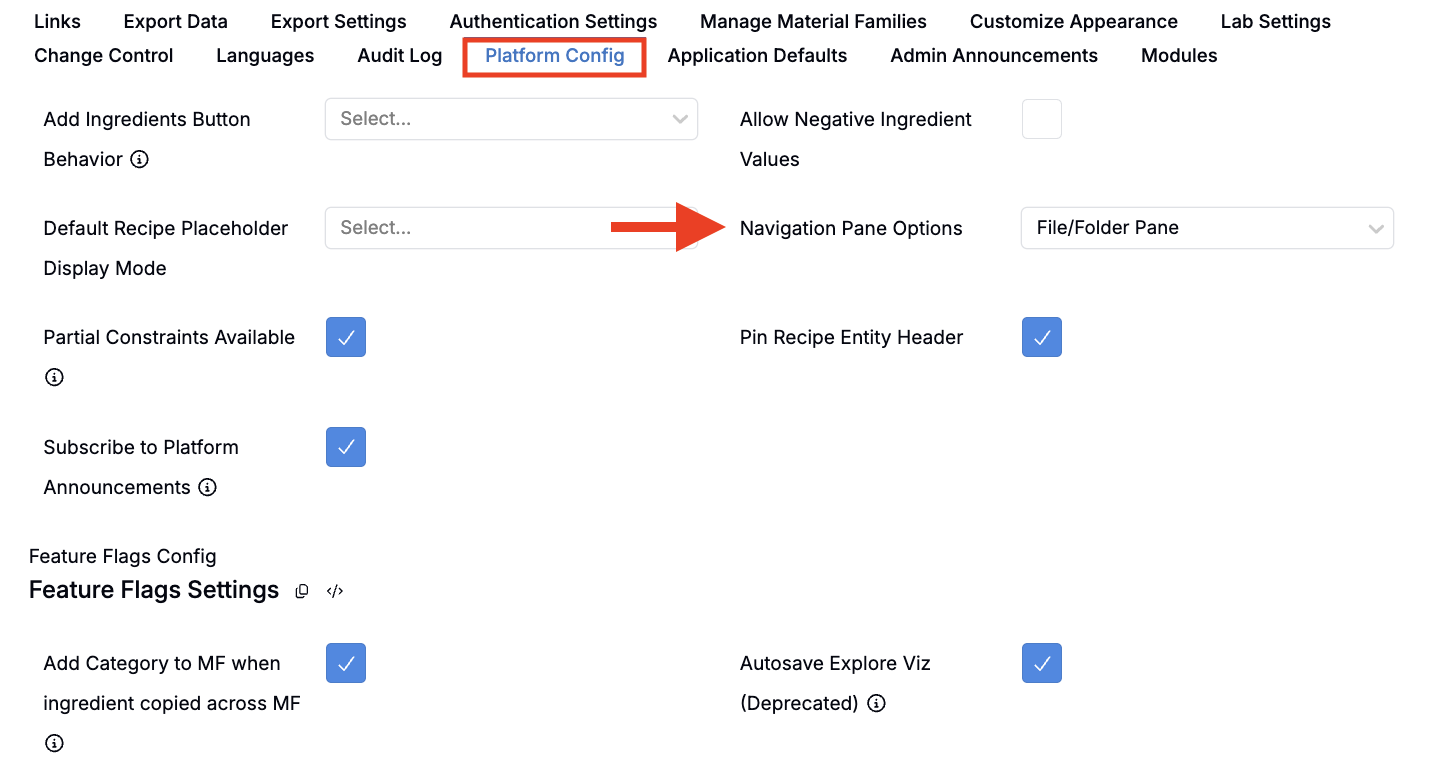
- Enable Folders
Go to Customize Appearance > Enable Folders and turn this setting on for your schema. - Enable the File/Folder Pane
Go to Platform Config > Navigation Pane Options and enable the File/Folder Pane.
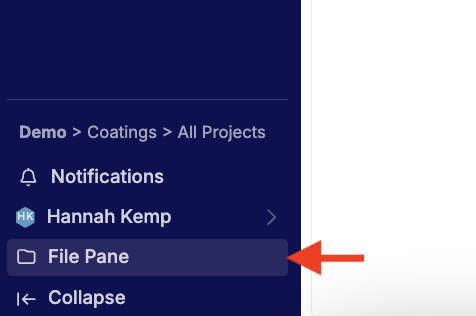
Once enabled, click Files at the bottom of the navigation bar to open the sidepanel.
Adding Experiments to Folders
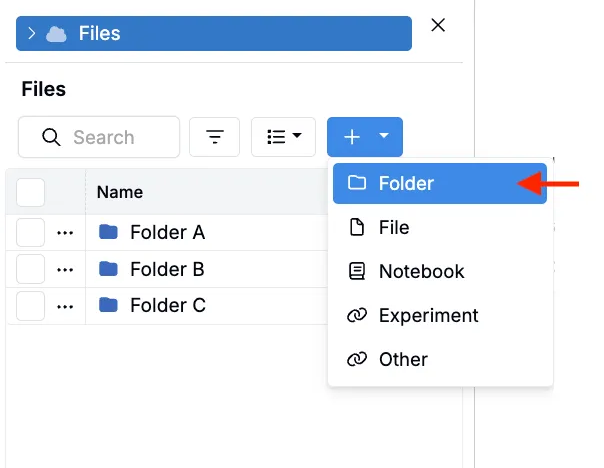
- Create or select a folder: Click the blue + icon and select Folder, or choose an existing folder.
- Add experiments: With one or more experiments in view, open the folder in the sidepanel and select Add to Current File Folder from the experiment view.
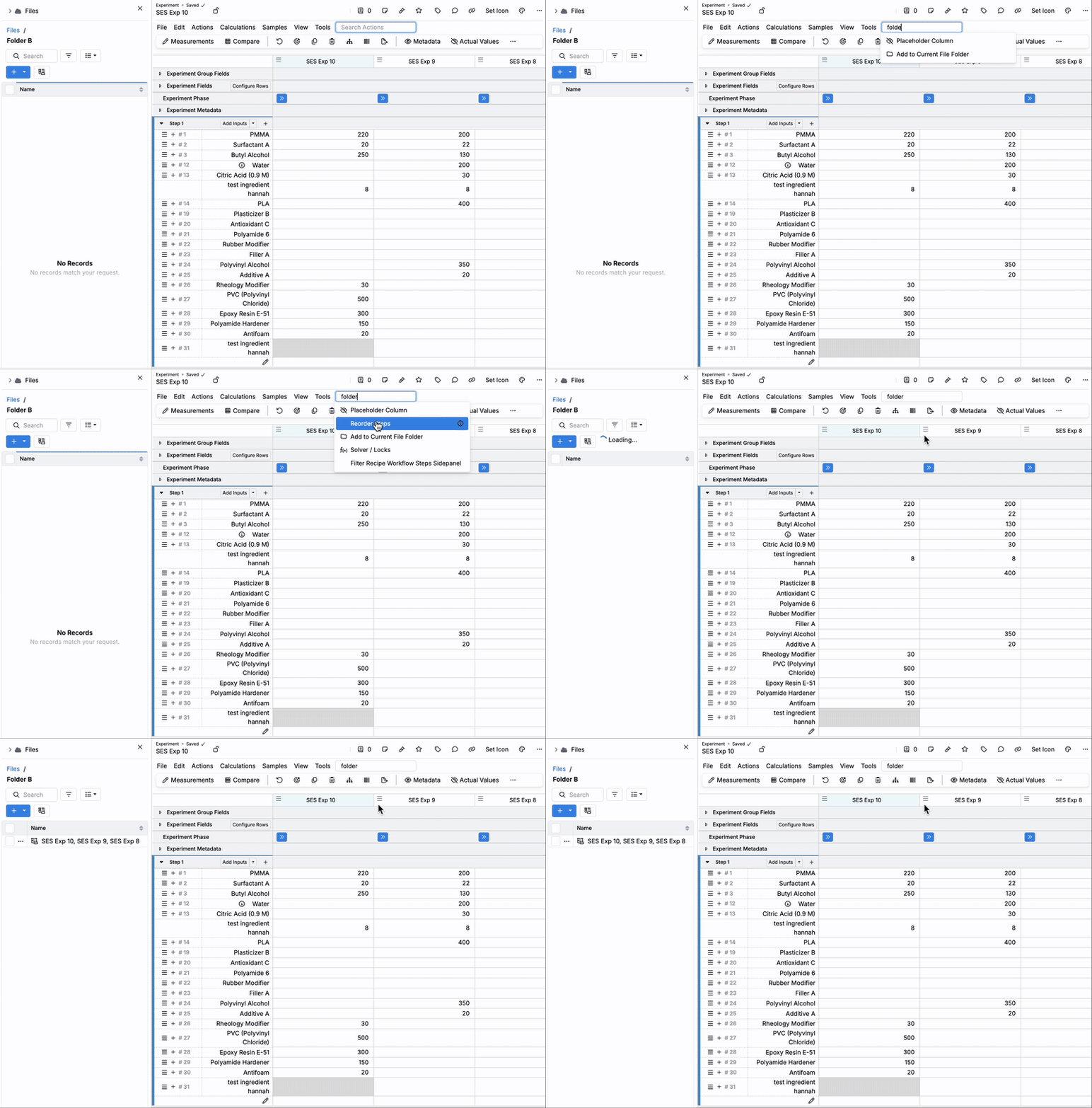
Using the Sidepanel
Once experiments have been organized into links within folders, users can:
- Click to View: Select a file link to open all experiments in that file.
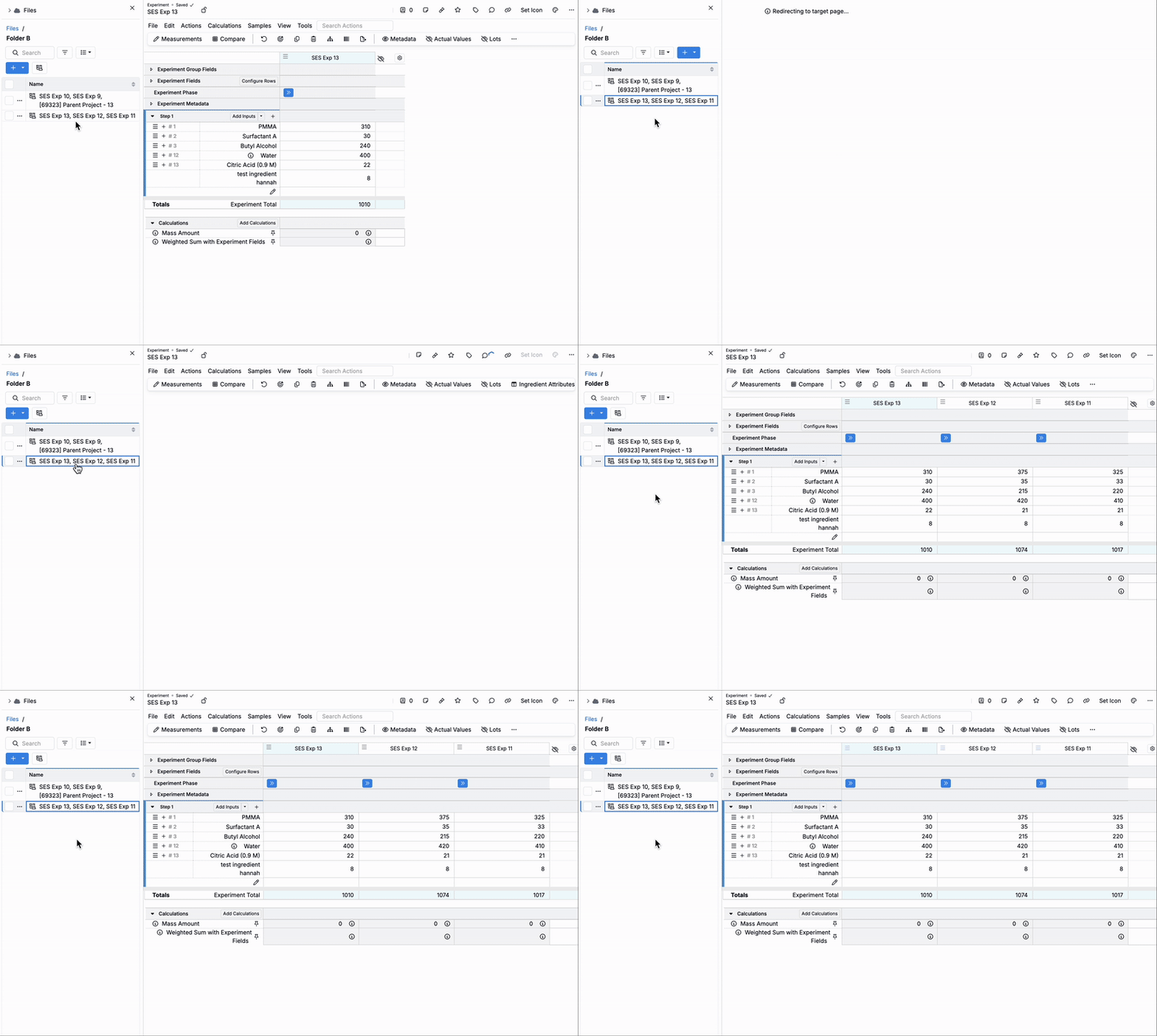
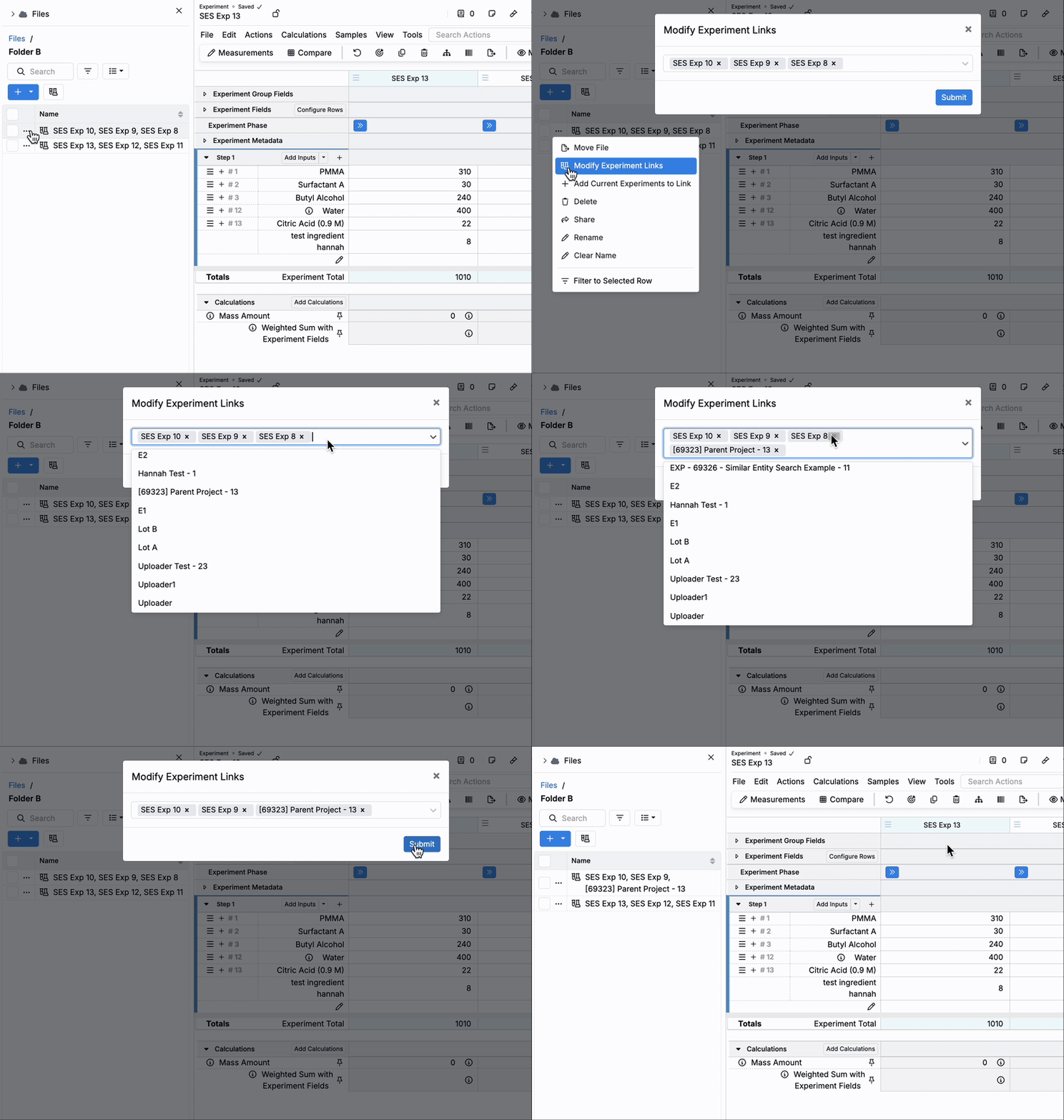
- Modify Experiment Links: Use the selection menu to add or remove experiments from a file.
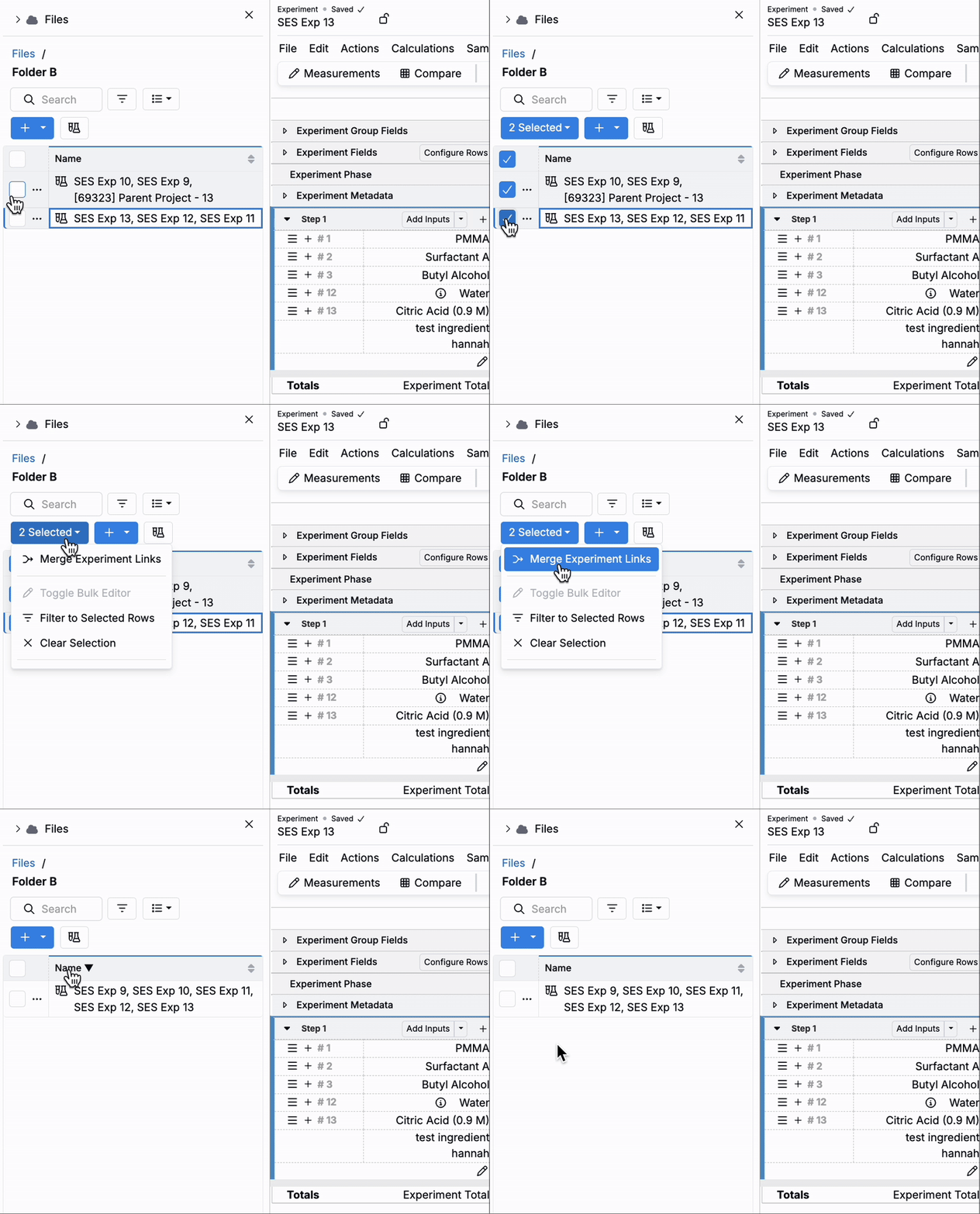
- Merge Files: Select multiple experiment files and choose Merge Experiment Links to combine them into one file.
Considerations
- Link labels in the sidepanel display up to five experiment names; click a link to view the full set.
- Folders can include other entities, such as notebooks, for a complete file-centric navigation experience.
- Links respect your existing project and experiment permissions.