Experiment Comparison calculations allow you to compare the ingredient composition of one experiment against another, displaying a configurable match or non-match result directly on the Recipe view of an experiment.
What are Experiment Comparison calculations?
Experiment Comparison is a non-numeric input calculation type. Rather than producing a numeric result, it evaluates whether the ingredient composition of a base experiment matches a reference experiment within an optional tolerance threshold, and displays a configurable text label indicating the result.
This calculation type is particularly useful for verifying formulation consistency — for example, confirming that a newly entered experiment matches a known reference recipe, or quickly surfacing ingredient-level discrepancies across related experiments in a project.
Note that only ingredient compositions are evaluated. Process parameters are excluded from the comparison.
Example use cases
- Reference recipe conformance — checking whether a trial formulation matches a master or approved reference formula
- Duplicate detection — flagging when an experiment’s composition deviates from a designated control experiment
- Batch consistency — verifying that experiments in a study all share the same starting composition within a defined tolerance
- Non-master experiment comparison — comparing two experiments that aren’t the master recipe in a project (configured using field references)
How to configure
Experiment Comparison calculations can be created from the Calculations listing page or directly in the Recipe view of a formulation. Both methods open the same creation modal.
In the modal:
- Enter a name for your calculation.
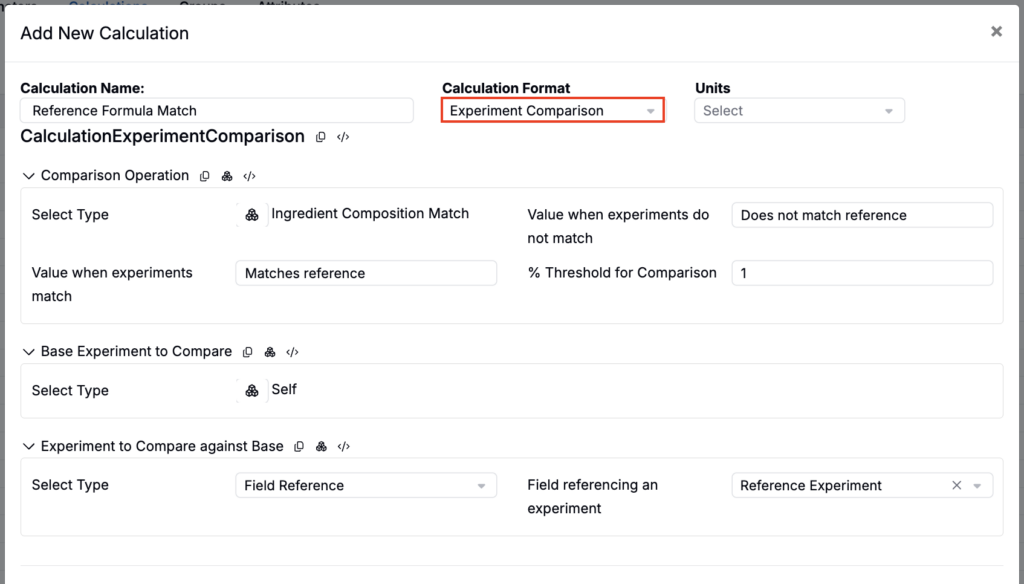
- Set Calculation Format to Experiment Comparison.
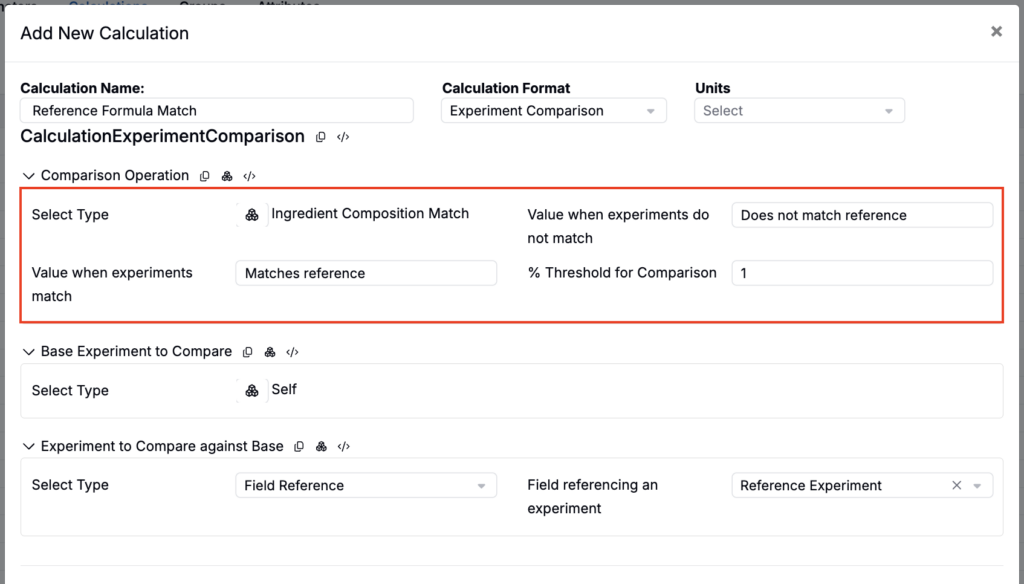
- Under Comparison Operation, set type to Ingredient Composition Match.
- Enter a Value when experiments do not match — the text displayed if compositions differ.
- Enter a Value when experiments match — the text displayed if compositions match.
- Optionally, set a % Threshold for Comparison to allow minor deviations without triggering a non-match. For example, a threshold of 1% would treat an ingredient present at 10.05% in the base and 10.00% in the reference as matching. When no threshold is set, compositions must match exactly.
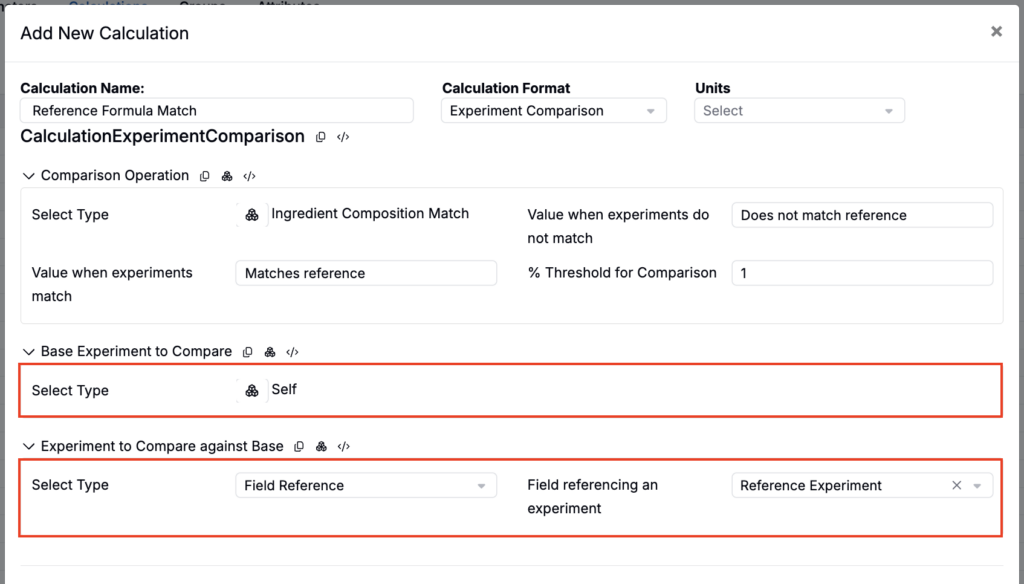
- Configure Base Experiment to Compare and Experiment to Compare against Base. For each, set Select Type to either:
- Self — uses the current experiment
- Field Reference — uses the value of an experiment field (for example, a “Reference Experiment” field added to the experiment definition and linked to a specific reference).
- Select Submit to save.
Calculation Settings
Common
- Display in Experiment-Level Calculation Section — Shows the value at the bottom of the full recipe

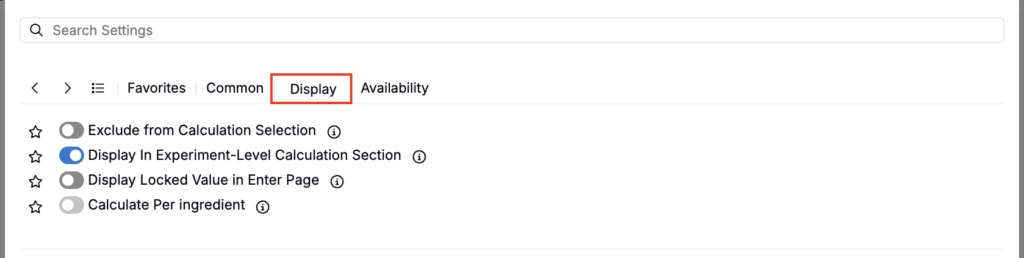
Display
- Exclude from Calculation Selection — Hides the calculation from view (useful for intermediary calculations)
- Display in Experiment-Level Calculation Section — Shows the value at the bottom of the full recipe
- Display Locked Value in Enter Page — If enabled, all cells for this calculation are locked on the Enter Recipe page (behaving like they are in Solve mode), preventing manual edits.
- Calculate Per Ingredient — When enabled, the calculation is computed separately for each ingredient rather than as a single rolled-up recipe-level value.
Availability
- Add to New Projects — Automatically includes this calculation in new projects in the material family

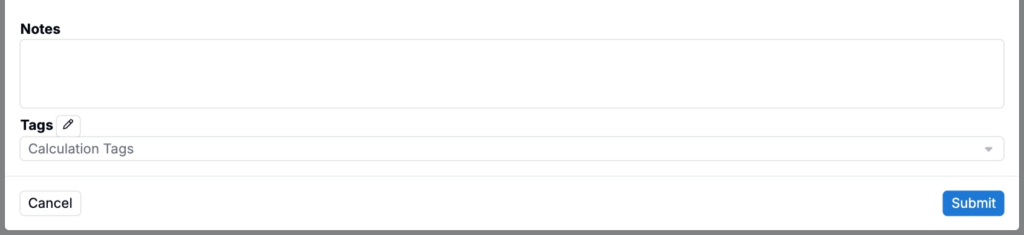
- Notes — Free-text shown on hover over the calculation in the recipe view
- Tags — Group calculations together. Tags let you toggle visibility of related calculations as a set.