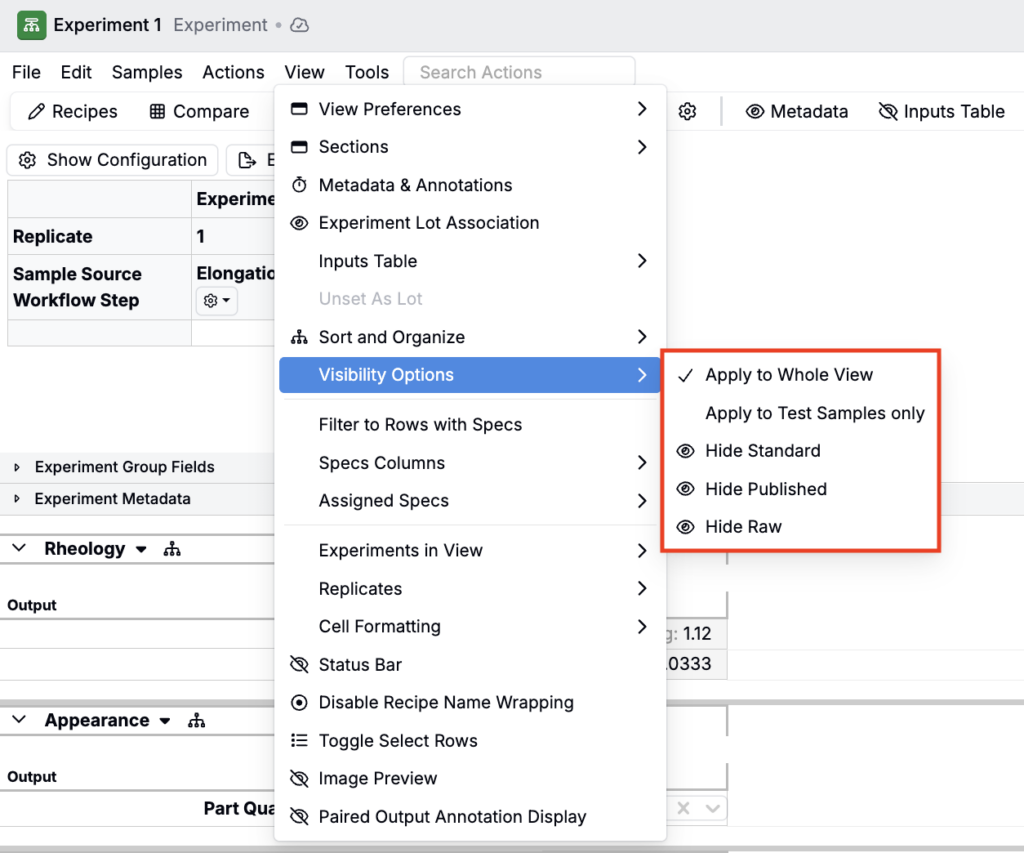
When you create a new output, you can select an Output Category. Categories help to control the organization and visibility of outputs on the Measurements view of experiments.
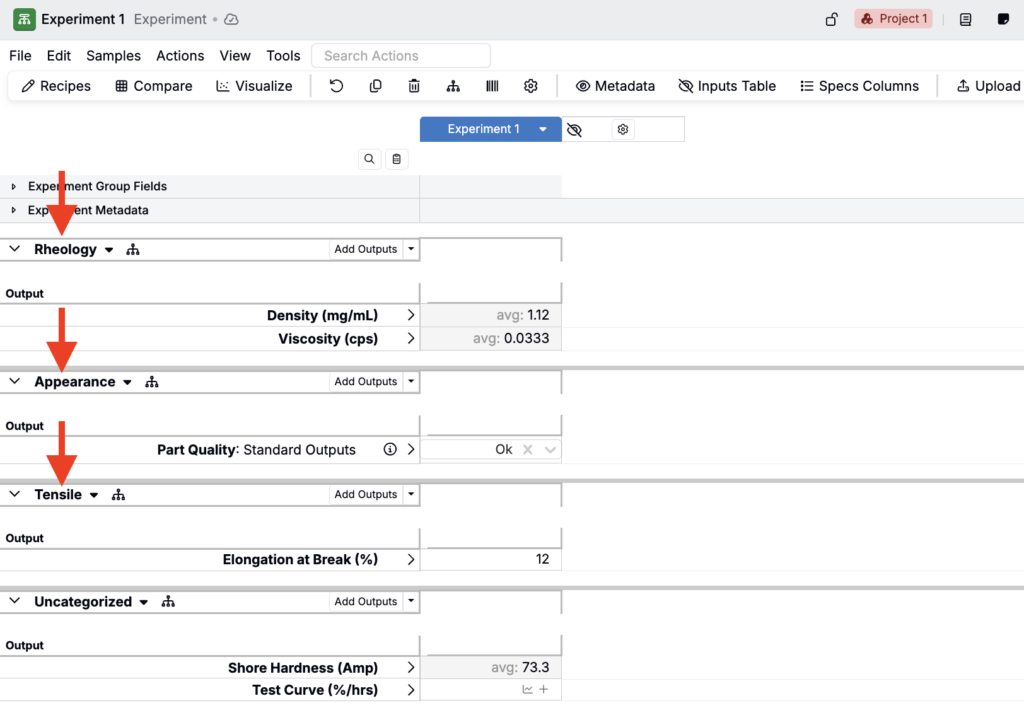
Creating and managing output categories
You can create a new output category in any of these ways:
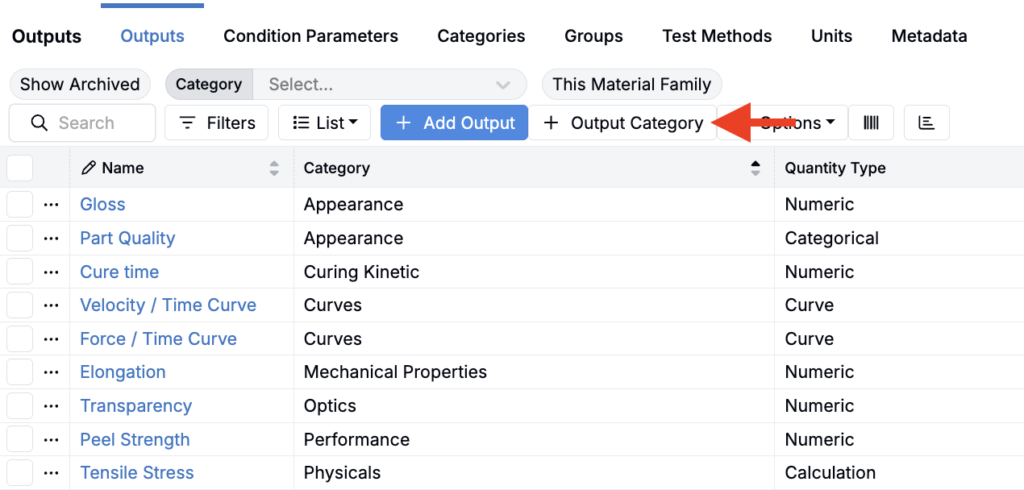
- Click + Output Category on the Outputs listing page.
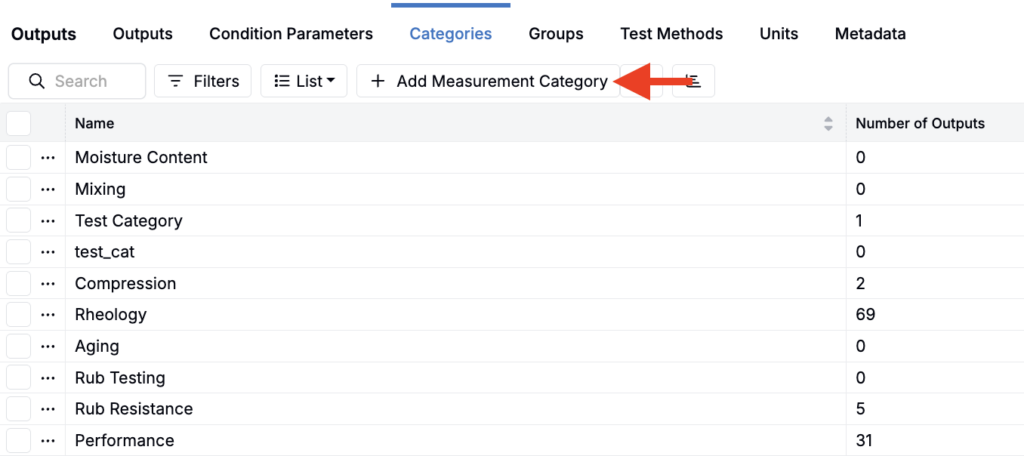
- Click + Measurements Category from the Categories listing page (Outputs > Categories).
- When creating a new output, you can also open the Output Category field and select New Category.
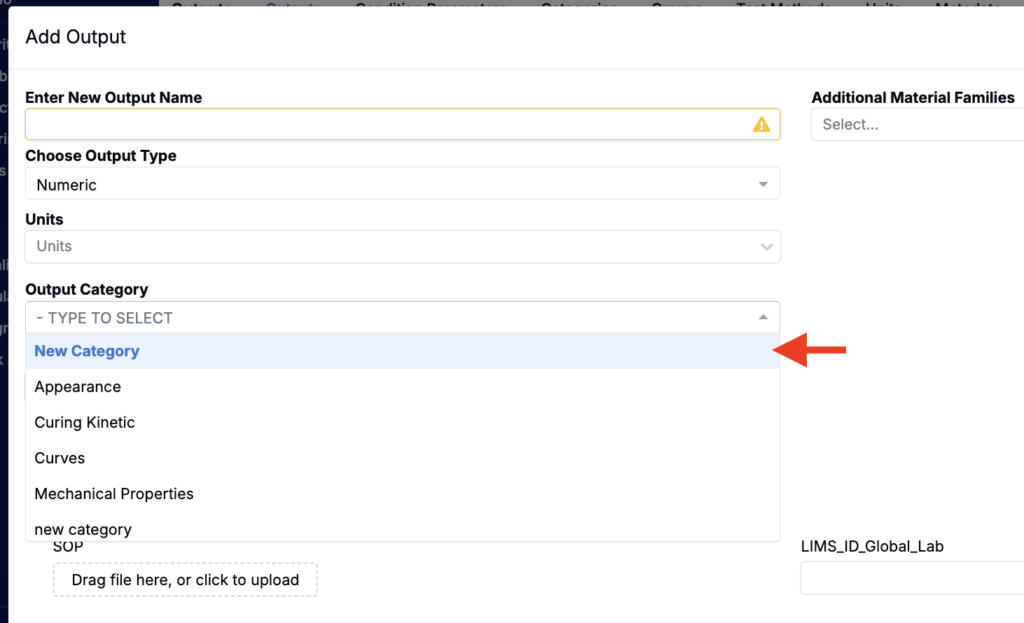
- In the Add Output Category modal, enter a category name.
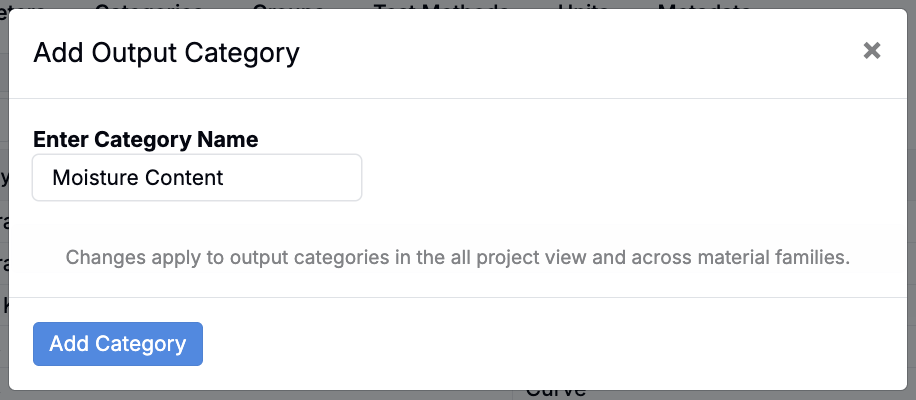
After the category is created, you can edit it from the listing page by selecting … → Modify Output Category.
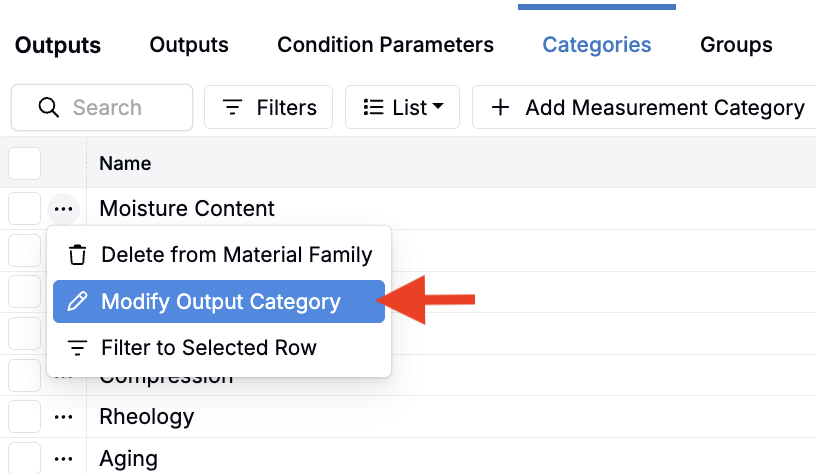
From there you can also set the optional visibility type. This visibility is used to control what shows up by default in measurement-heavy workflows, and to help different audiences focus on the right level of detail. Types include:
- Published — Assign this visibility type to an output category that includes only final or report-ready outputs that you want most viewers to see first.
- Standard — Assign this visibility type to an output category that contains the typical working set of outputs that are validated but not necessarily finalized.
- Raw — Assign this visibility type to an output category that contains unprocessed or high-volume outputs, such as intermediate calculations, diagnostic signals, or exploratory data.
On the Measurements view of experiments, you can filter the displayed measurements to show only Published, Standard, or Raw outputs by selecting View > Visibility Options, and selecting form the submenu:
- Apply to Whole View — Applies settings below (Show/Hide Standard, Published, or Raw) to the entire Measurements view
- Apply to Test Samples Only — Applies settings below (Show/Hide Standard, Published, or Raw) to the test samples only
- Show Standard — Shows only outputs whose category have a “Standard” visibility type
- Show Published — Shows outputs whose category have a “Published” visibility type (often used for results intended for sharing/reporting)
- Show Raw — Shows outputs whose category have a “Raw” visibility type (often used for results intended for sharing/reporting)