
Later this week, we’re updating all Add modals across Uncountable by changing the identity column to display as plain text by default instead of a clickable link.
In the Add modals, the primary intent is to add inputs (ingredients, process parameters) or outputs to your experiment by clicking the Add button. For some users, the linked name created confusion by suggesting that clicking the name would add the input/output to the experiment. This update removes that ambiguity and keeps focus on the intended action.
What’s changing
Name Links Removed from Modals by Default
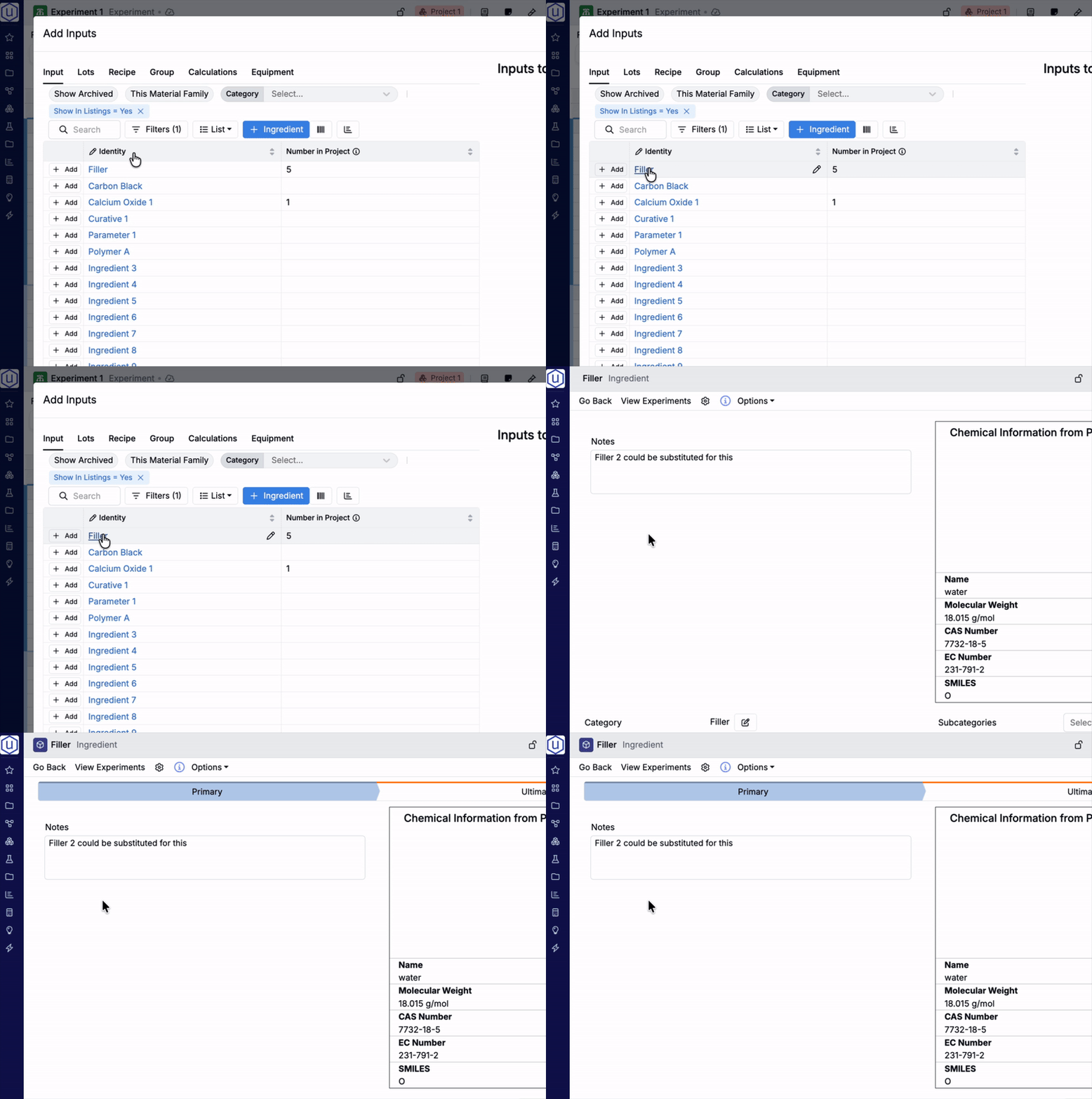
Before: The input/output name appeared as a clickable link in the Identity column. Clicking the name navigated away from the modal to that entity’s details page.
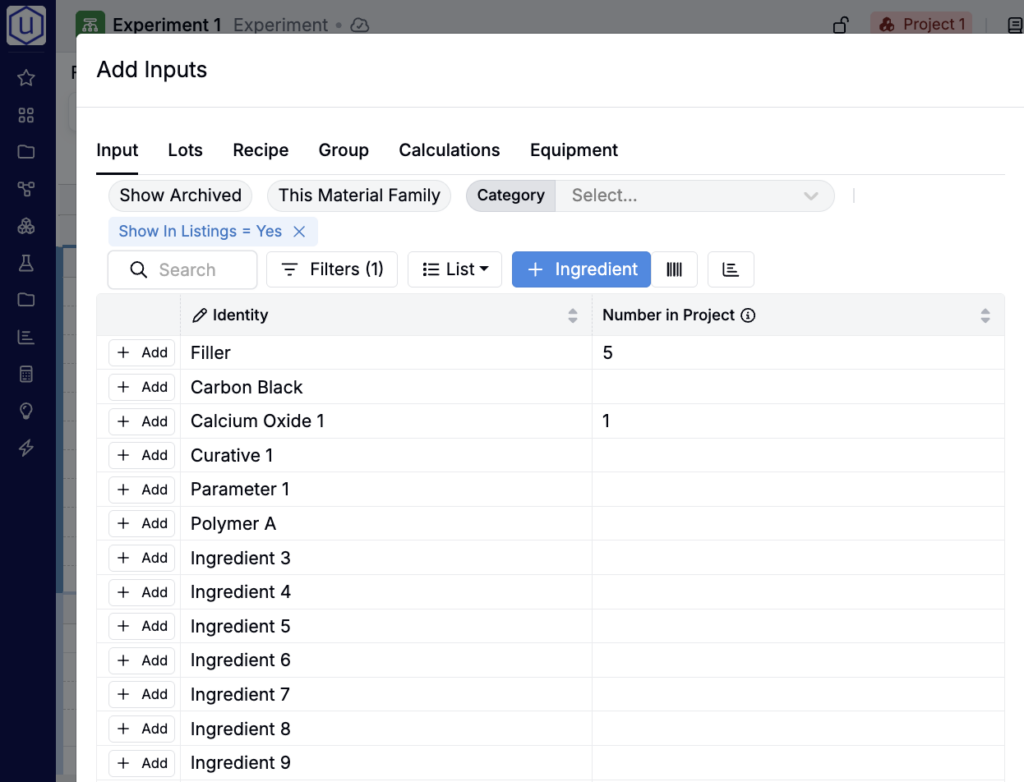
Now: The identity column displays as plain text by default. This encourages users to use the Add button to the left of entity names instead.
Restoring Clickable Identity Link (Optional)
This is an update to the default formatting of the identity column. To restore the clickable link formatting, you can take the following steps:
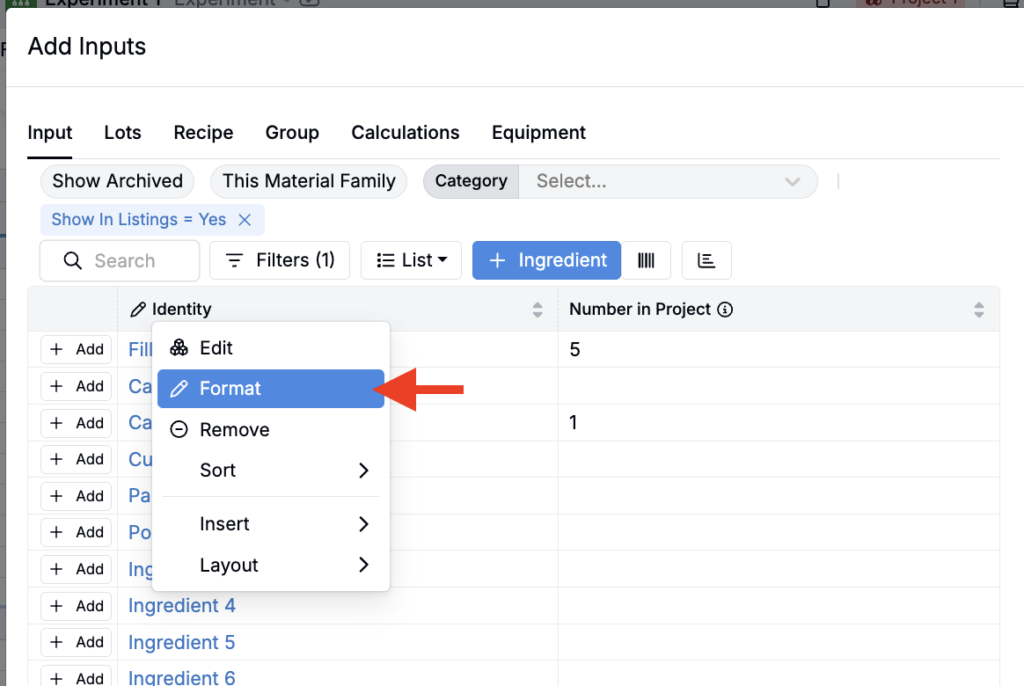
- In any Add modal, access the Identity column header menu and select Format.
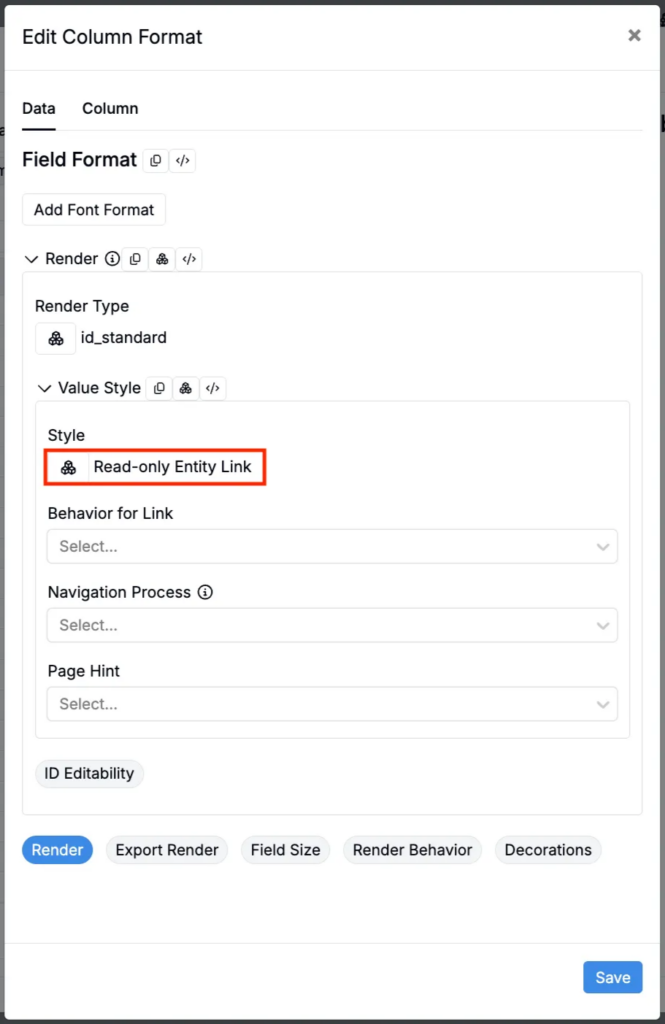
- Within Render settings, under Value Style, set Style to Read-only Entity Link.
Rollout
This change will be deployed on Friday, February 13th, 2026 and will apply to all existing schemas. No action is required on your behalf to see these changes reflected.