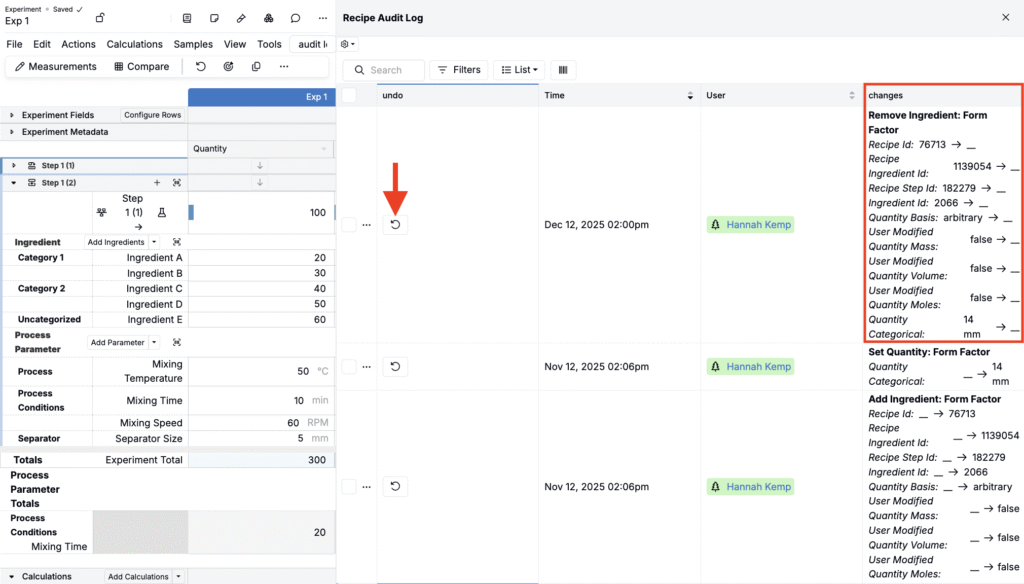
We have improved how expanded undo power for recipes in Uncountable. Previously, undo actions in recipes were limited to typed changes within a single editing session. This made it difficult to recover from actions like removing an ingredient or revisiting changes made earlier in the day or by another user.
With this update, Uncountable users can now undo broader recipe actions across sessions and over time. This change will be especially for teams working with autosave and shared editing.
What’s changed
Undo is no longer limited to your current browser session. Instead, supported actions can now be reverted using the Recipe Audit Log. This means you can undo changes even if you navigated away and came back later or another user made changes to the recipe.
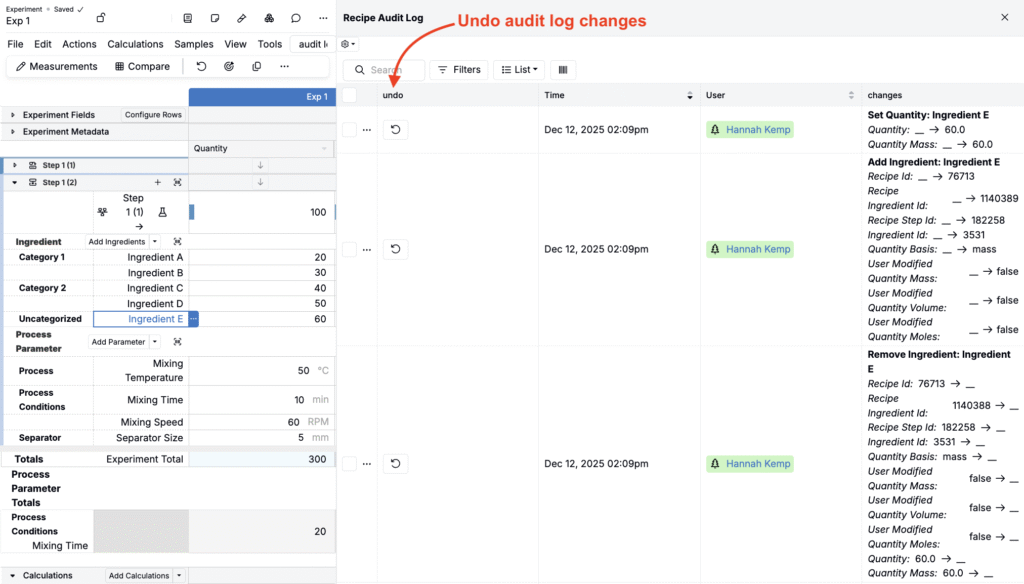
In addition to typed changes, you can also can also undo ingredient additions and ingredient removals.
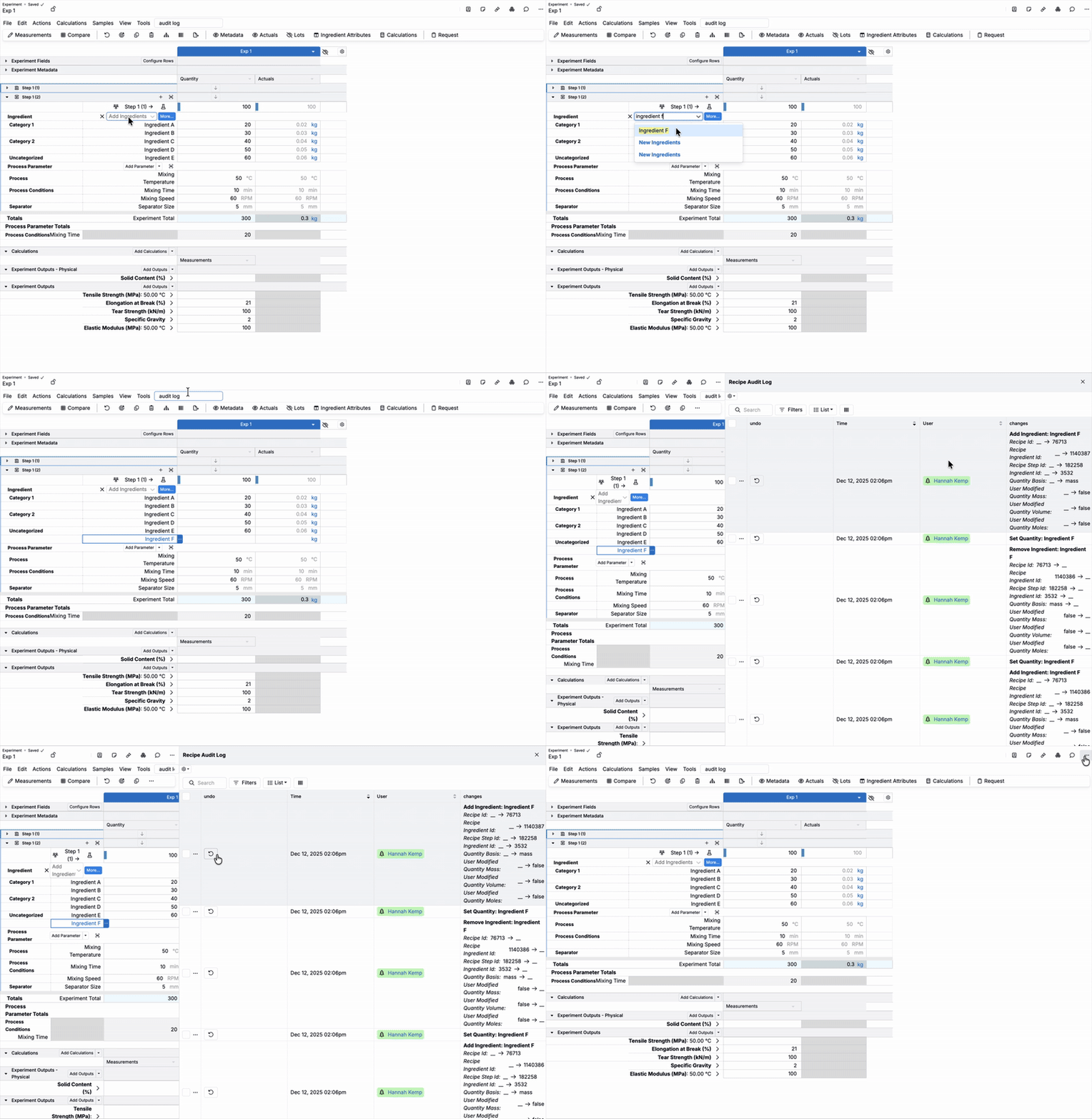
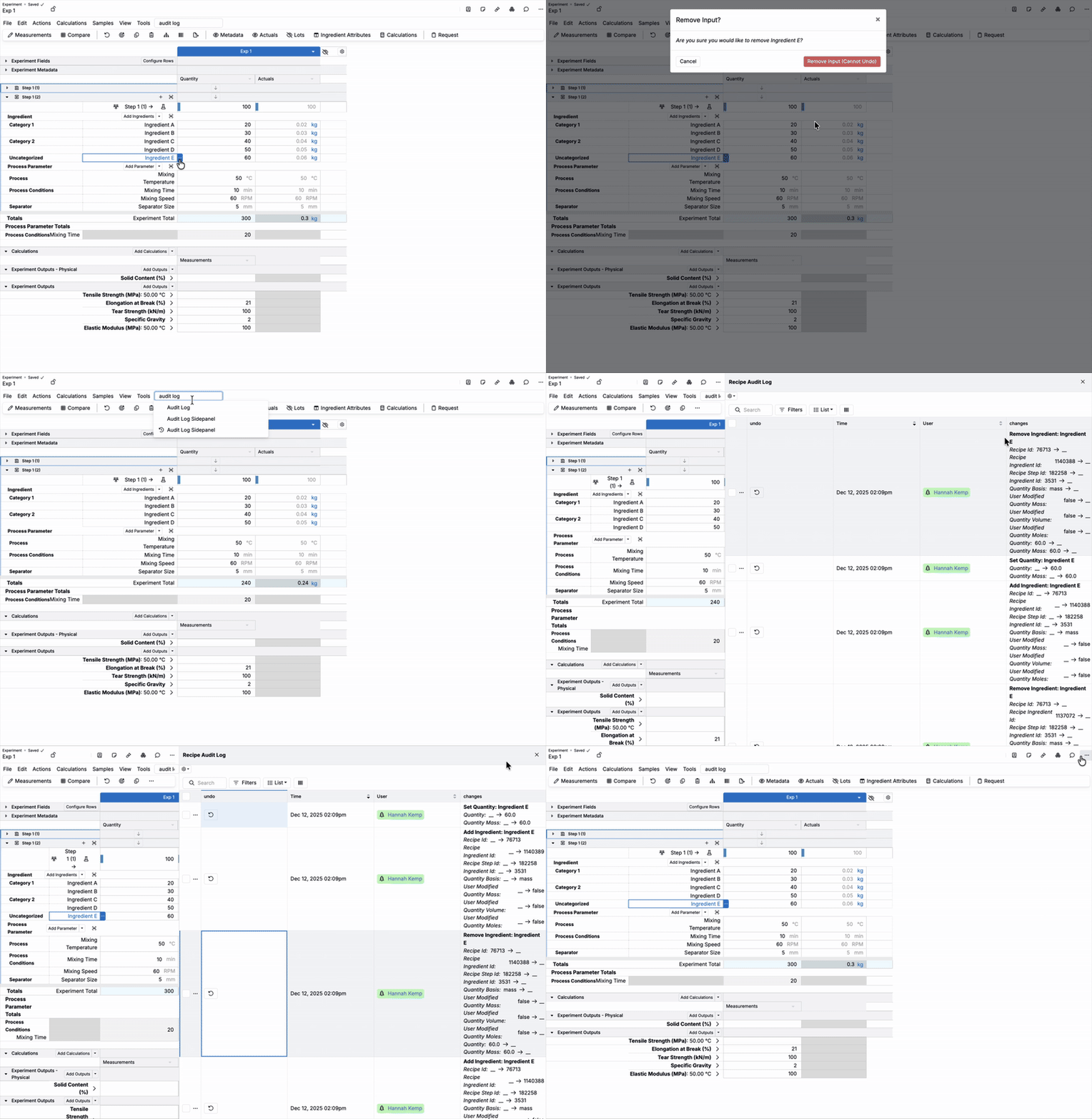
How to undo recipe changes
To undo typed change, ingredient addition, or ingredient removal:
- Access the audit log (Search Actions > “Audit Log Sidepanel”).
- In the sidepanel, use the Changes column to review recipe changes.
- In the Undo column, click the ↩️ icon to revert that specific set of changes.