
Uncountable users with Gen AI enabled can use the in‑platform Bodie AI assistant to get in-context answers and complete common tasks directly from where they’re working.
Accessing Bodie AI
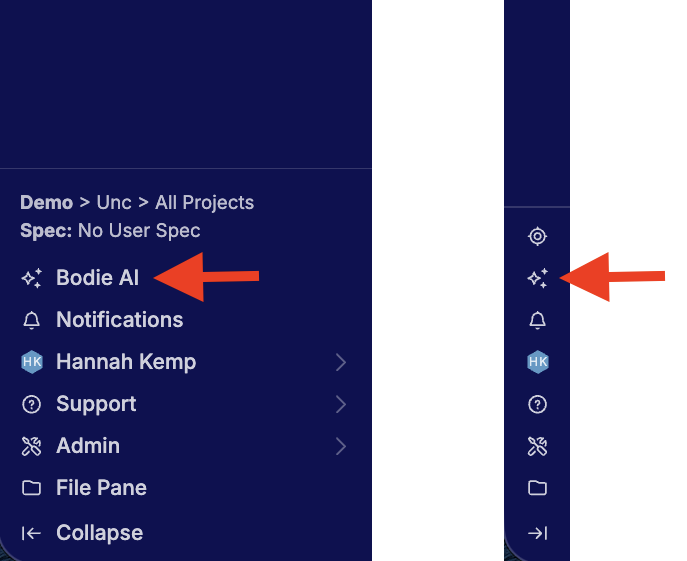
You can open Bodie AI from anywhere within the platform by clicking Bodie AI or the ✨ icon in the Uncountable navigation bar.
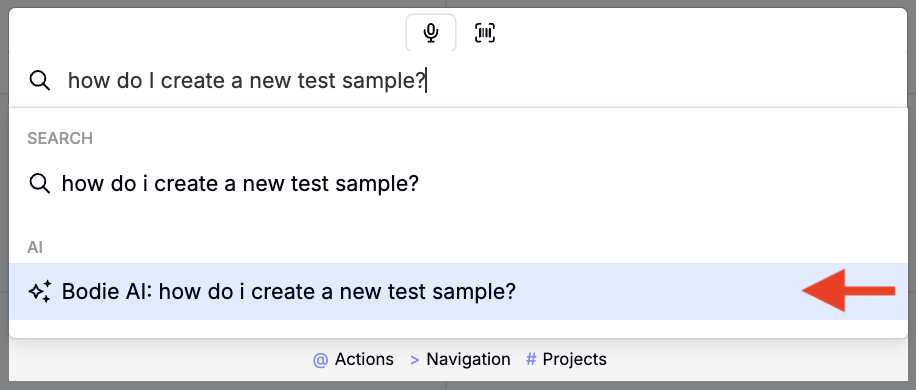
You can also access Bodie AI directly from Quick Actions. Open Quick Actions (or press Command + K), type your question, and select Bodie AI. This opens a new chat thread where Bodie AI answers your question and you can continue with follow-up questions.
Bodie AI Interface
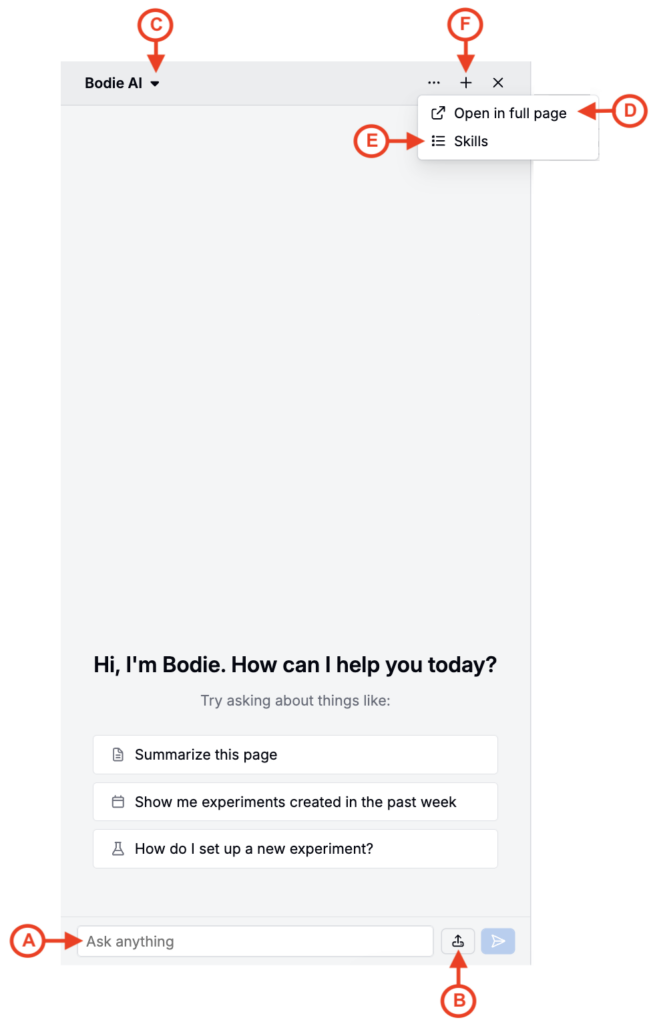
Bodie AI opens in a left-side panel. It automatically returns to your active thread when you reopen it. Within the chat interface, you can:
- Ask questions to receive context-aware responses (A)
- Click the upload icon to attach files (B)
- Click the Bodie AI menu to view a listing of all chats (C)
- Click … > Open in full page to open the chat in a full page
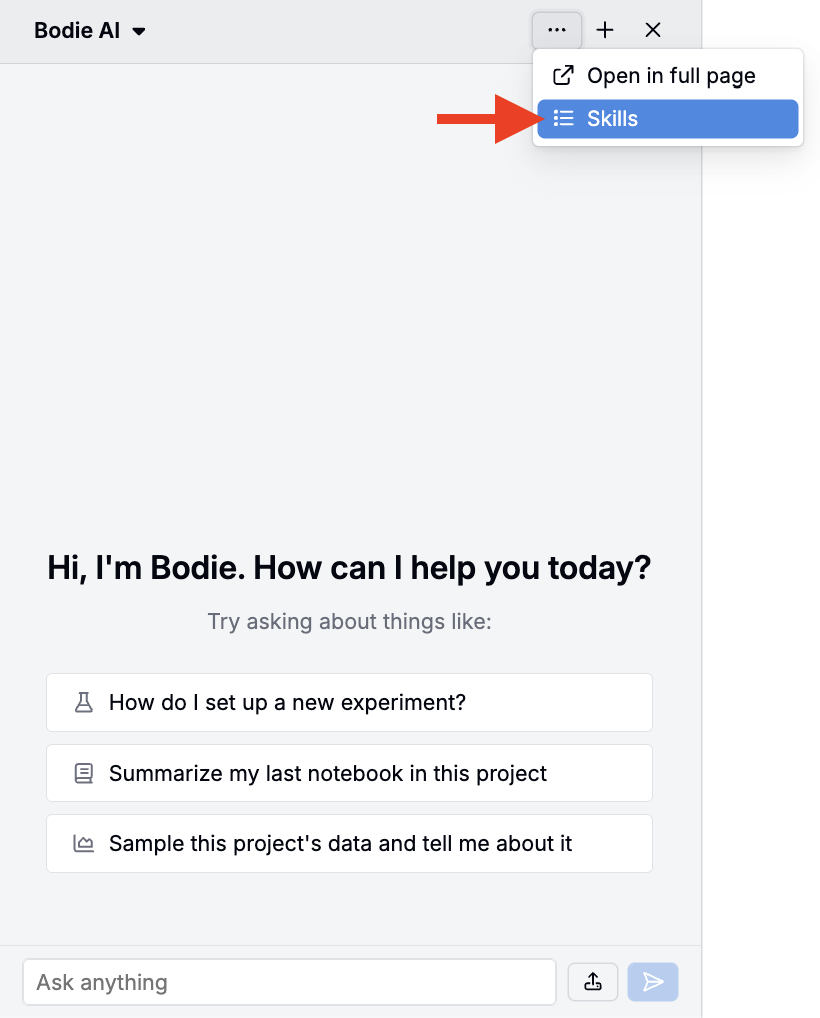
- Click … > Skills to view or create new skills
- Click the ➕ icon to start a new chat
What Bodie AI can do
Bodie AI is continuously evolving. Below are the most recent capabilities.
Ask general platform questions
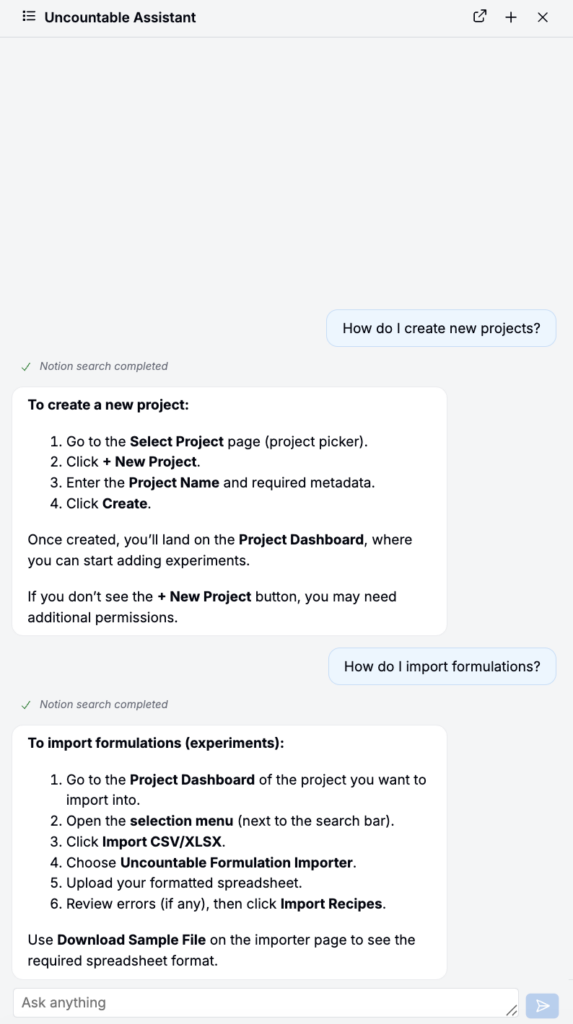
You can ask Bodie AI general questions about how to do actions in Uncountable. It answers in the chat interface with support for follow-up questions.
Example prompts:
- “How do I create a new project?”
- “How do I import formulations?”
- “How do I share a notebook?”
Get in-context answers
Bodie AI can also take the page you’re currently viewing into account when responding. This includes extracting information from attached files in supported workflows.
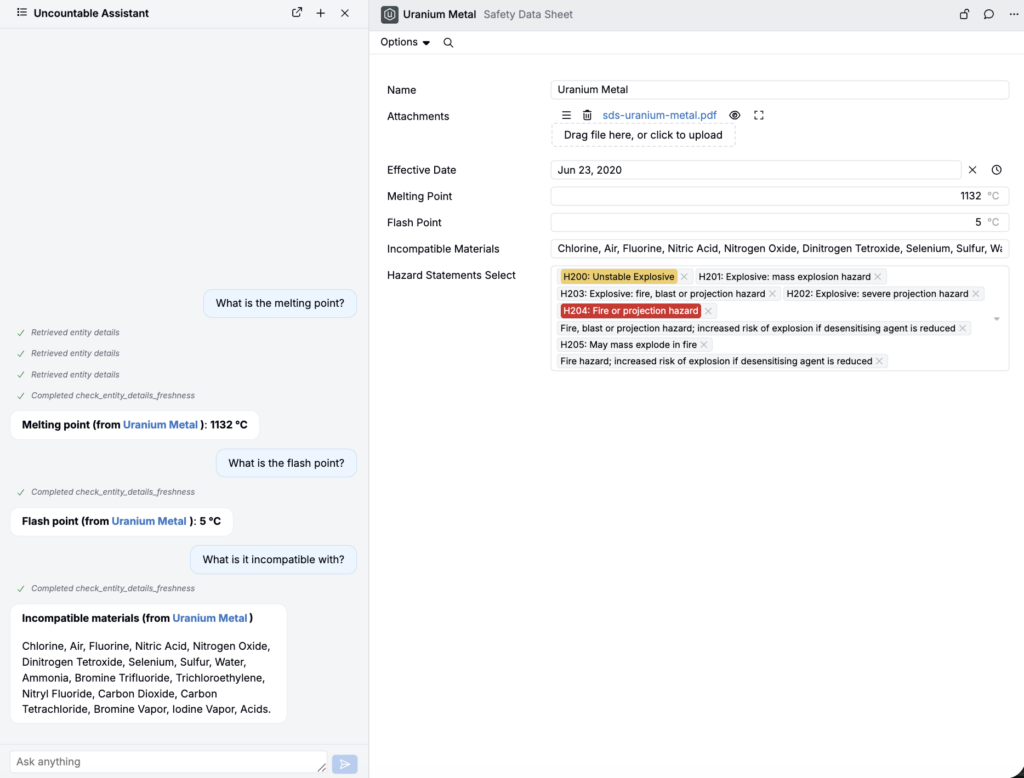
For example, when viewing an SDS, you could ask:
- “What is the flash point?”
- “What is the melting point?”
- “Which materials is it incompatible with?”
Upload files into chat
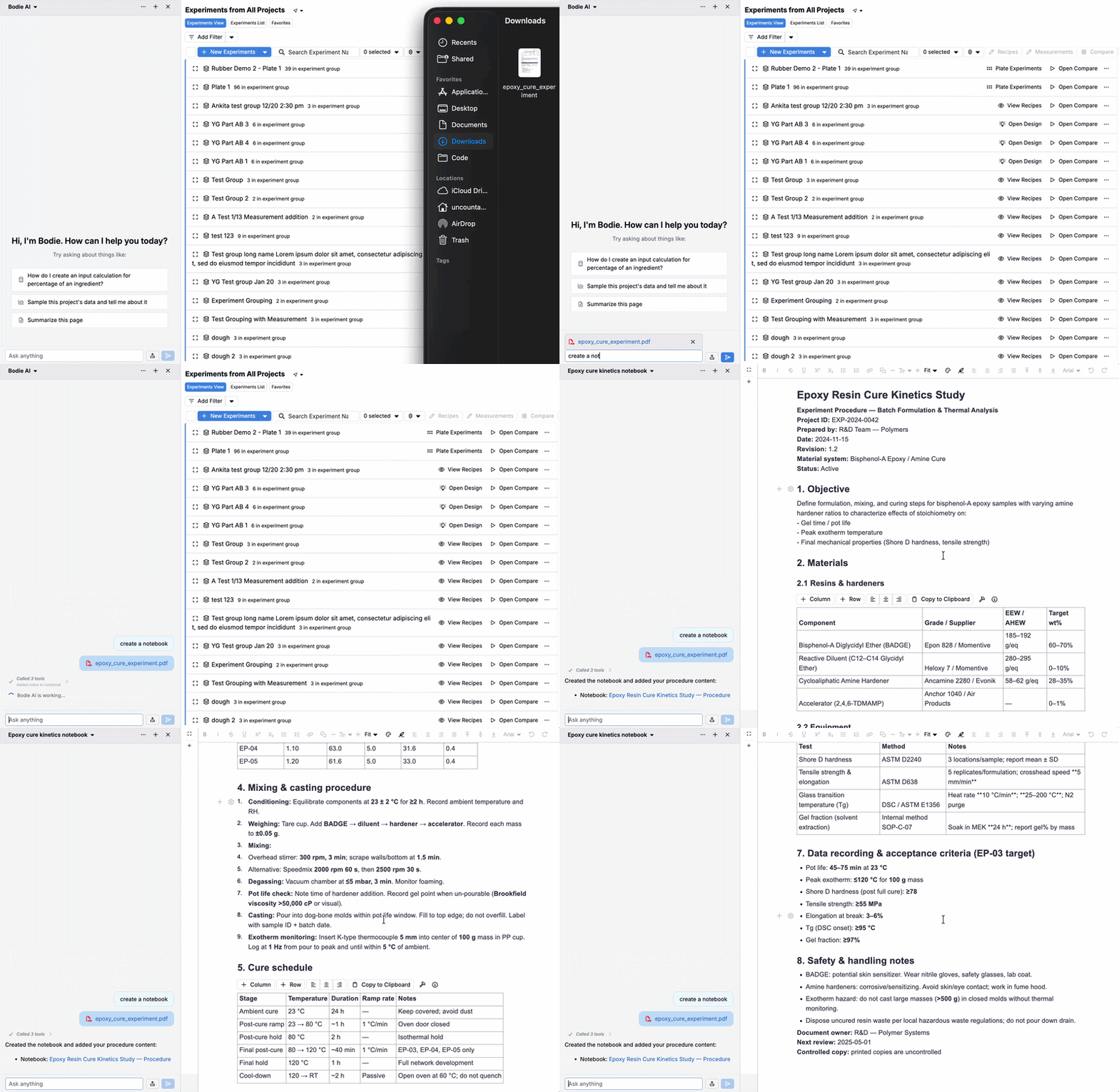
You can attach files directly in the Bodie AI chat (click the upload icon or drag and drop). Bodie AI can use uploaded documents to answer questions and help you generate outputs—without copy/pasting or switching tools.
Example prompts:
- “Summarize the key hazards in this SDS.”
- “Extract the viscosity at 25°C from this PDF.”
- “Create a notebook report based on this document.”
Create analysis artifacts (sampling, notebooks, and graphs)
Bodie AI can support analysis, QC, and RCA workflows by:
- Pulling a random or stratified sample of recipes/experiments from a project or set
- Inspecting samples and helping explain patterns and outliers
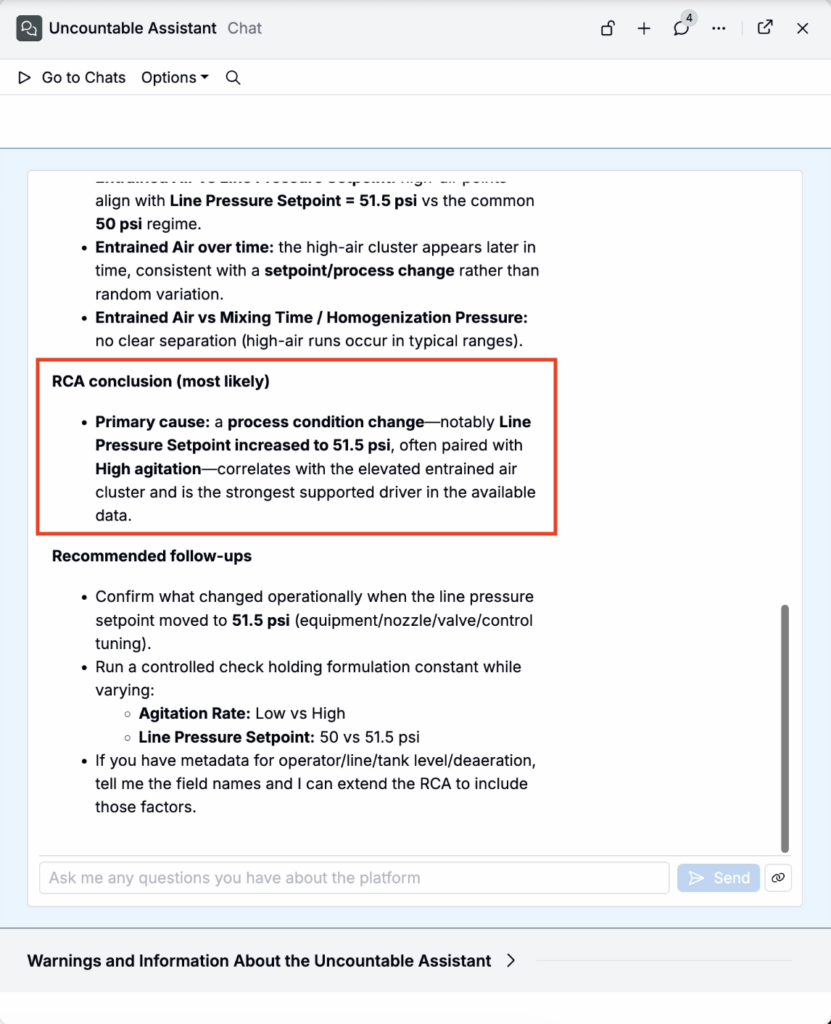
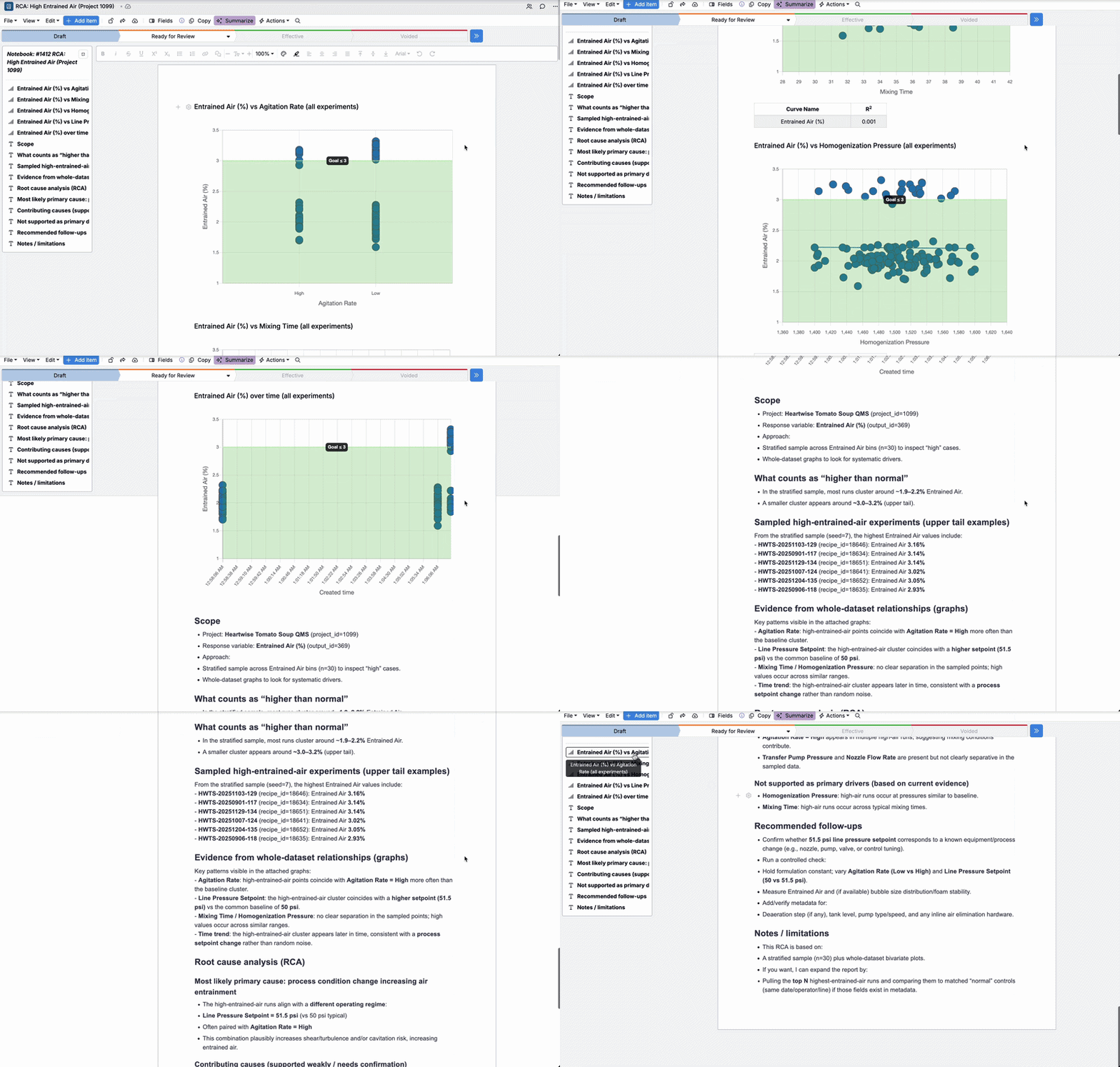
- Creating a notebook report, adding content, and generating graphs to illustrate relationships
Example prompts:
- “Sample experiments in this project and explain why entrained air is higher in some of them.”
- “Create a notebook report with graphs to support an RCA for this project.”
Work with notebooks
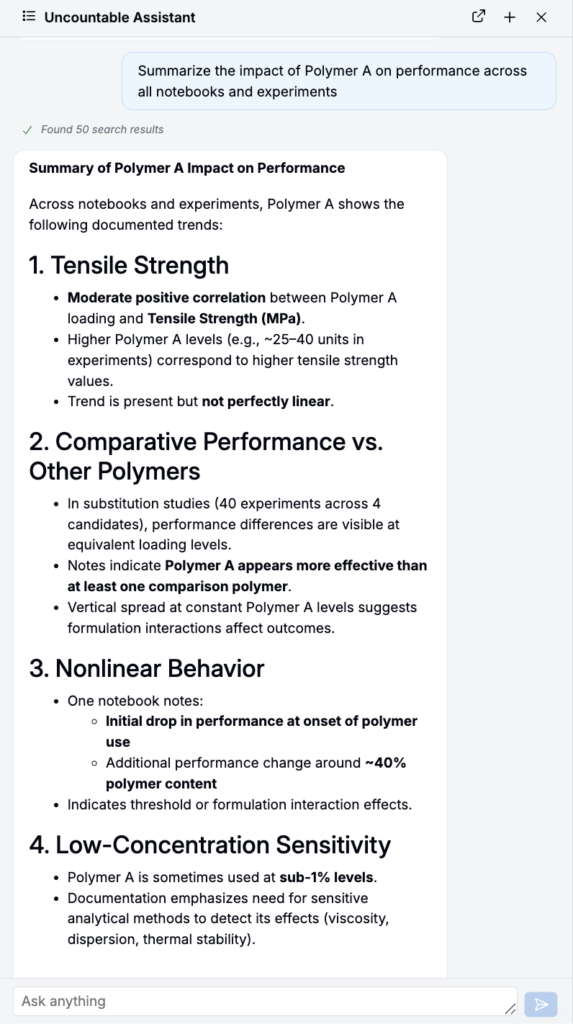
You can also ask Bodie AI questions about existing notebooks. Recent improvements include broader notebook text context support (including text, tables, and chart titles).
Example prompts:
- “Summarize the impact of Polymer A on performance across all notebooks and experiments.”
- “Find our latest notes on Carbon Black.”
Edit custom entities via chat
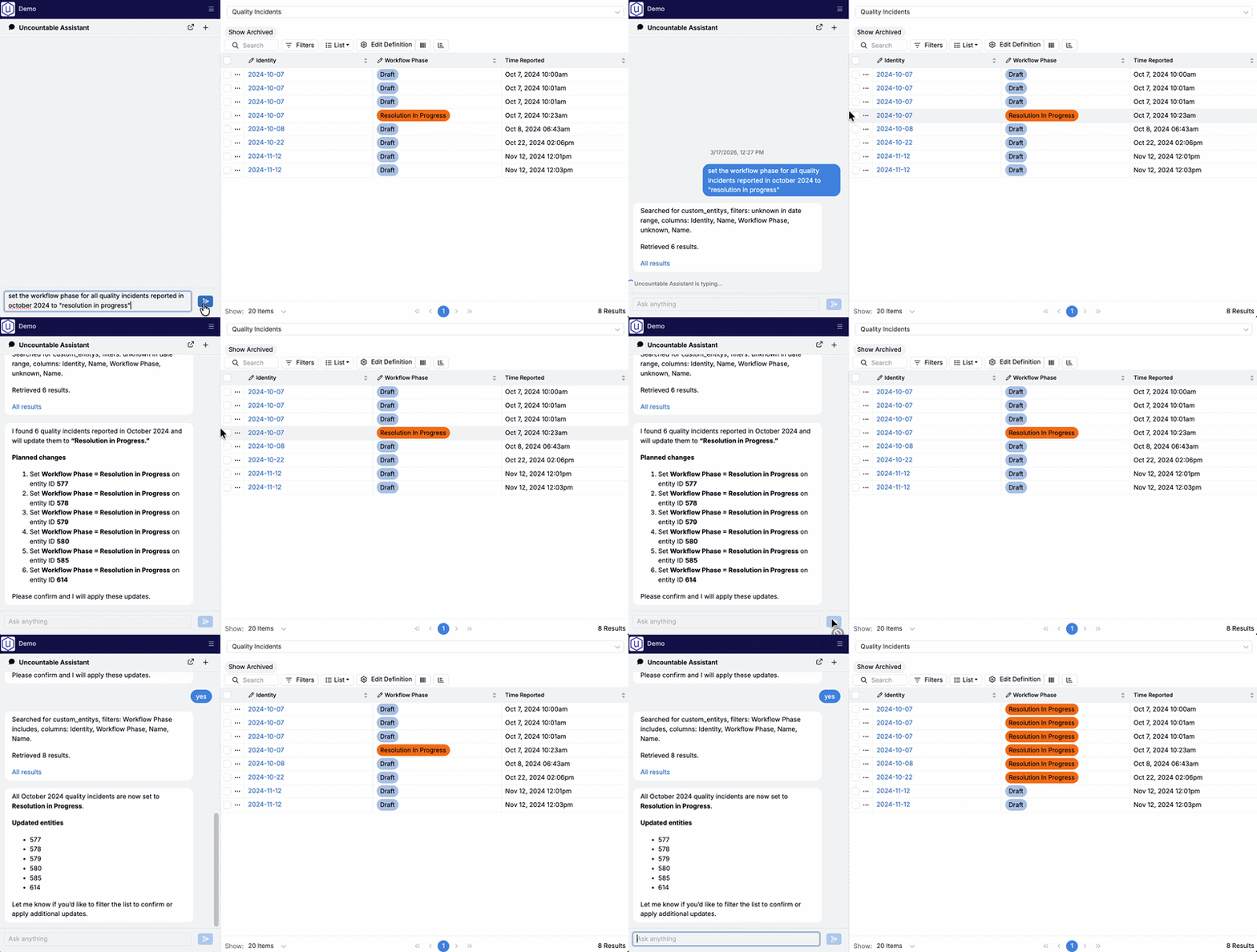
Bodie AI can help edit custom entities via natural-language requests. If the request is ambiguous, it will ask clarifying questions, then present a proposed change summary before applying changes.
Example prompts:
- “Set the workflow phase for all Quality Incidents reported in October 2024 to ‘Resolution in Progress’.”
- “Append ‘(Legacy)’ to all entities created before 2024.”
Edit Value Specs via chat
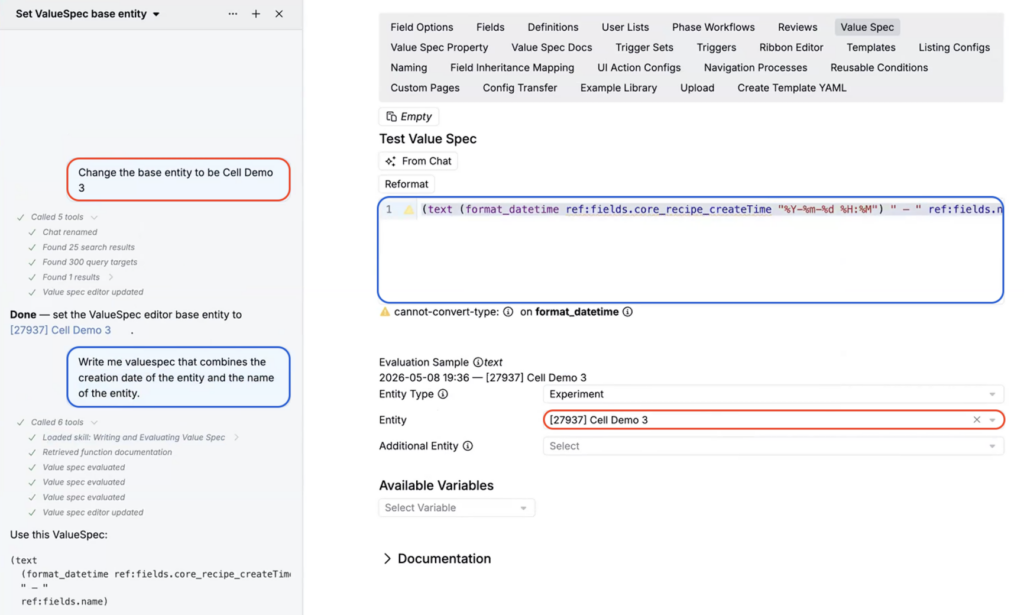
Bodie AI can now read value-spec documentation, run and evaluate value specs internally against an evaluation context, and directly edit the Value Spec editor in view—including both the context configuration and the raw value spec.
The primary entry point for this capability is Form Admin > Value Spec tab. From there you can describe the value spec behavior you want and Bodie AI will draft, refine, and apply changes without you needing to manually edit the JSON.
Example prompts:
- “Set the base entity type for this context to Experiment.”
- “Add a rule that hides this field when the batch size is below 10.”
- “Evaluate this value spec with a batch size of 5 and tell me what fields would be hidden.”
Skills
Skills let you save repeatable guidance for Bodie AI—so it can follow your team’s preferred process and keep responses consistent.
Use skills when:
- You want Bodie AI to follow a specific workflow (for example, “how we write value specs”).
- You want consistent, customer-ready language across the team.
To access the Skills listing, where you can view and edit skills available in your workspace, click … > Skills. Learn more.
Tips for getting better answers
- Provide the goal and any constraints (e.g., “validated environment”, “must be audit-friendly”).
- If you’re on a relevant page, ask from that page so the Uncountable Assistant can use context.
- Ask follow-ups (“show me examples”, “what’s the safest default?”, “what are common mistakes?”).
Availability
This feature is available only for workspaces with Gen AI enabled in their schema. If you do not see it, speak to your Uncountable representative to add Gen AI.