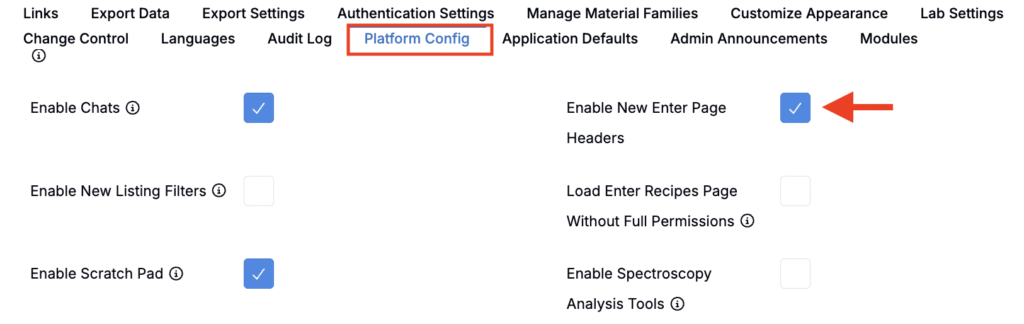
Next week, we will be rolling out an update to the recipe and measurements view of experiments that changes how headers are displayed.
The goal of this redesign is to make it clearer which fields apply to an entire recipe versus which fields apply to individual recipe columns, while also improving readability and usability when working with multiple experiments at once.
What’s Changing
The following changes will apply to both the Enter Recipe and Enter Measurements view of experiments.
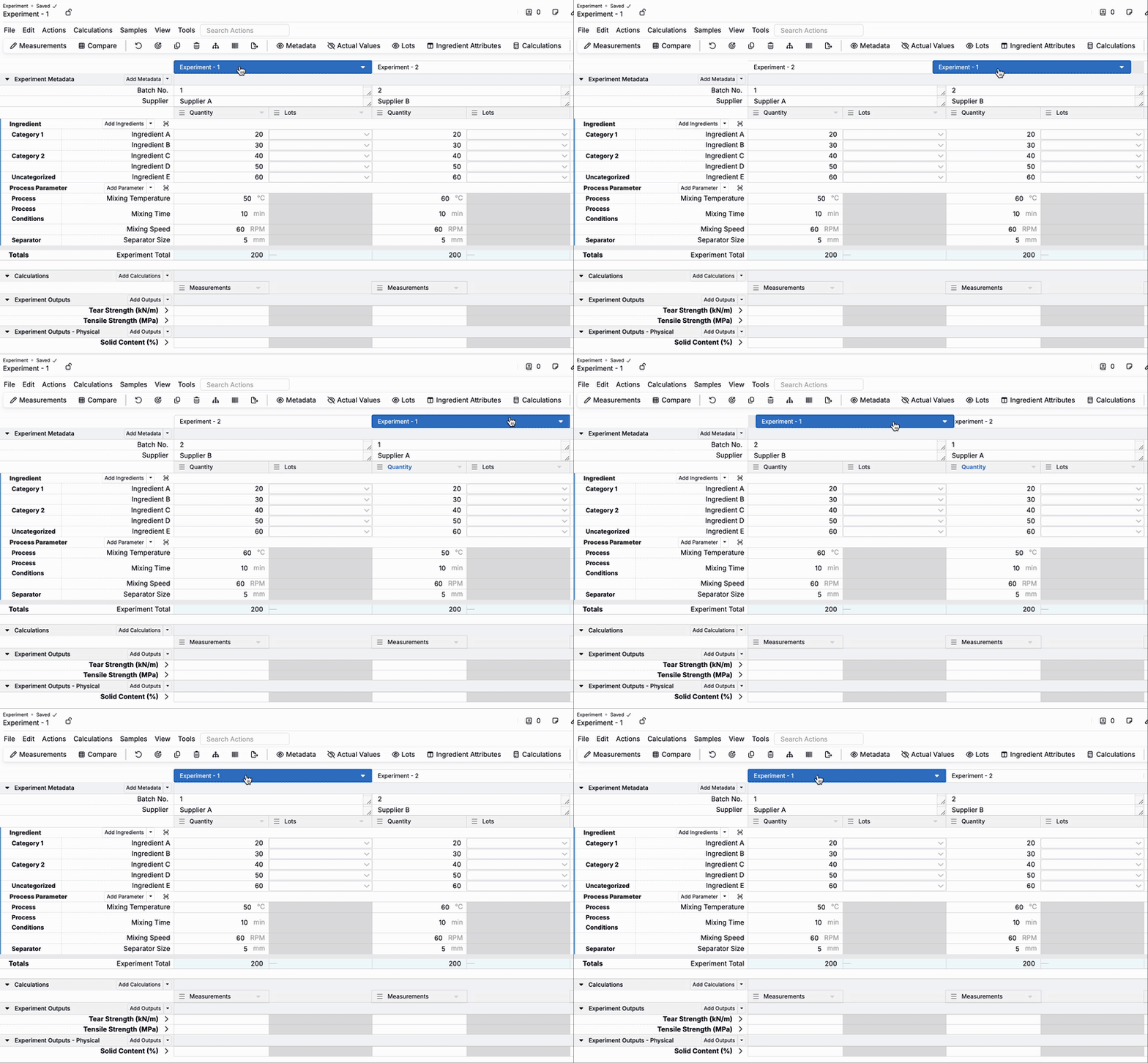
Two-Layer Header Structure
Before: All fields—recipe name and additional recipe columns (e.g. Actual Values, Lots)—were combined into a single header row. This could make it difficult to distinguish between data that applied to the whole recipe versus values that applied only to one column.

Now:
- The top row contains the recipe name. Underneath are all fields that apply to the recipe as a whole (e.g. Experiment Metadata, Experiment Fields).
- The second row contains headers for each additional recipe column (e.g. Quantity, Actual Values, Lots).
- When no additional recipe columns are displayed, the second row is automatically hidden, reducing clutter and keeping the header compact.


Visual Updates
Before: The active recipe header used muted grey and blue tones, which sometimes made it difficult to distinguish the active recipe.

Now: Active recipes are highlighted in Uncountable’s default blue, providing stronger contrast with the rest of the page and making it easier to identify which experiment is currently active.

Improved Drag-and-Drop Interactions
Before: Experiments could only be reordered using small “hamburger” drag handles in the header.
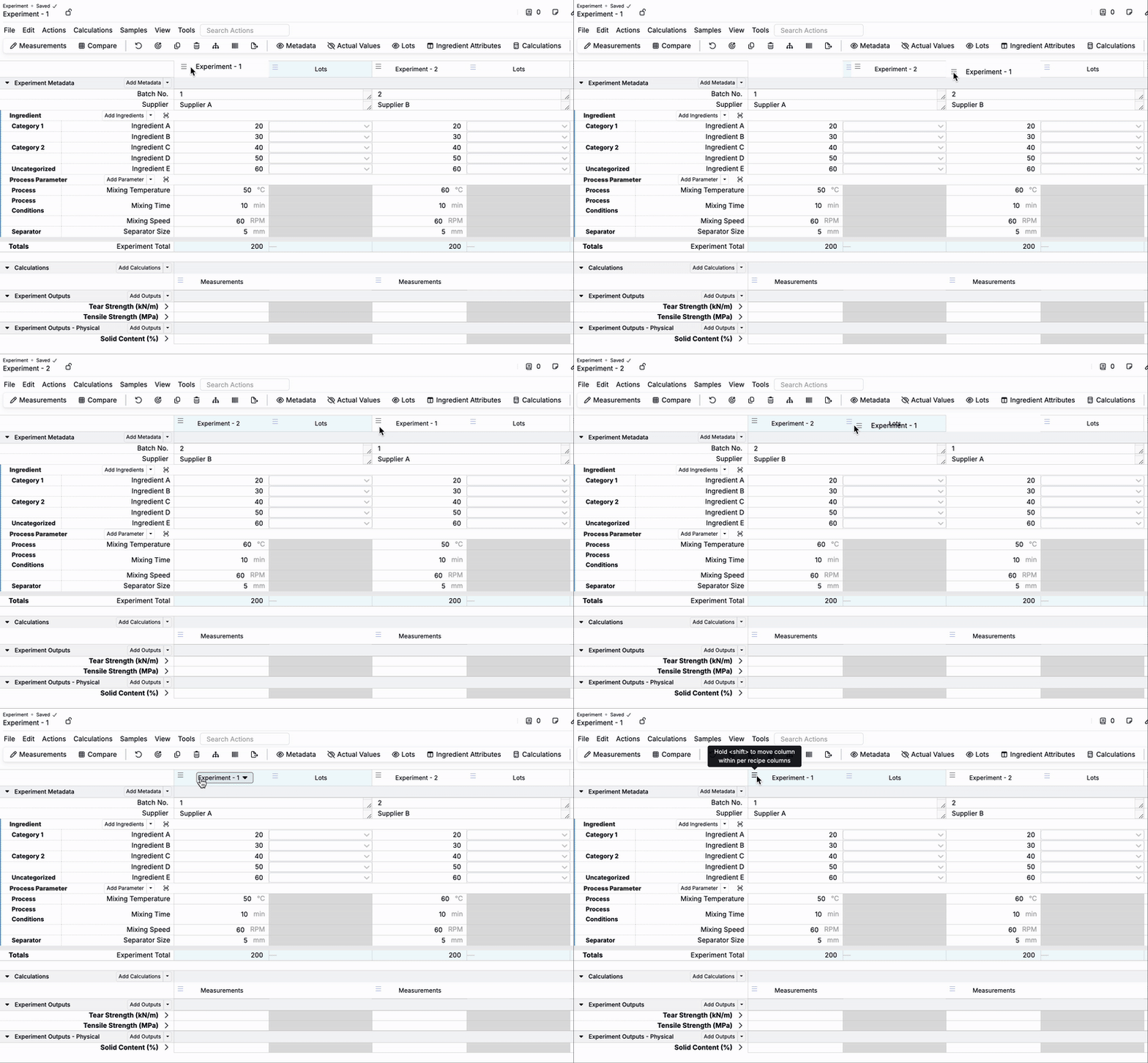
Now: Drag handles have been removed. You can simply click and drag from anywhere in the header to reorder recipes and their columns. This simplifies interactions and reduces visual clutter.
Why this change?
These updates:
- Improve clarity by separating recipe-level and column-level fields.
- Make it easier to see and manage which experiment is currently active when multiple experiments are in view.
- Simplify column reordering and reduce reliance on small drag handles.
Rollout Plan
Beginning Friday, October 3, this layout will become the default for all schemas. To opt in early or preview these changes, admins can enable the new header in Company-Wide Settings > Platform Config by toggling on Enable New Enter Page Headers.