
The Search for Similar Ingredient sidepanel is one method for finding ingredient alternatives when formulating recipes. Instead of relying on manually tagged substitutions, this feature uses a similarity algorithm to suggest ingredients based on configurable attributes.
Overview
The Search for Similar Ingredients sidepanel runs a Similar Entity Search that compares ingredients based on:
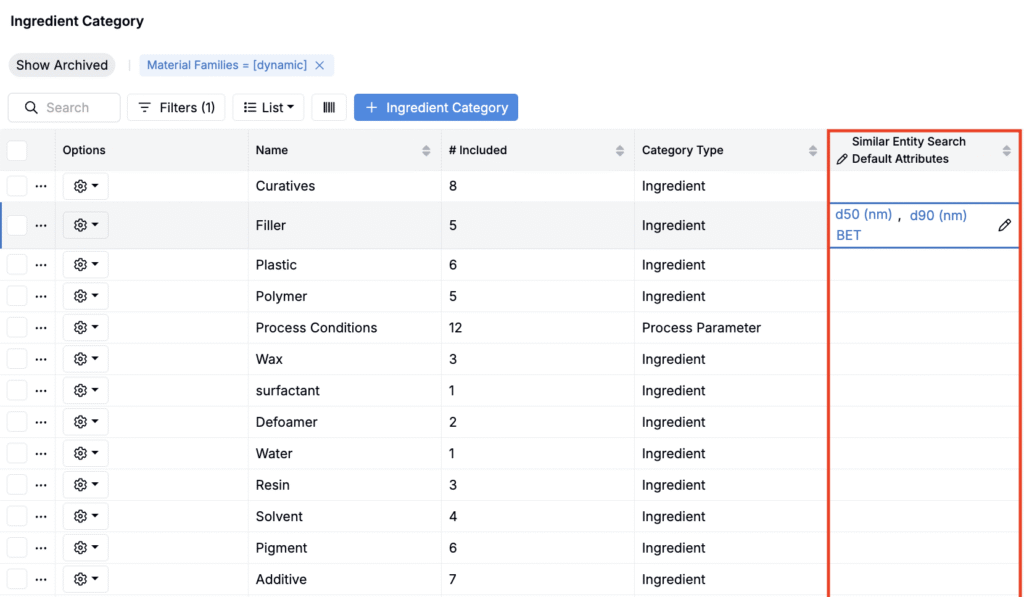
- Default ingredient category attributes (configured in advance on the Input Categories listing page)
- Individual ingredient attributes (configured directly in the sidepanel)
The quality of suggestions depends on how well attributes are populated across your ingredient library, since the algorithm relies on this data.
Setting Up Default Attributes
You can define default attributes for each ingredient category so that Similar Entity Search prioritizes them automatically.
- Go to the Input Categories listing page (Inputs/Outputs > Input Categories).
- Clicking List > Set Columns.

- In the modal, add a Ingredient Categories + Similar Entity Search Default Attributes column.
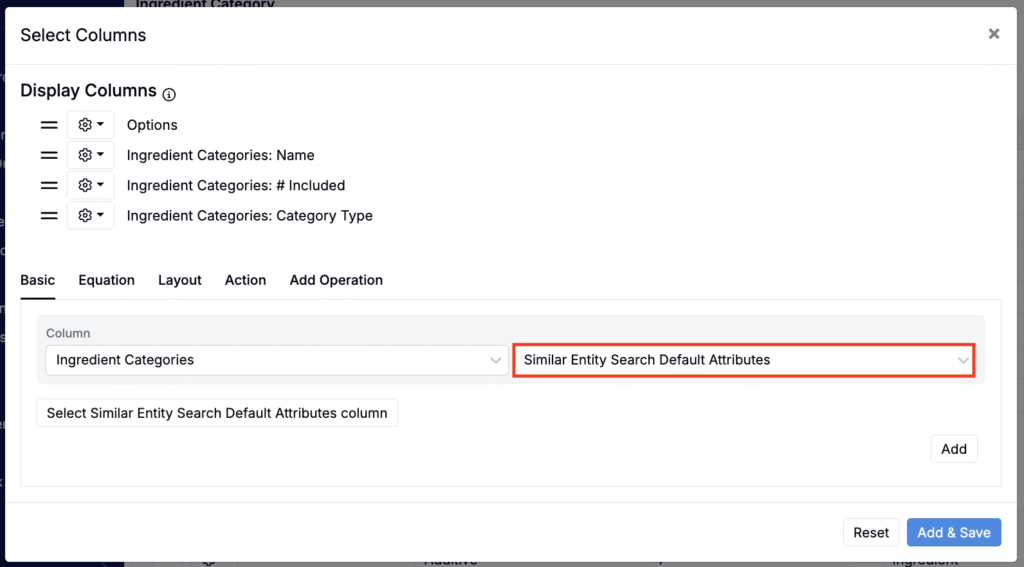
- For each category, you can select which ingredient attributes should contribute to similarity scoring by default.
Swapping Ingredients in a Recipe
- On a recipe, right-click an ingredient.
- Select Swap > Search for Similar Ingredient.
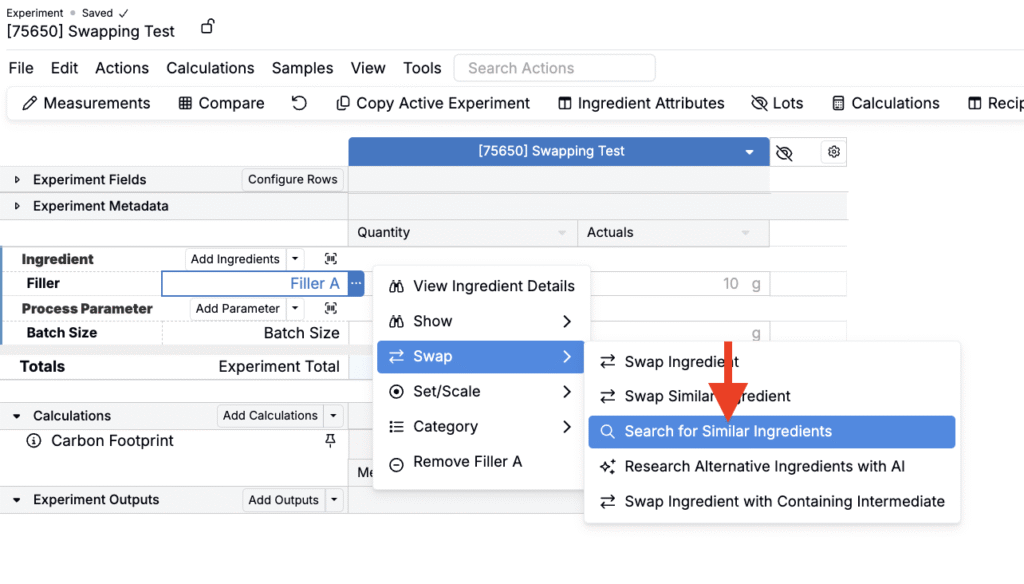
- The sidepanel will open, showing a Search Parameters section and a Results table.
- Search Parameters (A) lists all default attributes for the ingredient’s category, along with any attributes currently shown as columns in the Results table.
- Results (B) displays ingredients ranked by similarity.
- To include additional attributes in the similarity search, add them as columns to the Results table (List > Set Columns).

Adjusting Search Parameters
Within the Search Parameters section, you can:
- Include or exclude attributes by toggling the 🚫 icon.
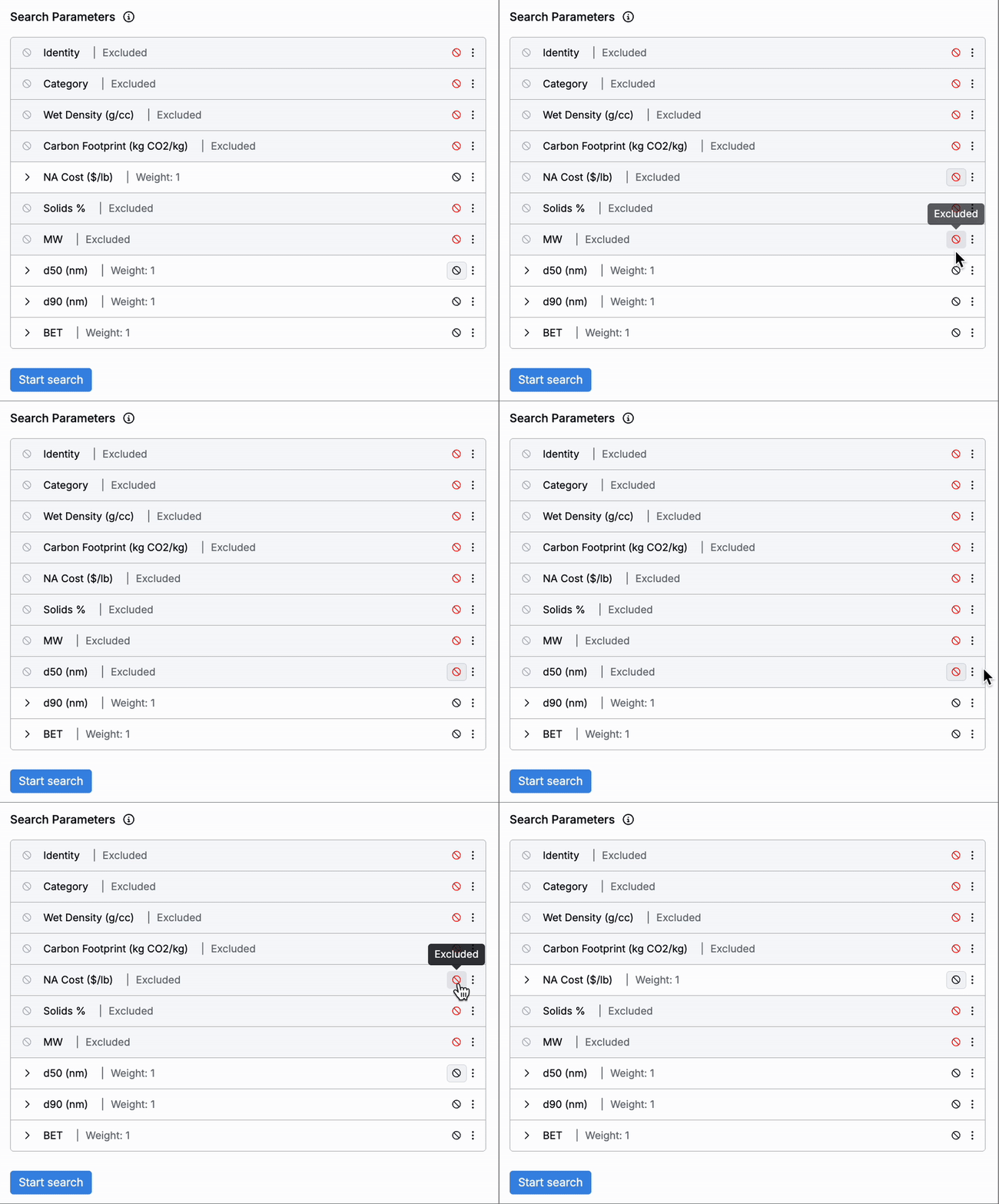
- Adjust weights by expanding a parameter row and editing the Weight field:
- Higher weights increase the importance of that attribute when calculating similarity.Lower weights reduce its influence on the results.
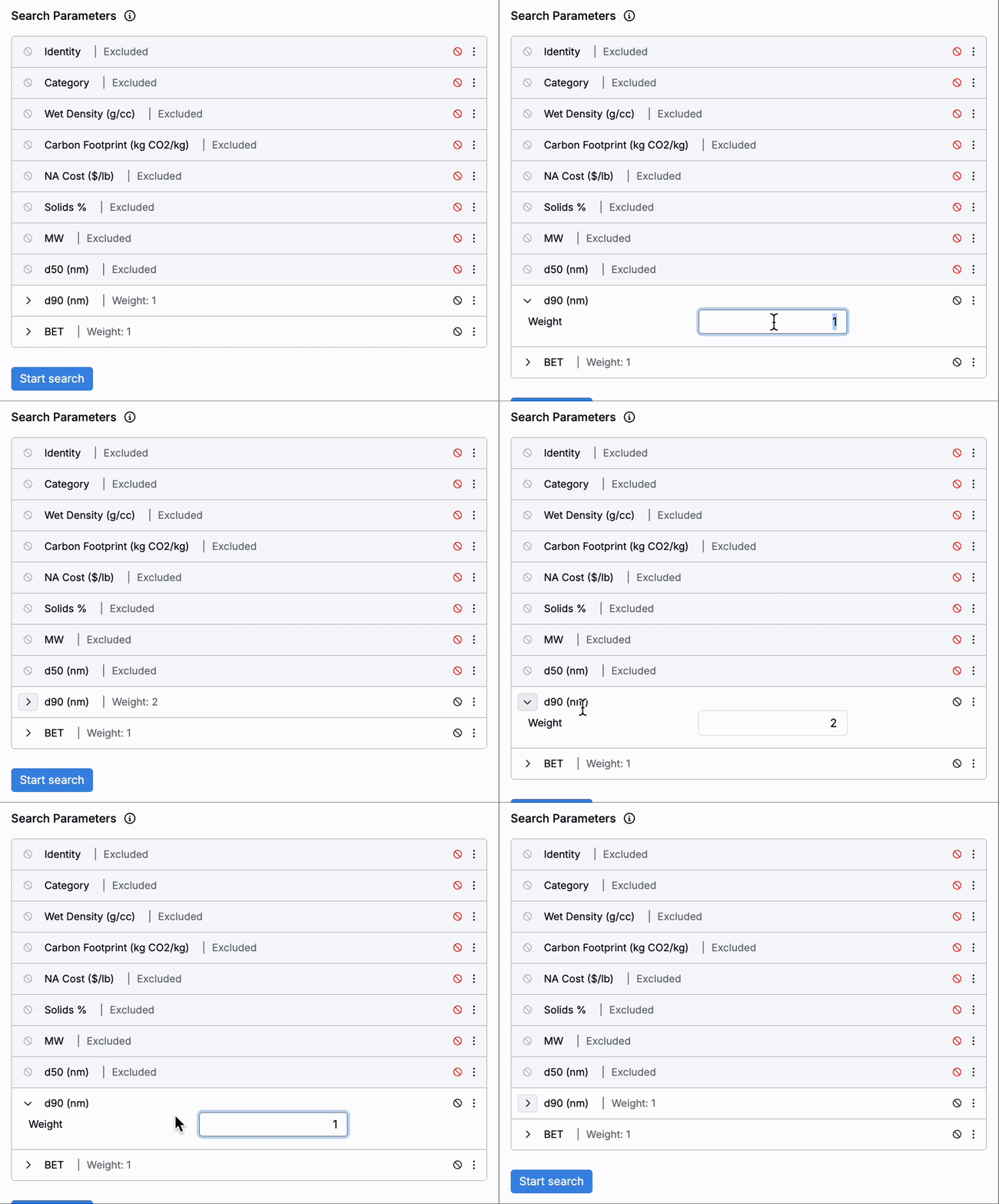
Once parameters are set, click Start Search. The Results table will refresh, ranking ingredients by similarity score.
Adding Filters
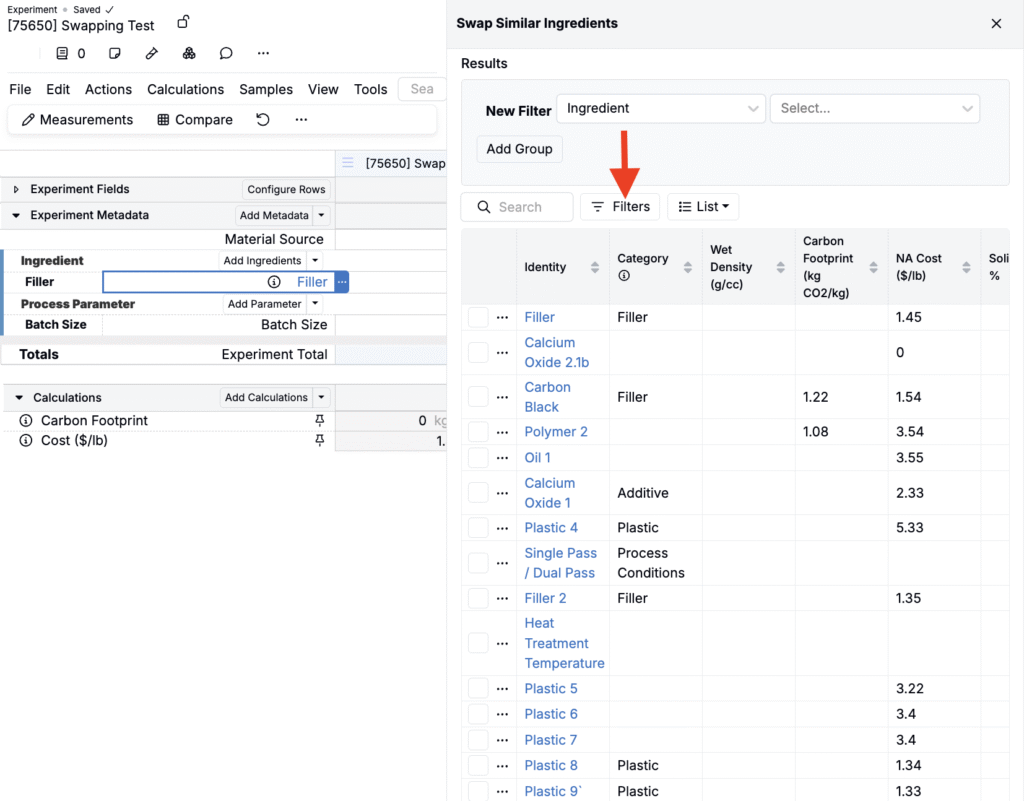
In addition to weighting attributes, you can further refine results by applying filters. This is useful for narrowing candidates to a certain subset of ingredients or excluding items that are archived or unavailable.
Completing the Swap
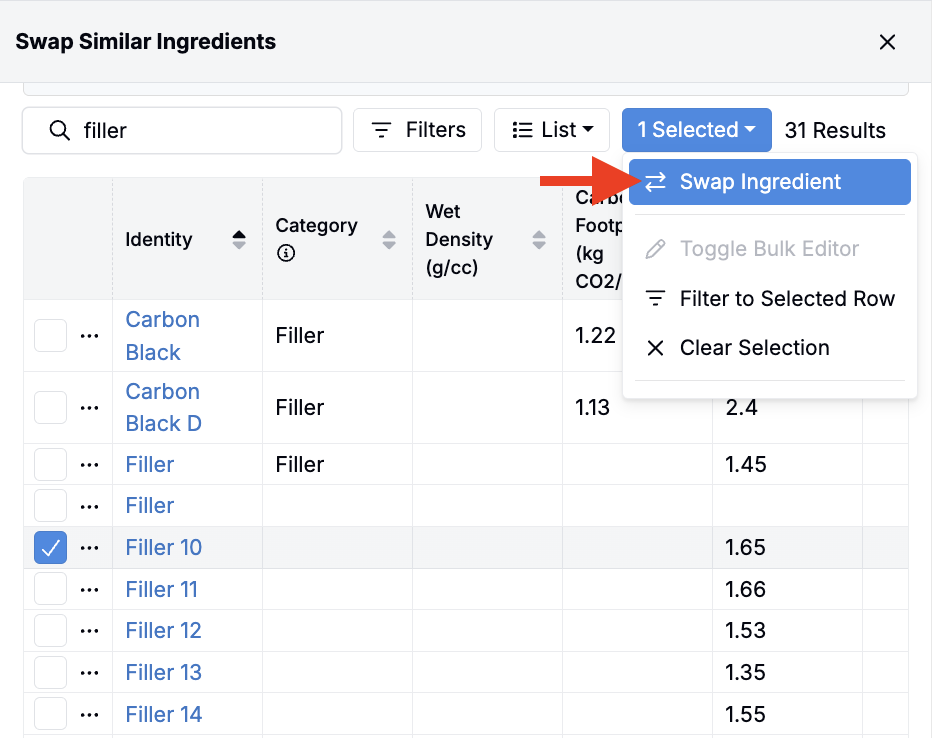
From the Results table:
- Select the ingredient you want to use as a replacement.
- Open its selection menu.
- Click Swap Ingredient to complete the substitution.
Swap Options in Uncountable
Uncountable provides four main ways to swap ingredients when creating formulations:
| Method | How It Works | Best For | Learn more |
|---|---|---|---|
| Swap Ingredient | Opens a modal to manually search across the entire ingredient library. | Maximum flexibility; ad hoc swaps when no rules or attributes are needed. | |
| Swap Similar Ingredient | Uses manually defined relationships. Ingredients are tagged as “similar” via subcategories. | Governed, repeatable substitutions that are well-defined and rarely change. | Swap Similar Ingredient |
| Search for Similar Ingredient | Opens a sidepanel that runs an algorithmic similarity search based on ingredient attributes. Users can set default ingredient category attributes, adjust attribute weights, and apply filters to find alternatives. | Flexible, context-specific swaps where attributes matter and potential substitutes vary. | |
| Research Alternative Ingredients | AI-powered tool that searches external sources based on a prompt. Returns structured alternatives with supporting data and links. | Exploratory research or early-stage projects without predefined options. | Gen AI: Research Alternative Ingredients |
| Bulk Modify “Swap Ingredients” | Admins‑only tool to swap an ingredient across multiple recipes in one action. Supports creating new recipes and specifying a swap ratio (e.g., 1 g of Ingredient A becomes 2 g of Ingredient B). | Bulk updates across many recipes and controlled rollouts with defined replacement ratios. | Bulk Modify Experiments |
When to Use the Sidepanel
The Search for Similar Ingredient sidepanel is especially useful when:
- You want to evaluate multiple possible replacements based on different criteria.
- Substitution rules aren’t fixed and need to adapt to project requirements.
- Ingredient libraries are large and well-populated with attributes, allowing the algorithm to generate meaningful matches.