
The Research Alternative Ingredients is an LLM tool helps you discover potential substitutes sourced from public chemical databases and the open web, and then bring these substitutes into your Uncountable workspace.
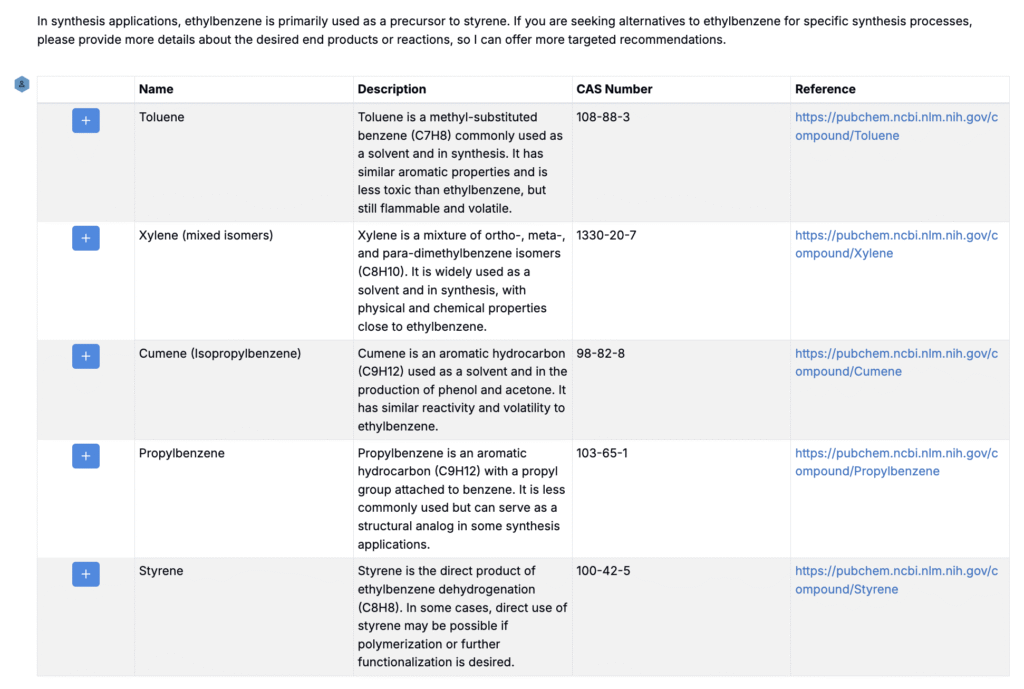
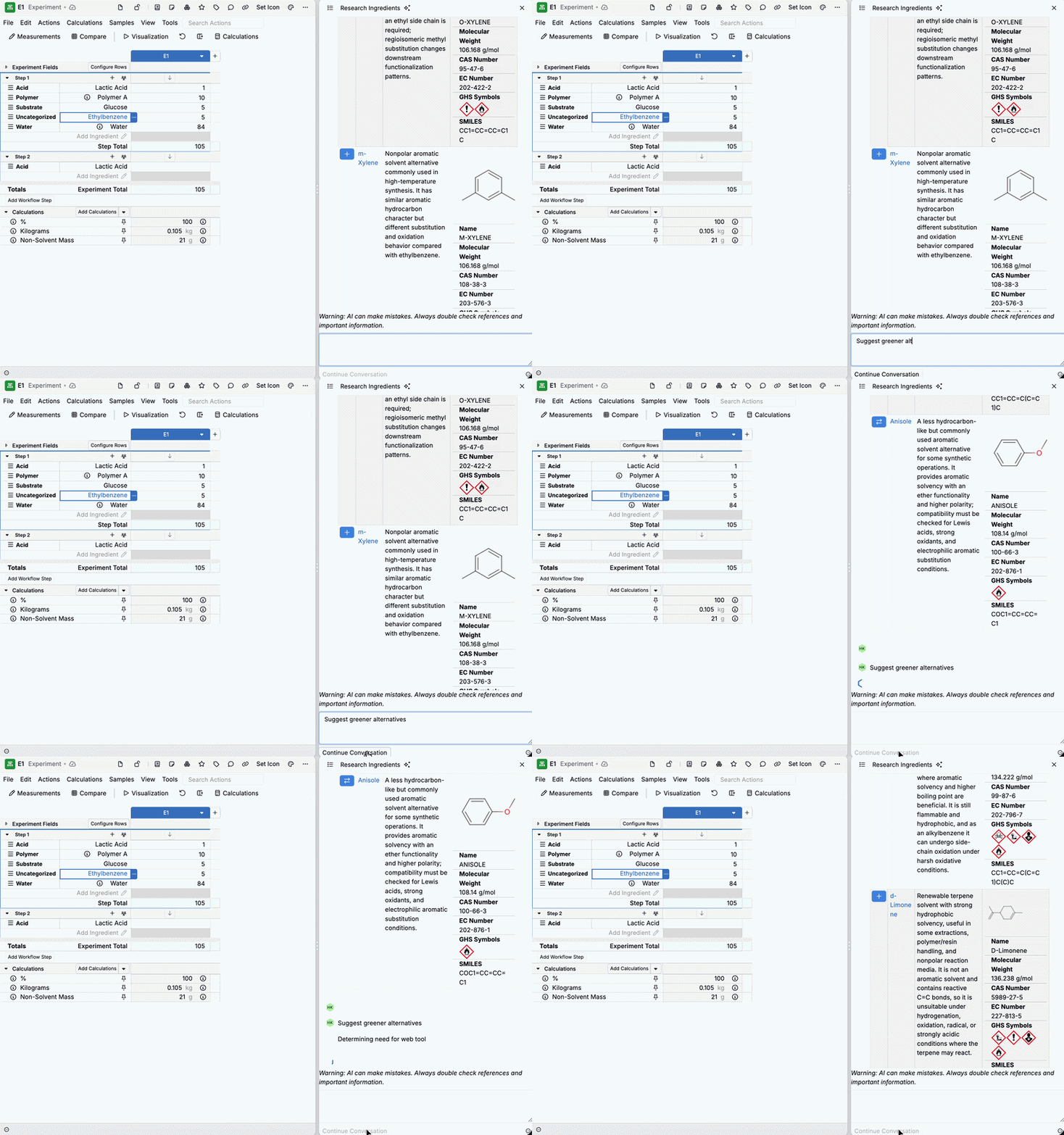
Selecting Research Alternative Ingredients opens a sidepanel where you enter a natural‑language prompt. The assistant researches the current ingredient, returns safety and reference information, and proposes a structured list of candidate alternatives with links to sources such as PubChem. From the results, you can review details, follow up with additional prompts, and add selected ingredients into your ingredient library for use in recipes.
The Research Alternative Ingredient tool is useful when an ingredient raises regulatory, safety, supply, or cost concerns, or when you’re exploring lower‑toxicity or bio‑based substitutes.
This tool is available only in schemas with Gen AI enabled. To enable, contact your Uncountable representative.
How to use
- Right‑click an ingredient in your recipe.
- Choose Swap › Research Alternative Ingredients.
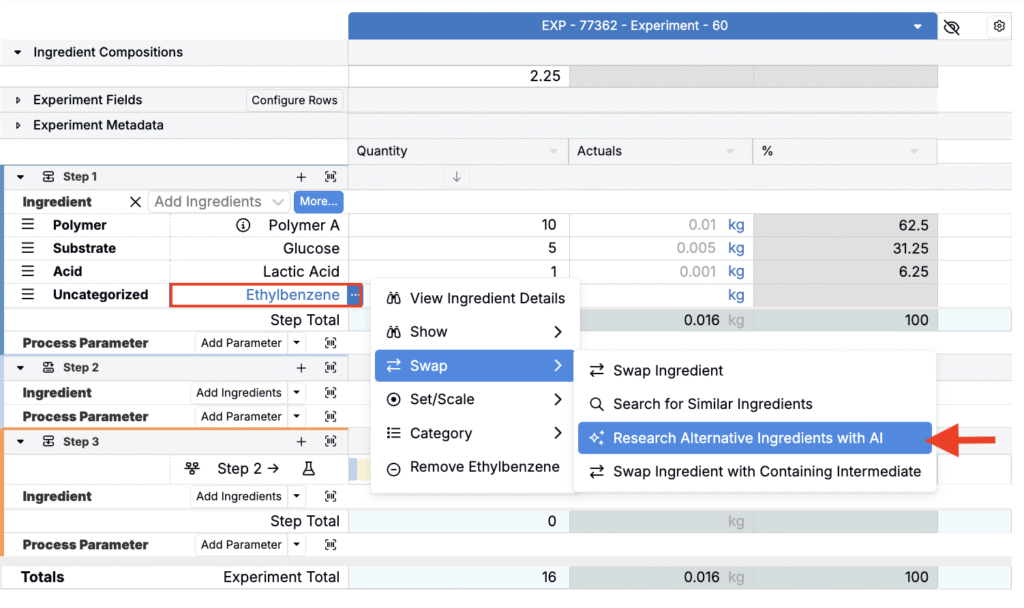
- In the sidepanel, describe your goal. For example:
- “Suggest bio‑based alternatives with similar solvency.”
- “Find lower‑toxicity plasticizers with comparable performance.”
- “List substitutes available from Supplier X.”
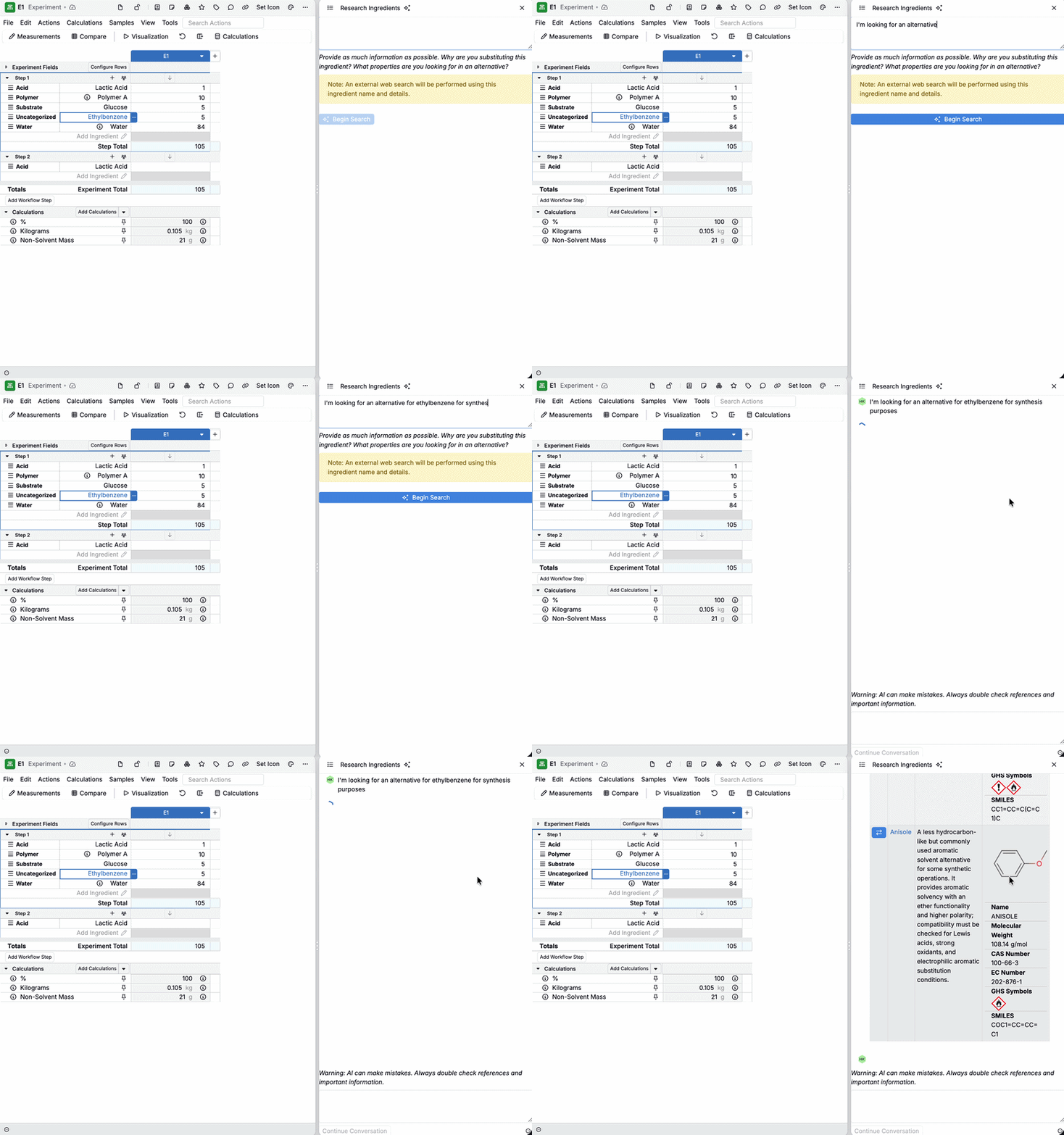
- Review the results table.
- Scan candidate names, short descriptions, and source links.
- Click a link to open the reference (e.g., PubChem) in a new tab for deeper review.
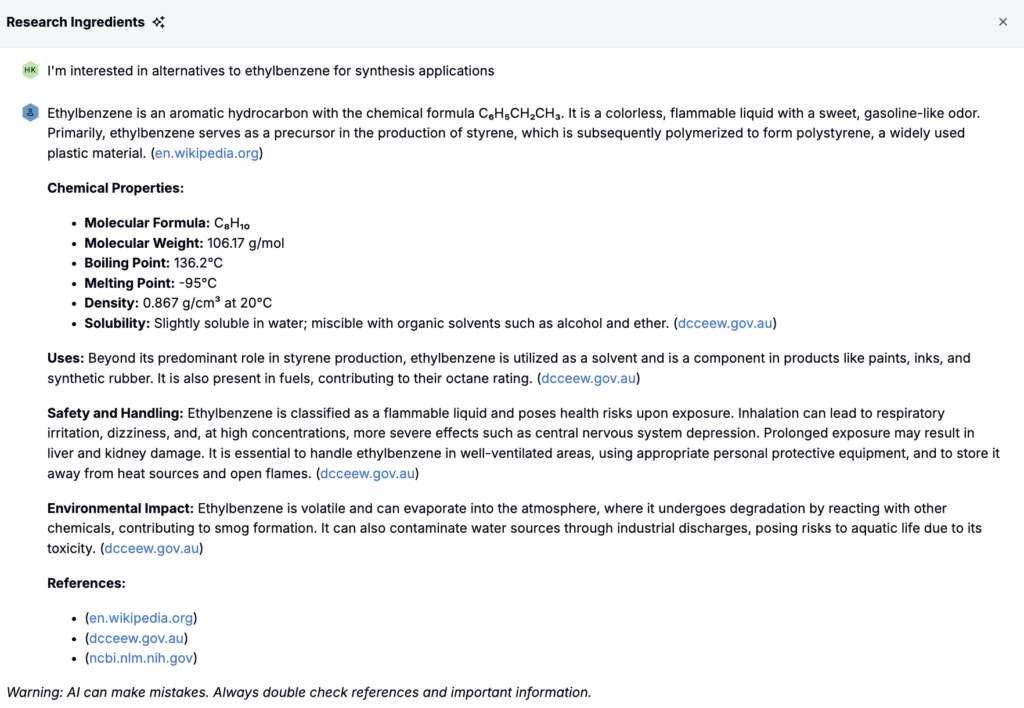
- Iterate with prompts.
- Add constraints (availability, supplier, feedstock, hazard class, etc).
- Ask for pros/cons or compare specific candidates.
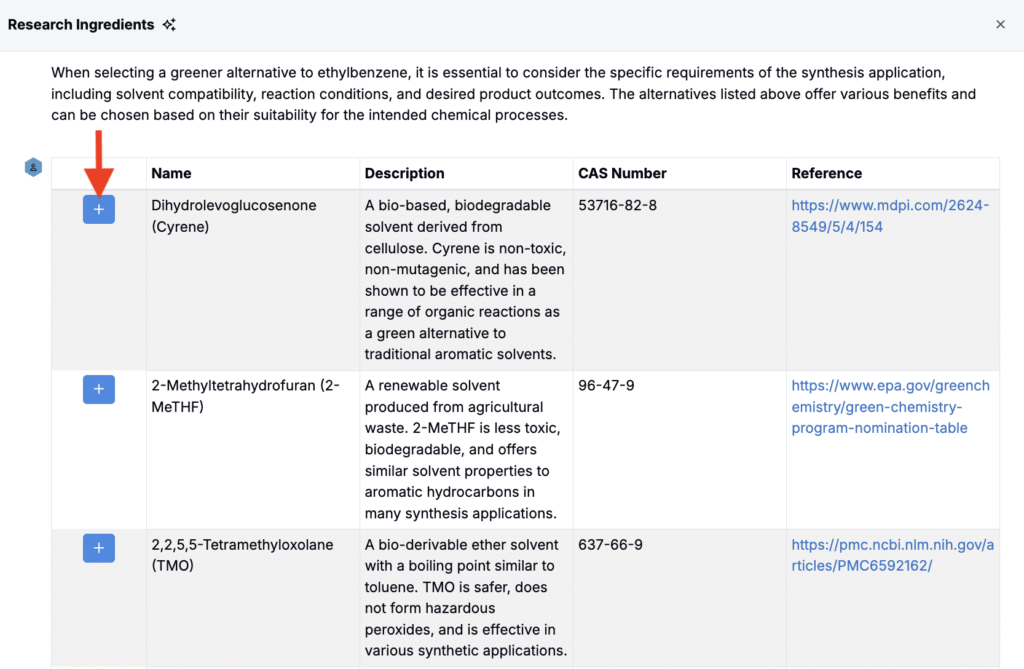
- Add selected candidates.
- Use the blue + action to add an item into your ingredient library so that it can be used in the current or future recipes.
- Perform the swap (optional).
- Once added, replace the original ingredient directly in the recipe using the standard Swap Ingredient action.
Tip: Start broad, then narrow. Begin with a general prompt, then add constraints for hazard class, feedstock, availability, or supplier.
Swap Options in Uncountable
Uncountable provides a few different methods for swap ingredients when creating formulations:
| Method | How It Works | Best For | Learn more |
|---|---|---|---|
| Swap Ingredient | Opens a modal to manually search across the entire ingredient library. | Maximum flexibility; ad hoc swaps when no rules or attributes are needed. | |
| Swap Similar Ingredient | Uses manually defined relationships. Ingredients are tagged as “similar” via subcategories. | Governed, repeatable substitutions that are well-defined and rarely change. | Swap Similar Ingredient |
| Search for Similar Ingredients | Opens a sidepanel that runs an algorithmic similarity search based on ingredient attributes. Users can set default ingredient category attributes adjust attribute weights, and apply filters to find alternatives. | Flexible, context-specific swaps where attributes matter and potential substitutes vary. | Search for Similar Ingredients |
| Research Alternative Ingredients | AI-powered tool that searches external sources based on a prompt. Returns structured alternatives with supporting data and links. | Exploratory research or early-stage projects without predefined options. | |
| Bulk Modify “Swap Ingredients” | Admins‑only tool to swap an ingredient across multiple recipes in one action. Supports creating new recipes and specifying a swap ratio (e.g., 1 g of Ingredient A becomes 2 g of Ingredient B). | Bulk updates across many recipes and controlled rollouts with defined replacement ratios. |
When to Use Research Alternative Ingredients
- Early-stage formulation research when you don’t have predefined “similar” mappings.
- You want to cast a wide net across public sources to discover options quickly.
- You need safety, hazard, and regulatory context alongside candidate suggestions.
- You have specific constraints to apply (supplier, feedstock, availability, hazard class, cost range).
Availability
This feature is available only for workspaces with Gen AI enabled in their schema. If you do not see the option, speak to your Uncountable representative to add Gen AI.