
The Swap Similar Ingredients tool is one method for ingredient substitution in Uncountable. It allows you to replace an ingredient with a pre-approved alternative, providing a controlled and predictable path for substitution.
When you select Swap Similar Ingredient from an ingredient’s menu in the recipe view of an experiment, the replacement options are limited to ingredients that have been manually defined as similar. These relationships are set up in advance via Similar Ingredient Tags.
Setup
To enable the Swap Similar Ingredients tool, admins must first define which ingredients are considered similar. This is managed through Similar Ingredient Tags on an ingredient’s details page.
- Navigate to the Ingredient Details page of the ingredient you want to configure.
- Locate the Similar Ingredient Tags section and click + Similar Ingredient Subcategory.
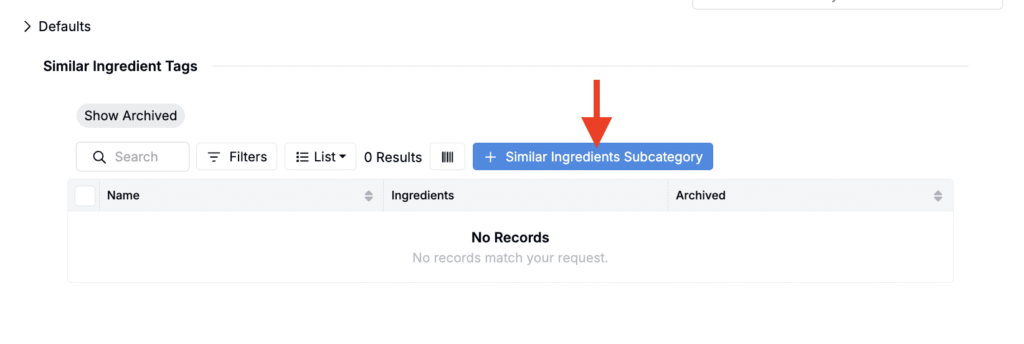
- The Similar Ingredient Tags section on the Filler ingredient details page
- In the modal, use the Ingredients field to select ingredients that are similar to the base ingredient and click Add.
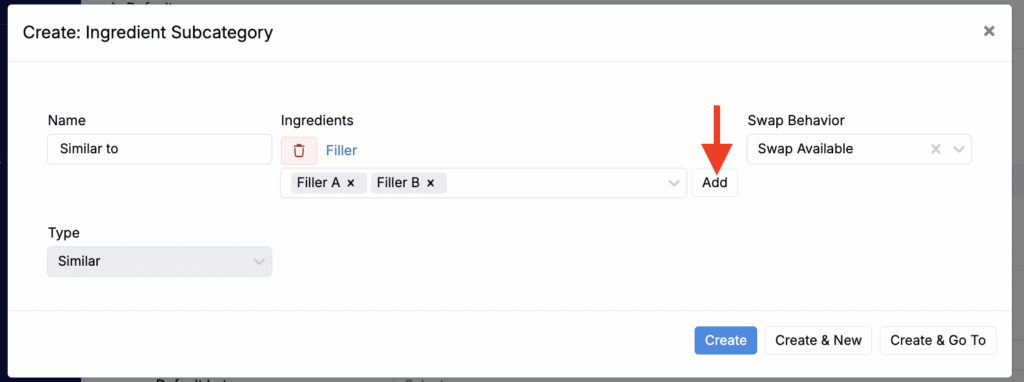
- Save your changes.
Swapping Ingredients in a Recipe
- In the recipe view of your experiment, right-click the ingredient you want to replace.
- Choose Swap > Swap Similar Ingredient from the menu.
- Click directly into the ingredient cell to open a dropdown list of all ingredients that have been defined as similar.
- Select the replacement ingredient, confirm, and the recipe will update automatically.
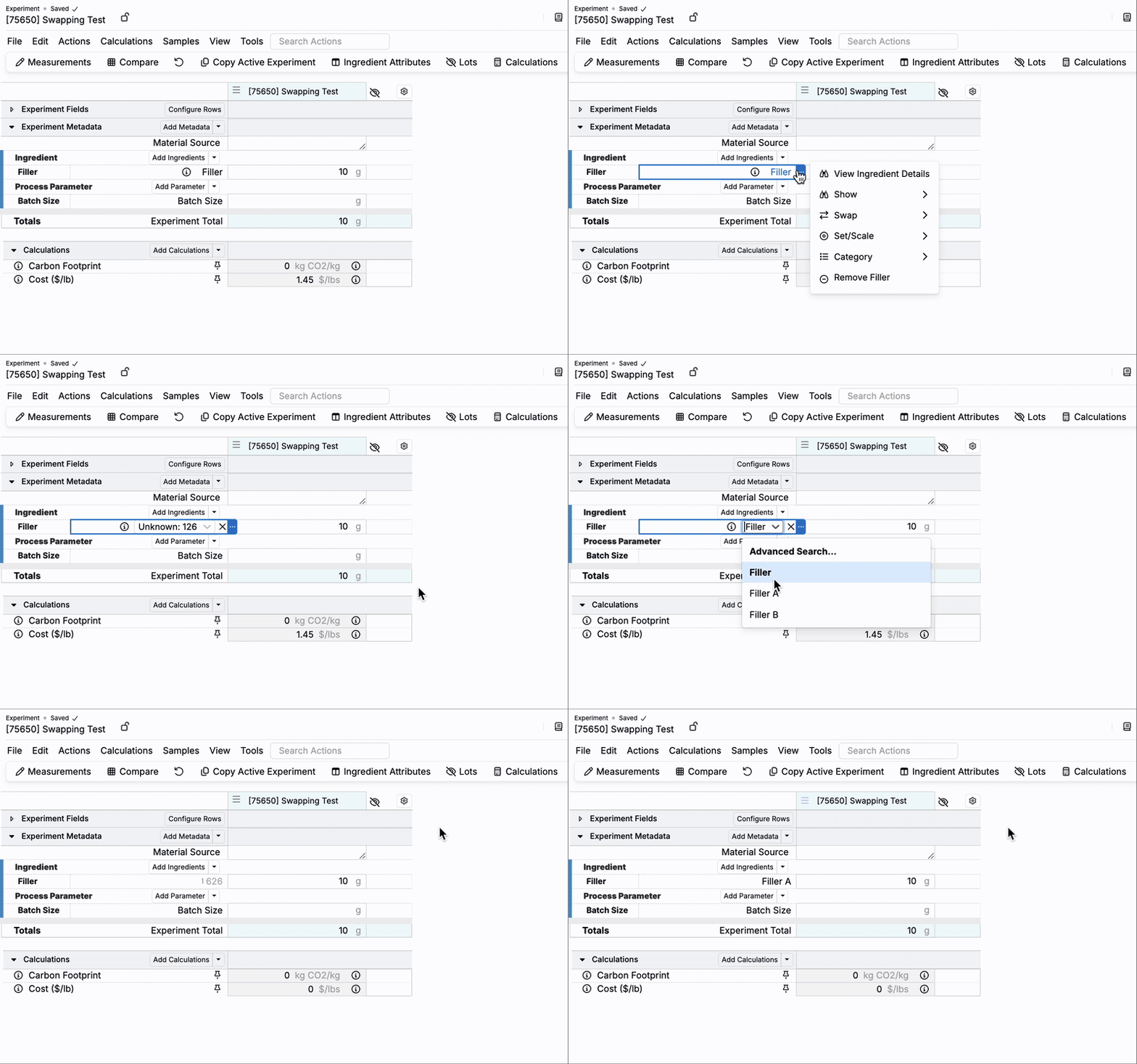
Swap Options in Uncountable
Uncountable provides four main ways to swap ingredients when creating formulations:
| Method | How It Works | Best For | Learn more |
|---|---|---|---|
| Swap Ingredient | Opens a modal to manually search across the entire ingredient library. | Maximum flexibility; ad hoc swaps when no rules or attributes are needed. | |
| Swap Similar Ingredient | Uses manually defined relationships. Ingredients are tagged as “similar” via subcategories. | Governed, repeatable substitutions that are well-defined and rarely change. | |
| Search for Similar Ingredient | Opens a sidepanel that runs an algorithmic similarity search based on ingredient attributes. Users can set default ingredient category attributes adjust attribute weights, and apply filters to find alternatives. | Flexible, context-specific swaps where attributes matter and potential substitutes vary. | Search for Similar Ingredients |
| Research Alternative Ingredients | AI-powered tool that searches external sources based on a prompt. Returns structured alternatives with supporting data and links. | Exploratory research or early-stage projects without predefined options. | Gen AI: Research Alternative Ingredients |
| Bulk Modify “Swap Ingredients” | Admins‑only tool to swap an ingredient across multiple recipes in one action. Supports creating new recipes and specifying a swap ratio (e.g., 1 g of Ingredient A becomes 2 g of Ingredient B). | Bulk updates across many recipes and controlled rollouts with defined replacement ratios. | Bulk Modify Experiments |
When to Use Swap Similar Ingredients
The Swap Similar Ingredients tool is especially useful when:
- You want to apply predefined and stable substitution rules that don’t change often.
- Substitutions must stay within compliance or regulatory-approved options.
- Users need a simple, fast way to swap without configuring attributes or running searches.
Note that since this method relies on manual tagging, it requires regular upkeep to stay accurate.