
Later this week, we will be updating the Uncountable entity header by hiding a few icons by default to simplify the page and reduce the number of less frequently used options.
As part of this change, the entity header is also now fully configurable by admins—allowing teams to decide which actions should be visible by default for all users.
What’s Changing
New Default
After this week, the default entity header for all entities will show only the Comments icons. All other previously displayed actions (Favorites, Tags, Entity Links) will be hidden within the entity header menu.
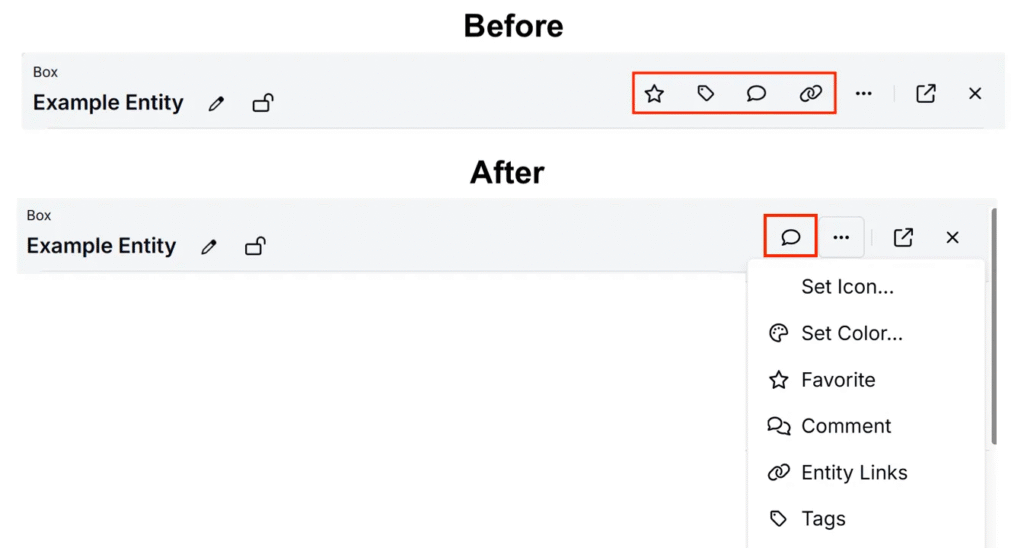
The icons for Favorites, Tags, and Entity Links will be hidden by default unless:
- They are already active for the entity (e.g., an entity with existing tags will display the Tags icon automatically)
- They are pinned to your personal header via Customize Actions (applies to all entity headers for only the user configuring).
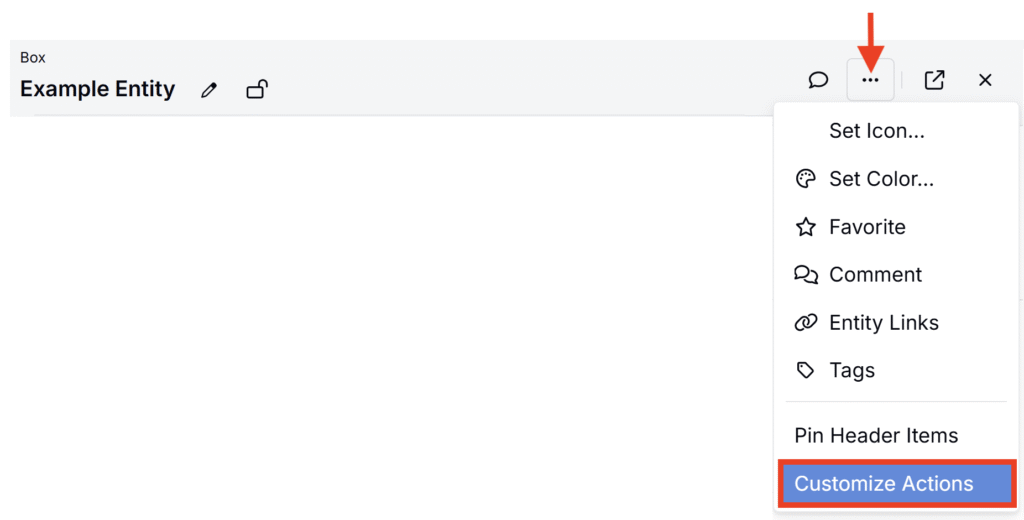
- They are enabled via the new admin configuration settings (applies to all entity headers for all users within that schema).
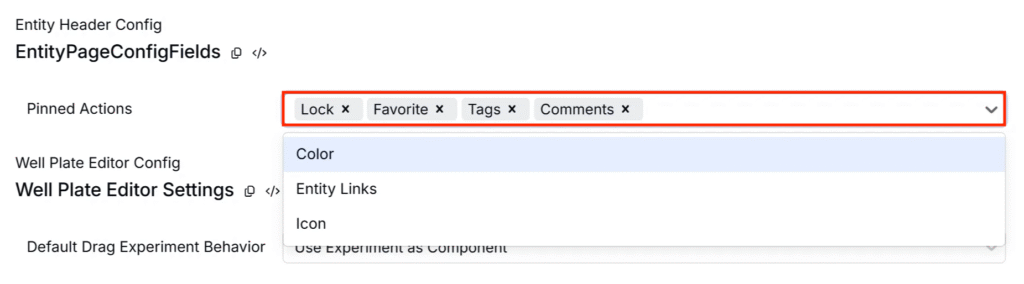
Admin Configuration (Available Now)
Admins can now manage which actions appear in the header for their company by:
- Navigating to Company-Wide Settings → Platform Config
- Using the new Entity Header Config section to select actions to pin.
- Pinned actions will appear by default in all entity headers for all users within the schema.

Why this helps
These changes help remove unused options and reduce visual clutter for most users, while giving you the flexibility to keep important actions visible through either admin defaults or personal customization.