
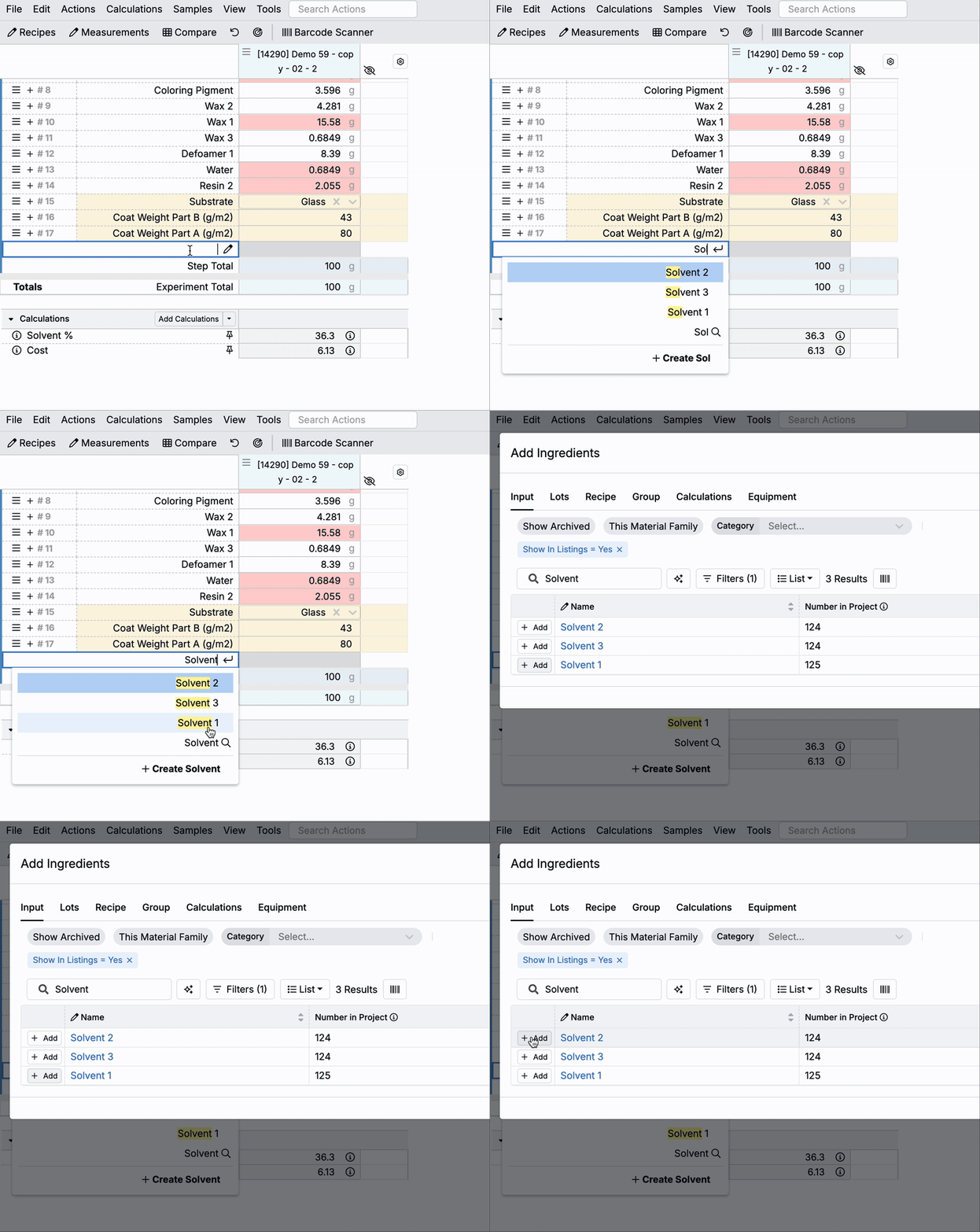
Experiments with Mix Order enabled now contain a Ghost Row, which appears at the bottom of each Workflow step. The Ghost Row is a blank, editable cell that lets you quickly add new or existing ingredients and instructions directly to your Mix Order. Start typing into the cell, then either click a result or press Enter to add it.
The addition of the Ghost Row is intended to streamline the formulation process in Uncountable, making it easier to build recipes on the fly.

Adding Inputs via Ghost Row
To quickly add an existing ingredient to your Mix Order:
- Click into the Ghost Row and begin typing an ingredient name.
- Matching ingredients from the platform will appear in a dropdown menu.
- Click on a result or hit the Enter button to add it to the Mix Order.

Clicking the Search icon at the bottom of a Ghost Row opens the Add Ingredients modal, showing results filtered to match the text you entered.
Creating New Ingredients via Ghost Row
Users with Create permissions on inputs can also create and add a new ingredient directly from the Ghost Row:
- Begin typing the ingredient name into the Ghost Row.
- Click the Create button at the bottom of the dropdown menu.
- Fill out the required fields in the New Ingredient modal.
- Click Create to add the new ingredient to both the platform and your Mix Order.
Users without appropriate permission will only be able to select from existing ingredients, and Create modal will not be accessible.

Adding Instructions via Ghost Row
To add a Mix Order instruction:
- Click the pencil icon within the Ghost Row.
- Select Add Instructions.
- A blank instruction row will appear. Click into the cell to type your instructions.
